• $133.99
  • Free 30-day Returns
  • Price alert
    Shop it at NeweggBusiness.

    Meet Your Seller

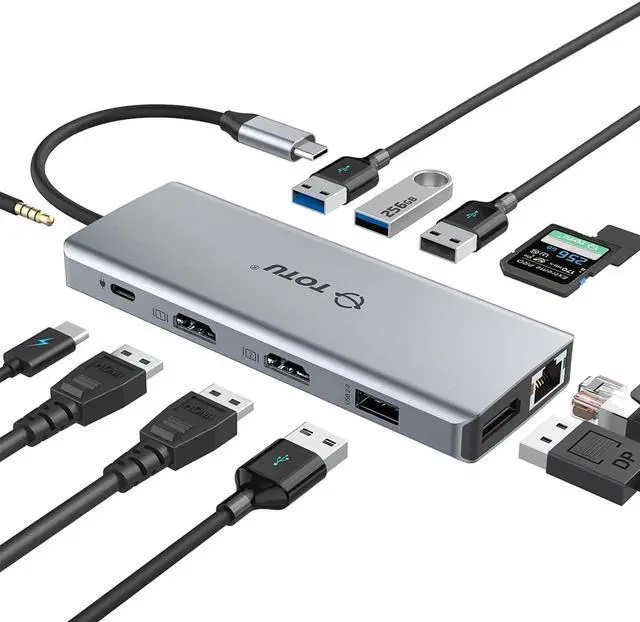
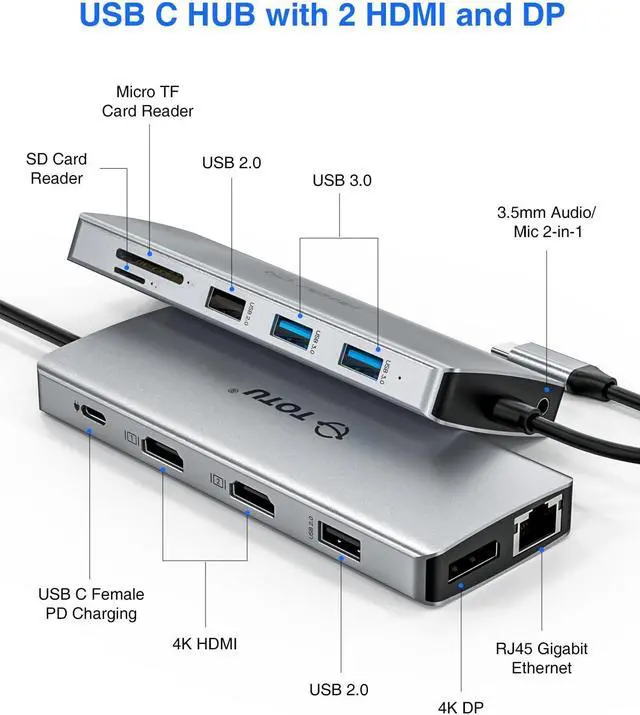
    USB C HUB, Upgraded TOTU 13 in 1 Type C Hub Dongle Adapter (4K Dual HDMI&DP,75W PD), Triple Display Docking Station for Windows&MacBook Pro USB C Systems, macOS only Support Mirror Display

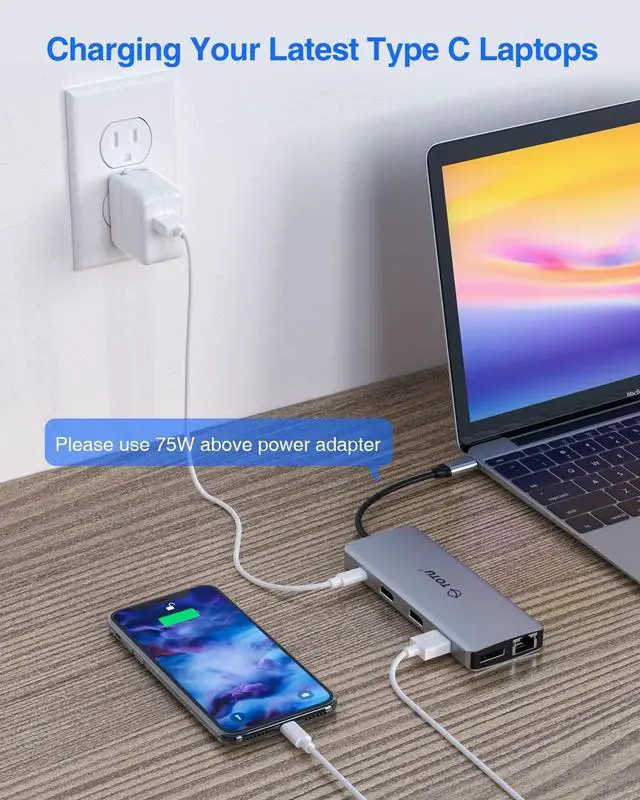
    • Massive Docking Station: For Mac OS system, due to the Apple system restrictions OS system only could extend an external monitor via one usb c port. You can enjoy one private display content on your laptop and share all external monitors with another display content. Please make sure that your laptop Type C port support DisplayPort Alt Mode and Power Delivery. The usb c hub is incompatible with the USB-A to USB-C Adapter.
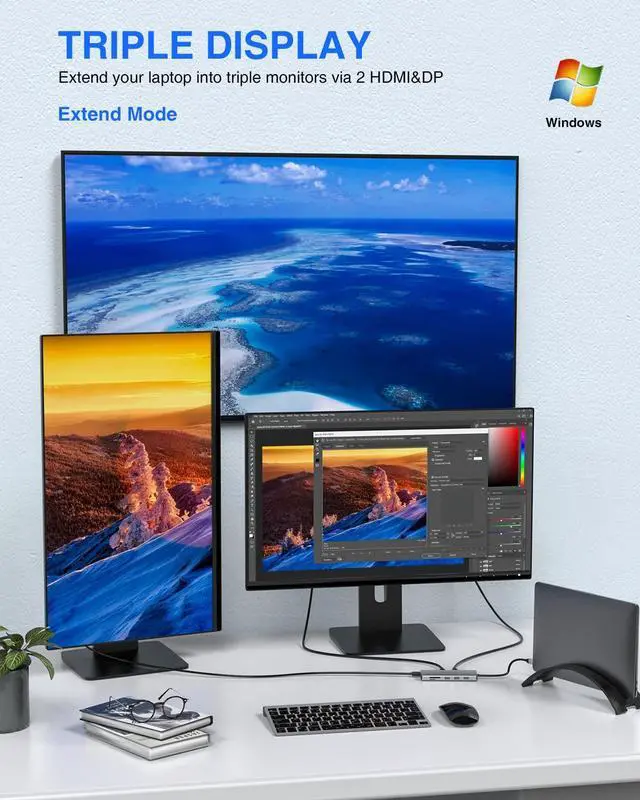
    • Triple Display USB C Hub for Windows: Only support the Triple display for Windows. 3840x2160 output only available when using HDMI or DP display or mirror the three displays. In extend mode, each will be limited to a maximum resolution of 1080P. Please note ONLY Windows system support extend and mirror mode , Mac ONLY offers mirroring the two external displays.
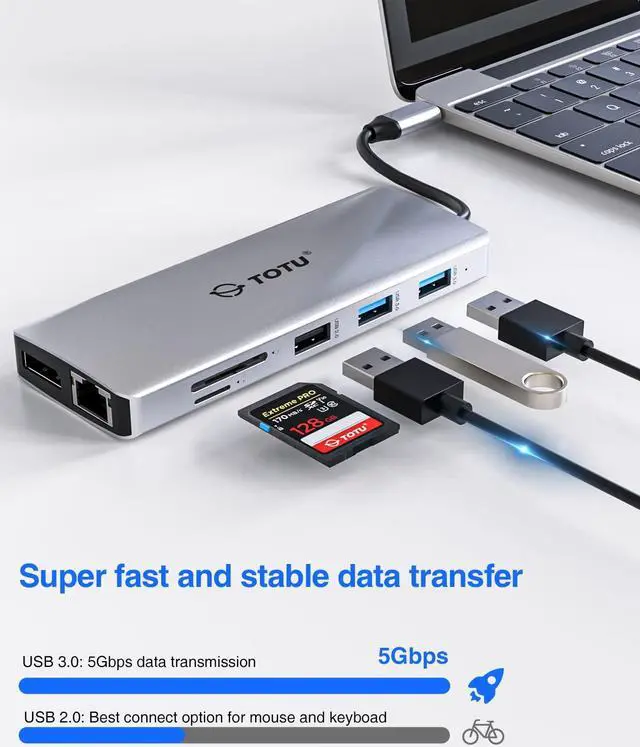
    • All-powerful USB C Hub:2 x 4K HDMI ports, DP port, 75 W PD charging port, Gigabit RJ45 Ethernet Port SD/TF Card Slot/3.5mm Audio port, 2 x super speed USB 3.0 Ports(Up to 5Gbps), 2 x USB 2.0 Por
    +
    +
    Overview
    Specs
    Reviews
    avatar

    Any questions? Our AI beta will help you find out quickly.

    To use this product the host USB-C port from your device must support DisplayPort Alt Mode and Power Delivery

    Use HDMI 2.0 /DP 1.4 or above cables for optimum performance


    USB 3.1 Type-C Overview
    USB Type-C has a new feature called Alternate Modes which allows you to use non-USB connections with the USB-C cable and connection. Your device automatically uses the appropriate mode if it's supported


    Display connection be limited

    Make sure the device you're connecting to is supported and that you're using the right cable


    DisplayPort connection might not work
    Try using a different cable


    Try these solution
    Make sure your device and cable supports the same USB-C features as the TOTU docking station
    Make sure the docking station is connected directly to your host device
    Make sure the docking station is connected to the USB-C port on your host device that supports the correct Alternate Mode
    For example if you're connecting a USB 3.1 Gen2 (Type C) Alt Mode device make sure you connect to the USB-C port that supports Displayport alt mode and power delivery


    Possible causes
    The docking station you connected to has new features for USB-C that your host device or connect cable doesn't support
    The docking station isn't connected to the correct USB-C port on your host device
    The device is using an external hub or dock to connect to the docking station
    Too many other Alternate Mode devices or dongles are connected to your host device


    Audio/Mic Remind
    Plug in this USB C Docking Station sometimes will change the default Audio output device to Docking Station which means your laptop speakers will not work anymore
    To make your laptop speaker work please change in your laptop OS setting the audio output device back to laptop speakers


    USB Accessories Disabled Solutions
    If you experiencing the problem
    Solution 1 Please unplug and re-plug
    Solution 2 Reset the SMC of your device

    Warranty & Returns

    Warranty, Returns, And Additional Information

    Warranty

    • Please contact the Seller directly for warranty information. Warranty information may also be found on the Manufacturer's website.
    • CONTACT

    Return Policies

    • Return for refund within: 30 days
    • Return for replacement within: non-replaceable
    • This item is covered by JMDesign Return Policy

    Manufacturer Contact Info

    LOADING...