

Your Browsing History

Meet Your Seller

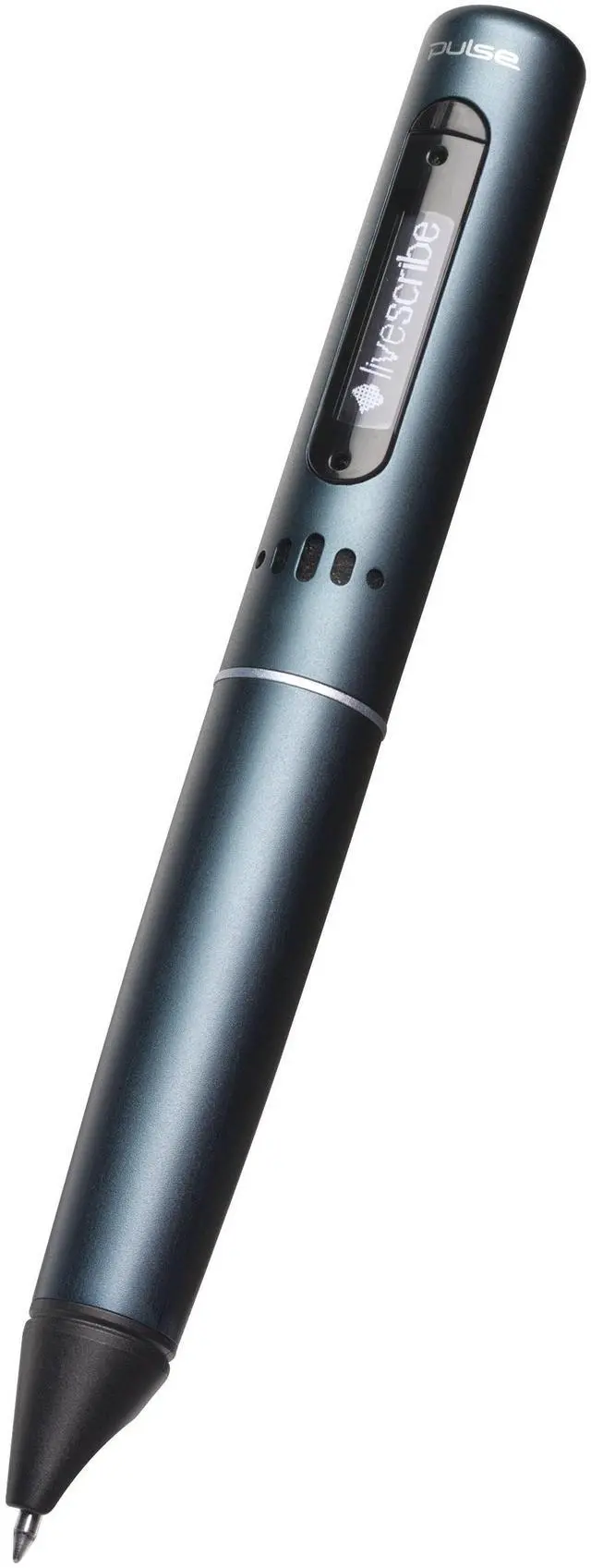
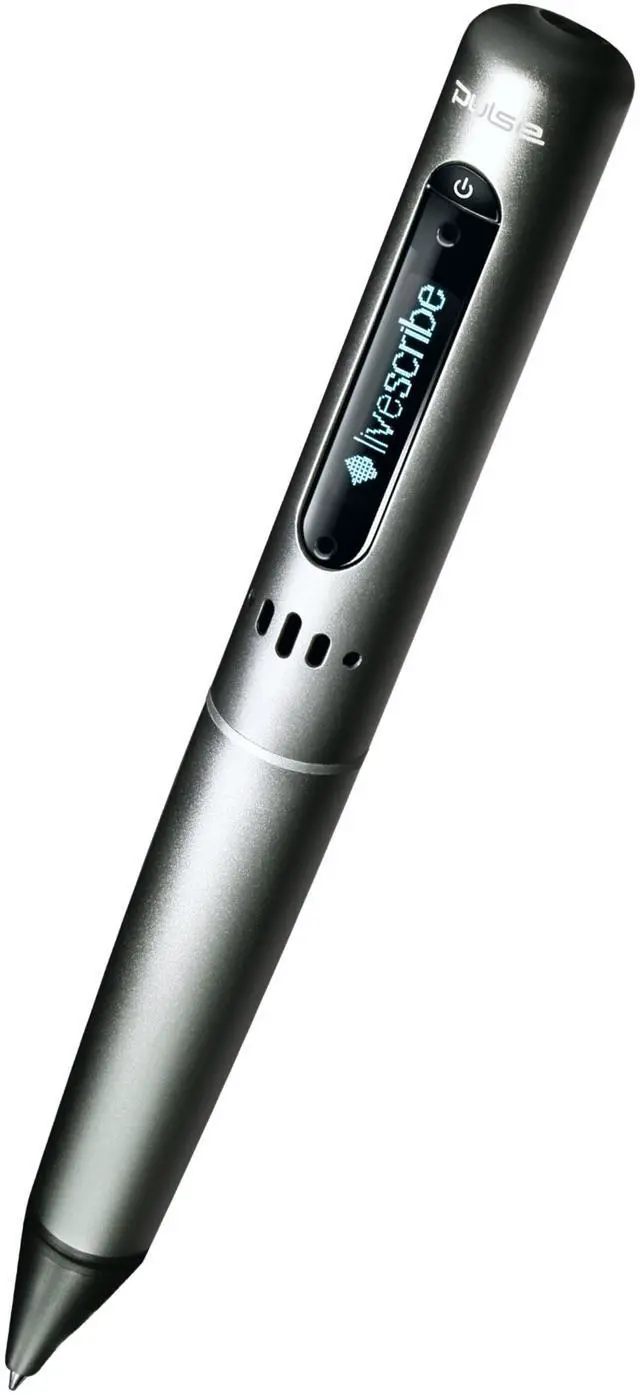



Livescribe 2 GB Pulse Smartpen
- Captures over 200 hours of recorded audio or 32,000 pages of notes. (Actual available recording time varies by audio quality setting)
- Instantly play back your recorded audio by tapping on your notes to listen to the information you captured
- Share your recordings and notes with anyone privately or publicly with 500MB of free online storage for your recorded audio or notes
- USB connector to transfer notes and audio to your Mac or PC
- Audio jack and 3-D Recording Headset for far-field recording
+
+
Overview
Specs
Reviews

Any questions? Our AI mode will help you find out quickly.
Try me now
From the ManufacturerTaking notes and getting it right has never been easier at work or in class. The Pulse smartpen from Livescribe records everything you hear, say and write, while linking your audio recordings to your notes. Later, just tap your handwritten notes to play back what was said at that point in time. Spend less time writing and more time listening, knowing that youll find what you need when you need it. Notetaking has never been easier. Access your pencasts on your laptop, tablet, or smartphone. Easy Access to Your Audio & NotesIdeal for meetings, conferences, or classes, this compact and light productivity tool is as easy to carry as traditional pen-and-paper, but smarter.
Replay your audio recordings any time, anywhere, with a quick tap on your notes or drawings.
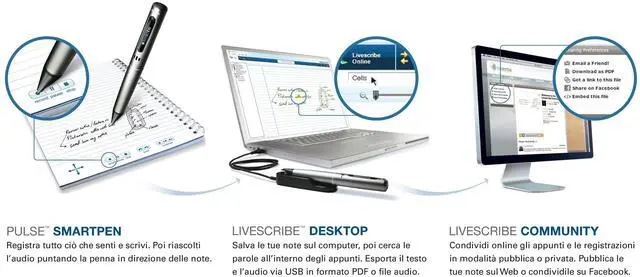
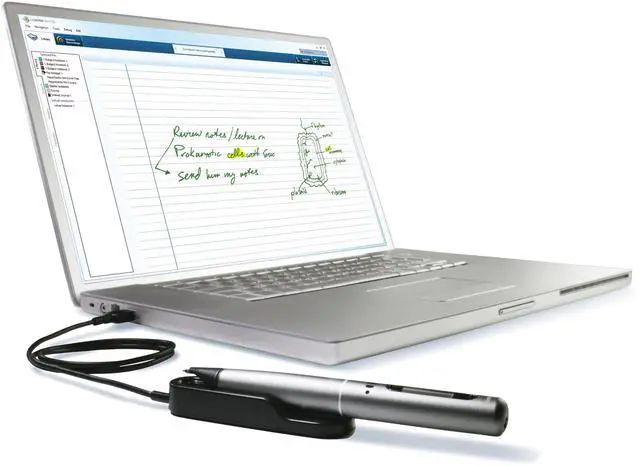
2GB of Memory: Room to Store Recordings, Notes, and ApplicationsWhether you're digitizing your notes and audio, or adding additional smartpen apps you'll need storage space; with 2GB of memory, your smartpen has plenty to get going right out of the box. An 2GB smartpen can hold over 200 hours of audio*, thousands of pages of notes, or dozens of applications. Save, Organize, and SearchUsing the free Livescribe Desktop software, you can easily upload, save and play back your interactive notes and audio recordings from your PC or Mac. Use the search window to find specific words or phrases Livescribe Desktop will highlight every place you wrote them in your notes. You can also organize your digital notes simply by dragging and dropping pages in to custom notebooks, or export them into other applications like Evernote. The Livescribe Pulse smartpen A variety of smartpen apps to choose from. Send and Share Your Notes EasilyShare your notes or recordings publically or privately as a PDF, audio file, or a pencast. Send them with email, embed them in a webpage, or post them directly on Facebook.
You can also access pencasts on your other mobile devices through the Livescribe Community or with our free Pencast Player app. Included Smartpen ApplicationsYour Pulse smartpen comes loaded with applications ready to work right out of the box: Nav
Plus: a 5-way navigation and menu system for scrolling through menu options
Quick Record: record audio without using dot paper with just a press of a button
Quick Calc: Write an addition, subtraction, multiplication or division problem on dot paper and get the answer on your smartpen screen
Launch Line: launch your favorite app by writing it's name
Password: protect your recorded paper replay sessions with a 4-digit number
Smartpen Name: personalize your smartpen and set it apart from other smartpens
System Utilities: multiple language support, time, date, storage info, and battery charge Customize Your Smartpen with More AppsThe possibilities for expanding your smartpen's functionality are endless with a variety of free and paid applications. Enhance your productivity and learning with the American Heritage English Dictionary or the American Heritage Spanish Dictionary. Transcribe your handwritten notes into editable text by adding the MyScript for Livescribe app. Learn travel phrases in a foreign language. Get help studying geometry, organic chemistry, or guitar chords. Play games like Blackjack, Hangman, or Sudoku.
Dot paper at work: like a GPS for your smartpen. Livescribe Dot PaperLivescribe dot paper uses regular paper printed with a unique pattern of tiny microdots. This tiny pattern works a lot like a GPS system for your smartpen. It allows a smartpen to capture everything it writes or draws on dot paper. Livescribe smartpens only work with Livescribe Dot Paper, so we've created a variety of dot paper sizes and types: College-ruled Notebooks, Lined Journals, Blank Journals, Mini Journals, A5-sized Notebooks, Flip Notepads, and Sticky Notes. You can even print your own dot paper for free from within Livescribe Desktop on many printers. What You Get The Pulse smartpen ( 1.3 ounces, anodized aluminum housing) 2 GB of memo
Replay your audio recordings any time, anywhere, with a quick tap on your notes or drawings.
2GB of Memory: Room to Store Recordings, Notes, and ApplicationsWhether you're digitizing your notes and audio, or adding additional smartpen apps you'll need storage space; with 2GB of memory, your smartpen has plenty to get going right out of the box. An 2GB smartpen can hold over 200 hours of audio*, thousands of pages of notes, or dozens of applications. Save, Organize, and SearchUsing the free Livescribe Desktop software, you can easily upload, save and play back your interactive notes and audio recordings from your PC or Mac. Use the search window to find specific words or phrases Livescribe Desktop will highlight every place you wrote them in your notes. You can also organize your digital notes simply by dragging and dropping pages in to custom notebooks, or export them into other applications like Evernote. The Livescribe Pulse smartpen A variety of smartpen apps to choose from. Send and Share Your Notes EasilyShare your notes or recordings publically or privately as a PDF, audio file, or a pencast. Send them with email, embed them in a webpage, or post them directly on Facebook.
You can also access pencasts on your other mobile devices through the Livescribe Community or with our free Pencast Player app. Included Smartpen ApplicationsYour Pulse smartpen comes loaded with applications ready to work right out of the box: Nav
Plus: a 5-way navigation and menu system for scrolling through menu options
Quick Record: record audio without using dot paper with just a press of a button
Quick Calc: Write an addition, subtraction, multiplication or division problem on dot paper and get the answer on your smartpen screen
Launch Line: launch your favorite app by writing it's name
Password: protect your recorded paper replay sessions with a 4-digit number
Smartpen Name: personalize your smartpen and set it apart from other smartpens
System Utilities: multiple language support, time, date, storage info, and battery charge Customize Your Smartpen with More AppsThe possibilities for expanding your smartpen's functionality are endless with a variety of free and paid applications. Enhance your productivity and learning with the American Heritage English Dictionary or the American Heritage Spanish Dictionary. Transcribe your handwritten notes into editable text by adding the MyScript for Livescribe app. Learn travel phrases in a foreign language. Get help studying geometry, organic chemistry, or guitar chords. Play games like Blackjack, Hangman, or Sudoku.
Dot paper at work: like a GPS for your smartpen. Livescribe Dot PaperLivescribe dot paper uses regular paper printed with a unique pattern of tiny microdots. This tiny pattern works a lot like a GPS system for your smartpen. It allows a smartpen to capture everything it writes or draws on dot paper. Livescribe smartpens only work with Livescribe Dot Paper, so we've created a variety of dot paper sizes and types: College-ruled Notebooks, Lined Journals, Blank Journals, Mini Journals, A5-sized Notebooks, Flip Notepads, and Sticky Notes. You can even print your own dot paper for free from within Livescribe Desktop on many printers. What You Get The Pulse smartpen ( 1.3 ounces, anodized aluminum housing) 2 GB of memo
Warranty & Returns
Warranty, Returns, And Additional Information
Warranty
- Please contact the Seller directly for warranty information. Warranty information may also be found on the Manufacturer's website.
- CONTACT
Return Policies
- Return for refund within: 30 days
- Return for replacement within: 30 days
- This item is covered by ApexDash Return Policy
Manufacturer Contact Info
- For a directory of all our manufacturers, please click below.
- Manufacturers Directory
LOADING...