

Your Browsing History

Meet Your Seller

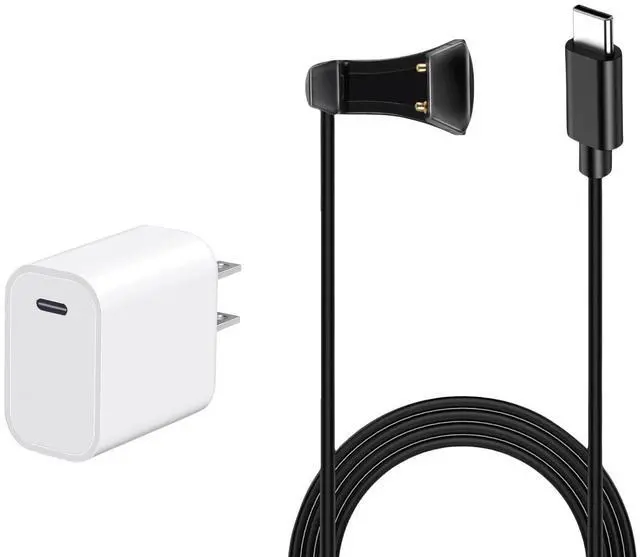



JASHALO Charging Cable and Charger for RayBan meta Smart Glasses, Compatible with Ray-Ban Meta Wayfarer/Skyler/Headliner Smart Glasses, 5 ft 150cm Cable and Adapter Replacement for RayBan Accessories
- Charger and Cable Kit For Ray-Ban smart glasses: Specifically designed for Ray-Ban Meta Wayfarer, Skyler, and Headliner smart glasses. Features a standard USB-C connector to Pogo pin cable for Ray-Ban Meta glasses charging. And Provide a charger for optimal charging performance.
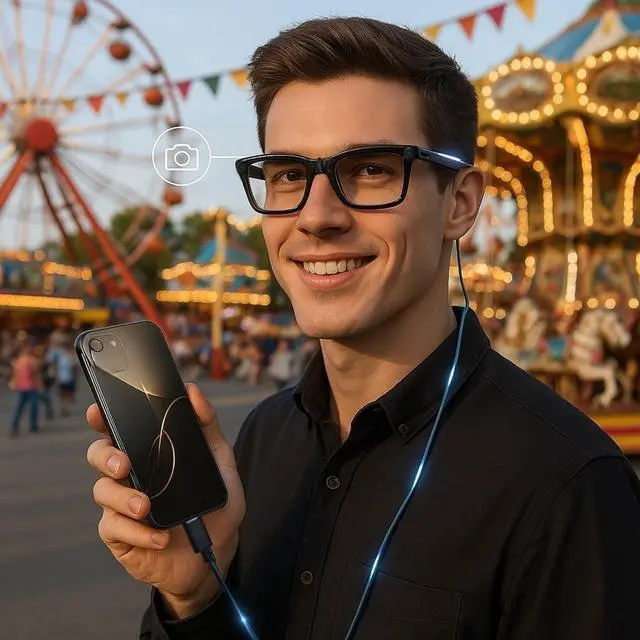
- Cable for iphone15/16 Charging Ray-Ban smart glasses: USB C to Pogo Pin Cable for Charging Ray-Ban Smart Glasses with Type-C phones, specifically compatible with iPhone 15/16.
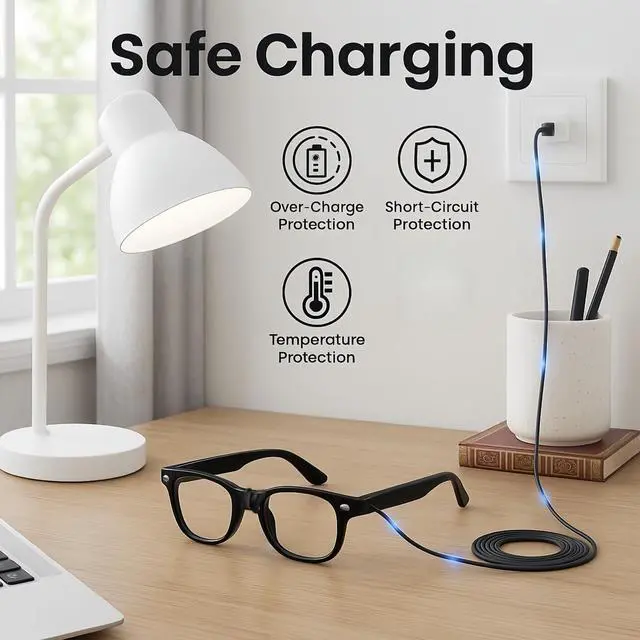
- Safe & Efficient Charging: Built-in voltage regulator and PTC protection offer safeguards against overvoltage, overcurrent, overheating, and short circuits. This Cable allows you to charge without unfolding the glasses armsoffering a secure, seamless, and stable connection.
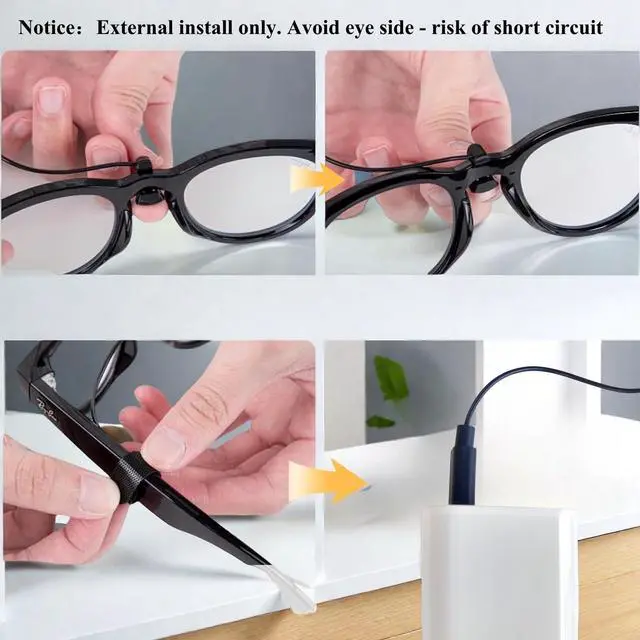
- Important Note: Make sure the U-shaped Pogo pin connector is attached to the outside of the glasses frame.Connecting it to the inside may prevent proper charging and trigger an error mode, causing the white LED to flash. When white LED flash, Follow your Ray-B
+
+
Overview
Specs
Reviews

Any questions? Our AI mode will help you find out quickly.
Try me now
Why Choose JASHALO Charging Cable and Charger for rayban meta smart glasses? - Designed for Ray-Ban Meta Wayfarer, Skyler, and Headliner- Charging Ray-Ban smart glasses with i-phone 15/16- USB-C to Pogo pin cable ensures reliable, steady charging- Built-in voltage regulator and PTC offer safe charging- 5 ft cable provides flexibility and tangle-free convenience- Made with eco-friendly TPE and TPU for long-lasting use- Compact and portable - perfect for travel or everyday useSpecificationsProduct
Name: Charger and Cable Kit for
Ray-Ban Meta Smart GlassesCompatibility: For Ray-Ban Meta Wayfarer / Skyler /
HeadlinerConnector Type: USB-C (Input) to Pogo Pin (Output)
Cable Length: 5
ftMaterials: Eco-friendly TPE + TPU
Charging Protection: Overvoltage Protection/Overcurrent Protection/Overheat Protection/Short Circuit Protection/Built-in Voltage Regulator and PTC
Color: BlackPackage
Includes: 1 Charging Cable (USB-C to Pogo Pin)1
Charger AdapterUse Case: Home, Travel, Car, OfficeUsage
Notes: 1. Use the included charger for optimal charging performance. 2. Make sure the U-shaped Pogo pin connector is attached to the outside of the glasses frame. Connecting it to the inside may prevent proper charging and trigger an error mode, causing the white LED to flash. When white LED flash, Follow your Ray-Ban smart glasses' official instructions to clear the error and return the device to normal operation. 3. If using another power source, such as a third-party charger or phone, first attach the U-shaped connector to the glasses, then connectthe USB-C port to the power source. Otherwise, charging may not work properly. What If the White Light Is Flashing? This indicates a connection error, usually caused by inserting the charging cable the wrong way. Please follow the steps below to reset the glasses: 1. Disconnect the charging cable if it was connected from the wrong (inner) side. 2. Press and hold the photo button located on the right temple of the glasses. 3. While holding the photo button, toggle the power button on the left temple: Switch it from ON to OFF, Wait for 3 seconds, Then switch it from OFF back to ON. 4. Release the photo button only after the power is switched back ON. 5. After the reset, reconnect the charging cable correctly from the outside of the glasses to resume normal charging.
Name: Charger and Cable Kit for
Ray-Ban Meta Smart GlassesCompatibility: For Ray-Ban Meta Wayfarer / Skyler /
HeadlinerConnector Type: USB-C (Input) to Pogo Pin (Output)
Cable Length: 5
ftMaterials: Eco-friendly TPE + TPU
Charging Protection: Overvoltage Protection/Overcurrent Protection/Overheat Protection/Short Circuit Protection/Built-in Voltage Regulator and PTC
Color: BlackPackage
Includes: 1 Charging Cable (USB-C to Pogo Pin)1
Charger AdapterUse Case: Home, Travel, Car, OfficeUsage
Notes: 1. Use the included charger for optimal charging performance. 2. Make sure the U-shaped Pogo pin connector is attached to the outside of the glasses frame. Connecting it to the inside may prevent proper charging and trigger an error mode, causing the white LED to flash. When white LED flash, Follow your Ray-Ban smart glasses' official instructions to clear the error and return the device to normal operation. 3. If using another power source, such as a third-party charger or phone, first attach the U-shaped connector to the glasses, then connectthe USB-C port to the power source. Otherwise, charging may not work properly. What If the White Light Is Flashing? This indicates a connection error, usually caused by inserting the charging cable the wrong way. Please follow the steps below to reset the glasses: 1. Disconnect the charging cable if it was connected from the wrong (inner) side. 2. Press and hold the photo button located on the right temple of the glasses. 3. While holding the photo button, toggle the power button on the left temple: Switch it from ON to OFF, Wait for 3 seconds, Then switch it from OFF back to ON. 4. Release the photo button only after the power is switched back ON. 5. After the reset, reconnect the charging cable correctly from the outside of the glasses to resume normal charging.
Warranty & Returns
Warranty, Returns, And Additional Information
Warranty
- Please contact the Seller directly for warranty information. Warranty information may also be found on the Manufacturer's website.
- CONTACT
Return Policies
- Return for refund within: 30 days
- Return for replacement within: 30 days
- This item is covered by LANMEll Return Policy
Manufacturer Contact Info
- For a directory of all our manufacturers, please click below.
- Manufacturers Directory
LOADING...