1. 4
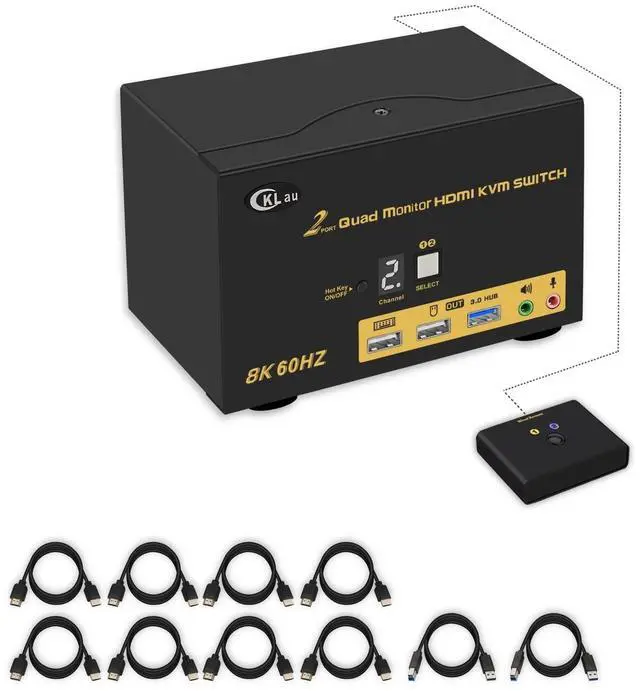
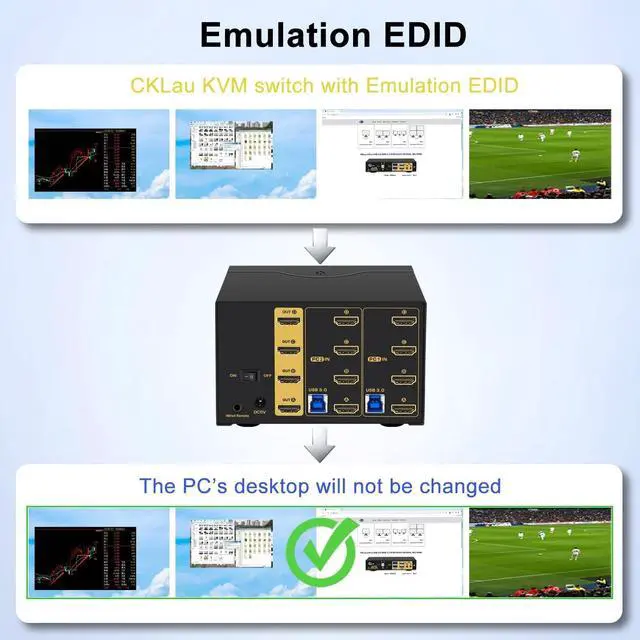
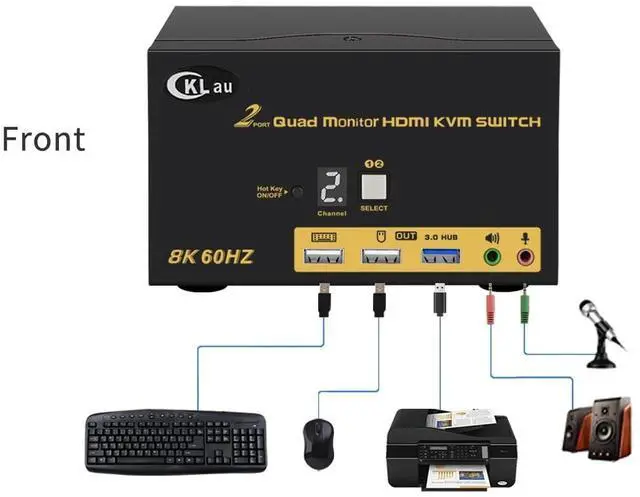
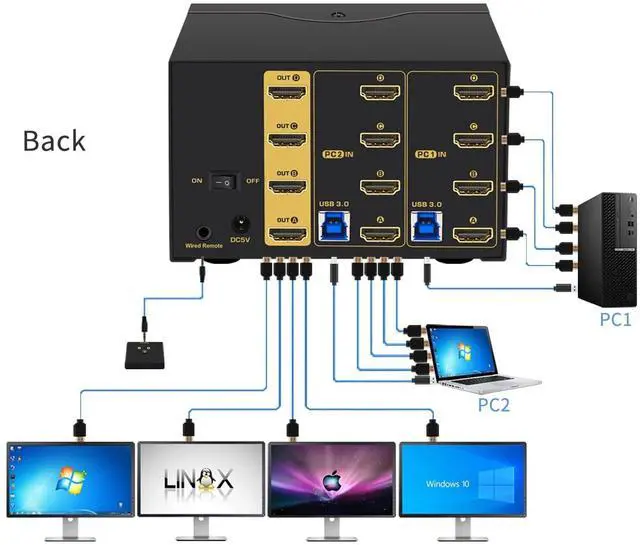
Monitors KVM Switch HDMI: 2 computers in, 4 monitors out. It allows 2 PCs/laptops sharing one set of USB keyboard & mouse, 4 monitors, audio, microphone, and 1 USB peripheral. Support HDMI 2.1, HDCP 2.2, HDR 10, and Emulation EDID (you can turn if off if needed).
(Tips: If you want to use 4 monitors, that the computer should with 4 video outputs. If one of your computers with 2 video outputs, that only 2 monitors have display. ) ^^ 2.
HDMI Monitor Switch: We have been certified HDMI adopters for over 10 years. Excellent image processing and transmission capacity, make the output signal is more smooth and steady. ^^
3. Quad Monitor KVM Switch
USB 3.0: Four
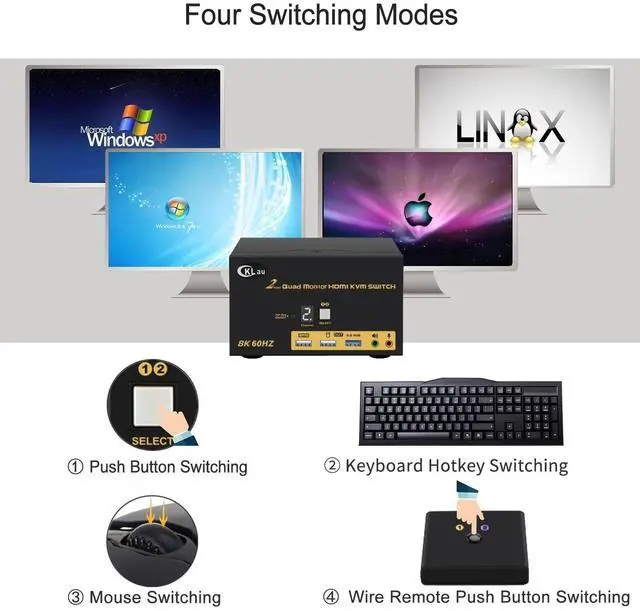
switching way optional: keyboard hotkey switching (Num Lock + Num Lock + 1 / 2 + Enter, or Ctrl + Ctrl + 1 / 2 + Enter, or Scroll Lock+ Scroll Lock+1 / 2 + Enter), mouse switching (click mouse wheel 2 times), manual button switching, wired remote push button switching. ^^
4. Computer Switch for 2
Computers: Resolution compatible 7680x4320@60Hz, 5120x2880@50/60/100/120Hz, 4096x2160@50/60/100/120Hz, 3840x2160@60/120/144Hz, 3840x1620@60/120/144Hz, 3440x1600@60/120/144Hz, 3440x1440@60/120/144Hz, 3840x1080@60/120/144/165/240Hz, 3200x1800@60/120/144/165/240Hz, 2560x1440@60/120/144/165/240Hz, 2048x1536@60/120/144/165/240Hz, 2048x1280@60/120/144/165/240Hz, 2048x1080@60/120/144/165/240Hz, 1920x1200@60/120/144/165/240Hz, etc. ^^ 5. HDMI KVM Switch 2
Port: Support auto detection, auto scan, waking up, with memory function in case of power-down. It can switch by mouse or keyboard independently, even without USB signal input, such as Apple TV, Android TV box, etc. And it can enter into BIOS interface directly.





 here!
here!