

Your Browsing History
- Free 30-day Returns
$75.99

Meet Your Seller

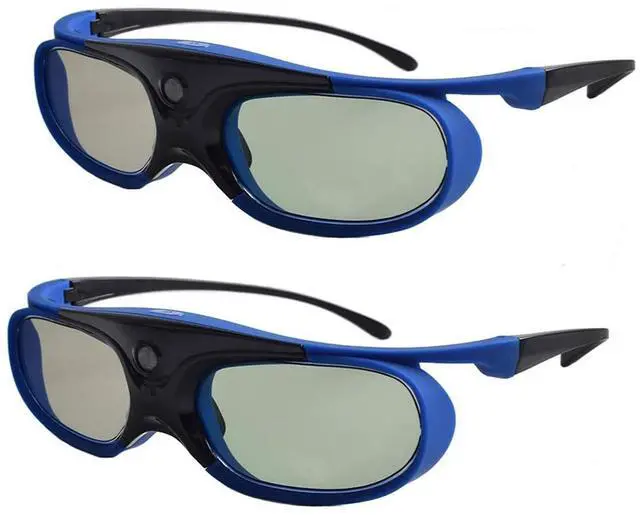
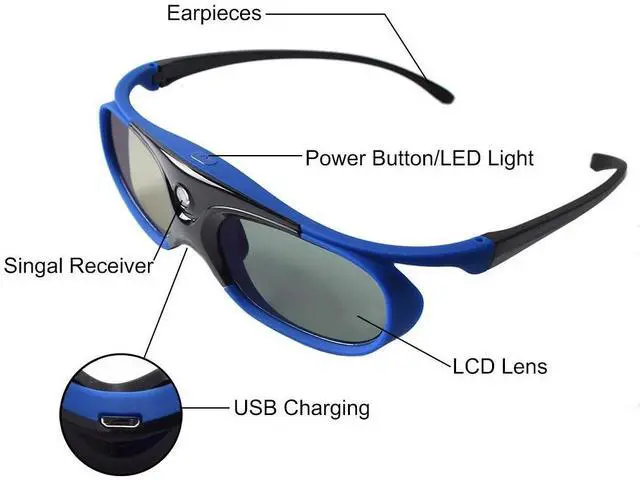
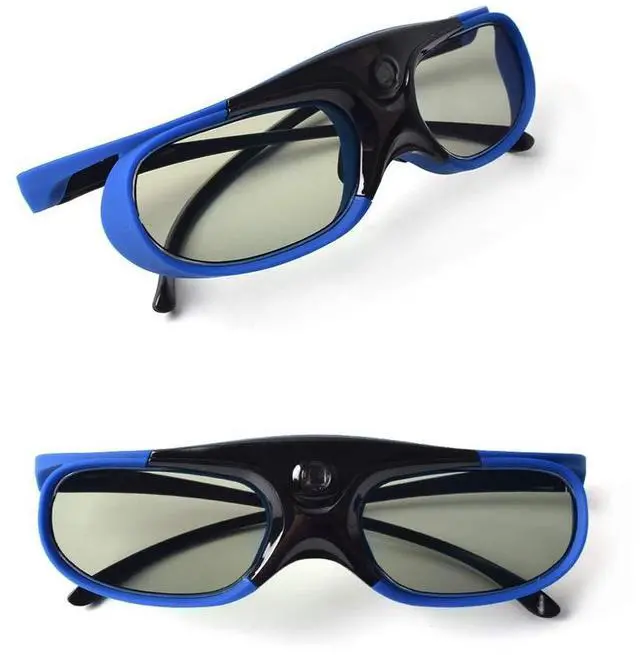


Active Shutter 3D Glasses Active 3D Glasses 3D TV Projectors 3D Movies Games Active RF 3D Glasses for Sony Epson Toshiba Sharp's RF 3D TV Projector Compatible with TDG-BT500A, SSG-5100GB
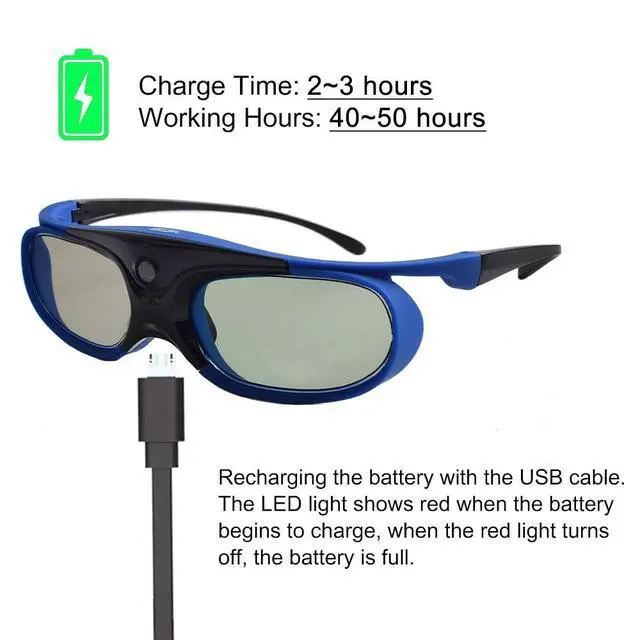
- [3D GLASSES FEATURES] The dlp link 3d glasses adopts the latest active shutter technology, super fast 144Hz refresh rate, ahead of other 120Hz or 96Hz product's level. And it also a rechargeable design 3d glasses, with ON/OFF switch. Not throwaway 3d glasses. High definition, no ghosting images, no flickering, providing you a superior 3D visual experience!
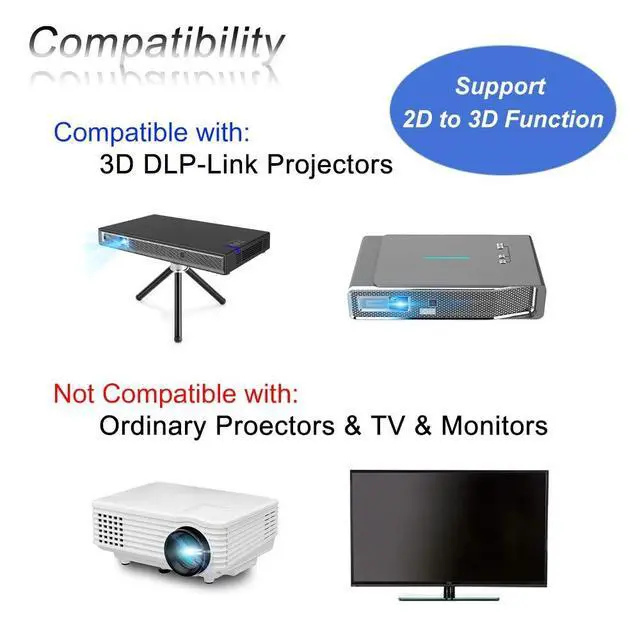
- [ACTIVE 3D GLASSES] Our 3d glasses has 2D to 3D function. If you have turn on and pair our Active 3D Glasses and don't see the effect of 3D, just need to clicking the volume up and down switch on the remote control panel and then press the switch in the middle of the glasses to flip the left and right eye views, in order to obtain a better 3D experience.
- [DLP 3D GLASSES] Simple One Button Operation with Auto 5 seconds Stand by and 5 minutes Shut Off, detailed user manual included. It is very convenient, no need to operate the dlp projector, Works without transmitter. Any DLP projector can be used anytime, anywhere
- [LIGHT AND
+
+
Overview
Specs
Reviews

Any questions? Our AI mode will help you find out quickly.
Try me now
How to adjust 3d glasses to get a better 3D experience? 1. Play the source and turn on the 2D to 3D effect. 2. Put on the 3D glasses and press the glasses middle switch to turn on the 3D function. Wait for the glasses to be successfully paired with projector. You can see the correct picture in the glasses. 3. Press the volume up and down switch on the remote control panel to make the volume adjustment icon appear on the screen. 4. Press the switch in the middle of the glasses to adjust the left and right eye sequence of the screen.
Each time you press the glasses switch, the left and right eye sequence will be switched. Pay attention to the relative position of the video image and the volume icon. Select the video image and the volume icon that appear far away.
Warm tip: If you cannot make sure if our glasses can work with your projector, there are 2 ways to confirm it.
1: The 3D signal receiving window can receive the DLP-Link signal. As soon as you use 96-144Hz DLP-Link 3D projector and connect thru 3D image source.
2: Or if your projector has the logo of DLP 3D Ready below.
Specification: 3D
Glasses Type: Active
shutter glassesSynchronous: DLP-LinkDisplay
Compatibility: DLP-Link
3D ProjectorResponse Time: 2ms 0.5 msEnvironment
Temperature: 0 - 45Storage
Temperature: -10C-60CWork
Humidity: 20%-80%RHAtmospheric
Pressure: 86
kPa - 106 kPaSize: For
AdultRatio: 1000:1200
Frequency: 96/100/120/144
HzWorking Current: < 1.2 mAWork
Hours: 455 hrPower
Supply: 3.7V
80mAHTransmission: 38%2View
Angle: 30L/R 15)SYNC
Operation: White light DLP.
LinkNet weight: 34.5
gDimension: 145*40*147cmPackage
Includes: 3D Active Glasses for Projector*2USB Cable*2Cleaning Cloth*2User Manual*2
Each time you press the glasses switch, the left and right eye sequence will be switched. Pay attention to the relative position of the video image and the volume icon. Select the video image and the volume icon that appear far away.
Warm tip: If you cannot make sure if our glasses can work with your projector, there are 2 ways to confirm it.
1: The 3D signal receiving window can receive the DLP-Link signal. As soon as you use 96-144Hz DLP-Link 3D projector and connect thru 3D image source.
2: Or if your projector has the logo of DLP 3D Ready below.
Specification: 3D
Glasses Type: Active
shutter glassesSynchronous: DLP-LinkDisplay
Compatibility: DLP-Link
3D ProjectorResponse Time: 2ms 0.5 msEnvironment
Temperature: 0 - 45Storage
Temperature: -10C-60CWork
Humidity: 20%-80%RHAtmospheric
Pressure: 86
kPa - 106 kPaSize: For
AdultRatio: 1000:1200
Frequency: 96/100/120/144
HzWorking Current: < 1.2 mAWork
Hours: 455 hrPower
Supply: 3.7V
80mAHTransmission: 38%2View
Angle: 30L/R 15)SYNC
Operation: White light DLP.
LinkNet weight: 34.5
gDimension: 145*40*147cmPackage
Includes: 3D Active Glasses for Projector*2USB Cable*2Cleaning Cloth*2User Manual*2
Warranty & Returns
Warranty, Returns, And Additional Information
Warranty
- Please contact the Seller directly for warranty information. Warranty information may also be found on the Manufacturer's website.
- CONTACT
Return Policies
- Return for refund within: 30 days
- Return for replacement within: non-replaceable
- This item is covered by Aptly Tech Return Policy
Manufacturer Contact Info
- For a directory of all our manufacturers, please click below.
- Manufacturers Directory
LOADING...