Your Browsing History
- Free 30-day Returns
$93.99
Meet Your Seller
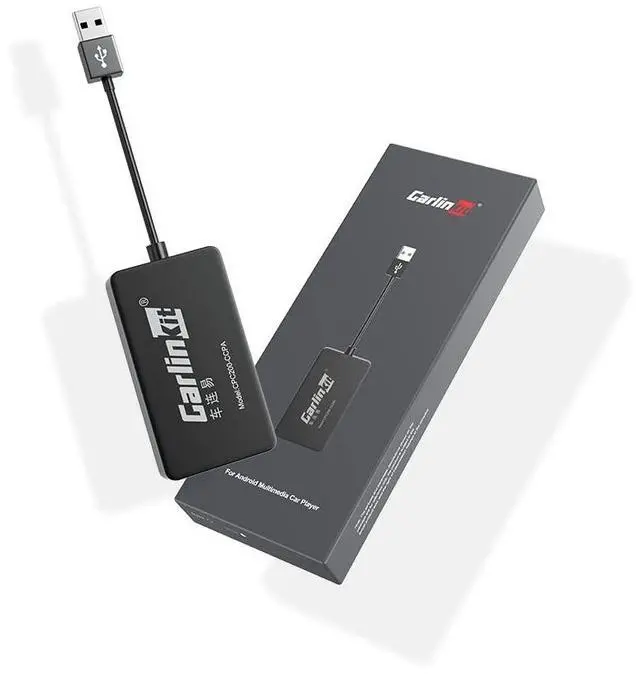
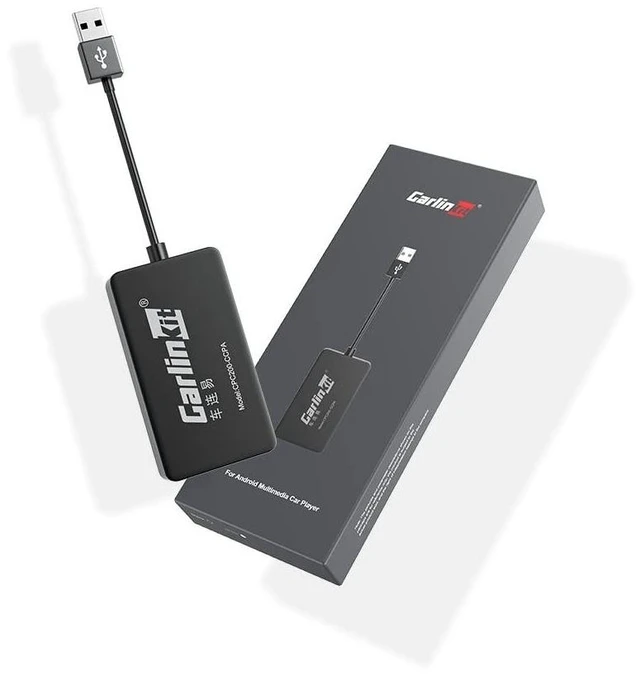
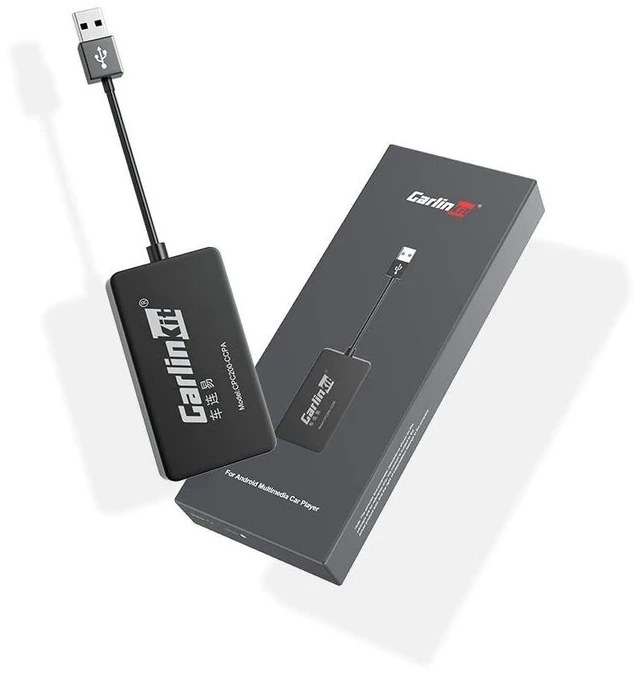
CarlinKit CarPlay Dongle only for Car with Android Head Unit System 4.4.2+,New Upgrade Version,Built-in APK App,Support Wired/Wireless CarPlay,Wired/Wireless Android Auto,Online Upgrade etc.
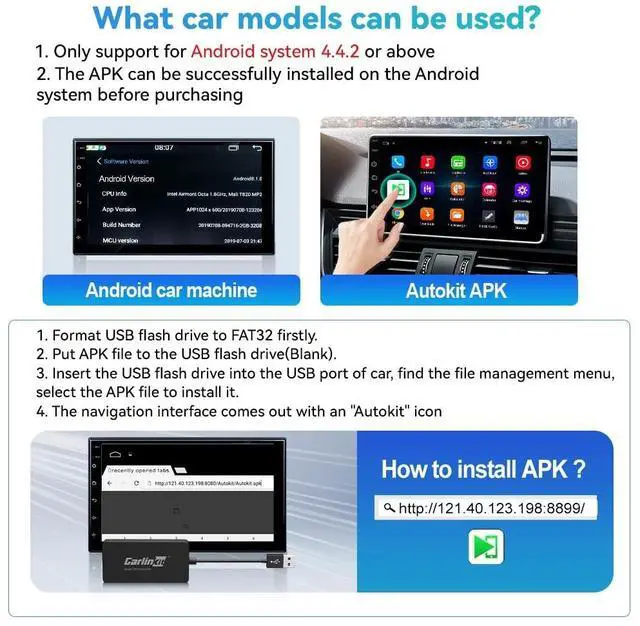
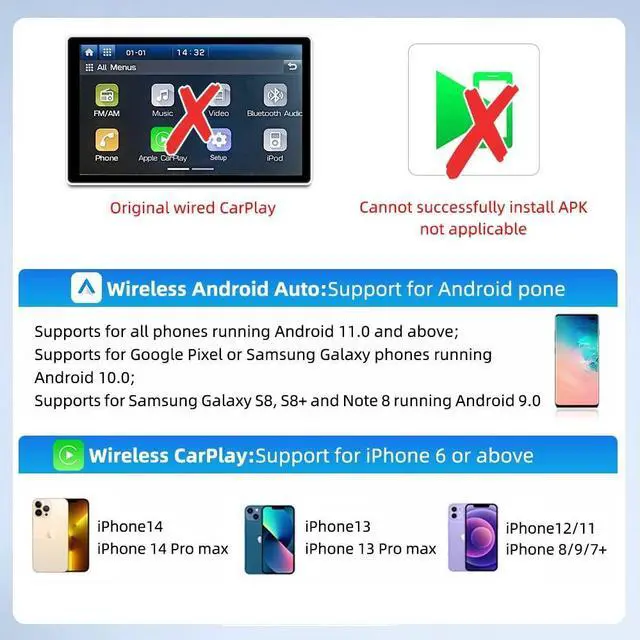
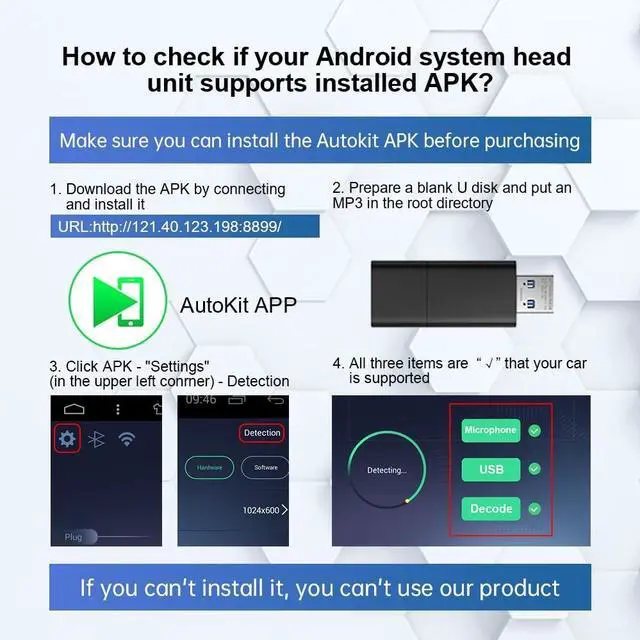
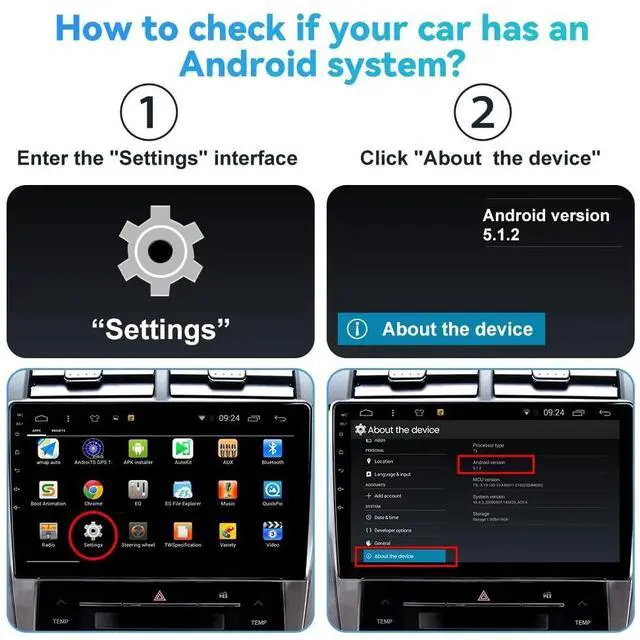
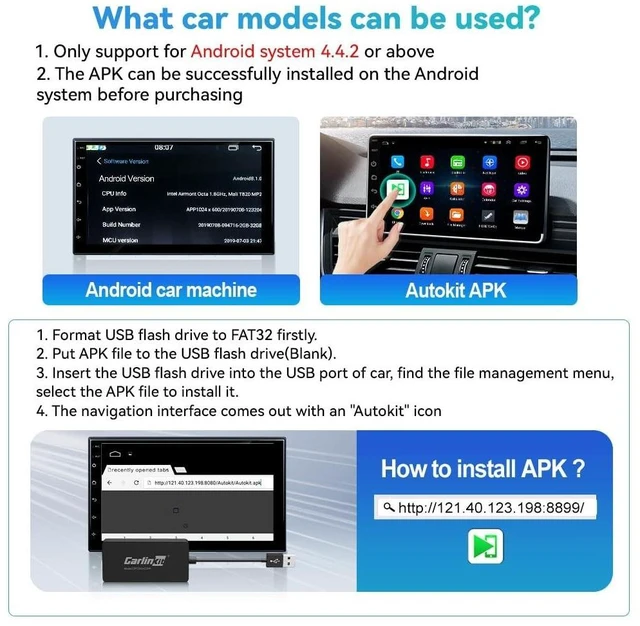
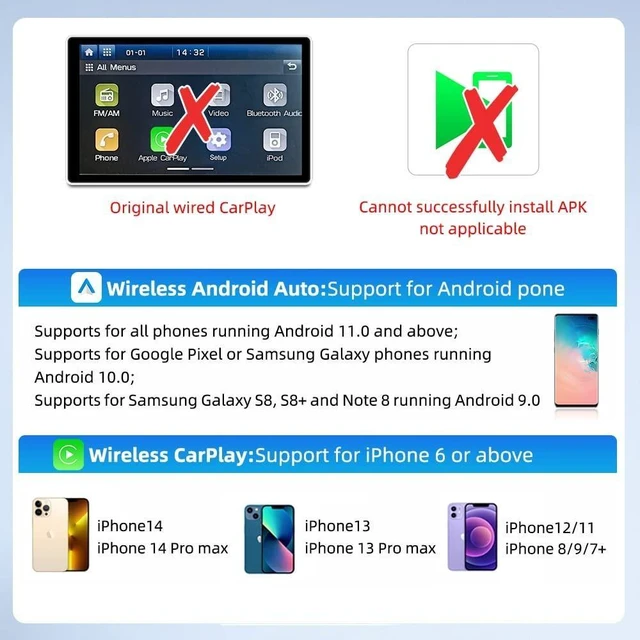
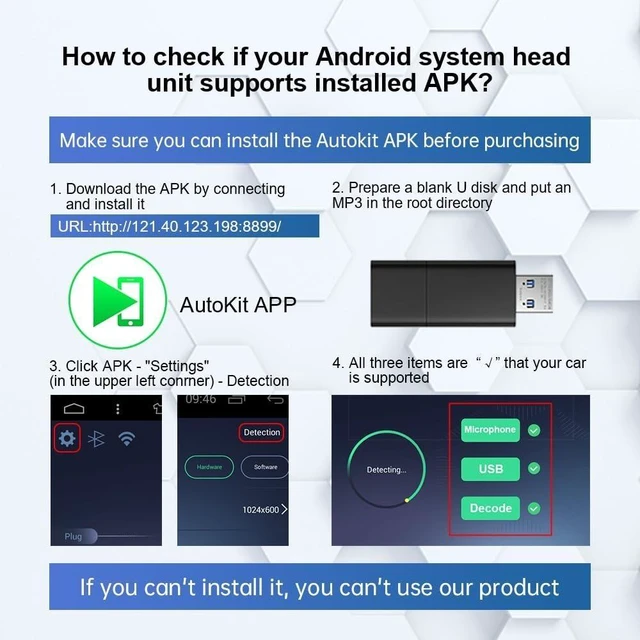
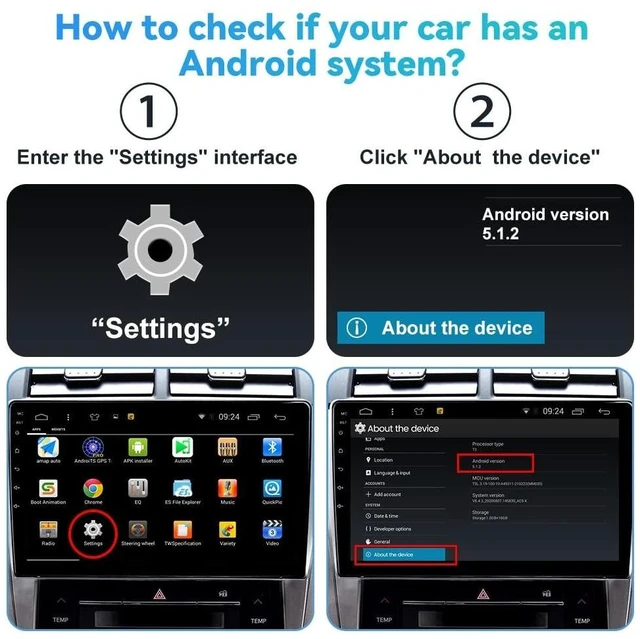
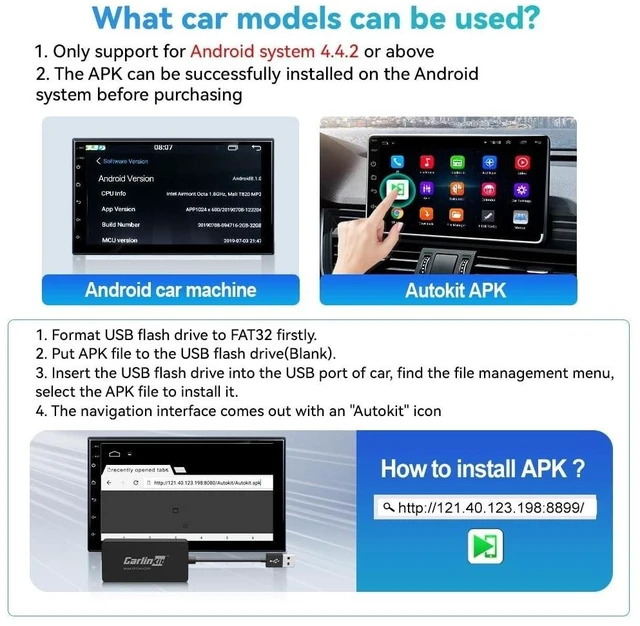
- Compatible Car & Mobile DevicesThis product is only for Android head unit with Android 4.4.2 or above operating system.This carplay head units dongle is supports for iPhone 6 or above,IOS 10 and above;supports for Android phone with Android version 11 or above,some Google Pixel or Samsung Galaxy.
- Main FunctionsSupport Wired CarPlay/Wireless CarPlay, Wired Android Auto/Wireless Android Auto, Voice Control, Siri, GPS Navigation App (real-time navigation), Online Music App, Screen mirroring, etc. Help you drive your car safely. Please notice our device's operating speed is according to your phone's operating speed.
- How to connectWireless Apple connection. Open AutoKit APK on the car machine, insert product, Apple phone WiFi and Bluetooth are turned on at the same time, Apple phone Bluetooth connection product signal. Wireless Android auto connection.Open AutoKit APK on the car machine, insert product, Android phone WiFi and Bluetooth Turn on at the same time, the Bluetooth of the An
+
+
Overview
Specs
Reviews
Any questions? Our AI beta will help you find out quickly.
Try me now
Compatible Car & Mobile DevicesThis product is only for Android head unit with Android 4.4. 2 or above operating system. This carplay head units dongle is supports for iPhone 6 or above, IOS 10 and above; supports for Android phone with Android version 11 or above, some Google Pixel or Samsung Galaxy. ^^ Main FunctionsSupport Wired CarPlay/Wireless CarPlay, Wired Android Auto/Wireless Android Auto, Voice Control, Siri, GPS Navigation App (real-time navigation), Online Music App, Screen mirroring, etc. Help you drive your car safely. Please notice our device's operating speed is according to your phone's operating speed.
^^ How to connectWireless Apple connection. Open AutoKit APK on the car machine, insert product, Apple phone WiFi and Bluetooth are turned on at the same time, Apple phone Bluetooth connection product signal. Wireless Android auto connection. Open AutoKit APK on the car machine, insert product, Android phone WiFi and Bluetooth Turn on at the same time, the Bluetooth of the Android phone is connected to the product signal. ^^ After-sales HelpWe do strict quality control, we will check and use it before delivery to ensure every products can be used.
If you encounter the problem of adapter cannot be used in your car or has other malfunctions, please do not hesitate to contact us to solve the problem for you.

^^ How to connectWireless Apple connection. Open AutoKit APK on the car machine, insert product, Apple phone WiFi and Bluetooth are turned on at the same time, Apple phone Bluetooth connection product signal. Wireless Android auto connection. Open AutoKit APK on the car machine, insert product, Android phone WiFi and Bluetooth Turn on at the same time, the Bluetooth of the Android phone is connected to the product signal. ^^ After-sales HelpWe do strict quality control, we will check and use it before delivery to ensure every products can be used.
If you encounter the problem of adapter cannot be used in your car or has other malfunctions, please do not hesitate to contact us to solve the problem for you.
Warranty & Returns
Warranty, Returns, And Additional Information
Warranty
- Please contact the Seller directly for warranty information. Warranty information may also be found on the Manufacturer's website.
- CONTACT
Return Policies
- Return for refund within: 30 days
- Return for replacement within: 30 days
- This item is covered by StarDragon Return Policy
Manufacturer Contact Info
- For a directory of all our manufacturers, please click below.
- Manufacturers Directory
LOADING...