

Your Browsing History

Meet Your Seller

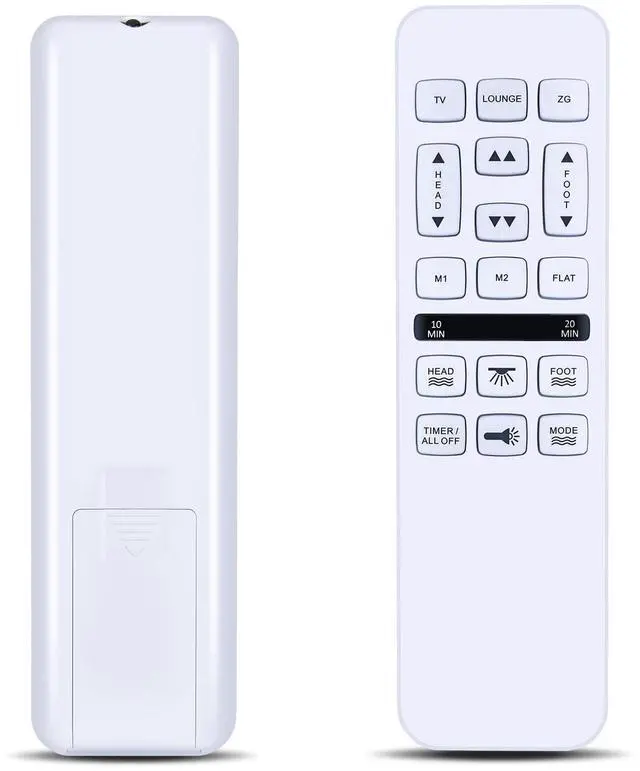


FQOUG Replacement Remote for Richmat HJH55/HJC18 Control Box, Mlily, Bedtech, Mattress Firm 600 or 3000, iDealBed Custom Comfort Adjustable Bed Base
- Perfect Compatibility & ReplacementFQOUG replacement remote control for Richmat HJH55/HJC18 control box, for Mlily, for Bedtech, for MATTRESS FIRM 600/3000, for iDealBed Custom Comfort adjustable bed base.
- NoteThis remote control is model HJH55 and comes in multiple versions. Different versions have different functions and buttons. If your remote control has buttons different from ours, this product may not work on your bed.
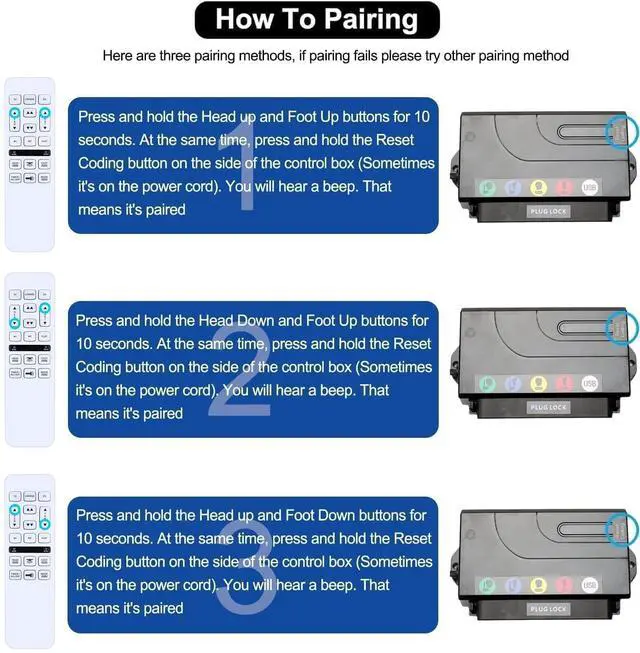
- Pairing MethodPress and hold the [HEAD UP] and [FOOT UP] buttons on the remote at the same time for 10 seconds; Push the button on the side of thecontrol box underneath the bed where is indicates reset coding (usually it isthe button indicated by the word "Learn" or "Reset Coding".Do not press and hold the side button, just press and release. Once you hear beeps that willindicate that the remote is synced.
- Pairing Method Press and hold the [HEAD DOWN] and [FOOT UP] buttons on the remote at the same time for 10 seconds; Push the button on the side of thecon
+
+
Overview
Specs
Reviews

Any questions? Our AI mode will help you find out quickly.
Try me now
Perfect Compatibility & ReplacementFQOUG replacement remote control for Richmat HJH55/HJC18 control box, for Mlily, for Bedtech, for MATTRESS FIRM 600/3000, for iDealBed Custom Comfort adjustable bed base. ^^ NoteThis remote control is model HJH55 and comes in multiple versions. Different versions have different functions and buttons. If your remote control has buttons different from ours, this product may not work on your bed. ^^ Pairing MethodPress and hold the [HEAD UP] and [FOOT UP] buttons on the remote at the same time for 10 seconds; Push the button on the side of thecontrol box underneath the bed where is indicates reset coding (usually it isthe button indicated by the word "Learn" or "Reset Coding".
Do not press and hold the side button, just press and release. Once you hear beeps that willindicate that the remote is synced. ^^ Pairing Method Press and hold the [HEAD DOWN] and [FOOT UP] buttons on the remote at the same time for 10 seconds; Push the button on the side of thecontrol box underneath the bed where is indicates reset coding (usually it isthe button indicated by the word "Learn" or "Reset Coding". Do not press and hold the side button, just press and release. Once you hear beeps that willindicate that the remote is synced.
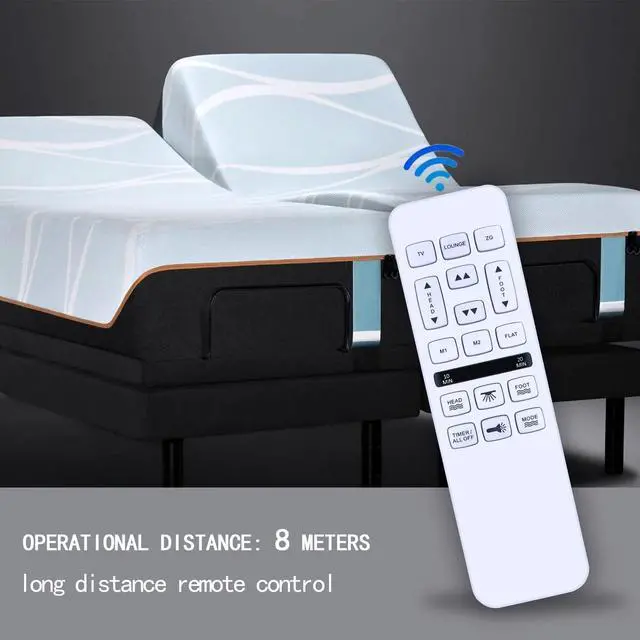
^^ Pairing MethodPress and hold the [HEAD UP] and [FOOT DOWN] buttons on the remote at the same time for 10 seconds; Push the button on the side of thecontrol box underneath the bed where is indicates reset coding (usually it isthe button indicated by the word "Learn" or "Reset Coding". Do not press and hold the side button, just press and release. Once you hear beeps that willindicate that the remote is synced. ^^ Superior Performance & Wide CoverageBoasting infrared 3.0 technology and a newly upgraded chip, this remote delivers lightning-fast response ( 0.2 seconds) and stable signal transmission.
With an 8m/26ft control distance and 120+ control angle, it covers your viewing area effortlessly. Tested to support over 150, 000 clicks, it ensures long-lasting reliable performance. ^^ Premium Durability & Comfortable GripCrafted from high-grade ABS material, it features excellent impact resistance and sturdinessbuilt to resist daily wear and tear without breaking easily. The glazed smooth surface offers a comfortable grip, while soft silicone buttons provide a responsive touch, stain resistance, and enhanced durability for long-term use. ^^ Reliable
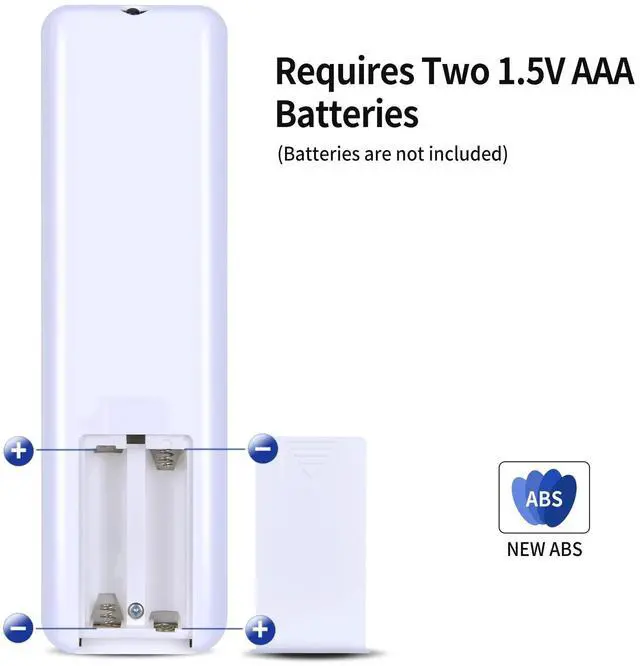
Service GuaranteePackage Contains: 1 * Remote Contrl (No batteries). If you have any questions about the remote control during purchase or use, feel free to contact us anytime. Our team will respond promptly and resolve your problems to ensure a worry-free shopping experience.
Do not press and hold the side button, just press and release. Once you hear beeps that willindicate that the remote is synced. ^^ Pairing Method Press and hold the [HEAD DOWN] and [FOOT UP] buttons on the remote at the same time for 10 seconds; Push the button on the side of thecontrol box underneath the bed where is indicates reset coding (usually it isthe button indicated by the word "Learn" or "Reset Coding". Do not press and hold the side button, just press and release. Once you hear beeps that willindicate that the remote is synced.
^^ Pairing MethodPress and hold the [HEAD UP] and [FOOT DOWN] buttons on the remote at the same time for 10 seconds; Push the button on the side of thecontrol box underneath the bed where is indicates reset coding (usually it isthe button indicated by the word "Learn" or "Reset Coding". Do not press and hold the side button, just press and release. Once you hear beeps that willindicate that the remote is synced. ^^ Superior Performance & Wide CoverageBoasting infrared 3.0 technology and a newly upgraded chip, this remote delivers lightning-fast response ( 0.2 seconds) and stable signal transmission.
With an 8m/26ft control distance and 120+ control angle, it covers your viewing area effortlessly. Tested to support over 150, 000 clicks, it ensures long-lasting reliable performance. ^^ Premium Durability & Comfortable GripCrafted from high-grade ABS material, it features excellent impact resistance and sturdinessbuilt to resist daily wear and tear without breaking easily. The glazed smooth surface offers a comfortable grip, while soft silicone buttons provide a responsive touch, stain resistance, and enhanced durability for long-term use. ^^ Reliable
Service GuaranteePackage Contains: 1 * Remote Contrl (No batteries). If you have any questions about the remote control during purchase or use, feel free to contact us anytime. Our team will respond promptly and resolve your problems to ensure a worry-free shopping experience.
Warranty & Returns
Warranty, Returns, And Additional Information
Warranty
- Please contact the Seller directly for warranty information. Warranty information may also be found on the Manufacturer's website.
- CONTACT
Return Policies
- Return for refund within: 30 days
- Return for replacement within: non-replaceable
- This item is covered by VersaCom Return Policy
Manufacturer Contact Info
- For a directory of all our manufacturers, please click below.
- Manufacturers Directory
LOADING...