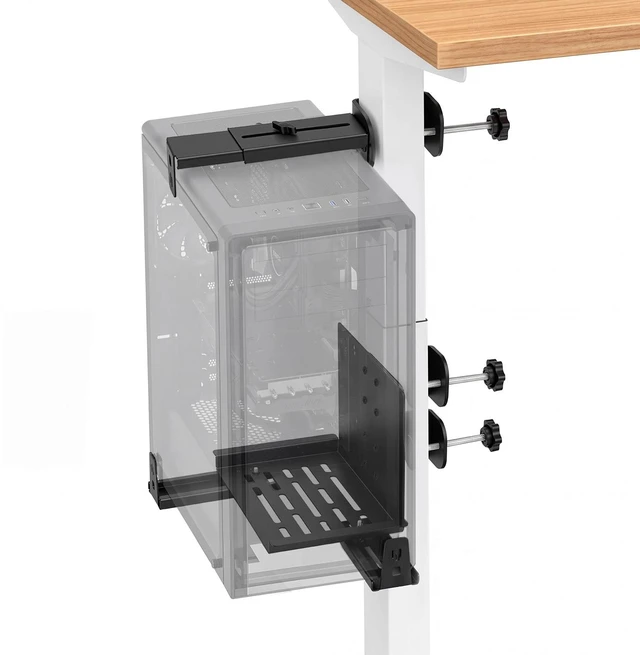
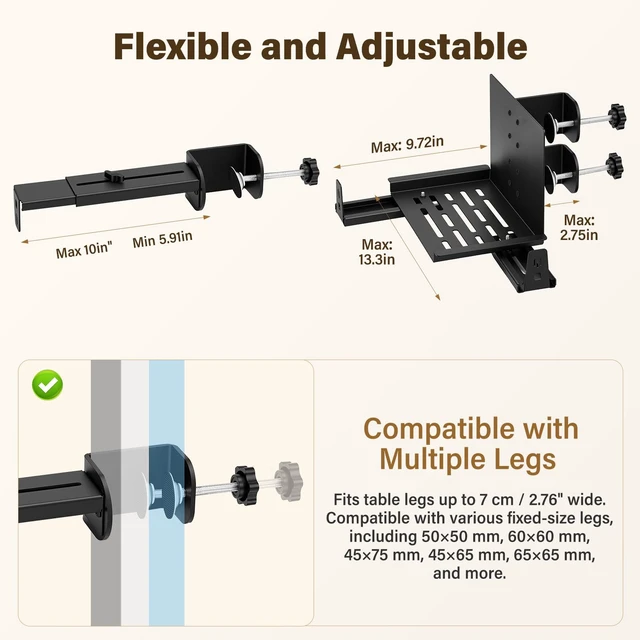
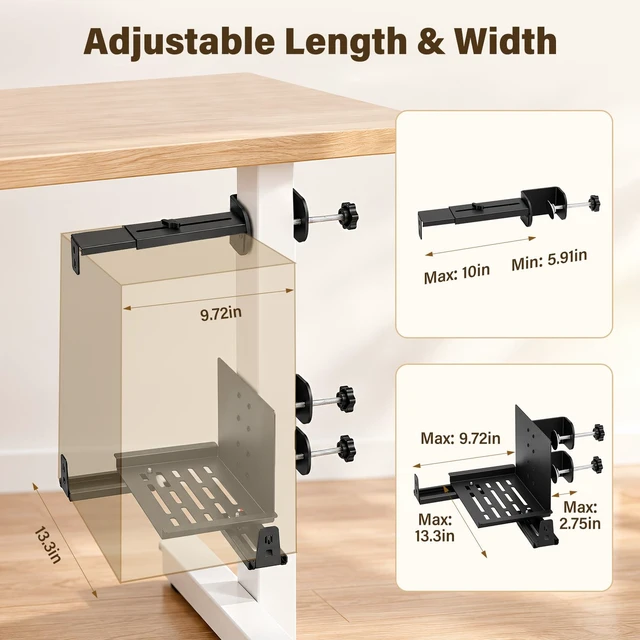
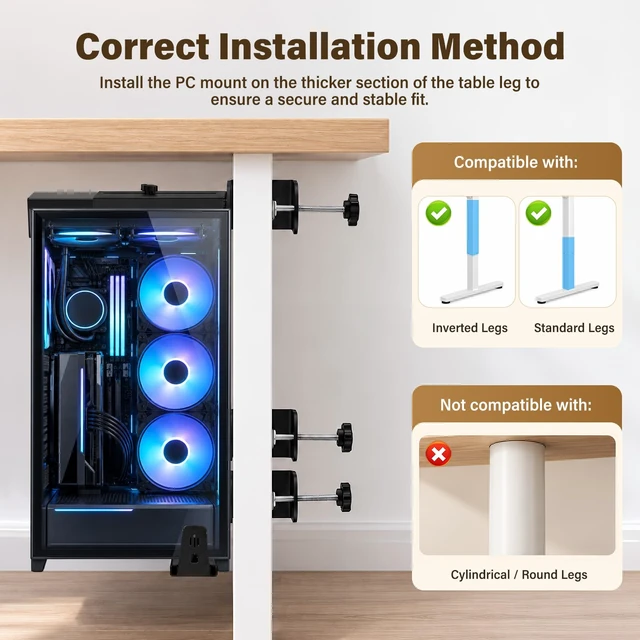
Before ordering, measure both your PC case and desk leg to confirm compatibility. This under desk PC mount fits PC cases 5.9 - 9.64 inches wide and 8.1 -12 inches long, and square or rectangular desk legs up to 2.76 inches (7 cm) wide. It is compatible with standard and inverted desk-leg layouts but is not designed for round or cylindrical legs. Designed for standing-desk setups, the mount uses three desk-leg clamp points and an enlarged support tray to keep the computer tower elevated beside the desk. Cold-rolled steel construction supports up to 70 lb when the mount is correctly installed within the stated fit range.
Anti-slip gaskets add grip at the contact points and help protect the desk-leg surface from scuffs. The clamp-on design installs without drilling into the desktop. Position the mount on the thicker section of the compatible desk leg, align and tighten the three clamps evenly, then check the hold before placing the PC onto the tray. When mounted on a compatible moving desk-leg section, the tower can travel with a sit-stand desk through height changes, helping reduce long cable runs and cords being pulled tight. Keeping the computer tower off the floor also frees space for routine cleaning and robot-vacuum access, reduces accidental kicks and keeps cables easier to reach.
The open-frame construction leaves access around common PC ports and provides space around the case for airflow. Recheck the clamp tightness periodically as part of routine use.
Installation: 1. Measure the desk leg and PC case before installation. 2. Clamp the mount onto a compatible desk leg. 3. Place and center the PC on the support. 4. Tighten all contact points, leave enough cable slack and test the desk movement slowly.
Important: Do not use on round legs or with PC cases outside the stated size range. Do not exceed 70 lbs. Recheck the fasteners periodically and keep cables clear of moving desk components.




 here!