Your Browsing History
- Free 30-day Returns
$85.99
Meet Your Seller
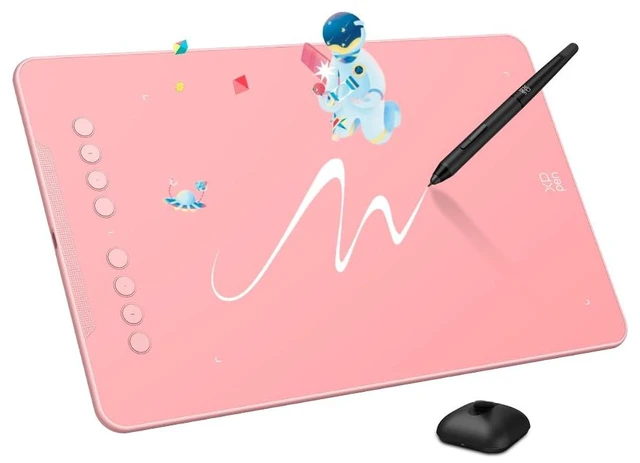
XPPen Deco 01 V3 10x6 Drawing Tablet ^^ 16K Pressure Pen ^^ Battery-Free Stylus ^^ 8 Hotkeys ^^ for OSU Gaming & Teaching ^^ PC/Mac/Android/ChromeOS Compatible ^^ Pink
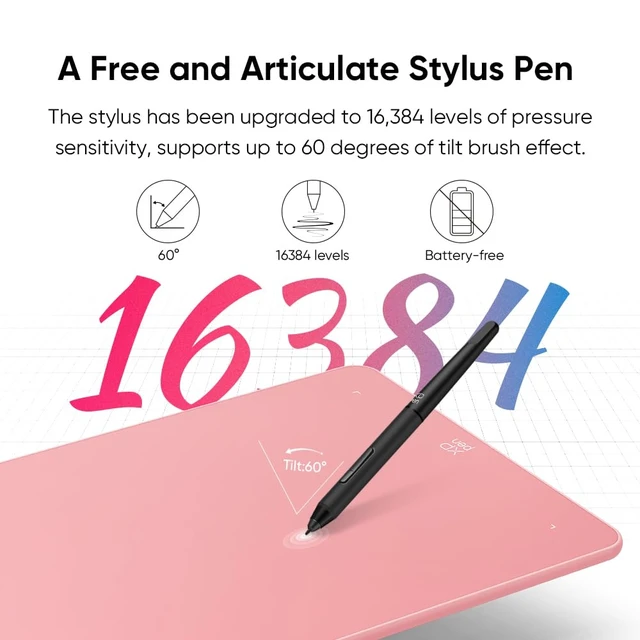
- Premium 16K Pressure Pen with Natural Drawing Feel: Experience lifelike strokes with 16,384 pressure levels and 60 tilt support. The battery-free stylus works instantly like a real pen. After installing the official driver, you gain full pressure sensitivity functionalityperfect for beginners learning digital art or OSU gameplay
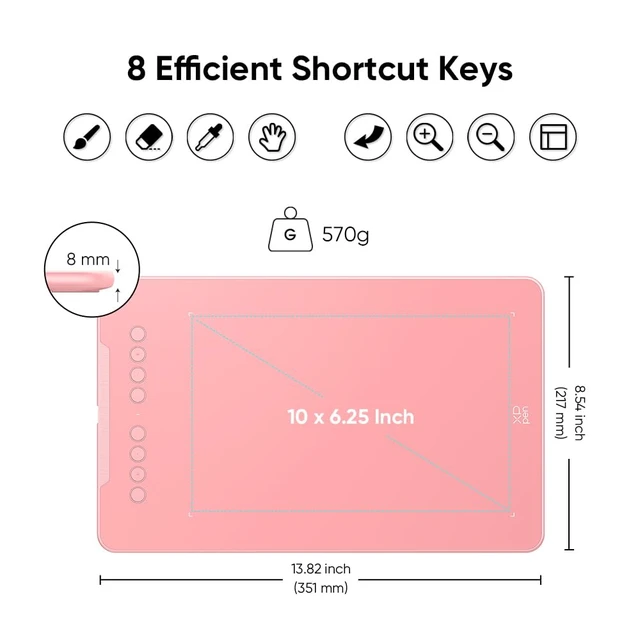
- Beginner-Friendly Design with 8 Customizable Shortcuts: Features 8 programmable express keys for both left & right-handed users. Configure each key function through driver software to help new artists streamline their workflow in Photoshop, Clip Studio, and other creative software
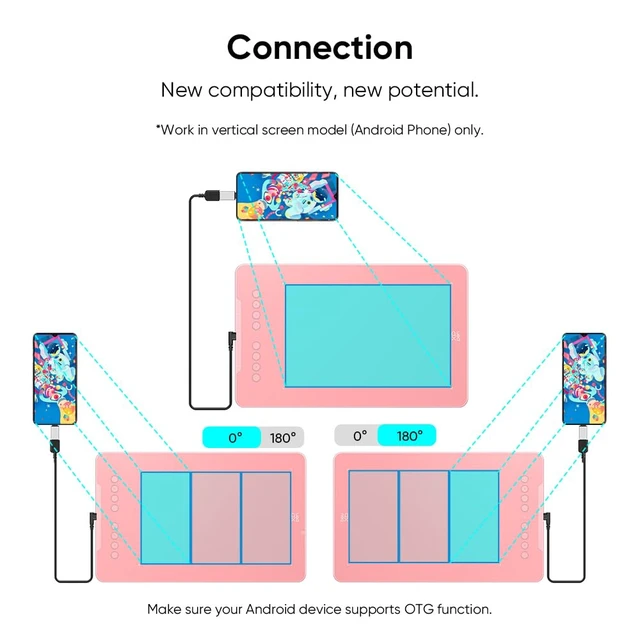
- Android & Multi-Device Ready with Smart Screen Mapping: Connects seamlessly to Android 10.0+ devicesrecommended to download the official XPPen Android app for optimal experience. Also supports Windows, Mac, and ChromeOS systems. Smart screen mapping is ideal for drawing on-the-go or classroom teaching
- Large 10x6.25 Active Area for Uninterrupted Creativity: Ample drawing space
+
+
Overview
Specs
Reviews
Any questions? Ask CelesteSM will help you find out quickly.
Try me now
Premium 16K Pressure Pen with
Natural Drawing Feel: Experience lifelike strokes with 16, 384 pressure levels and 60 tilt support. The battery-free stylus works instantly like a real pen. After installing the official driver, you gain full pressure sensitivity functionalityperfect for beginners learning digital art or OSU gameplay ^^ Beginner-Friendly Design with 8
Customizable Shortcuts: Features 8 programmable express keys for both left & right-handed users. Configure each key function through driver software to help new artists streamline their workflow in Photoshop, Clip Studio, and other creative software ^^ Android & Multi-Device Ready with Smart
Screen Mapping: Connects seamlessly to Android 10.0 + devicesrecommended to download the official XPPen Android app for optimal experience. Also supports Windows, Mac, and ChromeOS systems. Smart screen mapping is ideal for drawing on-the-go or classroom teaching ^^ Large 10x 6.25 Active Area for
Uninterrupted Creativity: Ample drawing space separates shortcut keys from the work zone, reducing accidental clicks. Driver settings allow work area mapping adjustmentperfect for sketching, teaching, digital notes, and gaming sessions ^^ Plug & Play Basic Functions + Advanced
Driver Support: Equipped with USB-C to USB-C cable and adapters for instant basic functionality. Unlock all features with full driver installation: tilt support, shortcut customization, precise pressure curve adjustmentsuitable for both beginners and professionals ^^ Ultra-Thin &
Portable Design: At just 8mm thick and lightweight, this drawing tablet fits in any backpack. Driver software supports multi-device configuration savingtake it to class, coffee shops, or studios and quickly switch between presets ^^ Wide
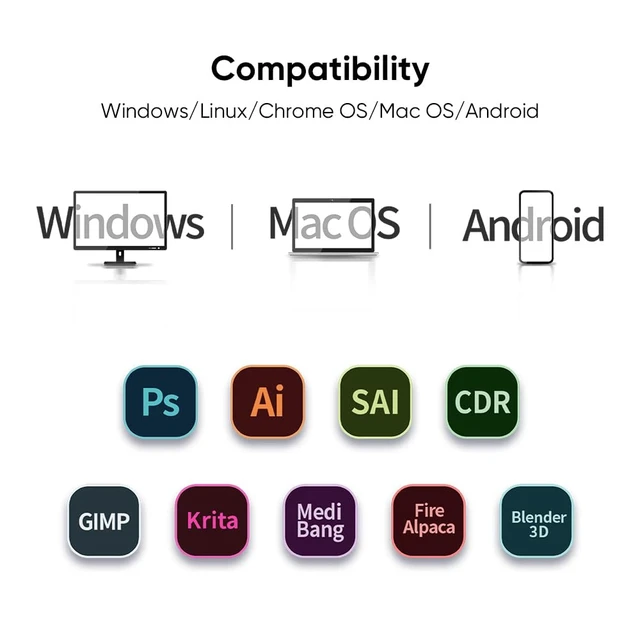
Software & OS Compatibility: Works with Windows 7+, macOS 10.13 +, Android 10.0 +, ChromeOS 88+, and Linux. Download corresponding drivers based on your operating system for full pressure sensitivity support with Photoshop, Illustrator, Clip Studio Paint, Krita, and more
Natural Drawing Feel: Experience lifelike strokes with 16, 384 pressure levels and 60 tilt support. The battery-free stylus works instantly like a real pen. After installing the official driver, you gain full pressure sensitivity functionalityperfect for beginners learning digital art or OSU gameplay ^^ Beginner-Friendly Design with 8
Customizable Shortcuts: Features 8 programmable express keys for both left & right-handed users. Configure each key function through driver software to help new artists streamline their workflow in Photoshop, Clip Studio, and other creative software ^^ Android & Multi-Device Ready with Smart
Screen Mapping: Connects seamlessly to Android 10.0 + devicesrecommended to download the official XPPen Android app for optimal experience. Also supports Windows, Mac, and ChromeOS systems. Smart screen mapping is ideal for drawing on-the-go or classroom teaching ^^ Large 10x 6.25 Active Area for
Uninterrupted Creativity: Ample drawing space separates shortcut keys from the work zone, reducing accidental clicks. Driver settings allow work area mapping adjustmentperfect for sketching, teaching, digital notes, and gaming sessions ^^ Plug & Play Basic Functions + Advanced
Driver Support: Equipped with USB-C to USB-C cable and adapters for instant basic functionality. Unlock all features with full driver installation: tilt support, shortcut customization, precise pressure curve adjustmentsuitable for both beginners and professionals ^^ Ultra-Thin &
Portable Design: At just 8mm thick and lightweight, this drawing tablet fits in any backpack. Driver software supports multi-device configuration savingtake it to class, coffee shops, or studios and quickly switch between presets ^^ Wide
Software & OS Compatibility: Works with Windows 7+, macOS 10.13 +, Android 10.0 +, ChromeOS 88+, and Linux. Download corresponding drivers based on your operating system for full pressure sensitivity support with Photoshop, Illustrator, Clip Studio Paint, Krita, and more
Warranty & Returns
Warranty, Returns, And Additional Information
Warranty
- Please contact the Seller directly for warranty information. Warranty information may also be found on the Manufacturer's website.
- CONTACT
Return Policies
- Return for refund within: 30 days
- Return for replacement within: 30 days
- This item is covered by SmartJoy Shop Return Policy
Manufacturer Contact Info
- For a directory of all our manufacturers, please click below.
- Manufacturers Directory
LOADING...