

Your Browsing History

Meet Your Seller


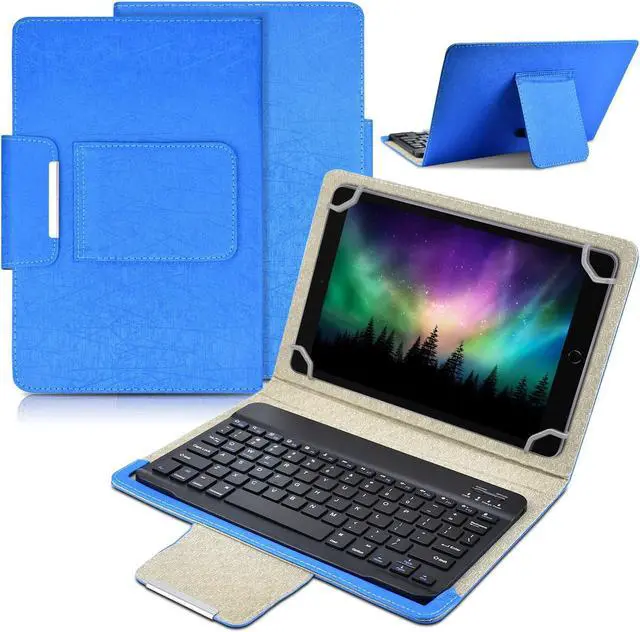
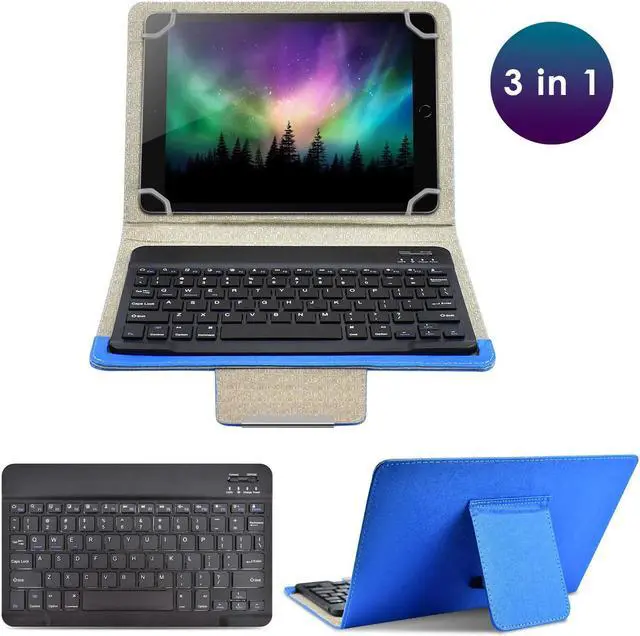
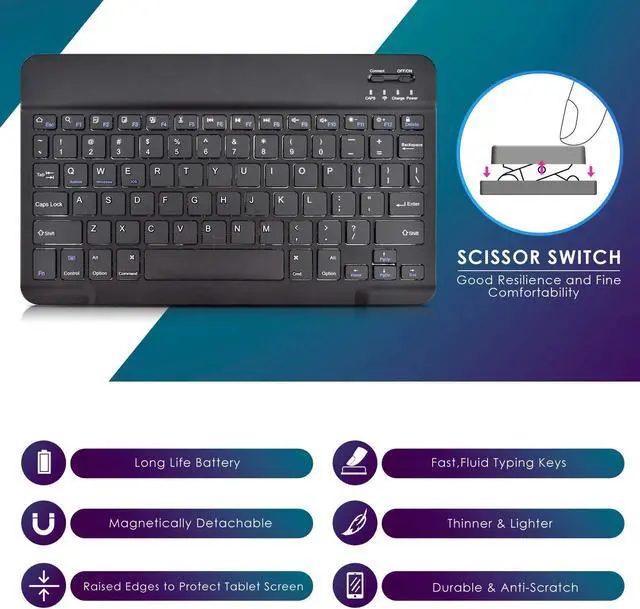


DETUOSI Universal 10.1 inch Android Tablet Case with Keyboard, Removable Wireless Bluetooth Keyboard + PU Leather Folio Book Cover + Stand, Travel Portable Sleeve for iOS/Android/Windows System Tablet
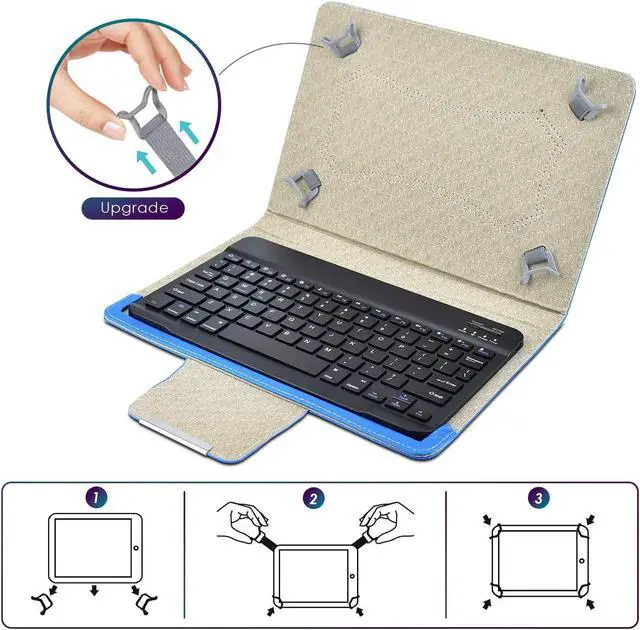
- [(COMPATIBILITY)] -Universal 10 inch wireless Bluetooth keyboard cover designed exclusively for all kinds 9.6-10.6 inch tablets (IOS/ ANDROID/ WINDOWS system) available in the market. Compatible models: iPad 9.7/10.2" 2019/2020/2021, Samsung Tablet Model: SM-X200/T500/P610/T510/T580/T560/P5200/T530/T830/T810/T800/T820/T550, Compatible with Lenovo Tab M10 Plus 10.6" [3rd Gen] 2022, Tab M10 FHD Plus 10.3" 2020, Tab M10 10.1" 2022/2020/2019/2018, Kindle Fire HD 10 2019/ 2017 and so on 10.1" tablet
- [(UPGRADE MATERIAL)] -10 inch Android tablet keyboard case made of folio durable synthetic leather exterior and 4 corners with upgrade elastic pull-loop buckles, which can firmly fix the tablet without falling and shaking. Tablet 10.1" cover shell allows easy access to all buttons, controls & ports no need to remove the case. (Tip: the universal case doesn't have rear camera hole)
- [(REMOVABLE WIRELESS KEYBOARD)] -Android 10" tablet protective cover with magnetically detachable keyboard
+
+
Overview
Specs
Reviews

Any questions? Our AI mode will help you find out quickly.
Try me now
How to use: Step
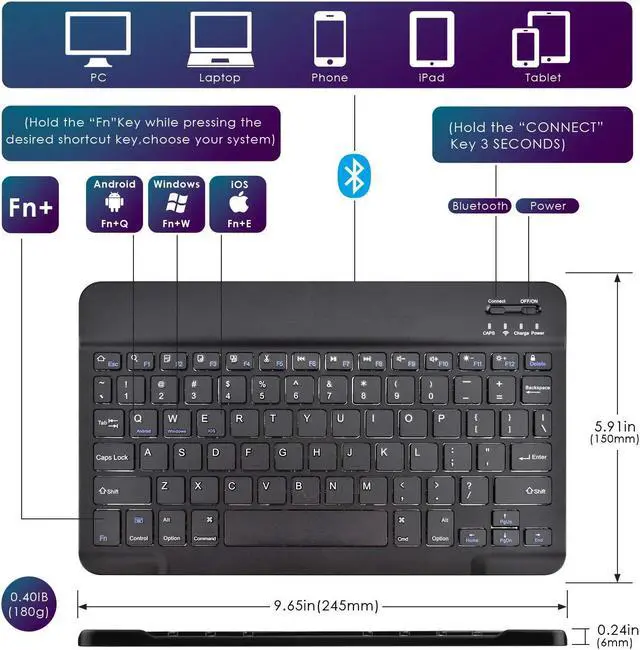
1: Turn on the ON/OFF button.
Step 2: Press the "CONNECT" button for 3 seconds, then the indicator of the Bluetooth logo will flash.
Step 3: At this point, open the "Settings" button of the phone or tablet, enter the Bluetooth settings, search for the Bluetooth keyboard, and the keyboard name is "Bluetooth Keyboard".
Step 4: Click "Bluetooth Keyboard" on your tablet or mobile phone, and the password will be displayed on your tablet or mobile phone.
Step 5: Enter this password on the Bluetooth keyboard and press Enter, so that you can connect and use it.
Charging matters: <1> when the battery is lower than the working voltage, the power indicator light starts to flash, indicating that the keyboard is to be charged. <2> use the Micro USB cable USB-B equipped with this machine to access the charging interface of the keyboard. USB-A interface to the power adapter or computer USB interface. <3> When charging, the power indicator (red light) will be on. When the charging is completed, the power indicator will go out and the USB charging cable will be unplugged.
Features:
1. Comply with Bluetooth 3.0 +HS standard; including BQB, FCC, CE, ROHS and other related certifications
2. Use distances up to 10M or more
3.
Modulation method: 2.4GHZ
4.
Working voltage: 3.0 -5V
5. Working current <4.0MA
6. Standby current 20UA
7. Sleep current <2mA
8. Charging current >=100mA
9. Standby time is 100 days
10.
Button strength: 80+-10g
11. Button life can reach 5 million times
12.
Operating temperature: -10 - +55 degC
13.
Humidity: 20%-50%
14.
Applicable system: IOS/ ANDROID/WINDOWS.
1: Turn on the ON/OFF button.
Step 2: Press the "CONNECT" button for 3 seconds, then the indicator of the Bluetooth logo will flash.
Step 3: At this point, open the "Settings" button of the phone or tablet, enter the Bluetooth settings, search for the Bluetooth keyboard, and the keyboard name is "Bluetooth Keyboard".
Step 4: Click "Bluetooth Keyboard" on your tablet or mobile phone, and the password will be displayed on your tablet or mobile phone.
Step 5: Enter this password on the Bluetooth keyboard and press Enter, so that you can connect and use it.
Charging matters: <1> when the battery is lower than the working voltage, the power indicator light starts to flash, indicating that the keyboard is to be charged. <2> use the Micro USB cable USB-B equipped with this machine to access the charging interface of the keyboard. USB-A interface to the power adapter or computer USB interface. <3> When charging, the power indicator (red light) will be on. When the charging is completed, the power indicator will go out and the USB charging cable will be unplugged.
Features:
1. Comply with Bluetooth 3.0 +HS standard; including BQB, FCC, CE, ROHS and other related certifications
2. Use distances up to 10M or more
3.
Modulation method: 2.4GHZ
4.
Working voltage: 3.0 -5V
5. Working current <4.0MA
6. Standby current 20UA
7. Sleep current <2mA
8. Charging current >=100mA
9. Standby time is 100 days
10.
Button strength: 80+-10g
11. Button life can reach 5 million times
12.
Operating temperature: -10 - +55 degC
13.
Humidity: 20%-50%
14.
Applicable system: IOS/ ANDROID/WINDOWS.
Warranty & Returns
Warranty, Returns, And Additional Information
Warranty
- Please contact the Seller directly for warranty information. Warranty information may also be found on the Manufacturer's website.
- CONTACT
Return Policies
- Return for refund within: 30 days
- Return for replacement within: 30 days
- This item is covered by JMDesign Return Policy
Manufacturer Contact Info
- For a directory of all our manufacturers, please click below.
- Manufacturers Directory
LOADING...