




 here!
I’m your shopping assistant for PC builds, upgrades, and everything tech.
Got questions? Ask away!
Start a conversation
here!
I’m your shopping assistant for PC builds, upgrades, and everything tech.
Got questions? Ask away!
Start a conversation Hot Seller





Any questions? Ask CelesteSM will help you find out quickly.
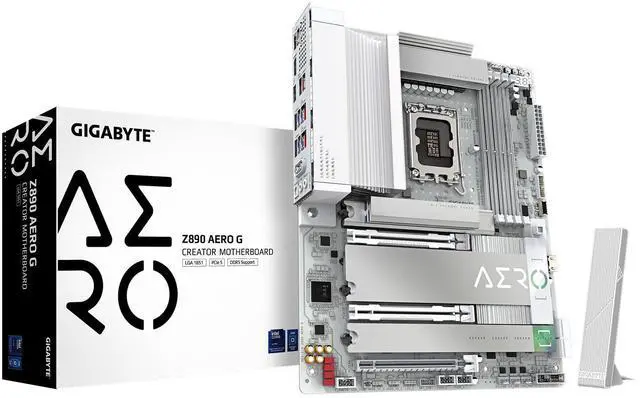
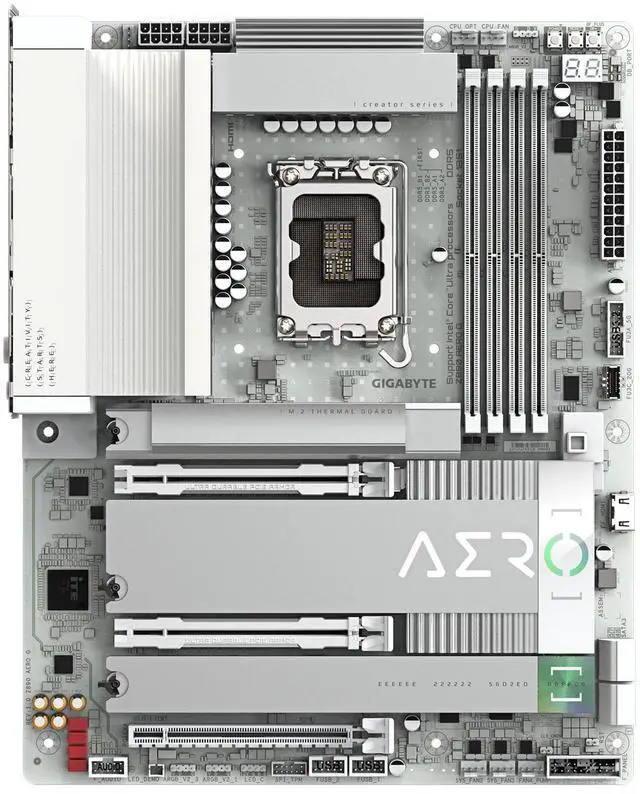
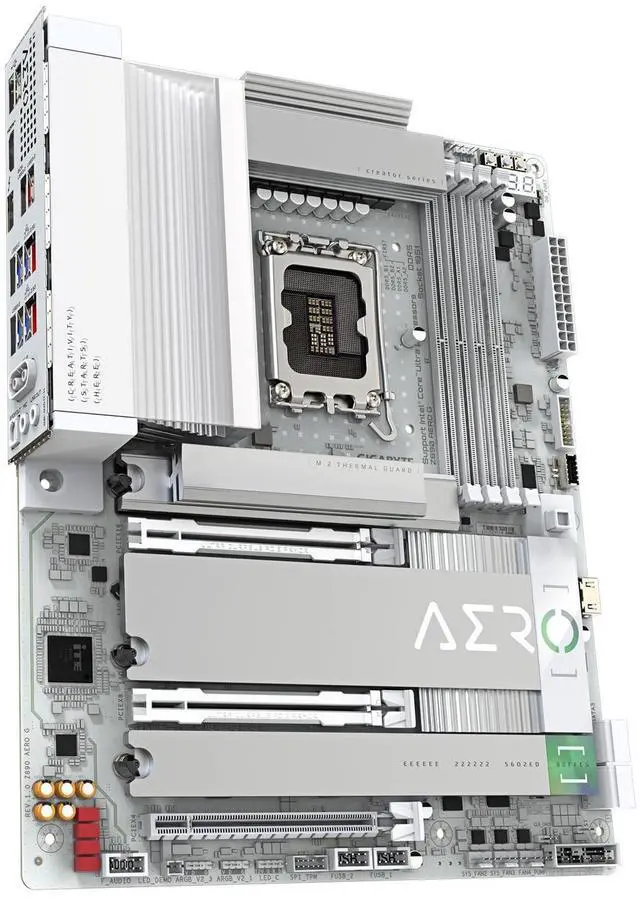
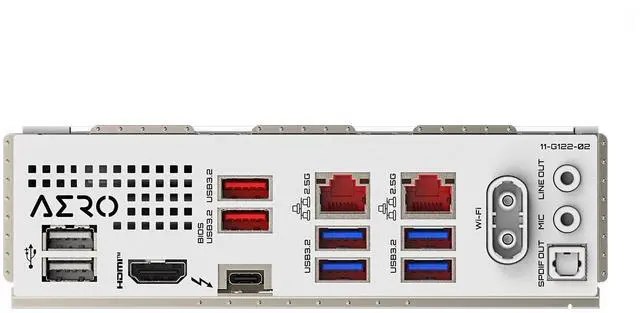
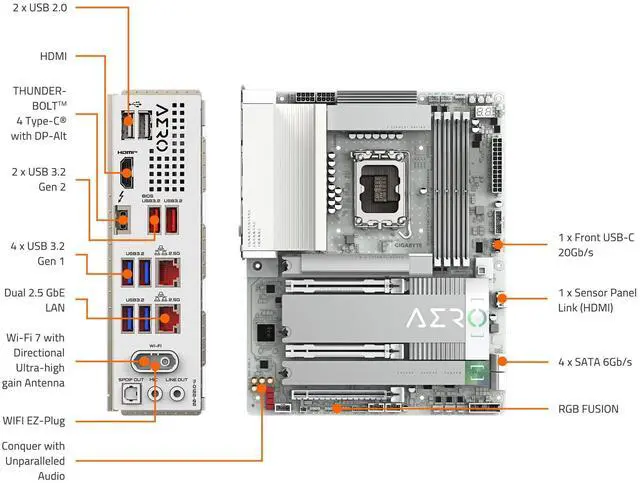
The GIGABYTE Z890 AERO G is an ATX motherboard for Intel Core Ultra processors (Series 2) using the LGA 1851 socket. It suits high-performance desktop builders who need DDR5 support, PCIe 5.0, five M.2 slots, Thunderbolt 4, Wi-Fi 7, and dual 2.5GbE networking.
Q: Should I buy the GIGABYTE Z890 AERO G or the Z890 AORUS ELITE WIFI7?
A: Choose the Z890 AERO G if you need a creator-focused feature set with five M.2 slots, dual 2.5GbE LAN, Thunderbolt 4, and expanded multi-device connectivity. Choose the Z890 AORUS ELITE WIFI7 if four M.2 slots, one 2.5GbE port, Wi-Fi 7, and one Thunderbolt 4 port are sufficient for a gaming or general-purpose PC. Both support Intel Core Ultra processors, DDR5, PCIe 5.0, and the LGA1851 platform, so the decision is primarily about storage and connectivity rather than processor compatibility.
Q: Is the Z890 AERO G better than the ASUS ProArt Z890-CREATOR WIFI for content creation?
A: The Z890 AERO G is the more suitable choice when five M.2 slots, dual 2.5GbE networking, Wi-Fi 7, and Thunderbolt 4 meet your workflow requirements. The ASUS ProArt Z890-CREATOR WIFI is better suited to professional storage and high-speed networking workflows because it adds dual Thunderbolt 5, 10GbE plus 2.5GbE, five M.2 slots, and two PCIe 5.0 x16 slots. Choose the AERO G for a lower-complexity creator workstation; choose the ProArt model when faster external devices, 10GbE networking, or multi-GPU expansion justify the additional platform features.
Q: Should I upgrade from the GIGABYTE Z790 AERO G to the Z890 AERO G?
A: Upgrade to the Z890 AERO G when you are moving to an Intel Core Ultra Series 2 processor, need the LGA1851 socket, or want newer platform features such as Wi-Fi 7 and expanded Z890 connectivity. The Z790 AERO G supports 12th-, 13th-, and 14th-generation Intel processors on LGA1700, so it cannot accept Core Ultra Series 2 desktop processors. If your existing Z790 system already meets your storage, networking, and performance needs, the upgrade requires a new CPU and motherboard rather than a drop-in processor replacement.
Q: Do I need the Z890 AERO G, or is a basic Z890 motherboard enough?
A: A basic Z890 motherboard is enough for a single-GPU gaming PC or a general desktop with one or two M.2 drives. Choose the Z890 AERO G when you expect to use multiple NVMe drives, two wired networks, Thunderbolt 4 peripherals, a front USB-C connection, or creator-oriented expansion features. The AERO G provides five M.2 slots, dual 2.5GbE LAN, Wi-Fi 7, PCIe 5.0, and DIY-focused EZ-Latch features; a lower-tier board can reduce cost when those capabilities will remain unused.
Q: Which processors and memory does this motherboard support?
A: This motherboard is designed for Intel Core Ultra processors in Series 2 using the LGA 1851 socket. It supports DDR5 memory through four DIMM slots and includes XMP support. Existing CPUs or DDR4 memory modules are not compatible.
Q: How many M.2 SSDs can this motherboard support?
A: It provides five M.2 slots, giving it a strong fit for builds that need multiple NVMe SSDs. M.2 Thermal Guard components help manage SSD temperatures, but users should confirm the specific slot speeds and lane-sharing behavior in the motherboard manual before installing several drives.
Q: Does it include built-in Wi-Fi, and is a separate adapter required?
A: Yes. Wi-Fi 7 is built into the motherboard, so a separate Wi-Fi adapter is not required for wireless networking. Actual performance depends on the router, client devices, distance, interference, and network conditions.
Q: Is this motherboard suitable for a high-end multi-storage or expansion-focused PC?
A: Yes. Its ATX layout, PCIe 5.0 support, five M.2 slots, Thunderbolt 4, front USB-C, dual 2.5GbE LAN, and Wi-Fi 7 make it suitable for performance workstations, creator systems, and enthusiast PCs that need extensive storage and connectivity. It is less suitable for compact builds because it uses the full ATX form factor.
Q: What should I check before installing high-speed DDR5 memory or multiple SSDs?
A: Check the motherboard manual and the memory manufacturer’s compatibility list before purchasing. DDR5 XMP settings may require manual tuning or BIOS updates for stable operation, and multiple M.2 drives can have slot-specific speed or lane-sharing rules. Installing the modules and drives in the recommended slots is important.
Q: Is the GIGABYTE Z890 AERO G suitable for a workstation with multiple GPUs and several NVMe SSDs?
A: It can suit multi-GPU and high-storage workstations, but PCIe lane allocation must be checked before purchase. Community discussions indicate that the board uses CPU-connected PCIe slots in an x8/x8 configuration and that some M.2 slots or chipset-connected expansion cards may share bandwidth. It is better suited to a carefully planned build than to configurations requiring maximum bandwidth for every device simultaneously.
Q: Is the Z890 AERO G a good choice for a NAS or homelab?
A: It is suitable when you need features such as dual 2.5GbE networking, multiple M.2 slots, and desktop-class Core Ultra performance. It is less suitable when very low idle power is the main priority, because a community NAS build reported relatively high idle consumption and limited package C-state residency. A lower-power platform may be preferable for an always-on storage server.
Q: Should buyers expect BIOS, POST, or startup troubleshooting with the Z890 AERO G?
A: Some users have reported startup problems, including no POST, power loops, or failure to shut down correctly from the operating system. These reports do not establish a universal hardware defect, since at least one no-POST case was traced to a faulty case power button. Buyers should be comfortable checking CPU seating, power connections, memory, BIOS settings, and Q-Flash updates during setup.
Q: Is the Z890 AERO G worth considering for a creator or high-connectivity desktop?
A: It is a reasonable fit for users who will actually use its five M.2 slots, Thunderbolt 4, front USB-C, Wi-Fi 7, and dual 2.5GbE ports. The trade-off is that these features add cost and platform complexity compared with a simpler Z890 board. It is less compelling for a basic gaming or office PC that needs only one GPU, one or two SSDs, and standard networking.


