Weather Alert: Severe winter storms may impact delivery times in some regions. We appreciate your patience as carriers work to deliver orders as quickly as possible. UPS Service Alerts.
  • $81.99
  • Free 30-day Returns
  • Price alert
    Sold by HyperCore

    Shipped by HyperCore

    Shop it at NeweggBusiness.

    Meet Your Seller

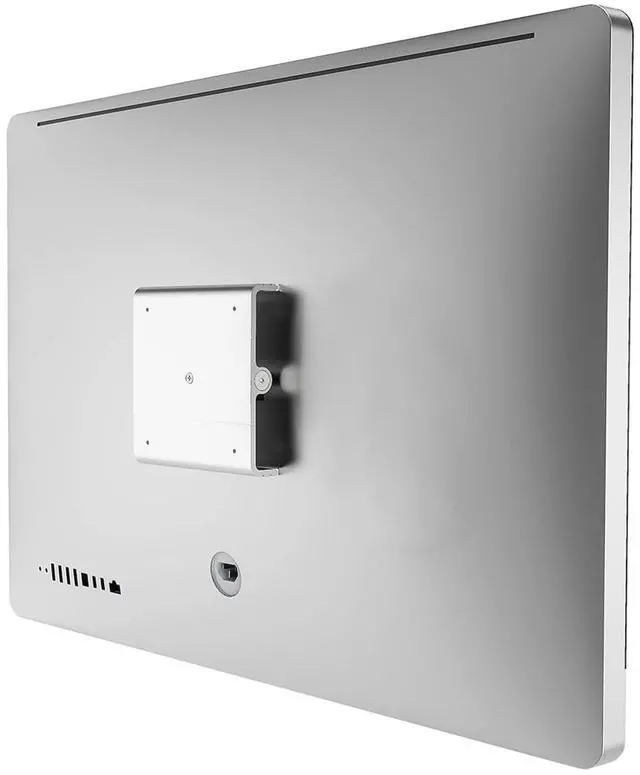
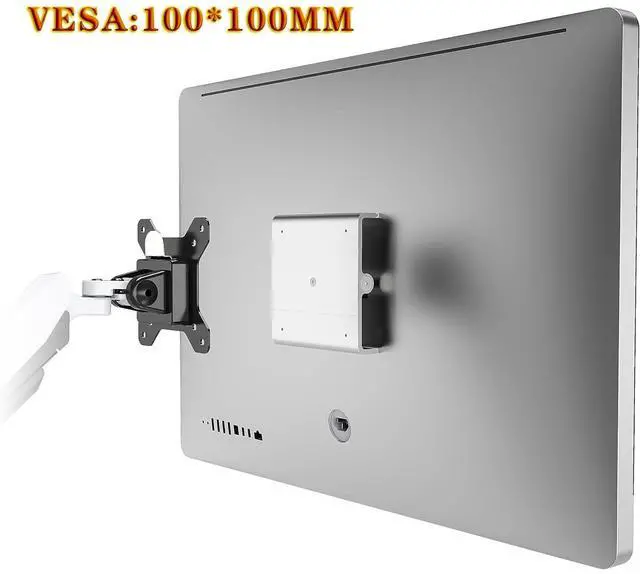
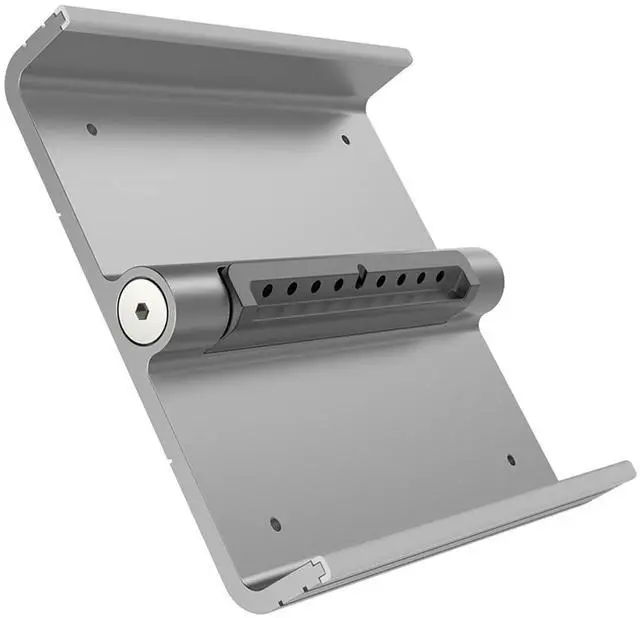
    VESA Mount Adapter Kit for iMac 24 inch,27 inch (2009-2011 Aluminum),Compatible with LED Cinema Display,Thunderbolt Displays,Replaces Apple Bracket MD179ZM/A,Not for 2021 iMac/M1

    • VESA MOUNT ADAPTER FOR SPECIFIC APPLE IMAC & DISPLAYS :This VESA adapter kit is tested and guaranteed compatible with the following models: Apple Thunderbolt Display, LED Cinema Display, 24-inch iMac (Aluminum), and 27-inch iMac models from Late 2009, Mid 2010, and Mid 2011. It will not fit other iMac models please double-check your device before purchase.
    • Note: This adapter only works with iMac models that have a removable stand. The 2021 iMac does not have a removable stand and is not compatible.
    • MOUNT YOUR APPLE IMAC OR DISPLAY ON A STANDARD VESA MOUNT :Even though these Apple displays lack built-in VESA mount holes, this versatile adapter lets you easily connect them to any VESA-compatible arm or wall mount. Whether you prefer wall mounting or desk mounting to free up space, this bracket enables quick and secure installation in seconds. It also supports multi-monitor setups like dual-screen or triple-screen displays.
    • ASY INSTALLATION :The kit includes all the necessary to
    +
    +
    Overview
    Specs
    Reviews
    avatar

    Any questions? Our AI beta will help you find out quickly.

    This VESA adapter performs flawlessly, crafted from precision-machined aluminum and complete with all necessary screws and tools for installation. Below are experiences shared by other buyers who have installed the product. However, the instructions failed me on one obvious (perhaps), but very important step. After you remove the stand from your monitor/computer, the mounting bracket should be exposed. It isn't clear from the instructions that this should be the case, and for me the mounting bracket retreated back into the monitor after I removed the stand. So after rereading the instructions, looking around inside the monitor with a flashlight, and otherwise thinking I had missed something very obvious, I came back to to check what I bought, thinking that I bought the wrong thing.

    I then read more reviews for the mount and discovered that what happened in my case is pretty common. If this happens to you, you're going to have to get creative to expose the mount. What I ended up doing was taking a length of guitar string and threading it through the screw holes on the mounting bracket, then pulling (while simultaneously pushing in the tab with the provided plastic card). I eventually got it to lock in place so I could install the flange, but it was a HUGE pain. Had the instructions made more explicit the need to make sure the mounting bracket remains locked and exposed before you remove the stand, it would've saved me a lot of time and frustration.

    And given that this is pretty common, it would also be helpful if they included guidance on what to do if your mounting bracket doesn't stay exposed.

    Warranty & Returns

    Warranty, Returns, And Additional Information

    Warranty

    • Please contact the Seller directly for warranty information. Warranty information may also be found on the Manufacturer's website.
    • CONTACT

    Return Policies

    • Return for refund within: 30 days
    • Return for replacement within: 30 days
    • This item is covered by HyperCore Return Policy

    Manufacturer Contact Info

    LOADING...