

Your Browsing History
- Free 30-day Returns
$58.99

Meet Your Seller

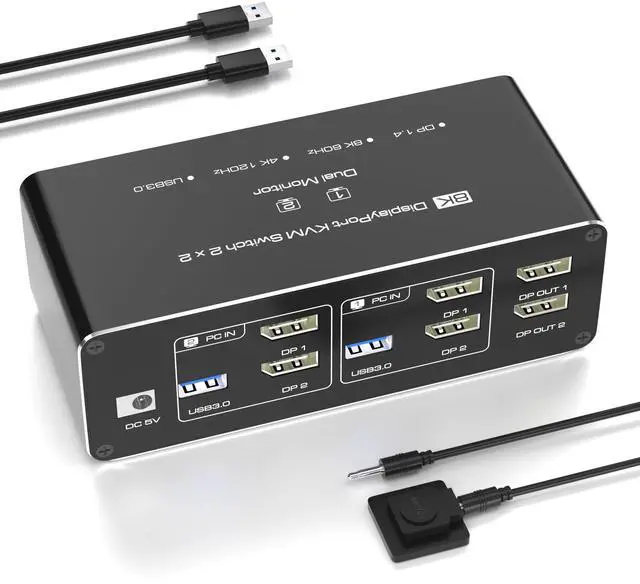


KVM Switch 2 Monitors 2 Computers DisplayPort 8K @60Hz, USB 3.0 KVM Switches for 2 Computers Share Dual Monitor and 4 USB Devices, DisplayPort KVM with Wired Controller Support Extend/Copy Mode
- Dual Monitor KVM Switch for 2 Computers (DisplayPort) Seamless Multi-PC Control, Easily manage two computers with a single keyboard, mouse, and dual monitors (2 DisplayPort). Supports Extended & Mirror Mode for flexible workspace configurations. Important Requirements: Both PCs/laptops must have two independent DP ports (no signal conversion between inputs). Both DP ports must connect to the same computer (e.g., DP1 + DP2 PC1).
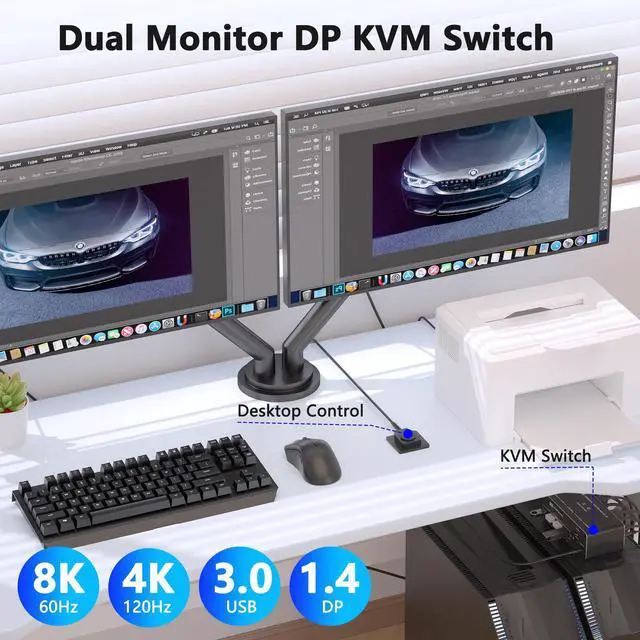
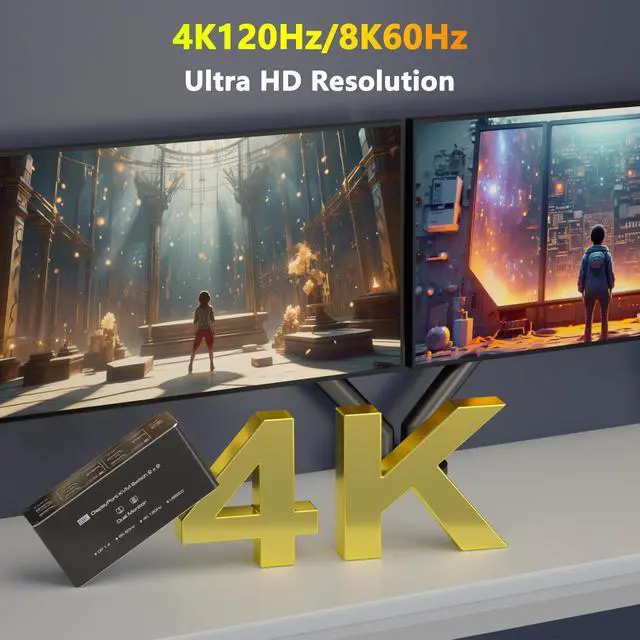
- Ultra HD 4K@120Hz & 8K@60Hz (DP 1.4) Stunning Visuals, Experience crystal-clear 4K@120Hz or 8K@60Hz resolutionperfect for gaming, graphic design, and 4K/8K video editing. Note: Requires 4K/8K-compatible source devices, monitors, and certified DP 1.4 cables. Lower-quality cables may cause flickering or signal loss.
- USB 3.0 Hub (5Gbps) Connect 4 Devices, Share keyboards, mice, printers, and USB drives across both PCs. Backward compatible with USB 2.0/1.1 devices. Note: Adapters are not supportedconnect USB devices directly to avoid recognition issues.
+
+
Overview
Specs
Reviews

Any questions? Our AI mode will help you find out quickly.
Try me now
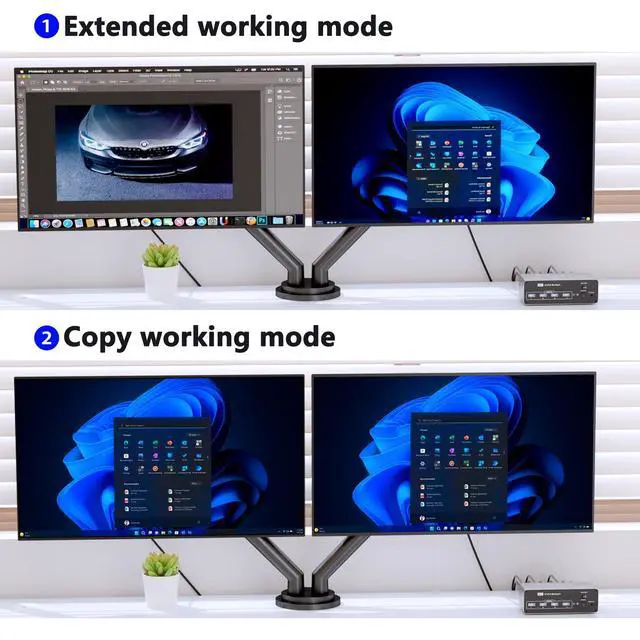
Dual Monitor KVM Switch for 2 Computers (DisplayPort) Seamless Multi-PC Control, Easily manage two computers with a single keyboard, mouse, and dual monitors (2 DisplayPort). Supports Extended & Mirror Mode for flexible workspace configurations.
Important Requirements: Both PCs/laptops must have two independent DP ports (no signal conversion between inputs). Both DP ports must connect to the same computer (e. g., DP1 + DP2 PC1). ^^ Ultra HD 4K@120Hz & 8K@60Hz (DP 1.4 ) Stunning Visuals, Experience crystal-clear 4K@120Hz or 8K@60Hz resolutionperfect for gaming, graphic design, and 4K/8K video editing.
Note: Requires 4K/8K-compatible source devices, monitors, and certified DP 1.4 cables. Lower-quality cables may cause flickering or signal loss. ^^ USB 3.0 Hub (5Gbps) Connect 4 Devices, Share keyboards, mice, printers, and USB drives across both PCs. Backward compatible with USB 2.0 / 1.1 devices.
Note: Adapters are not supportedconnect USB devices directly to avoid recognition issues. ^^ Two Switching Methods Simple & Reliable, Press the KVMs front-panel button or use the included desktop controller (LED indicators show active PC). Compatible with Windows, macOS, Linux, and Unix. No keyboard hotkeysswitching requires physical button presses. ^^ Whats Included? 1 Dual Monitor KVM Switch, 1 Desktop Controller ( 1.5 m cable), 2 USB 3.0 Cables (1m), 1 5V Power Adapter, 1 User Manual DP cables not includedusers must provide their own DisplayPort 1.4 cables. ^^ Easy Setup
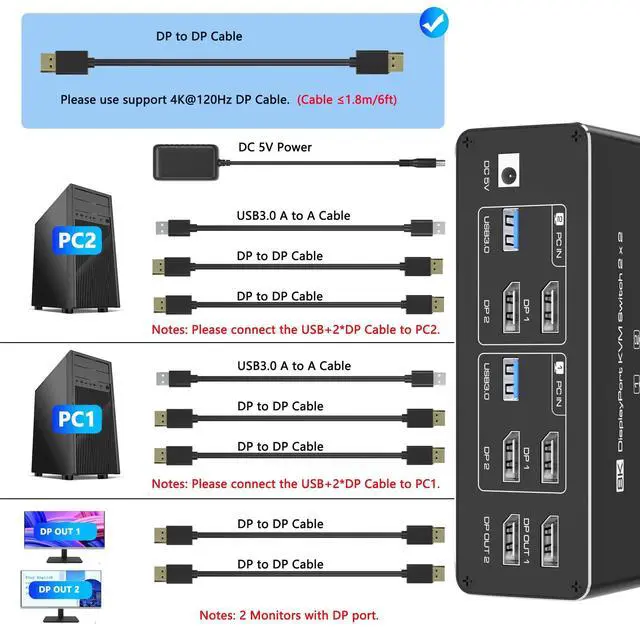
Guide Power On: Connect the 5V/2A power adapter for stable operation.
Connect PCs: Plug DP 1 + DP 2 and USB-A from each PC into PC1 IN / PC2 IN ports.
Link Monitors: Connect OUT1 & OUT2 to your displays (OUT1 = DP1 source, OUT2 = DP2 source).
Attach Peripherals: Plug keyboards/mice into the front USB 3.0 ports.
For Dual Monitors: Both DP inputs must connect to the same dedicated GPU. If one monitor fails, try replacing the DP cable.
Important Requirements: Both PCs/laptops must have two independent DP ports (no signal conversion between inputs). Both DP ports must connect to the same computer (e. g., DP1 + DP2 PC1). ^^ Ultra HD 4K@120Hz & 8K@60Hz (DP 1.4 ) Stunning Visuals, Experience crystal-clear 4K@120Hz or 8K@60Hz resolutionperfect for gaming, graphic design, and 4K/8K video editing.
Note: Requires 4K/8K-compatible source devices, monitors, and certified DP 1.4 cables. Lower-quality cables may cause flickering or signal loss. ^^ USB 3.0 Hub (5Gbps) Connect 4 Devices, Share keyboards, mice, printers, and USB drives across both PCs. Backward compatible with USB 2.0 / 1.1 devices.
Note: Adapters are not supportedconnect USB devices directly to avoid recognition issues. ^^ Two Switching Methods Simple & Reliable, Press the KVMs front-panel button or use the included desktop controller (LED indicators show active PC). Compatible with Windows, macOS, Linux, and Unix. No keyboard hotkeysswitching requires physical button presses. ^^ Whats Included? 1 Dual Monitor KVM Switch, 1 Desktop Controller ( 1.5 m cable), 2 USB 3.0 Cables (1m), 1 5V Power Adapter, 1 User Manual DP cables not includedusers must provide their own DisplayPort 1.4 cables. ^^ Easy Setup
Guide Power On: Connect the 5V/2A power adapter for stable operation.
Connect PCs: Plug DP 1 + DP 2 and USB-A from each PC into PC1 IN / PC2 IN ports.
Link Monitors: Connect OUT1 & OUT2 to your displays (OUT1 = DP1 source, OUT2 = DP2 source).
Attach Peripherals: Plug keyboards/mice into the front USB 3.0 ports.
For Dual Monitors: Both DP inputs must connect to the same dedicated GPU. If one monitor fails, try replacing the DP cable.
Warranty & Returns
Warranty, Returns, And Additional Information
Warranty
- Please contact the Seller directly for warranty information. Warranty information may also be found on the Manufacturer's website.
- CONTACT
Return Policies
- Return for refund within: 30 days
- Return for replacement within: non-replaceable
- This item is covered by Aptly Tech Return Policy
Manufacturer Contact Info
- For a directory of all our manufacturers, please click below.
- Manufacturers Directory
LOADING...