

Your Browsing History

Meet Your Seller

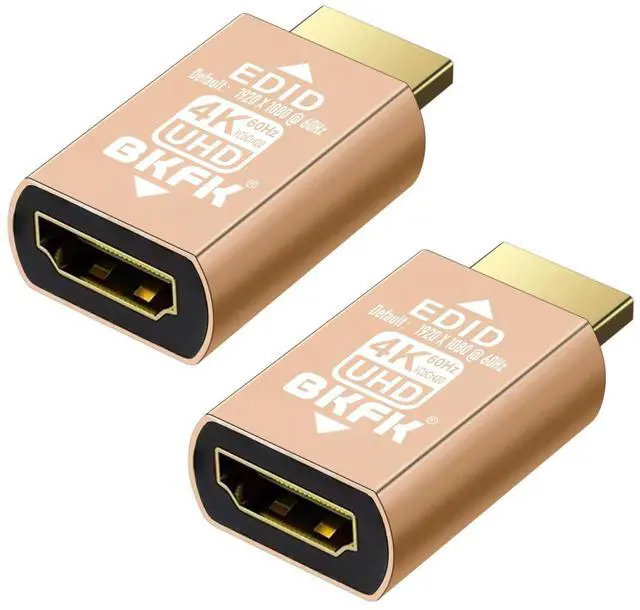

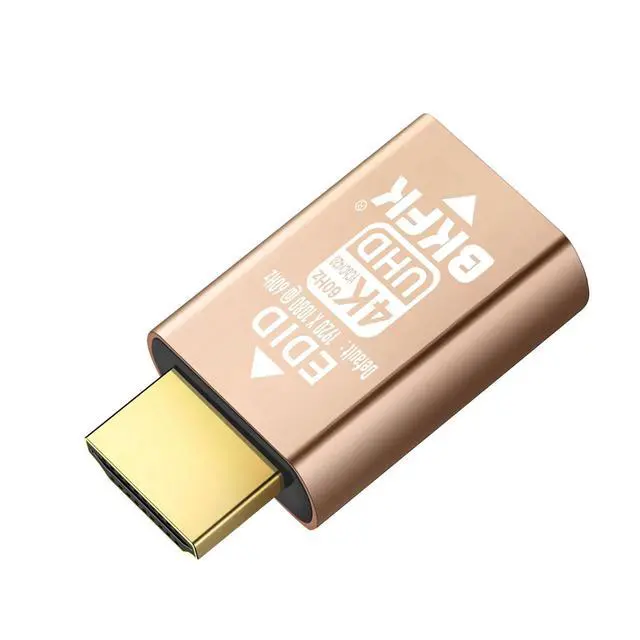
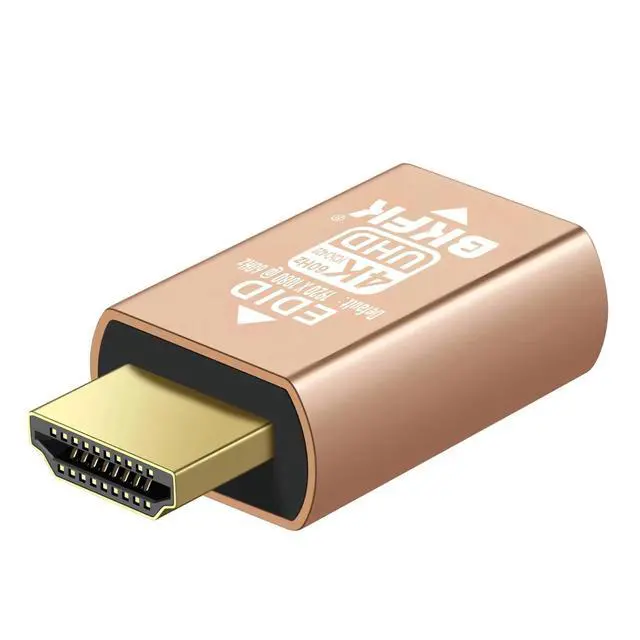


BKFK HDMI edid Emulator Adapter,4K 60Hz (default1080P) 2Pack emulators,Reliable Pass-Through for Extender/AV Receiver/Video Splitters
- EDID Emulation and Signal Stability--HDMI EDID Emulator Adapter simulates the EDID of a display, ensuring that even when no display device is connected, the source device (such as a DVD player, gaming console, or PC) can still output a signal.ures that regardless of whether the display is on or off, the source device continues to output stable video and audio signals, preventing signal loss or display errors.
- Multi-Device Compatibility--This device is especially suitable for environments with multiple displays or devices, such as home theater systems, AV receivers, and video splitters. It resolves compatibility issues caused by mismatched EDID information between devices, ensuring that each device can correctly recognize and receive signals from the source device, thus avoiding image errors or connection failures due to device differences.
- High Resolution and Audio Support--HDMI EDID Emulator supports high resolutions and various audio formats. It simulates the EDID information r
+
+
Overview
Specs
Reviews

Any questions? Our AI mode will help you find out quickly.
Try me now
What is an HDMI EDID Emulator? An HDMI EDID Emulator is a device used in HDMI signal transmission, designed to address compatibility issues between HDMI signal sources (such as DVD players, gaming consoles, PCs, etc. ) and display devices (such as TVs, projectors, monitors, etc. ). Its primary function is to simulate the EDID (Extended Display Identification Data) of a display, ensuring that the source device always thinks the display is connected and can output the appropriate signal correctly. 1Main Functions and Working Principles of HDMI EDID EmulatorSimulate the EDID Information of a Display--EDID is a standardized data format that contains basic information about the display device, such as resolution, refresh rate, color depth, and audio format.
The core function of the HDMI EDID Emulator is to simulate the EDID information of a display, so even when no display is physically connected, it provides a virtual EDID to the source device (such as DVD players, PCs, gaming consoles, etc. ). --When no display is connected, the source device may fail to detect the EDID, which can result in improper signal output or errors. The EDID Emulator prevents this issue by maintaining stable video and audio signal transmission. 2Solve Signal Compatibility Issues Between Display and Source Devices--The HDMI EDID Emulator simulates the correct EDID data, helping source devices adapt to various display devices.
This is particularly useful for older displays or those that do not support certain resolutions or refresh rates. By simulating the EDID, the source device ensures proper signal output, avoiding issues like blurry images, resolution mismatches, or connection failures. --It ensures that the source device always outputs the signal with the correct parameters, preventing issues such as displays not recognizing high-resolution signals or receiving incorrect resolutions. 3Maintain Signal Stability--In complex audio-visual systems, especially when multiple display devices are connected to the same source, the EDID Emulator can prevent signal loss caused by certain devices being powered off or disconnected.
The source device does not need to constantly re-read the EDID information but can maintain continuous signal output by using the simulated EDID. --By simulating the EDID information, the EDID Emulator ensures uninterrupted signal transmission between the source and display devices, especially when multiple displays are connected to the system. 4Prevent Device Auto-Switching--Some HDMI devices, such as AV receivers, video switchers, or splitters, may automatically adjust the output signal based on the detected display device. If these devices do not correctly receive the EDID information from the display, they may incorrectly switch inputs or fail to process the signal correctly.
The EDID Emulator provides the correct display information, preventing unnecessary switching of devices. 5Support for High Resolution and Color Depth--For displays that support high resolutions and deep color depths, the EDID Emulator can simulate the EDID data compatible with these displays, ensuring that the source device outputs the appropriate signal. For example, for a 4K display, the EDID Emulator can simulate 4K resolution and high refresh rates, ensuring clear and stable image transmission. Typical Application Scenarios1Home Theater Systems--In home theater setups, there are typically multiple HDMI devices, such as AV receivers, Blu-ray players, gaming consoles, smart TVs, etc.
Different devices may support different resolutions or audio formats. The EDID Emulator ensures that the AV receiver correctly reads the EDID information of the display or projector, even if some displays are not connected or are turned off, ensuring stable signal transmission. --For example, when switching between devices (such as switching to a Blu-ray player or gaming console), the EDID Emulator ensures that all devices can seamlessly recognize the display, whether the display is on or off, a
The core function of the HDMI EDID Emulator is to simulate the EDID information of a display, so even when no display is physically connected, it provides a virtual EDID to the source device (such as DVD players, PCs, gaming consoles, etc. ). --When no display is connected, the source device may fail to detect the EDID, which can result in improper signal output or errors. The EDID Emulator prevents this issue by maintaining stable video and audio signal transmission. 2Solve Signal Compatibility Issues Between Display and Source Devices--The HDMI EDID Emulator simulates the correct EDID data, helping source devices adapt to various display devices.
This is particularly useful for older displays or those that do not support certain resolutions or refresh rates. By simulating the EDID, the source device ensures proper signal output, avoiding issues like blurry images, resolution mismatches, or connection failures. --It ensures that the source device always outputs the signal with the correct parameters, preventing issues such as displays not recognizing high-resolution signals or receiving incorrect resolutions. 3Maintain Signal Stability--In complex audio-visual systems, especially when multiple display devices are connected to the same source, the EDID Emulator can prevent signal loss caused by certain devices being powered off or disconnected.
The source device does not need to constantly re-read the EDID information but can maintain continuous signal output by using the simulated EDID. --By simulating the EDID information, the EDID Emulator ensures uninterrupted signal transmission between the source and display devices, especially when multiple displays are connected to the system. 4Prevent Device Auto-Switching--Some HDMI devices, such as AV receivers, video switchers, or splitters, may automatically adjust the output signal based on the detected display device. If these devices do not correctly receive the EDID information from the display, they may incorrectly switch inputs or fail to process the signal correctly.
The EDID Emulator provides the correct display information, preventing unnecessary switching of devices. 5Support for High Resolution and Color Depth--For displays that support high resolutions and deep color depths, the EDID Emulator can simulate the EDID data compatible with these displays, ensuring that the source device outputs the appropriate signal. For example, for a 4K display, the EDID Emulator can simulate 4K resolution and high refresh rates, ensuring clear and stable image transmission. Typical Application Scenarios1Home Theater Systems--In home theater setups, there are typically multiple HDMI devices, such as AV receivers, Blu-ray players, gaming consoles, smart TVs, etc.
Different devices may support different resolutions or audio formats. The EDID Emulator ensures that the AV receiver correctly reads the EDID information of the display or projector, even if some displays are not connected or are turned off, ensuring stable signal transmission. --For example, when switching between devices (such as switching to a Blu-ray player or gaming console), the EDID Emulator ensures that all devices can seamlessly recognize the display, whether the display is on or off, a
Warranty & Returns
Warranty, Returns, And Additional Information
Warranty
- Please contact the Seller directly for warranty information. Warranty information may also be found on the Manufacturer's website.
- CONTACT
Return Policies
- Return for refund within: 30 days
- Return for replacement within: 30 days
- This item is covered by LingGo Return Policy
Manufacturer Contact Info
- For a directory of all our manufacturers, please click below.
- Manufacturers Directory
LOADING...