Your Browsing History
- Free 30-day Returns
$75.99
Meet Your Seller
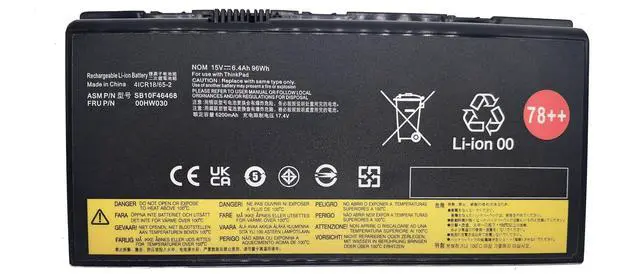
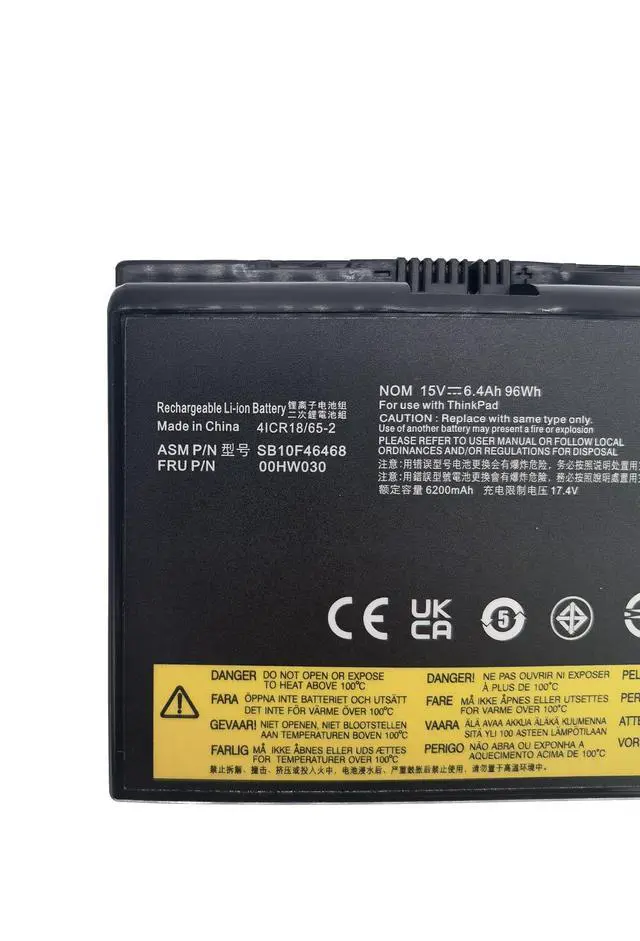
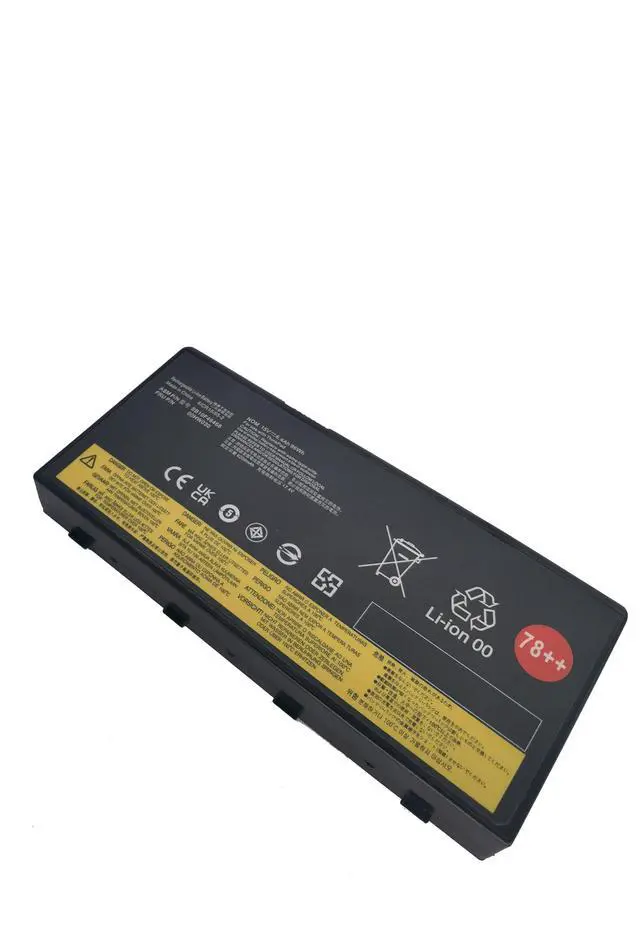
YXKC 78++ 00HW030 Laptop Battery Compatible with Lenovo ThinkPad P70 P71 20ER 20ES 20HK Mobile Workstation Series 01AV451 SB10F46468 4X50K14092 5B10W13950 15V 96Wh/6400mAh 8-Cell
- Battery Type: Li-ion; Voltage: 11.4V ; Capacity: 42Wh/3500mAh ; Color: Black
- Replacement for Part Number: 00HW030 01AV451 SB10F46468 4X50K14092 5B10W13950 78++ 78+
- Compatible Laptop Models: for ThinkPad P70 Mobile Workstation Series;ThinkPad P71 Mobile Workstation Series.
- Exclusive Offering of High Performance, Long Lasting, and Durable Grade A Cell Battery
- Reminder: 1. New replacement battery come with some power, please first discharge and then fully charge. 2. It is best not to completely drain the battery while charging. 3. Don't store the battery for too long without using. 4. Don't put the battery near the fire source to avoid personal safety.
+
+
Overview
Specs
Reviews
Any questions? Our AI beta will help you find out quickly.
Try me now
Model: 00HW030Battery
Type:
Li-ionVoltage:
15VCapacity: 96Wh
6400mAh 8-CellCondition: Brand newReplace
Part Number: 00HW030 01AV451 SB10F46468 4X50K14092 5B10W13950 78++ 78+Compatible Part Numbersfor Lenovo ThinkPad P70 20ER 20ES Series for Lenovo ThinkPad P71 20HK 20HL
SeriesPurchasing Attention: Not all compatible laptop models are listed here. You can open the back of your laptop to check the original battery model. For the new battery, we suggest that all of our customer should full charge it by AC power adapter, because takes a long period, the capacity was strain out by inner PCB circuit, in order to protect your battery life, you can full charge to 100% and drain to 1% 2 times, then the capacity will recover.

Type:
Li-ionVoltage:
15VCapacity: 96Wh
6400mAh 8-CellCondition: Brand newReplace
Part Number: 00HW030 01AV451 SB10F46468 4X50K14092 5B10W13950 78++ 78+Compatible Part Numbersfor Lenovo ThinkPad P70 20ER 20ES Series for Lenovo ThinkPad P71 20HK 20HL
SeriesPurchasing Attention: Not all compatible laptop models are listed here. You can open the back of your laptop to check the original battery model. For the new battery, we suggest that all of our customer should full charge it by AC power adapter, because takes a long period, the capacity was strain out by inner PCB circuit, in order to protect your battery life, you can full charge to 100% and drain to 1% 2 times, then the capacity will recover.
Warranty & Returns
Warranty, Returns, And Additional Information
Warranty
- Please contact the Seller directly for warranty information. Warranty information may also be found on the Manufacturer's website.
- CONTACT
Return Policies
- Return for refund within: 30 days
- Return for replacement within: 30 days
- This item is covered by Riveira Store Return Policy
Manufacturer Contact Info
- For a directory of all our manufacturers, please click below.
- Manufacturers Directory
LOADING...