• $152.99
  • Free 30-day Returns
  • Price alert
    Shop it at NeweggBusiness.

    Meet Your Seller

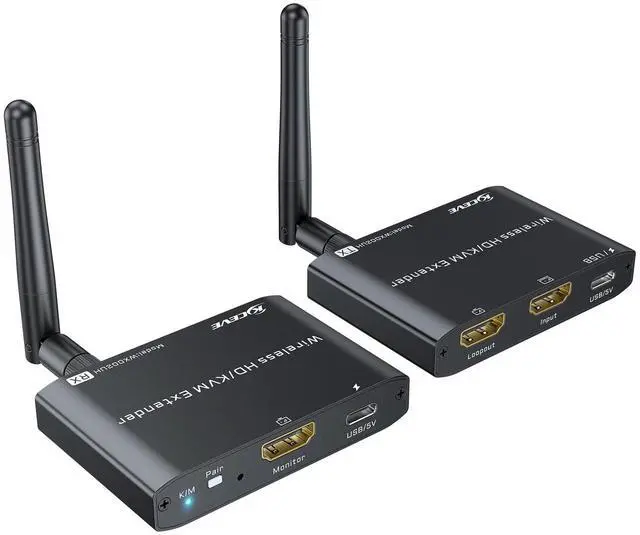
    ANGEET 660FT/200M Wireless HDMI Transmitter and Receiver, Streaming Media Video/Audio KVM Wireless HDMI Extender 5G from Laptop/PC to TV/Monitor, 1080P@60Hz,Dual Antenna Design,Loop Out

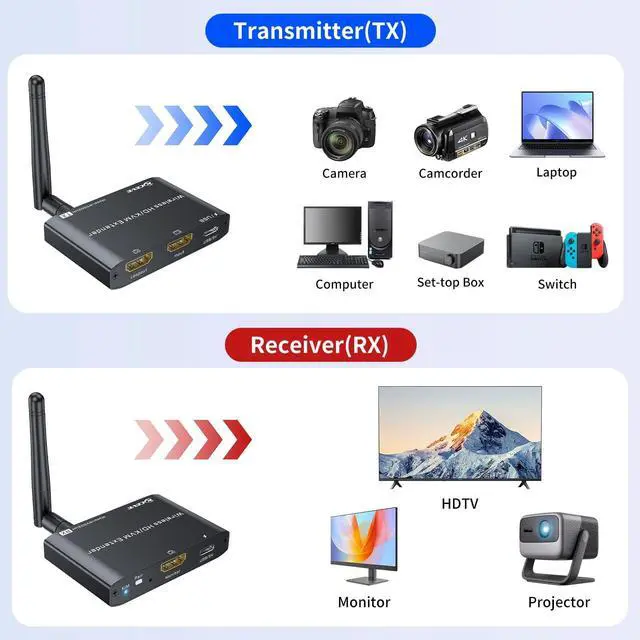
    • Wireless HDMI Transmitter and ReceiverThe ANGEET wireless HDMI transmitter and receiver utilizes wireless HDMI technology to extend keyboard, mouse, and HDMI signals to a remote display. This HDMI KVM USB extender supports long-distance interactive remote operation. It connects to one HDMI display on a local loop and transmits the wireless HDMI signal to another HDMI display remotely. This wireless PC-to-TV connection is ideal for offices, conference rooms, and home theaters
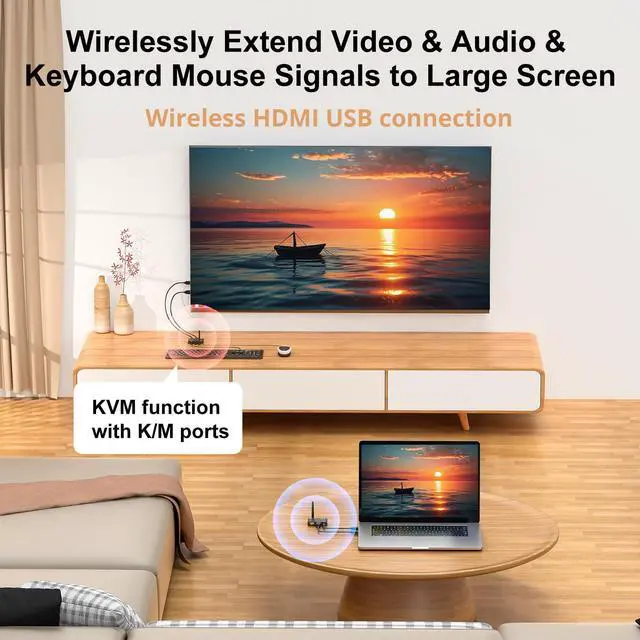
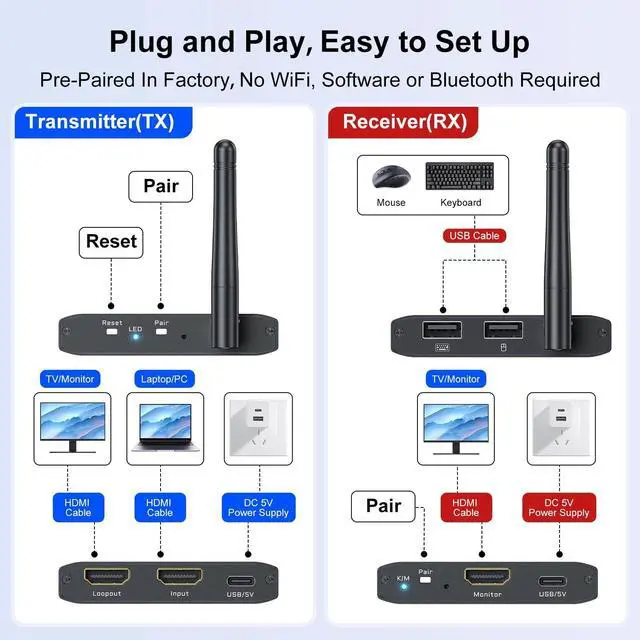
    • Wireless HDMI with KVM FunctionalityThe ANGEET USB wireless HDMI extender controls a computer, allowing operation from a remotely connected monitor, mouse, and keyboard. Connecting a USB cable to the computer powers the wireless HDMI transmitter (TX) and transmits the USB signal to the wireless HDMI receiver (RX). A 5V 2A DV power supply powers the RX, enabling mouse and keyboard functionality. Compatible with USB 2.0 keyboard and mouse signals
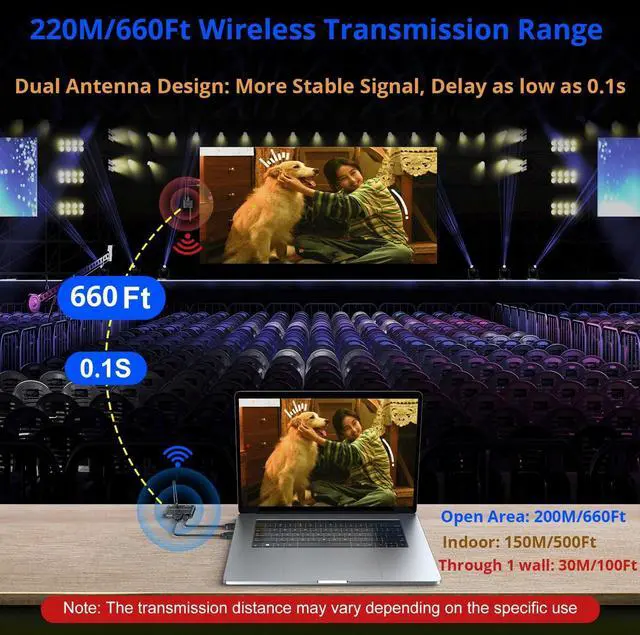
    • 200m/660ft Wireless HDMI Transmitter and Receiver The ANGEET wire
    +
    +
    Overview
    Specs
    Reviews
    avatar

    Any questions? Our AI beta will help you find out quickly.

    ANGEET Wireless HDMI Transmitters and ReceiversPlug and play wireless screen projection equipment: Stream videos from laptops and desktops to TV/projector/monitors. This wireless HDMI extender is perfect for travel, business meetings, projection, multimedia education, online classes, live broadcasts, home theater, and watching football games.
    Easy installation: No additional software, apps, WiFi, or Bluetooth required. Supported 1080P@60HzCompatible with windows, Mac OS, Android, Linux and other systemsSupports mirroring or extended modeMirror screen - share the same screen in real timeextended screen-only for computerConnection steps1. Connect the transmitter (TX) to the computer2. Connect the USB A port to the computer, and the USB-C port to power the transmitter (TX) 3. Connect the HDMI receiver (RX) to the monitor4. Use DC 5V 2A charger to power the RX, and connect mouse keyboard5. Wait for a few seconds, TX and RX will automatically pairPacking listTransmitter x 1, receiver x 1, USB-A to USB-C power cables x 2, manual x 1, power adapter not included

    Warranty & Returns

    Warranty, Returns, And Additional Information

    Warranty

    • Please contact the Seller directly for warranty information. Warranty information may also be found on the Manufacturer's website.
    • CONTACT

    Return Policies

    • Return for refund within: 30 days
    • Return for replacement within: 30 days
    • This item is covered by mafengkeji Return Policy

    Manufacturer Contact Info

    LOADING...