

Your Browsing History

Meet Your Seller

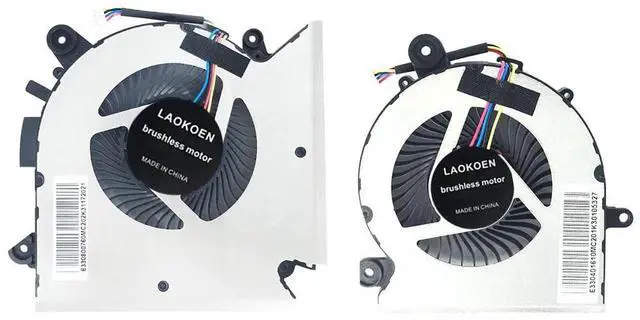
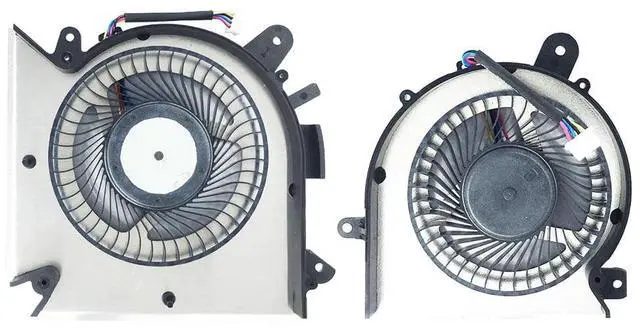

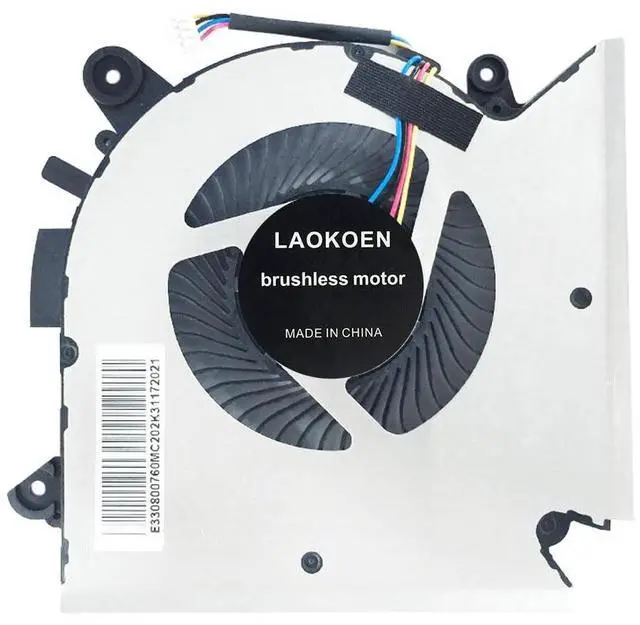
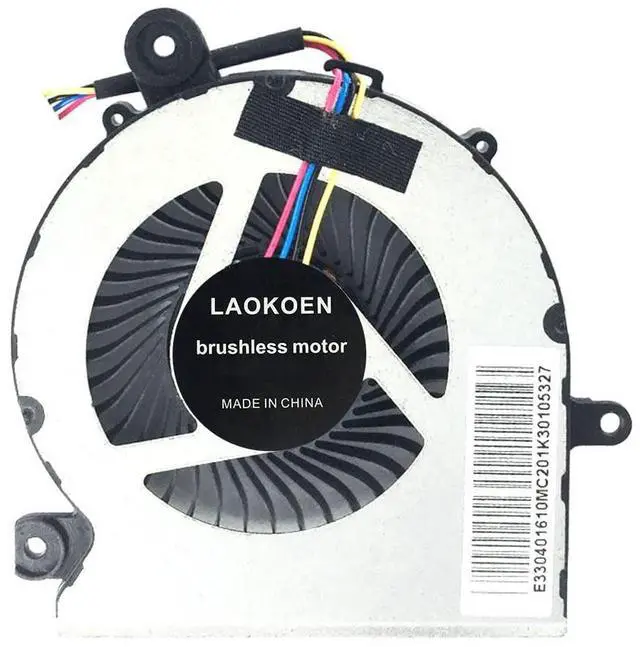


LAOKOEN New Replacement Cooling Fans for MSI GF65 Thin Laptop GF65 Thin 9SD 9SE-013 MS-16W1 MS-16W2 P/N:PABD08008SH N413, PAAD06015SL N433 DC 5V (4-Pin 4-Wire)
- New laptop CPU & GPU cooling fan, fast cooling, low noise, let your computer run at a low temperature, stable temperature,create a noise-free & interference-free environment for you.If you want a quiet, stable, and comfortable office environment for your laptop, this is the perfect choice for you.
- Replacement a new laptop CPU & GPU cooling fan will allow you to use the laptop to run stably and comfortably, solve the problem of abnormal noise and aging of your laptop cooling fan, solve the problem that the laptop system prompts the fan to not run normally, solve the problem of poor heat dissipation and high temperature of your laptop fan, and can not use the laptop normally so that your laptop fan can operate normally again!
- Compatible models: Replacement Fans for MSI GF65 Thin Laptop GF65 Thin 9SD 9SE-013 MS-16W1 MS-16W2 P/N:PABD08008SH N413, PAAD06015SL N433 DC 5V (4-Pin 4-Wire)
- Please be sure to check the fan diagram and the fan code indicated in the picture!! Laptops with t
+
+
Overview
Specs
Reviews

Any questions? Our AI mode will help you find out quickly.
Try me now
Please check the compatible model and compare the sample pictures, make sure this is the correct Cooling Fans you need! Please contact us if you have any issue! *Parameter: DC 5V.
*Package Include: 1* CPU Fan, 1*GPU
Fan*Compatible Models: LAOKOEN New Replacement Cooling Fans for MSI GF65 Thin Laptop GF65 Thin 9SD 9SE-013
MS-16W1 MS-16W2 P/N: PABD08008SH N413, PAAD06015SL N433 DC 5V (4-Pin 4-Wire).
*Applicable scenarios: Solve the error, abnormal noise, and high temperature of your laptop fan, so that your laptop fan can operate normally again! *Special attention: 1. Before replacing the laptop fan, remember to shut down the laptop, remove the plug of the external battery or internal battery of the laptop, and then press the switch button several times to release the static electricity and surplus electricity of the motherboard, so as to avoid damage to the motherboard caused by static electricity. In addition, please be sure to pay attention to the direction of the fan plug, do not plug the anti-fan plug, so as to avoid burning the fan. 2. Please pay attention to check whether the voltage of your laptop CPU&GPU fan is consistent with our product description fan voltage, because the same model of computer may have different voltage notebook cooling fans. 3. Disassembly is risky, and installation needs to be cautious. If you cant install it yourself, its best to ask a professional to help install it. You can also find the installation tutorial on the Internet for reference.
*Package Include: 1* CPU Fan, 1*GPU
Fan*Compatible Models: LAOKOEN New Replacement Cooling Fans for MSI GF65 Thin Laptop GF65 Thin 9SD 9SE-013
MS-16W1 MS-16W2 P/N: PABD08008SH N413, PAAD06015SL N433 DC 5V (4-Pin 4-Wire).
*Applicable scenarios: Solve the error, abnormal noise, and high temperature of your laptop fan, so that your laptop fan can operate normally again! *Special attention: 1. Before replacing the laptop fan, remember to shut down the laptop, remove the plug of the external battery or internal battery of the laptop, and then press the switch button several times to release the static electricity and surplus electricity of the motherboard, so as to avoid damage to the motherboard caused by static electricity. In addition, please be sure to pay attention to the direction of the fan plug, do not plug the anti-fan plug, so as to avoid burning the fan. 2. Please pay attention to check whether the voltage of your laptop CPU&GPU fan is consistent with our product description fan voltage, because the same model of computer may have different voltage notebook cooling fans. 3. Disassembly is risky, and installation needs to be cautious. If you cant install it yourself, its best to ask a professional to help install it. You can also find the installation tutorial on the Internet for reference.
Warranty & Returns
Warranty, Returns, And Additional Information
Warranty
- Please contact the Seller directly for warranty information. Warranty information may also be found on the Manufacturer's website.
- CONTACT
Return Policies
- Return for refund within: 30 days
- Return for replacement within: non-replaceable
- This item is covered by VersaCom Return Policy
Manufacturer Contact Info
- For a directory of all our manufacturers, please click below.
- Manufacturers Directory
LOADING...