Your Browsing History
- Free 30-day Returns
$173.99
Meet Your Seller
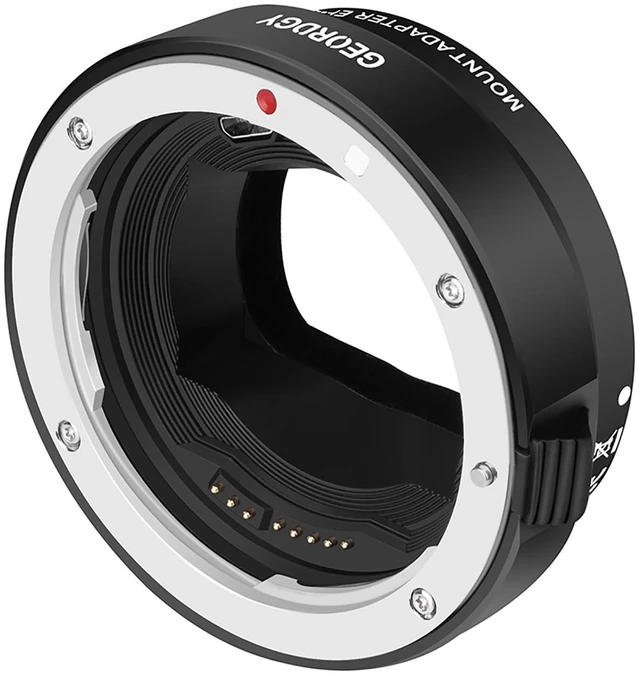
GEORDGY Auto-Focus Lens Mount Adapter Canon EF/EF-S to Sony E-Mount
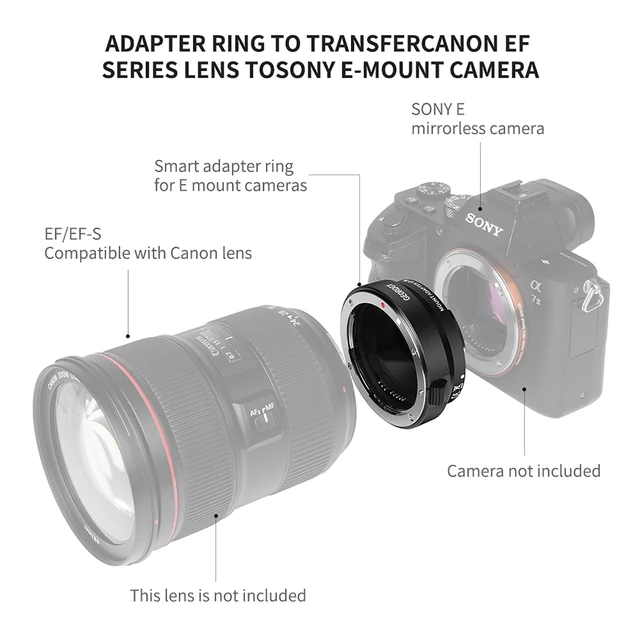
- Broad Compatibility: Bridges your Canon EF/EF-S lenses to Sony E-mount mirrorless cameras, including Alpha A9 series (A9, A9II), A7 series (A7IV, A7III, A7RIV, A7RIII, A7C, A7SIII), and A6000 series (A6600, A6400, A6100). Full compatibility list available in description
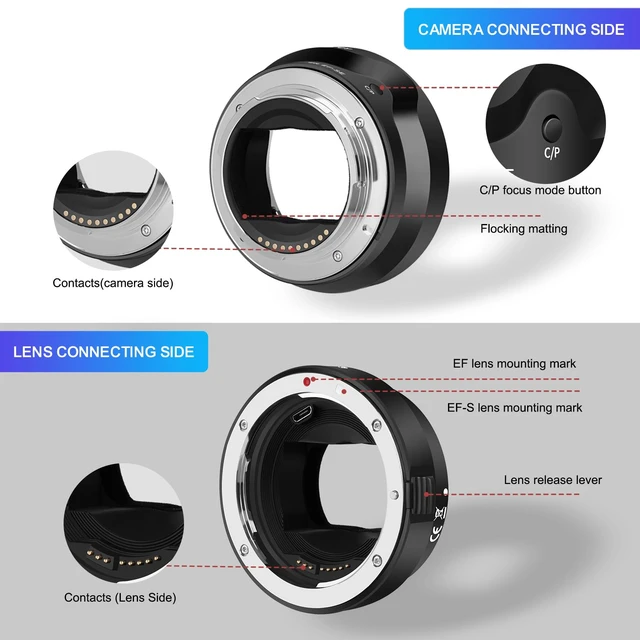
- Auto Focus in Video: Activate AF for both photo and video in 3 steps: Turn camera on and attach adapter, hold the C/P button while attaching the lens, camera recognizes the lens and enables auto focus. To change default focus mode: attach adapter while camera is off then turn camera on, press and hold C/P button then attach lens, press and hold C/P button while turning camera off
- Dual Auto Focus Modes: Switch between C mode (Contrast-Detect AF) for cleaner images and higher focus success rate, and P mode (Phase-Detection AF) for faster focusing. Note: C/P button does not function during shooting to prevent accidental presses
- EXIF Data and Enhanced Stability: Transmits vital EXIF data including shutter speed, ap
+
+
Overview
Specs
Reviews
Any questions? Ask CelesteSM will help you find out quickly.
Try me now
Broad Compatibility: Bridges your Canon EF/EF-S lenses to Sony E-mount mirrorless cameras, including Alpha A9 series (A9, A9II), A7 series (A7IV, A7III, A7RIV, A7RIII, A7C, A7SIII), and A6000 series (A6600, A6400, A6100). Full compatibility list available in description ^^
Auto Focus in Video: Activate AF for both photo and video in 3 steps: Turn camera on and attach adapter, hold the C/P button while attaching the lens, camera recognizes the lens and enables auto focus.
To change default focus mode: attach adapter while camera is off then turn camera on, press and hold C/P button then attach lens, press and hold C/P button while turning camera off ^^ Dual Auto
Focus Modes: Switch between C mode (Contrast-Detect AF) for cleaner images and higher focus success rate, and P mode (Phase-Detection AF) for faster focusing.
Note: C/P button does not function during shooting to prevent accidental presses ^^ EXIF Data and
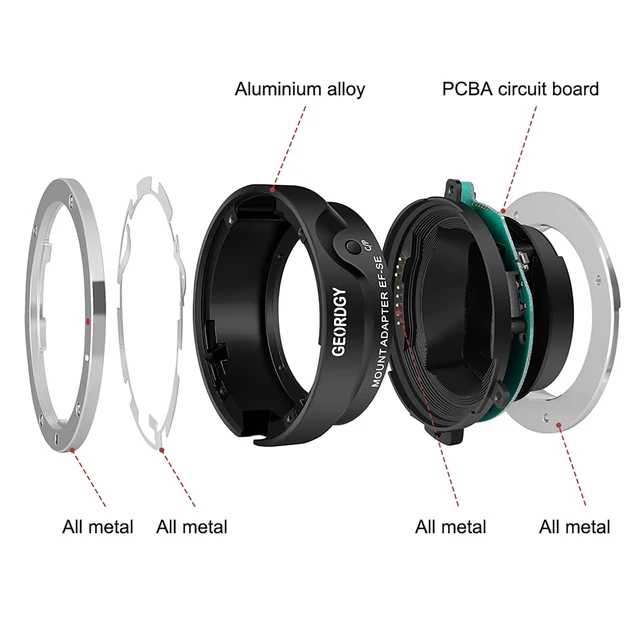
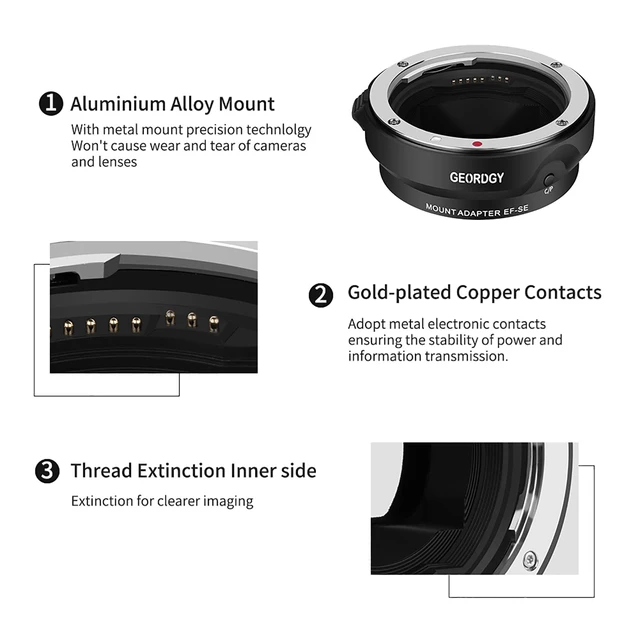
Enhanced Stability: Transmits vital EXIF data including shutter speed, aperture, and ISO for full metadata recording. Built with high-strength metal alloy for a secure, wobble-free connection that protects your valuable gear ^^ No Optics and No
Quality Loss: Pure electronic adapter with zero glass elements resulting in zero degradation in sharpness, clarity, or light transmission. Preserves the exceptional optical performance your Canon lenses are known for ^^
Electronic Communication: Maintains full electronic communication between Canon EF/EF-S lenses and Sony E-mount camera bodies, enabling aperture control and image stabilization functions directly from the camera body
Auto Focus in Video: Activate AF for both photo and video in 3 steps: Turn camera on and attach adapter, hold the C/P button while attaching the lens, camera recognizes the lens and enables auto focus.
To change default focus mode: attach adapter while camera is off then turn camera on, press and hold C/P button then attach lens, press and hold C/P button while turning camera off ^^ Dual Auto
Focus Modes: Switch between C mode (Contrast-Detect AF) for cleaner images and higher focus success rate, and P mode (Phase-Detection AF) for faster focusing.
Note: C/P button does not function during shooting to prevent accidental presses ^^ EXIF Data and
Enhanced Stability: Transmits vital EXIF data including shutter speed, aperture, and ISO for full metadata recording. Built with high-strength metal alloy for a secure, wobble-free connection that protects your valuable gear ^^ No Optics and No
Quality Loss: Pure electronic adapter with zero glass elements resulting in zero degradation in sharpness, clarity, or light transmission. Preserves the exceptional optical performance your Canon lenses are known for ^^
Electronic Communication: Maintains full electronic communication between Canon EF/EF-S lenses and Sony E-mount camera bodies, enabling aperture control and image stabilization functions directly from the camera body
Warranty & Returns
Warranty, Returns, And Additional Information
Warranty
- Please contact the Seller directly for warranty information. Warranty information may also be found on the Manufacturer's website.
- CONTACT
Return Policies
- Return for refund within: 30 days
- Return for replacement within: 30 days
- This item is covered by Riveira Store Return Policy
Manufacturer Contact Info
- For a directory of all our manufacturers, please click below.
- Manufacturers Directory
LOADING...