Your Browsing History
Meet Your Seller
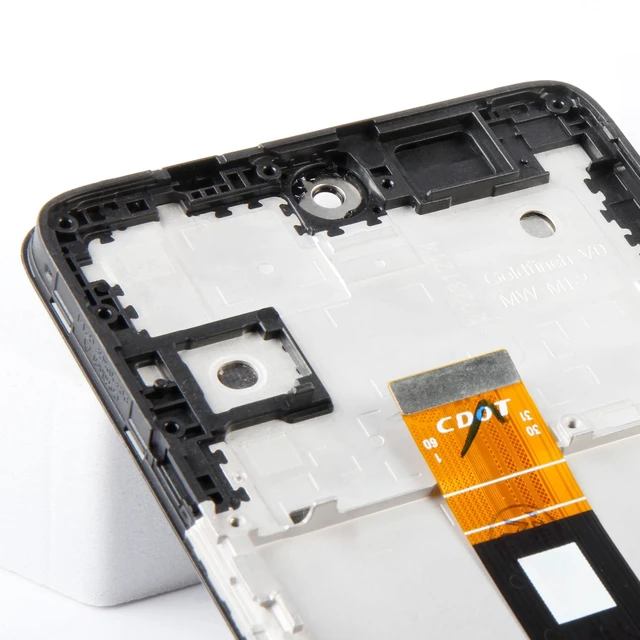
Yondista for TCL 50 XL 5G Screen Replacement LCD Screen Digitizer
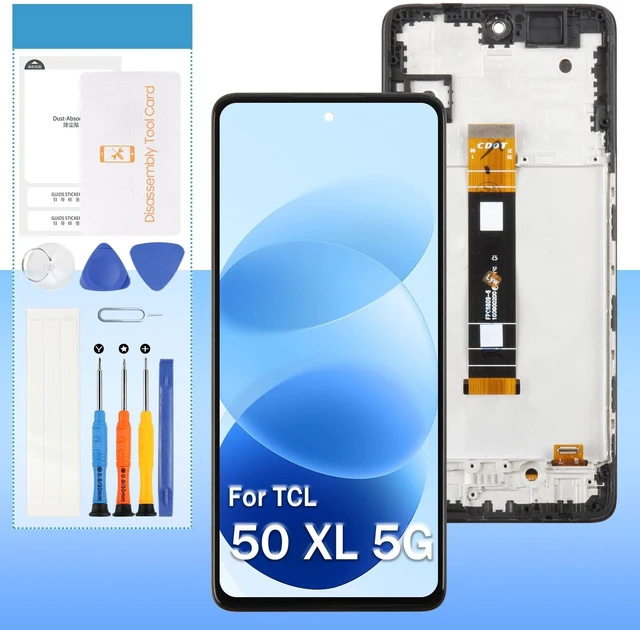
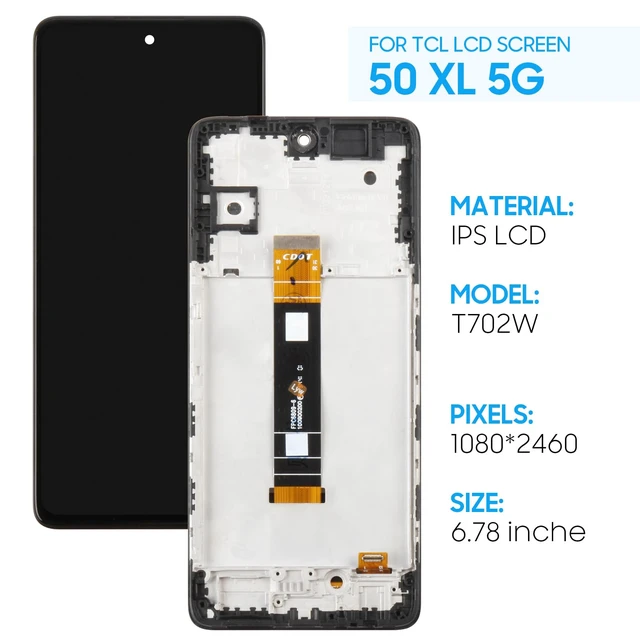
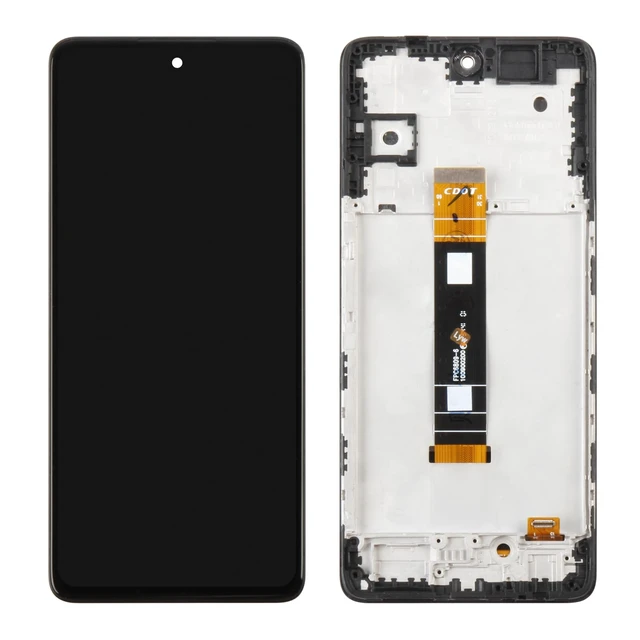
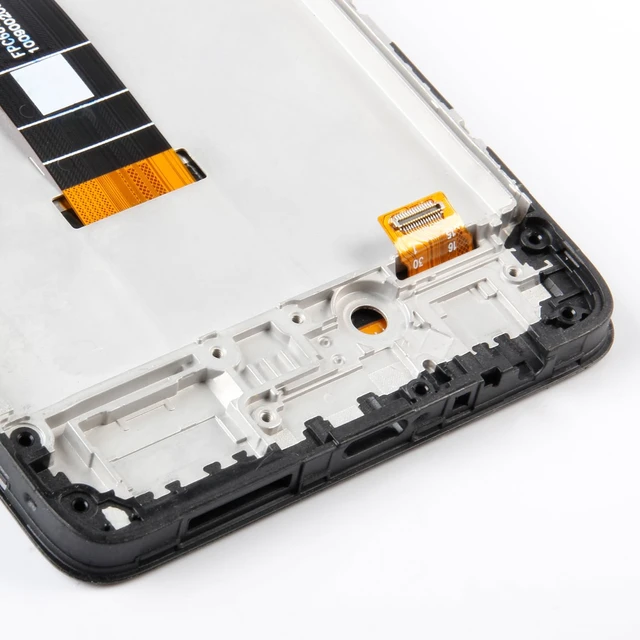
- High Quality Display(Black with Frame)For TCL 50 XL 5G T702W T702M T704V 6.78" Screen replacement.100% brand new LCD screen. All of our products undergo strict testing before shipment. Guaranteed high quality LCD touch screen replacement components for your device, experience crystal clear visuals.
- Professional Quality Assurance: Prior to shipment, our dedicated QC team performs a thorough 100% inspection of each screen, guaranteeing its pristine condition and readiness for installation, ensuring you receive the best possible product.
- Dedicated After-Sales Support: Our commitment to your satisfaction extends beyond the sale, with a professional after-sales service team ready to assist you 24/7. For any inquiries or needed assistance, please reach out to us immediately via messaging for prompt and reliable support.
- Reliable Package:Includes 1 x LCD replacement screen.1 set of replacement tools. Our LCD screens are packed in a sturdy box, which can prevent the LCD screen from b
+
+
Overview
Specs
Reviews
Any questions? Ask CelesteSM will help you find out quickly.
Try me now
For TCL 50 XL 5G 6.78" LCD Screen Black with Frame Bring a brand-new visual experience for TCL 50 XL 5G T702W T702M T704V 6.78" LCD Screen Replacement! This high-quality LCD screen is not only the perfect solution for repairing a damaged screen but also significantly enhances display performance, making your device feel refreshed and new.
High-Definition Display: Utilizing advanced LCD technology, it delivers vivid colors and high contrast, ensuring clear and bright images whether indoors or outdoors, reducing eye strain.
Smooth Touch Response: Supports multi-touch with highly responsive touch sensitivity. Whether for daily tasks, gaming, or drawing, it provides a smooth and precise touch experience.
Durable and Long-Lasting: Made with premium materials, offering excellent scratch resistance and durability. It ensures long-term use while keeping the screen looking new.
Installation Guide: Test the
Screen Performance: Before installation, be sure to test the LCD screen to ensure it functions properly. Do not remove the protective film or labels during testing.
Anti-Static Protection: Wear an anti-static wrist strap during installation to prevent static from damaging the electronic components.
Disconnect Power: First, disconnect the device's battery connector, then replace the old screen flex cable and connect the new one.
Install and Test: After installation, reconnect the charging cable and power on the device. Check the display and touch functionality. If there are any issues, reconnect multiple times if necessary.
Report Issues: If problems persist, promptly take photos or videos and contact us. Do not force the installation.
Important Note: LCD screen installation requires a certain level of technical skill. Improper installation may cause damage to the devices motherboard or power system. It is recommended that a professional technician handle the installation to avoid potential risks.
High-Definition Display: Utilizing advanced LCD technology, it delivers vivid colors and high contrast, ensuring clear and bright images whether indoors or outdoors, reducing eye strain.
Smooth Touch Response: Supports multi-touch with highly responsive touch sensitivity. Whether for daily tasks, gaming, or drawing, it provides a smooth and precise touch experience.
Durable and Long-Lasting: Made with premium materials, offering excellent scratch resistance and durability. It ensures long-term use while keeping the screen looking new.
Installation Guide: Test the
Screen Performance: Before installation, be sure to test the LCD screen to ensure it functions properly. Do not remove the protective film or labels during testing.
Anti-Static Protection: Wear an anti-static wrist strap during installation to prevent static from damaging the electronic components.
Disconnect Power: First, disconnect the device's battery connector, then replace the old screen flex cable and connect the new one.
Install and Test: After installation, reconnect the charging cable and power on the device. Check the display and touch functionality. If there are any issues, reconnect multiple times if necessary.
Report Issues: If problems persist, promptly take photos or videos and contact us. Do not force the installation.
Important Note: LCD screen installation requires a certain level of technical skill. Improper installation may cause damage to the devices motherboard or power system. It is recommended that a professional technician handle the installation to avoid potential risks.
Warranty & Returns
Warranty, Returns, And Additional Information
Warranty
- Please contact the Seller directly for warranty information. Warranty information may also be found on the Manufacturer's website.
- CONTACT
Return Policies
- Return for refund within: 30 days
- Return for replacement within: non-replaceable
- This item is covered by VersaCom Return Policy
Manufacturer Contact Info
- For a directory of all our manufacturers, please click below.
- Manufacturers Directory
LOADING...