

Your Browsing History

Meet Your Seller

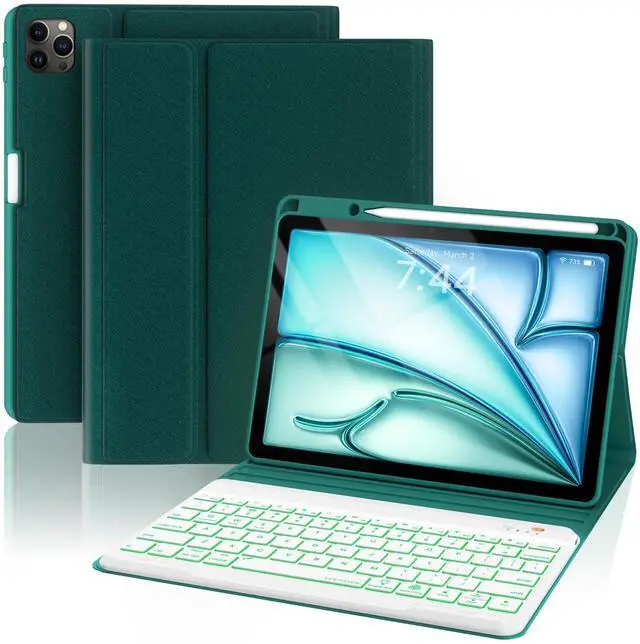
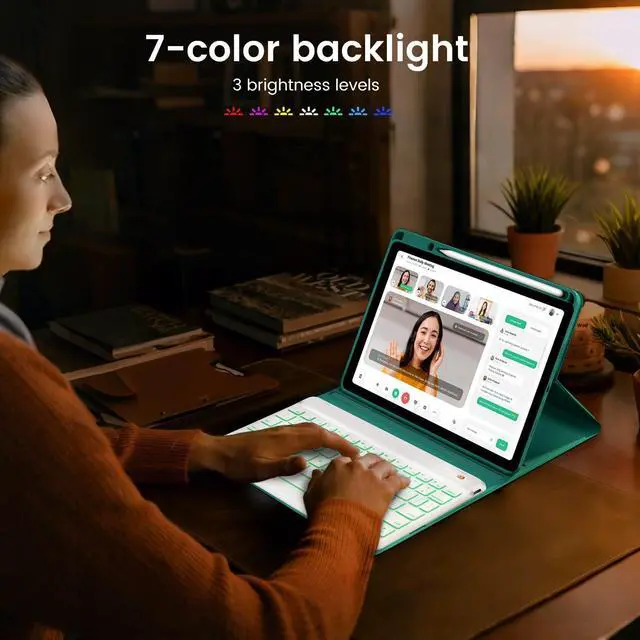


OPAKIT Keyboard Case for iPad Air 5th/4th Pro 11 inch, 7-Color Backlit Detachable Wireless Keyboard Case with Pencil Holder, Stand Folio Cover for Gen 2020/2022, Pro 4th/3rd/2nd/1st Gen, Teal
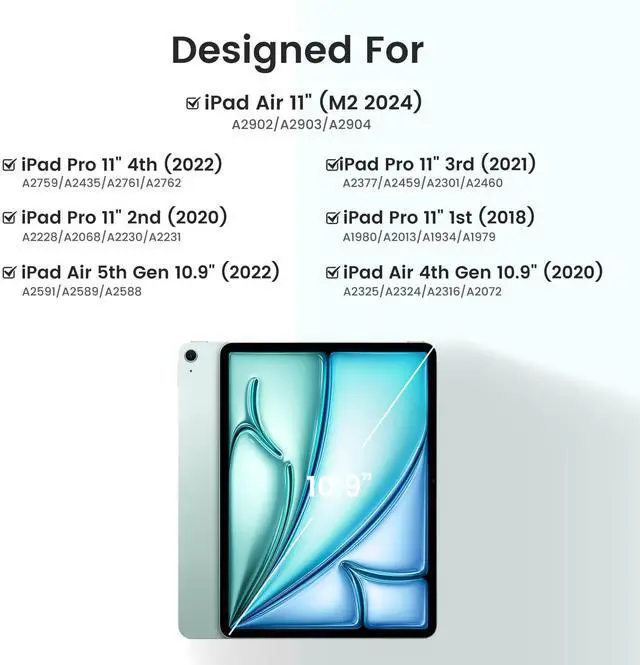
- CASE COMPATIBILITYiPad 10.9 inch Air 5th/4th Generation Case with Keyboard: A259,A2589,A2325, A2316, A2324, A2072; iPad Pro 11 inch 4th Generation Case with Keyboard 2022: A2435/A2761/A2762; iPad Pro 11 inch 3rd Generation Case with Keyboard 2021: A2377/A2301/A2459/A2460; iPad Pro 11 inch 2nd Generation Case with Keyboard 2020: A2228/A2068/A2230/A2231; iPad Pro 11 inch 1st Generation Case with Keyboard 2018: A1980/A1934/A1979/A2013. (NO PEN included)
- KEYBOARD CASE WITH PENCIL HOLDERFor iPad 10.9 inch Air 5th generation 2022 keyboard case built-in iPad pencil holder,cap & adapter slots,easily to carry your iPad pencil with your device(ipad pencil,cap & adapter not included).Hole in top of pen holder for easy access to pen. Precise cutouts provide full access to all ports, user interface and functions (Cameras, Speaker, Charge port).
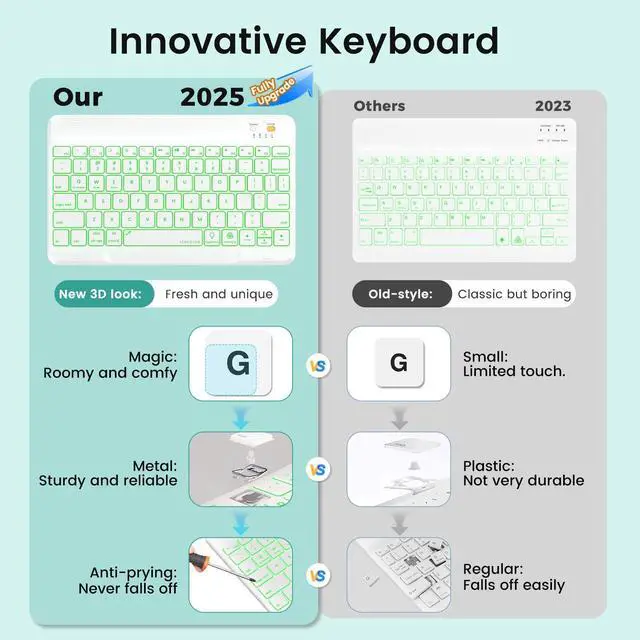
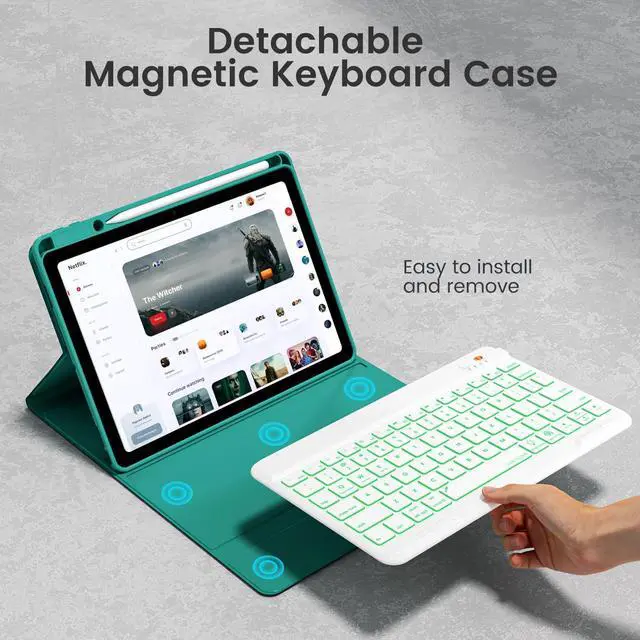
- DETACHABLE & BACKLIT BT KEYBOARDFor iPad air 5th Generation keyboard case is ultra-thin, The magnetic keyboard and case are separat
+
+
Overview
Specs
Reviews

Any questions? Our AI mode will help you find out quickly.
Try me now
Keyboard Case for iPad Pro 11" 1st/2nd/3rd2021/2020/2018, Air 4th/5th Gen 10.9" 2020/20227-Color Backlit Wireless Detachable BT KeyboardBuilt-in Pencil HolderAuto Sleep/Wake Cover Compatible Devices iPad Air 5th Gen 10.9 inch 2022 - A2591, A2589, iPad Air 4thGen 10.9 inch 2020 - A2325, A2316, A2324, A2072, iPad Pro 11 inch 1st Gen 2018 - A1980, A1934, A1979, A2013, iPad Pro 11 inch 2nd Gen 2020 - A2228, A2068, A2230, A2231, For iPad Pro 11 inch 3rd Gen 2021 - A2377, A2301, A2459, A2460 PRODUCTS ADVANTAGE & FEATURES Backlit wireless BT detachable keyboard connectivity within 10 feet, makes typing on the devices as a laptop PU leather case and precise cut-out protects devices from drops and falls Anti-slip groove design provides multiple viewing angles Built-in pencil holder provide a place nicely secure your stylus pen Auto sleep/wake Function saves a lot of life for your devices battery HOW TO CONNECT THE BACKLIT KEYBOARD Open the cover, turn ON the keyboard Turn on the Bluetooth of your devices Click "Connect" keys to open the Bluetooth of the keyboard Go to your bluetooth setting, click on bluetooth and look for Bluetooth 3.0 Keyboard" in the searching page, just select it NOTE 1.
Please charge your keyboard for 2~3 hours the first time you use 2. Turn on the keyboard, the power indicator will flash about 3 seconds then goes off 3. When use it for the second time: only need to turn on your tablet Bluetooth and keyboard power, press any key on the keyboard. Then it will automatically connect (No need to click"BT 3.0 keyboard" on the screen, also don't press "CONNECT" button on the keyboard, otherwise, it will show Not Connection) PACKAGE CONTENT 1 * Wireless Keyboard Case (No Stylus Pencil) 1 * Type-C USB Charge Cable (No charger) 1 * User Manual
Please charge your keyboard for 2~3 hours the first time you use 2. Turn on the keyboard, the power indicator will flash about 3 seconds then goes off 3. When use it for the second time: only need to turn on your tablet Bluetooth and keyboard power, press any key on the keyboard. Then it will automatically connect (No need to click"BT 3.0 keyboard" on the screen, also don't press "CONNECT" button on the keyboard, otherwise, it will show Not Connection) PACKAGE CONTENT 1 * Wireless Keyboard Case (No Stylus Pencil) 1 * Type-C USB Charge Cable (No charger) 1 * User Manual
Warranty & Returns
Warranty, Returns, And Additional Information
Warranty
- Please contact the Seller directly for warranty information. Warranty information may also be found on the Manufacturer's website.
- CONTACT
Return Policies
- Return for refund within: 30 days
- Return for replacement within: non-replaceable
- This item is covered by Ankelay shop Return Policy
Manufacturer Contact Info
- For a directory of all our manufacturers, please click below.
- Manufacturers Directory
LOADING...
LOADING...