

Your Browsing History

Meet Your Seller

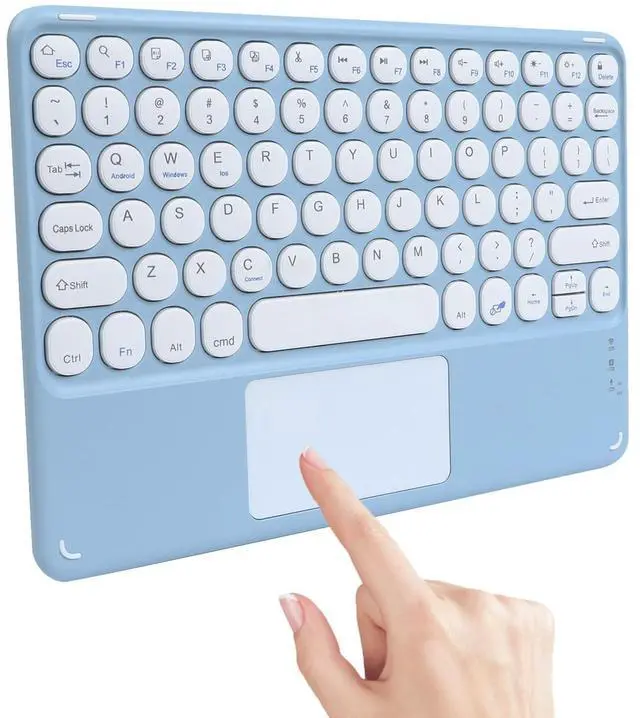


Wireless Bluetooth Keyboard with Touchpad,10 Inch Round Key Wireless Keyboard Rechargeable Portable Office for iOS Android Windows Devices (Blue)
- Built-in Multi-touch Wireless TrackpadThis cute Bluetooth wireless keyboard is integrated with a multi-touch trackpad, enabling navigation and control of your paired device without an external mouse. It supports basic trackpad operations for daily screen browsing and selection tasks.
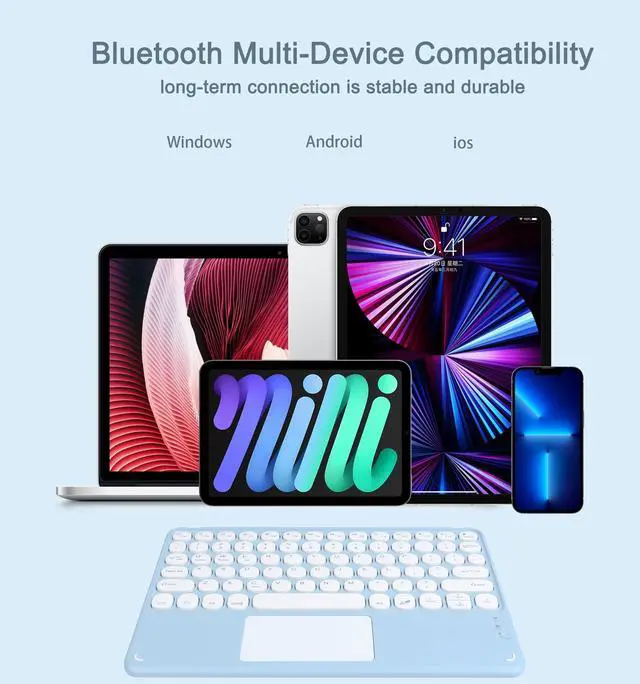
- Multi-device CompatibilityThe wireless keyboard with a touchpad is compatible with Bluetooth-enabled devices, including iOS, Android, and Windows tablets, laptops, and smartphones. (Note: This is a 3-system universal keyboard. After confirming your target device system, press FN+Q/W/E to switch to the corresponding mode for optimal compatibility.)
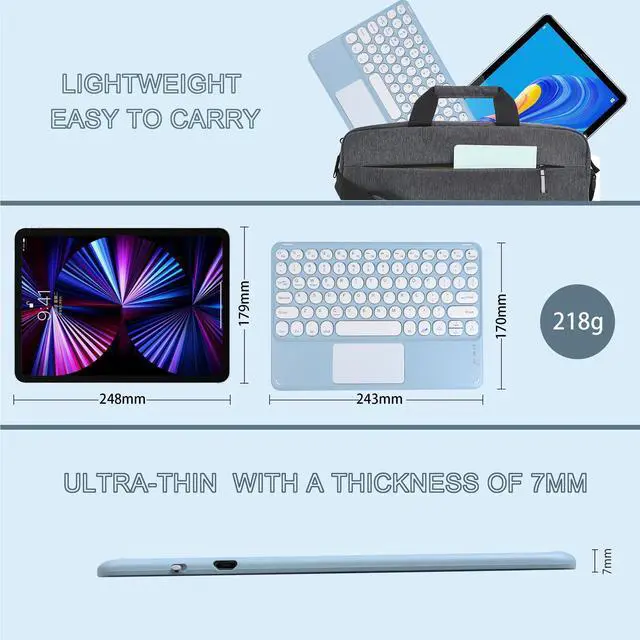
- Portable DesignFeaturing a compact and lightweight design, the portable keyboard measures 9.5 X 6.6 X 0.29 inches and weighs 218 grams. It can be easily placed in a bag or suitcase, making it suitable for use in various scenarios such as cafes, airports, home, and offices.
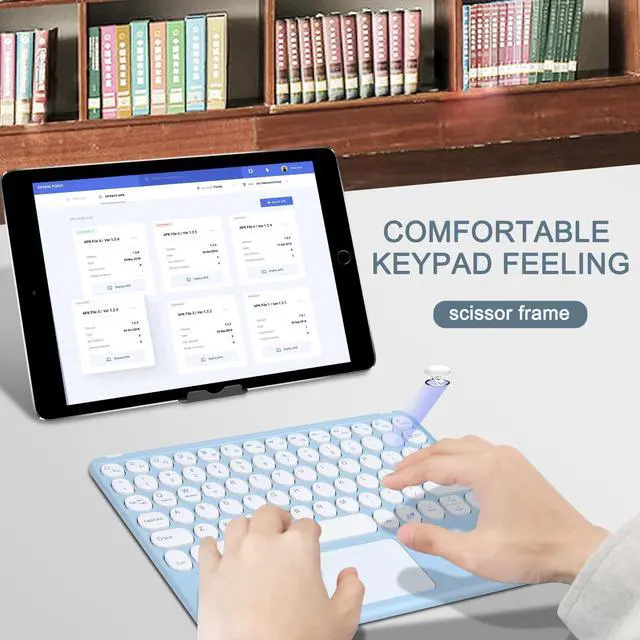
- Comfortable Typing ExperienceEquipped with a scissor-switch key structure, the wir
+
+
Overview
Specs
Reviews

Any questions? Our AI mode will help you find out quickly.
Try me now
Bluetooth Keyboard
Connection Procedure: 1. After the power switch is turned to the ON position, the power indicator is on for 3 seconds, the Bluetooth indicatorstarts to blink, and the Bluetooth keyboard automatically enters the pairing mode. 2. Turn on and unlock the iPad and tap the Settings icon. 3. In the Settings menu, click the "Bluetooth" menu. 4. Turn on the Bluetooth switch, press Fn+c key on the keyboard at the same time, and the light flashes to start pairing. 5.
Find Bluetooth Keyboard device: Bluetooth Keyboard, and click it, Bluetooth keyboard will automatically connect. 6. After the Bluetooth connection is successful, the pairing indicator is off, and the device "Connected" will be displayedin the Bluetooth device list.
Energy Saving Sleep Mode: When the keyboard doesn't do anything for 15 minutes, it automatically goes to sleep, at which point all LED lightsare turned off to save power. To use this keyboard, just press any key and wait for about 3 seconds, the keyboardwill wake up and reconnect to the Bluetooth device, and it will work normally. How to deal with when the keyboard does not work properly: 1. Make sure your computer's Bluetooth function is enabled. 2. The keyboard must be within 10 metres of your computer. 3. The connection password entered is correct. 4. Please charge the keyboard if the built-in battery of the keyboard is too low. 5. If the keyboard cannot be paired and connected with the tablet or if there is a typing delay or mistyping of lettersduring text input after successful pairing, please
follow the steps below: - Delete all Bluetooth devices in the Bluetooth option of the tablet PC- Turn off the Bluetooth option on your tablet- Restart the tablet- Connect the keyboard to the tablet againSpecification: Product
name: 10 Touchpad
Bluetooth keyboardButton: Round
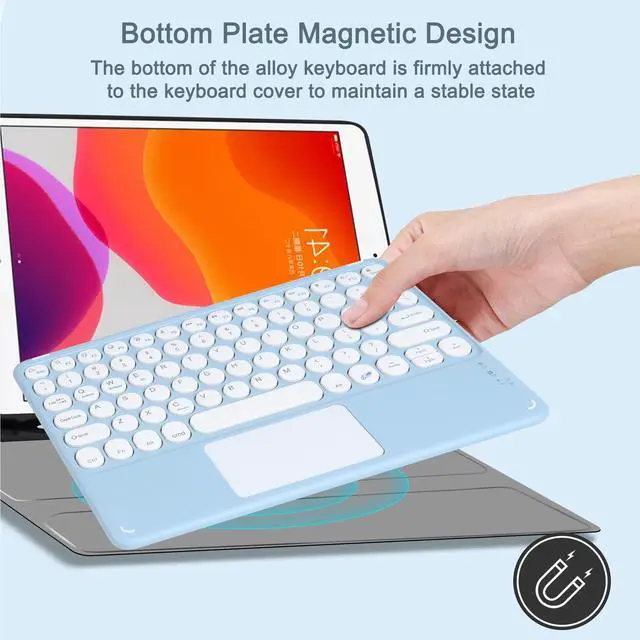
keyBottom: Magnetic
designCategory: Wireless
keyboardSuitable models: Devices with
BluetoothSystem:
Windows/iOS/AndroidDevice: Computer, Laptop, Ipad pro, SmartphoneConnection
mode: Bluetooth
connectionNumber of keys:
78Size: 243*170* 7.4 mm ( 9.56.
60.29 in)Weight: 218
gramsPackage included: 1 * Wireless keyboard1 * USB charging cable1 * Manual
Connection Procedure: 1. After the power switch is turned to the ON position, the power indicator is on for 3 seconds, the Bluetooth indicatorstarts to blink, and the Bluetooth keyboard automatically enters the pairing mode. 2. Turn on and unlock the iPad and tap the Settings icon. 3. In the Settings menu, click the "Bluetooth" menu. 4. Turn on the Bluetooth switch, press Fn+c key on the keyboard at the same time, and the light flashes to start pairing. 5.
Find Bluetooth Keyboard device: Bluetooth Keyboard, and click it, Bluetooth keyboard will automatically connect. 6. After the Bluetooth connection is successful, the pairing indicator is off, and the device "Connected" will be displayedin the Bluetooth device list.
Energy Saving Sleep Mode: When the keyboard doesn't do anything for 15 minutes, it automatically goes to sleep, at which point all LED lightsare turned off to save power. To use this keyboard, just press any key and wait for about 3 seconds, the keyboardwill wake up and reconnect to the Bluetooth device, and it will work normally. How to deal with when the keyboard does not work properly: 1. Make sure your computer's Bluetooth function is enabled. 2. The keyboard must be within 10 metres of your computer. 3. The connection password entered is correct. 4. Please charge the keyboard if the built-in battery of the keyboard is too low. 5. If the keyboard cannot be paired and connected with the tablet or if there is a typing delay or mistyping of lettersduring text input after successful pairing, please
follow the steps below: - Delete all Bluetooth devices in the Bluetooth option of the tablet PC- Turn off the Bluetooth option on your tablet- Restart the tablet- Connect the keyboard to the tablet againSpecification: Product
name: 10 Touchpad
Bluetooth keyboardButton: Round
keyBottom: Magnetic
designCategory: Wireless
keyboardSuitable models: Devices with
BluetoothSystem:
Windows/iOS/AndroidDevice: Computer, Laptop, Ipad pro, SmartphoneConnection
mode: Bluetooth
connectionNumber of keys:
78Size: 243*170* 7.4 mm ( 9.56.
60.29 in)Weight: 218
gramsPackage included: 1 * Wireless keyboard1 * USB charging cable1 * Manual
Warranty & Returns
Warranty, Returns, And Additional Information
Warranty
- Please contact the Seller directly for warranty information. Warranty information may also be found on the Manufacturer's website.
- CONTACT
Return Policies
- Return for refund within: 30 days
- Return for replacement within: 30 days
- This item is covered by Luhang Return Policy
Manufacturer Contact Info
- For a directory of all our manufacturers, please click below.
- Manufacturers Directory
LOADING...