

Your Browsing History

Meet Your Seller

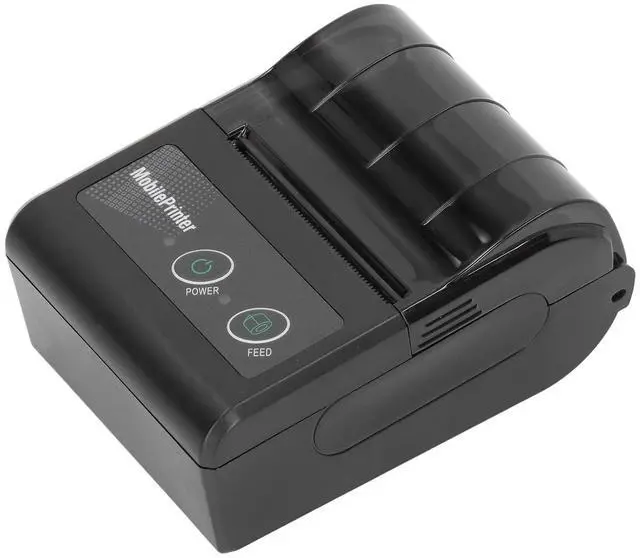
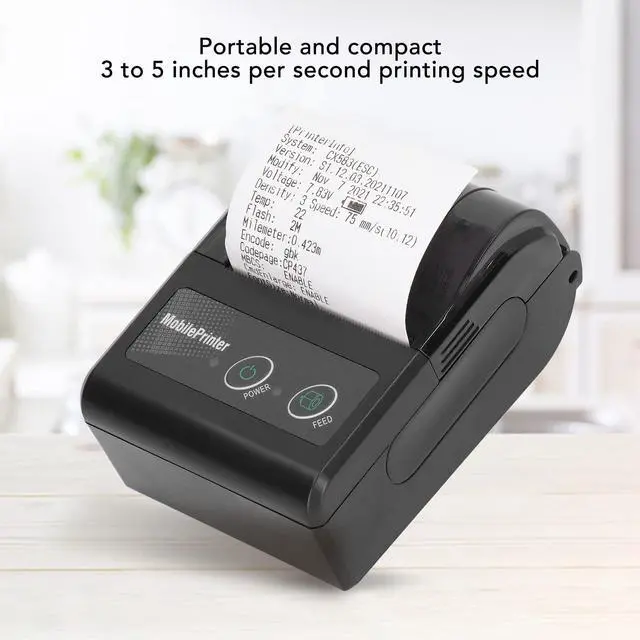


FAUOSWUK Receipt Printer, Mini BT Thermal Printer with 58mm Print Paper Roll, Smartphone Control, Portable Personal Bill Printer for Restaurant Sales
- 57MM THERMAL PRINTING TECHNOLOGY: This receipt printer uses direct thermal technology, relying on heat instead of ink or ribbonsjust load a roll of 57mm thermal paper. Its faster, quieter, and more energy-efficient than traditional printers, ideal for restaurant receipts, retail sales, or kitchen tickets.
- SMARTPHONE & CONTROL: Thermal printer catch your smartphone using the X PRINTER app, letting you print from anywhere. It works with pos systems, food ordering apps, and door dash, making it a flexible tool for on-the-go or in-store use.
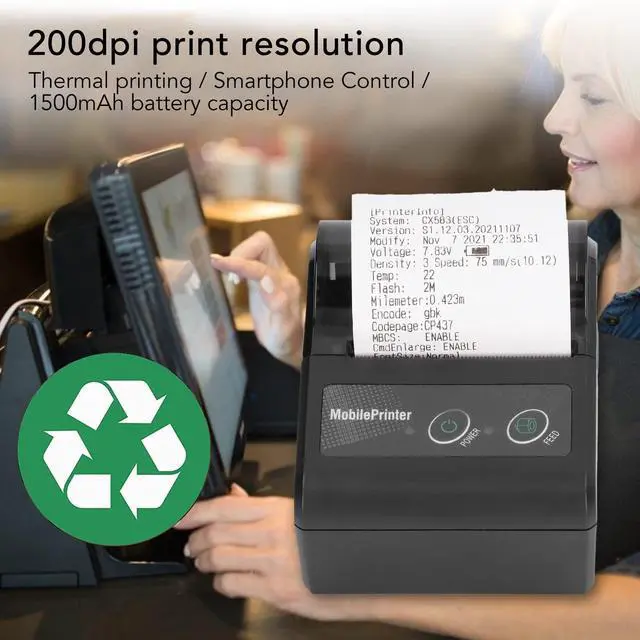
- 200DPI RESOLUTION & FAST SPEEDS: With 200dpi printing resolution and speeds of 3-5 inches per second, this portable printer delivers clear, quick receipts. The 1500mAh keeps it running through shifts, ideal for outdoor work, taxi orders, or college event sales.
- COMPACT & PORTABLE DESIGN: Lightweight and compact, this personal receipt printer fits in pockets, bags, or can be clipped to your waistno bulky setup needed. It saves space in small sh
+
+
Overview
Specs
Reviews

Any questions? Our AI mode will help you find out quickly.
Try me now
Spec: Item
Type: Receipt
PrinterMaterial: ABS
Battery Model: 18500Battery
Capacity: 1500mAhPrint
Resolution: 200dpiPrinting
Speed: 3 to 5 in
Per SecondApplicable Paper: Approx. 57 x 30mm / 2.2 x 1.2 inConnection
Name: MPT
IIAPP Name: For X PRINTER
Interface: USB
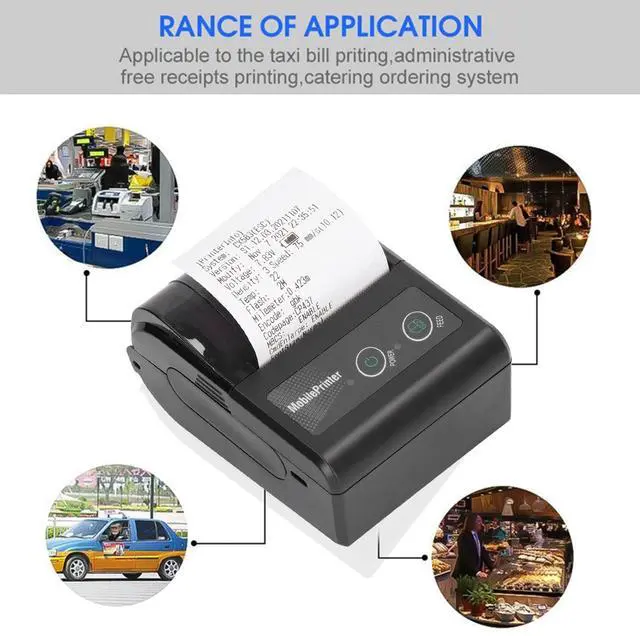
Function: Suitable for Taxi Order Printing, Receipt Printing, Food Ordering System, Office PrintingHow to
Use: 1.
Power on: shutdown state, press the power button (POWER) for 1 second, the printer turns on and enters the working state, the power indicator (green light) is on. Shutdown power on state, press the power button [POWER] for 2 seconds for 2 sounds, the printer shutdown, all lights off. 2. Self testUsers can perform a self test each time to understand the status of the printer.
Self test mode: after the power off, press the (POWER) key and (FEED) key at the same time, there will be a "beep" sound. Users can check the status, settings, power, ID and other information in the self test page. 3. Paper Feed Power When the printer is working normally, press (FEED), the printer begins to take paper.
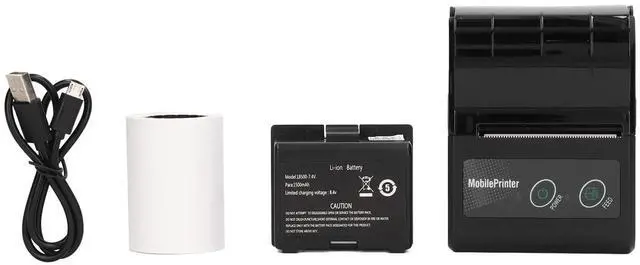
Package List: 1 x Printer1 x User Manual1 x Battery1 x USB Cable1 x Roll of Printer Paper
Type: Receipt
PrinterMaterial: ABS
Battery Model: 18500Battery
Capacity: 1500mAhPrint
Resolution: 200dpiPrinting
Speed: 3 to 5 in
Per SecondApplicable Paper: Approx. 57 x 30mm / 2.2 x 1.2 inConnection
Name: MPT
IIAPP Name: For X PRINTER
Interface: USB
Function: Suitable for Taxi Order Printing, Receipt Printing, Food Ordering System, Office PrintingHow to
Use: 1.
Power on: shutdown state, press the power button (POWER) for 1 second, the printer turns on and enters the working state, the power indicator (green light) is on. Shutdown power on state, press the power button [POWER] for 2 seconds for 2 sounds, the printer shutdown, all lights off. 2. Self testUsers can perform a self test each time to understand the status of the printer.
Self test mode: after the power off, press the (POWER) key and (FEED) key at the same time, there will be a "beep" sound. Users can check the status, settings, power, ID and other information in the self test page. 3. Paper Feed Power When the printer is working normally, press (FEED), the printer begins to take paper.
Package List: 1 x Printer1 x User Manual1 x Battery1 x USB Cable1 x Roll of Printer Paper
Warranty & Returns
Warranty, Returns, And Additional Information
Warranty
- Please contact the Seller directly for warranty information. Warranty information may also be found on the Manufacturer's website.
- CONTACT
Return Policies
- Return for refund within: 30 days
- Return for replacement within: 30 days
- This item is covered by ApexDash Return Policy
Manufacturer Contact Info
- For a directory of all our manufacturers, please click below.
- Manufacturers Directory
LOADING...