Your Browsing History
- Free 30-day Returns
$94.99
Meet Your Seller
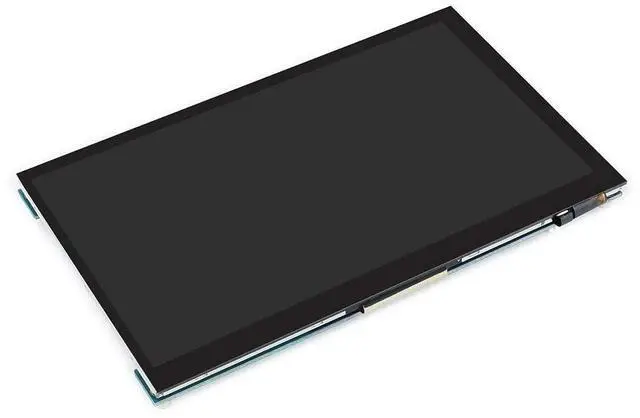
Ingcool 7 inch HDMI LCD 1024x600 Resolution Capacitive Touch Screen IPS Display Module Compatible with Raspberry Pi 4 3 2 1 B B+ A+,Jetson Nano,Support Software Resolution (up to 19201080)
- Ingcool 1024x600 hardware resolution 7'' IPS screen,Support software resolution (up to 19201080)
- Supports mini PC like Raspberry Pi, Jetson Nano Developer Kit
- When working with Raspberry Pi, it supports Raspbian / Ubuntu / Kali / Retropie and WIN10 IoT, driver free.When working with desktop PC, supports Windows 10 / 8.1 / 8 / 7, 5-points touch, driver free
- 3.5mm earphone jack supports HDMI audio
- OSD menu for parameters adjustable like brightness, contrast, volume, and so on.
+
+
Overview
Specs
Reviews
Any questions? Our AI beta will help you find out quickly.
Try me now
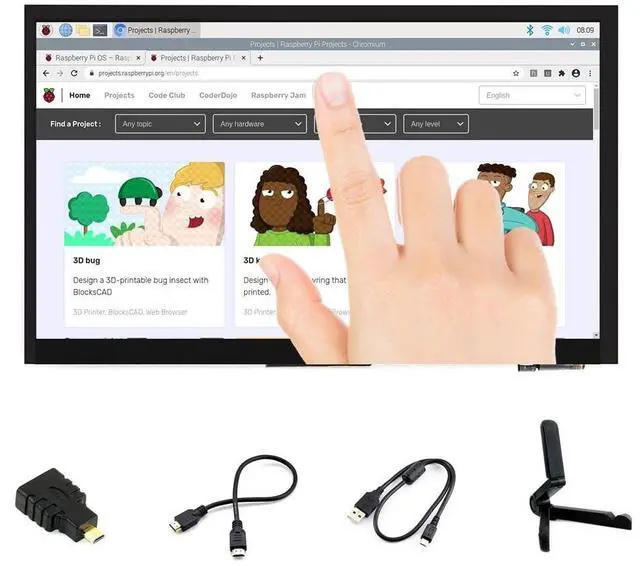
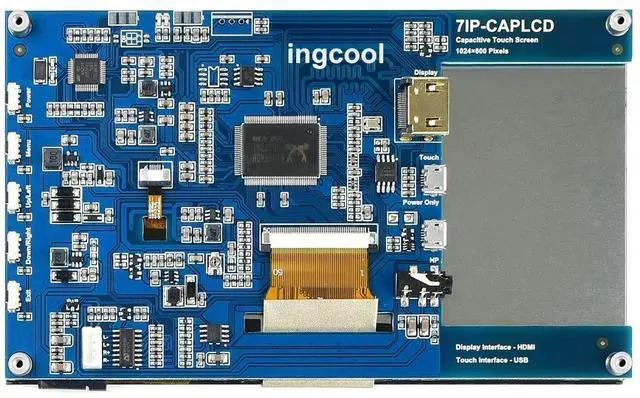
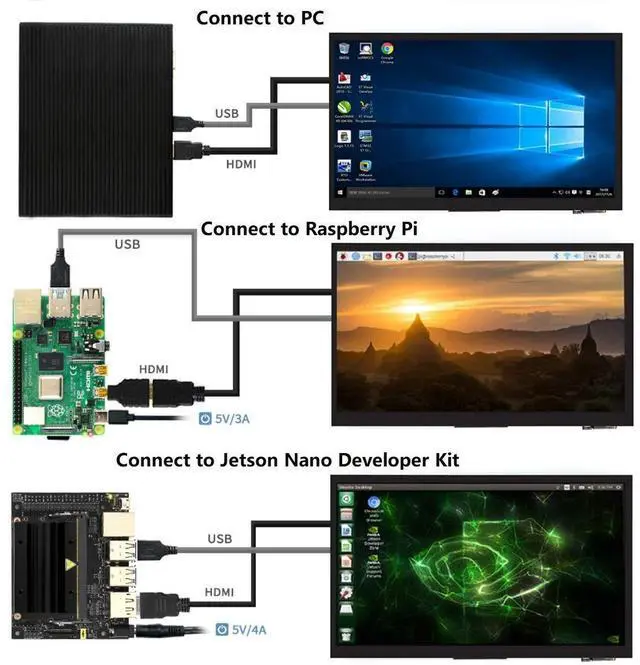
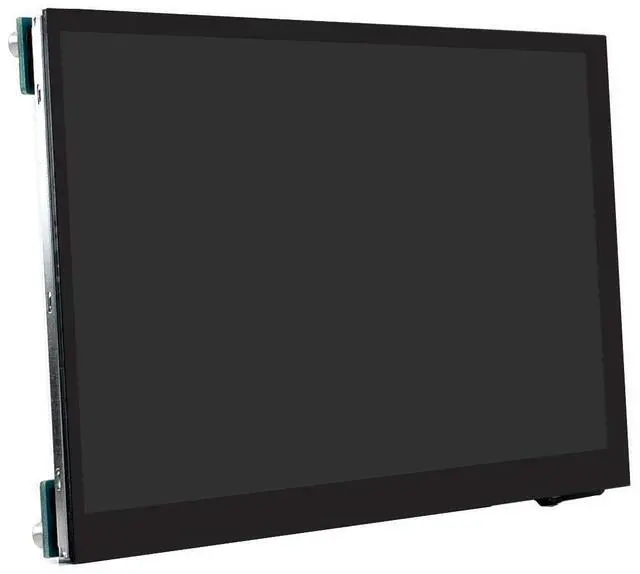
Introduction7IP-CAPLCD is an universal HDMI display, an IPS screen with 1024x600 resolution. It has a capacitive touch panel, supports up to 5-points touch. Supports Raspberry Pi, Jetson nano Developer Kit, can be used as a monitor of desktop PC. Advantage1. Connect to PCThe display supports Windows 7/8/ 8.1 /10 when working with Windows PC, supports 5-points and it is driver free. NoticesIf the screen doesn't display after connecting, please check if you connect all the cables properly, replug them and test it again. Sometimes you may need to restart PC if the PC doesn't support hot-plug.
The touch panel can only control the main display if multiple screens are connected to PC at the same time. In this case, we recommend you to set the 7IP CAPLCD as the main display. The display may flicker because of the low voltage problem of USB port, if you face such a problem, you can connect external 5V power adapter to display. 2. Connect to Raspberry PiThe display supports Raspbian/Ubuntu/Kali/Retropie and WIN 10 IoT. Only single-point touch is supported in most of OS, multiple touches may be supported in some software, max 5-points.
Raspberry Pi doesn't support hot-plug and auto-recognized the resolution, you need to configure the resolution manually, otherwise, the display cannot work normally. 3. Connect to Jetson Nano Developer KitThe display will be auto-recognized by Jetson Nano Developer Kit, it is plug and play. Package Content7IP-CAPLCDHDMI cable x1HDMI to Micro HDMI Adapter x1USB type A plug to micro B plug cable x1Trangle bracket x 1Development
Resourceshttp: //www. ingcool. com/wiki/7IP-CAPLCD?

The touch panel can only control the main display if multiple screens are connected to PC at the same time. In this case, we recommend you to set the 7IP CAPLCD as the main display. The display may flicker because of the low voltage problem of USB port, if you face such a problem, you can connect external 5V power adapter to display. 2. Connect to Raspberry PiThe display supports Raspbian/Ubuntu/Kali/Retropie and WIN 10 IoT. Only single-point touch is supported in most of OS, multiple touches may be supported in some software, max 5-points.
Raspberry Pi doesn't support hot-plug and auto-recognized the resolution, you need to configure the resolution manually, otherwise, the display cannot work normally. 3. Connect to Jetson Nano Developer KitThe display will be auto-recognized by Jetson Nano Developer Kit, it is plug and play. Package Content7IP-CAPLCDHDMI cable x1HDMI to Micro HDMI Adapter x1USB type A plug to micro B plug cable x1Trangle bracket x 1Development
Resourceshttp: //www. ingcool. com/wiki/7IP-CAPLCD?
Warranty & Returns
Warranty, Returns, And Additional Information
Warranty
- Please contact the Seller directly for warranty information. Warranty information may also be found on the Manufacturer's website.
- CONTACT
Return Policies
- Return for refund within: 30 days
- Return for replacement within: 30 days
- This item is covered by DuronTechnologies Return Policy
Manufacturer Contact Info
- For a directory of all our manufacturers, please click below.
- Manufacturers Directory
LOADING...