

Your Browsing History
- Free 30-day Returns
$138.99


Meet Your Seller


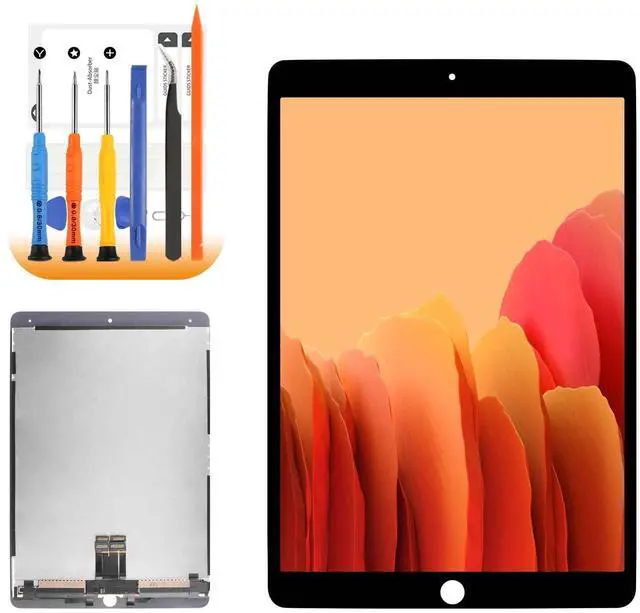




LCD for iPad Pro 10.5 2017 Screen Replacement for iPad A1701 A1709 LCD Replacement for iPad Pro 10.5 LCD Screen and Digitizer A1701 Assembly Repair Parts with Tools
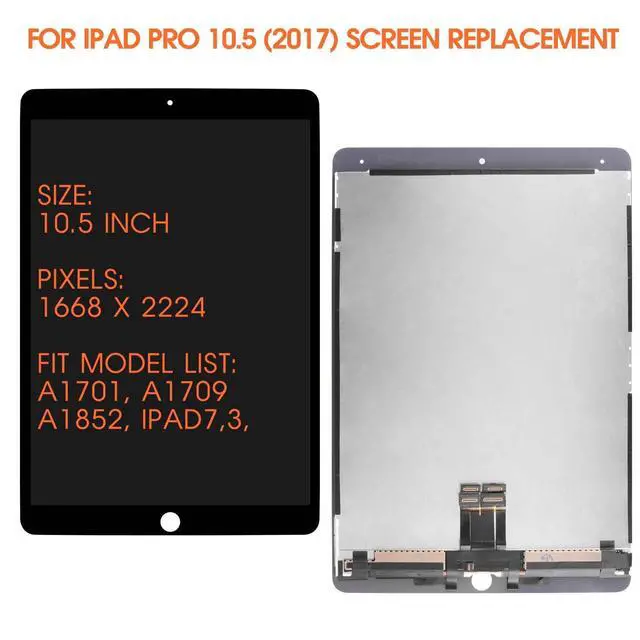
- ParametersFor iPad Pro 10.5 2017 screen replacement, 10.5 inches, 1668x2224 pixels, please confirm your phone model before purchasing.
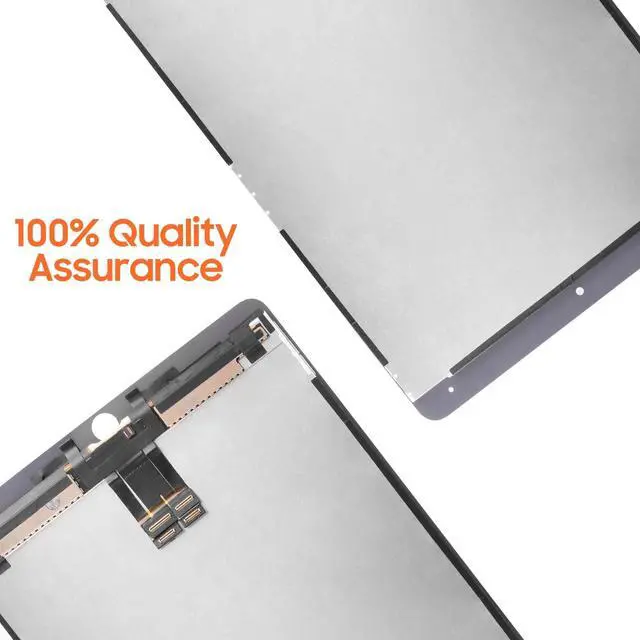
- Strict Quality ControlAll for A1701 screen replacement are strictly QC tested before shipment, 100% intact. Make sure for A1709 lcd replacement are no scratches, no dead zones, no dot pixels or lines on the screen. High color saturation, high resolution, wide color gamut and smooth hand feel.
- Perfect Quality ScreenFor The ipad pro 10.5 a1701 lcd display has high brightness, high pixel, bringing you a clearer and more colorful screen world, and enjoy the original visual experience.
- ApplicationUsed to replace the defective LCD display touch screen digitizer assembly for ipad pro 10.5 a1709. Examples include incorrect screen response, display issues, pixel distortion, cracked LCD screen, wrong colors, old or frozen LCD.
- Installation and Service Please test the Screen Replacement for ipad pro 10.5 a1701 before installation to ensure the normal u
+
+
Overview
Specs
Reviews

Any questions? Our AI mode will help you find out quickly.
Try me now
Our Screen Is High Quality touch screen digitizer replacement for iPad Pro 10.5 2017-Product
Description-Suitable For: For iPad Pro 10.5 2017 screen replacement-Model
Number: A1701, A1709, A1852-Size: 10.5
Inch-Resolution: 1668x2224 pixels-Package
Including: 1x for iPad Pro 10.5 a1701 LCD screen replacement1x A Set Of Special Disassembly Tools1x dust removal sticker1x Tempered Film for ipad a1701 screen replacementInstallation
Precautions: 1. Check whether the product is in good condition and test it before installation. Do not remove protective film or labels during testing. Watch out for static issues. 2. The screen replacement for iPad Pro 10.5 2017 is glass, which is a very fragile product. Testing before installation is strongly recommended3. Do not bend the cable. During installation and testing, make sure the LCD cable is not bent. Curvatures greater than 90 degrees will result in a black view. 4. If your device has a black screen during installation, press and hold the power key and volume key at the same time. If the device vibrates, it's because the mainline is not installed properly. Then reinstall the product. 5. If you are not professional in maintenance, or have no experience in repairing electronic equipment, we do not recommend you to replace the screen by yourself. Take it to a repair shop for help. Or find the Related installation videos on the YouTube platform and follow the installation steps to install.
Description-Suitable For: For iPad Pro 10.5 2017 screen replacement-Model
Number: A1701, A1709, A1852-Size: 10.5
Inch-Resolution: 1668x2224 pixels-Package
Including: 1x for iPad Pro 10.5 a1701 LCD screen replacement1x A Set Of Special Disassembly Tools1x dust removal sticker1x Tempered Film for ipad a1701 screen replacementInstallation
Precautions: 1. Check whether the product is in good condition and test it before installation. Do not remove protective film or labels during testing. Watch out for static issues. 2. The screen replacement for iPad Pro 10.5 2017 is glass, which is a very fragile product. Testing before installation is strongly recommended3. Do not bend the cable. During installation and testing, make sure the LCD cable is not bent. Curvatures greater than 90 degrees will result in a black view. 4. If your device has a black screen during installation, press and hold the power key and volume key at the same time. If the device vibrates, it's because the mainline is not installed properly. Then reinstall the product. 5. If you are not professional in maintenance, or have no experience in repairing electronic equipment, we do not recommend you to replace the screen by yourself. Take it to a repair shop for help. Or find the Related installation videos on the YouTube platform and follow the installation steps to install.
Warranty & Returns
Warranty, Returns, And Additional Information
Warranty
- Please contact the Seller directly for warranty information. Warranty information may also be found on the Manufacturer's website.
- CONTACT
Return Policies
- Return for refund within: 30 days
- Return for replacement within: 30 days
- This item is covered by HAIZHILANSTORE Return Policy
Manufacturer Contact Info
- For a directory of all our manufacturers, please click below.
- Manufacturers Directory
LOADING...