• $132.99
  • Free 30-day Returns
  • Price alert
    Shop it at NeweggBusiness.

    Meet Your Seller

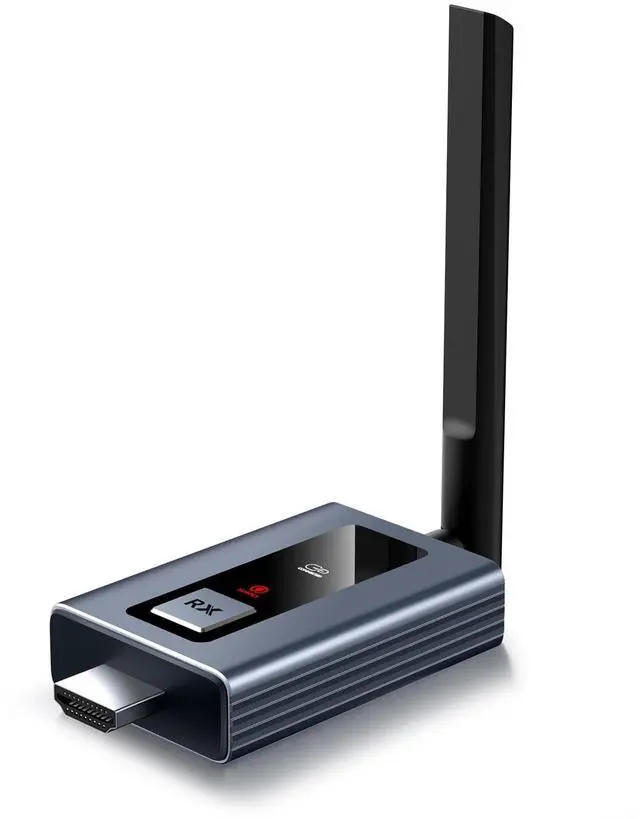
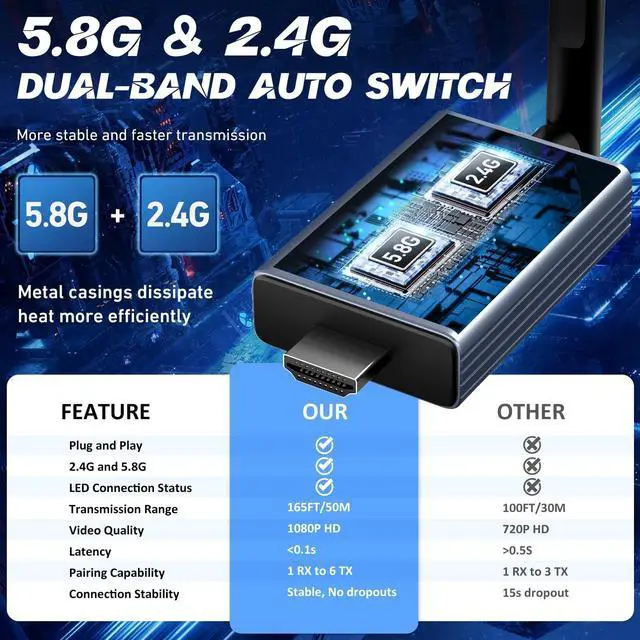
    ANQIPUTECH G71 Wireless HDMI Receiver Only, Professional High-Definition Signal Transmitter with Multiple Adapter Accessories

    • 1. Important Note: This product is a receiver-only unit, not a complete wireless transceiver set. It is not designed for standalone operation.
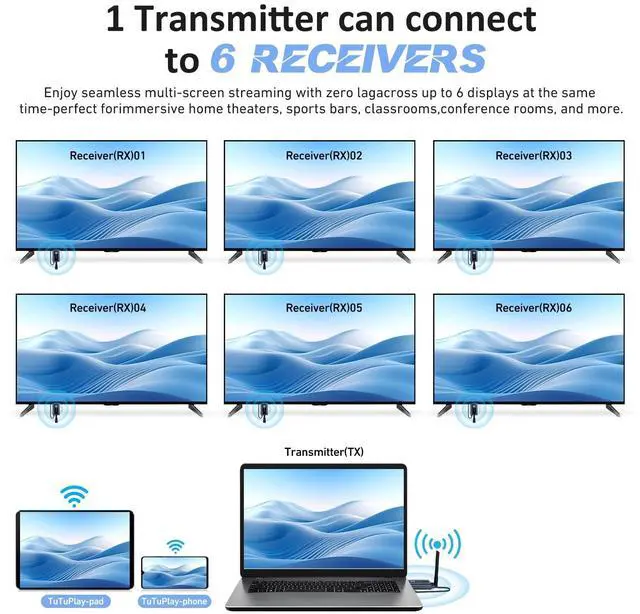
    • 2. Model-Specific Compatibility: This receiver is exclusively designed for models ASIN: B0FXWNC4C8/B0FXWMRK5Q/B0FXWPMJS4. The system supports up to 6 receivers, allowing you to connect to multiple displays simultaneously and eliminating the need to purchase multiple full transmitter-receiver kits.
    • 3. Easy Pairing Process: A simple one-time manual pairing is required for initial use. Once paired, the receiver will connect automatically thereafter. Pairing Instructions: Connect the RX receiver to your display and power it using a 5V/1A USB charger. Plug the TX transmitter into your laptop. Wait for the connection interface to appear on the display. Press and hold the pairing buttons on both the TX and RX units until the TX indicator light begins to flash. Release the buttons and allow 5-30 seconds for synchronization. A successful pairing is
    +
    +
    Overview
    Specs
    Reviews
    avatar

    Any questions? Our AI mode will help you find out quickly.

    1.
    Important Note: This product is a receiver-only unit, not a complete wireless transceiver set. It is not designed for standalone operation. ^^
    2.
    Model-Specific Compatibility: This receiver is exclusively designed for models
    ASIN: B0FXWNC4C8/B0FXWMRK5Q/B0FXWPMJS4. The system supports up to 6 receivers, allowing you to connect to multiple displays simultaneously and eliminating the need to purchase multiple full transmitter-receiver kits. ^^
    3.
    Easy Pairing Process: A simple one-time manual pairing is required for initial use. Once paired, the receiver will connect automatically thereafter.
    Pairing Instructions: Connect the RX receiver to your display and power it using a 5V/1A USB charger. Plug the TX transmitter into your laptop. Wait for the connection interface to appear on the display. Press and hold the pairing buttons on both the TX and RX units until the TX indicator light begins to flash. Release the buttons and allow 5-30 seconds for synchronization. A successful pairing is confirmed when the TX light becomes steady. ^^
    4.
    Power Supply Requirements: To ensure a stable connection, always use a 5V/1A USB power adapter. Insufficient power from low-battery devices or low-power USB ports may cause intermittent disconnections. ^^
    5.
    Using Multiple Receivers: For optimal performance when using multiple receivers, ensure the antennas on all units (both transmitters and receivers) are fully extended. This guarantees high-quality, stable transmission across all connected displays.

    Warranty & Returns

    Warranty, Returns, And Additional Information

    Warranty

    • Please contact the Seller directly for warranty information. Warranty information may also be found on the Manufacturer's website.
    • CONTACT

    Return Policies

    Manufacturer Contact Info

    LOADING...