Your Browsing History
Meet Your Seller
Sponsored Products
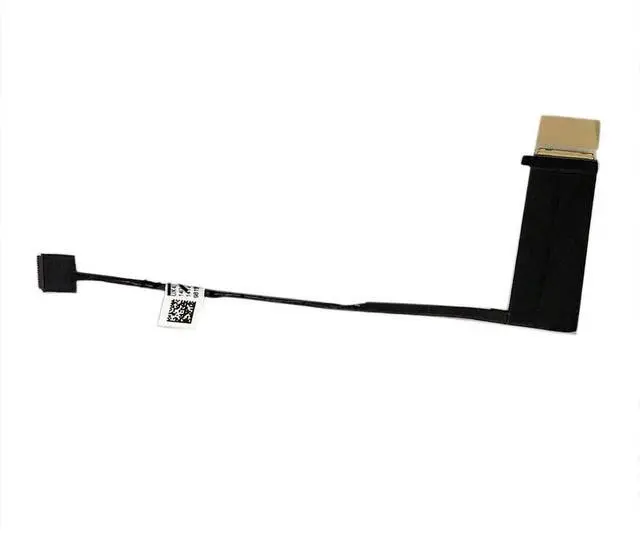
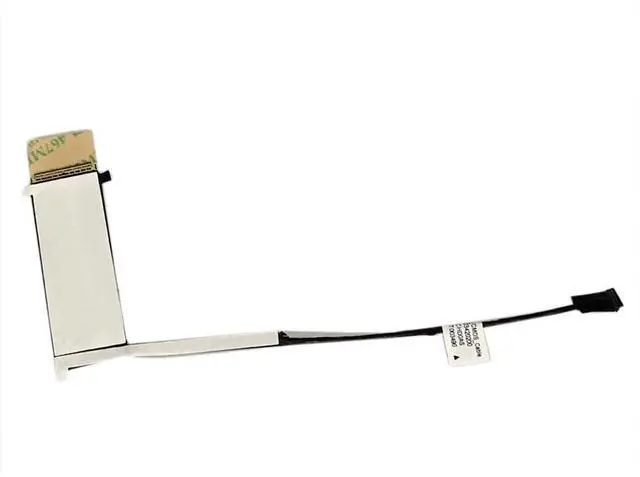
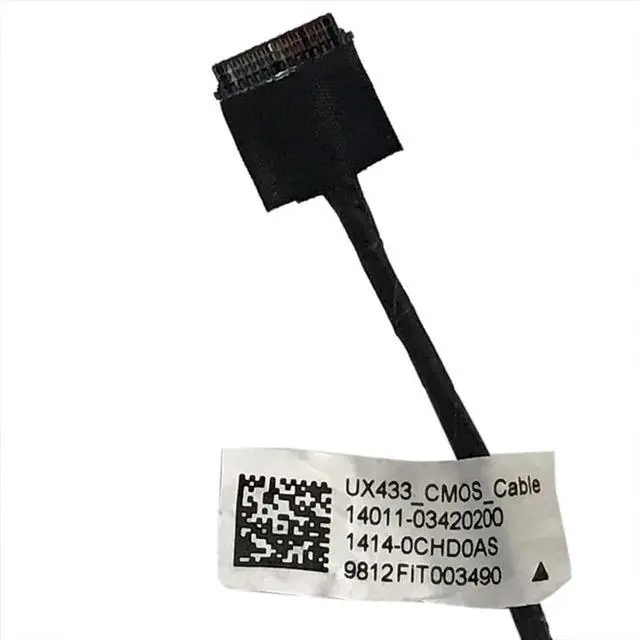
JINTAI CMOS Cable Replacement for ASUS UX433 UX433F UX433FD UX433FN 1401103420200 14140CHD0AS
- CMOS Cable Replacement for ASUS UX433 UX433F UX433FD UX433FN
- MPN or part number14011-03420200; 1414-0CHD0AS
- Attention: Please check your model carefully before order.Below the detailed model.If you are not sure if it is suitable for your laptop,you can campare the picture with your old component.What you see in pictures is what you will get.If you have any questions, please contact our customer service!
- Special skills and techniques required for proper installation. Easy for you replace your faulty,cracked or broken one , seller remind that you should replace this in the off state.
- For any reason you are not satisfied, you can return it and WE WILL REFUND you full money! If any doubts,pls not hesitate to contact with me.
+
+
Overview
Specs
Reviews
Any questions? Our AI beta will help you find out quickly.
Try me now
Compatible For ASUS UX433 / UX433F / UX433FD / UX433FNMPN or part number14011-03420200; 1414-0CHD0ASThis CMOS cable is specifically designed for ASUS UX433/UX433F/UX433FD/UX433FN series laptops, connecting the motherboard and CMOS battery to ensure proper BIOS settings and system time storage. OEM-quality guarantees stable performance.
Technical SpecificationsConnector Type: 2PIN JST
Wire Gauge: 28AWG
Temperature Range: -20C~80CService
Life: 10, 000 timesInstallation & Replacement GuideDisconnect all power sources and remove motherboard battery before replacementConnectors are fragile, avoid excessive forceNote the fool-proof design for correct orientationPower on to verify BIOS settings retentionFrequently Asked Questions (FAQ)
Q1: Time not saving after replacement?
A:
Check: 1) CMOS battery power 2)
Cable connectionQ2: Compatible with UX433FA model?
A: No, only for
UX433F/UX433FD/UX433FNQ3: Do I need to remove the entire motherboard to replace the CMOS cable?
A: No, just remove the back cover. However, we recommend disconnecting the battery cable for safety.
Q4: What symptoms occur if the CMOS cable is damaged?
A: Common
issues: 1) BIOS settings not saved 2) System time reset 3) CMOS error on startup.
Q5: How to tell if it's a cable or battery issue?
A: Try replacing the CMOS battery first. If the problem persists, the cable may be faulty.
Q6: What if the laptop won't power on after
installation?
A: 1) Check if motherboard battery is reconnected 2) Ensure cable is not reversed 3) Reset CMOS (short the jumper). Why Choose Us? OEM SpecificationsHigh ConductivityAnti-OxidationPerfect FitReliable SupportSpecial Notes: Recommend replacing CMOS battery togetherAvoid short circuit during installationSeek technical support if unskilledIf you have any questions, please contact our customer service!

Technical SpecificationsConnector Type: 2PIN JST
Wire Gauge: 28AWG
Temperature Range: -20C~80CService
Life: 10, 000 timesInstallation & Replacement GuideDisconnect all power sources and remove motherboard battery before replacementConnectors are fragile, avoid excessive forceNote the fool-proof design for correct orientationPower on to verify BIOS settings retentionFrequently Asked Questions (FAQ)
Q1: Time not saving after replacement?
A:
Check: 1) CMOS battery power 2)
Cable connectionQ2: Compatible with UX433FA model?
A: No, only for
UX433F/UX433FD/UX433FNQ3: Do I need to remove the entire motherboard to replace the CMOS cable?
A: No, just remove the back cover. However, we recommend disconnecting the battery cable for safety.
Q4: What symptoms occur if the CMOS cable is damaged?
A: Common
issues: 1) BIOS settings not saved 2) System time reset 3) CMOS error on startup.
Q5: How to tell if it's a cable or battery issue?
A: Try replacing the CMOS battery first. If the problem persists, the cable may be faulty.
Q6: What if the laptop won't power on after
installation?
A: 1) Check if motherboard battery is reconnected 2) Ensure cable is not reversed 3) Reset CMOS (short the jumper). Why Choose Us? OEM SpecificationsHigh ConductivityAnti-OxidationPerfect FitReliable SupportSpecial Notes: Recommend replacing CMOS battery togetherAvoid short circuit during installationSeek technical support if unskilledIf you have any questions, please contact our customer service!
Warranty & Returns
Warranty, Returns, And Additional Information
Warranty
- Please contact the Seller directly for warranty information. Warranty information may also be found on the Manufacturer's website.
- CONTACT
Return Policies
- Return for refund within: 30 days
- Return for replacement within: 30 days
- This item is covered by AetherWide Return Policy
Manufacturer Contact Info
- For a directory of all our manufacturers, please click below.
- Manufacturers Directory
LOADING...