• $47.99
  • Free 30-day Returns
  • Price alert
    Shop it at NeweggBusiness.

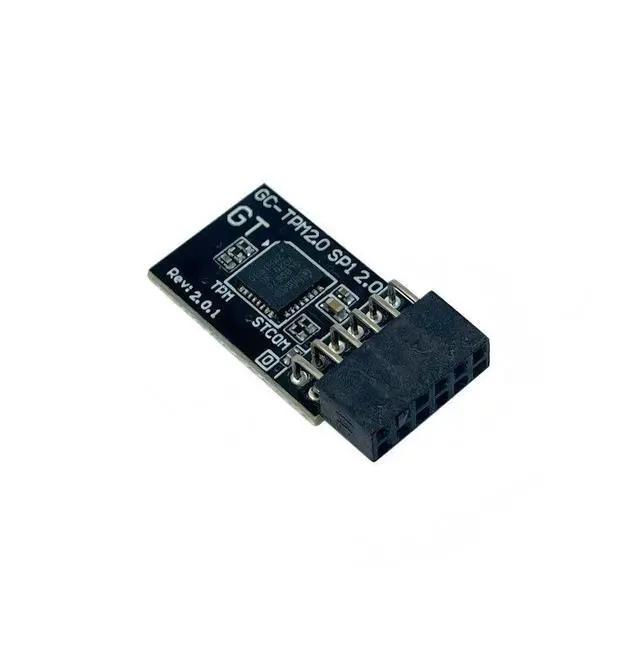
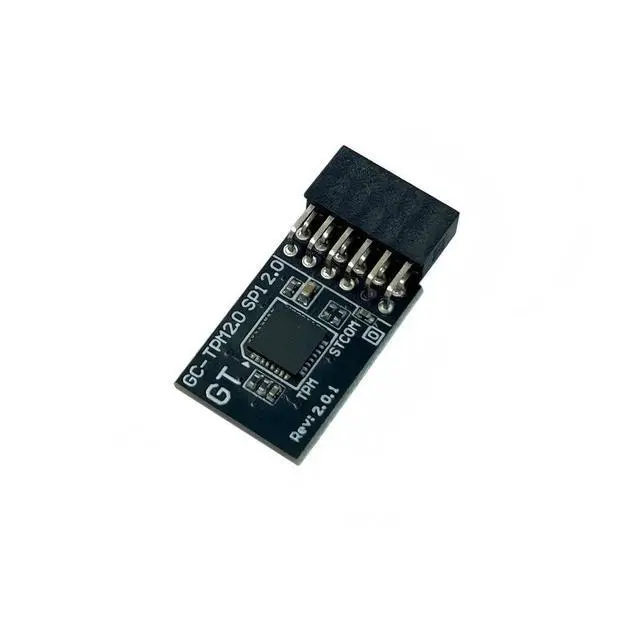
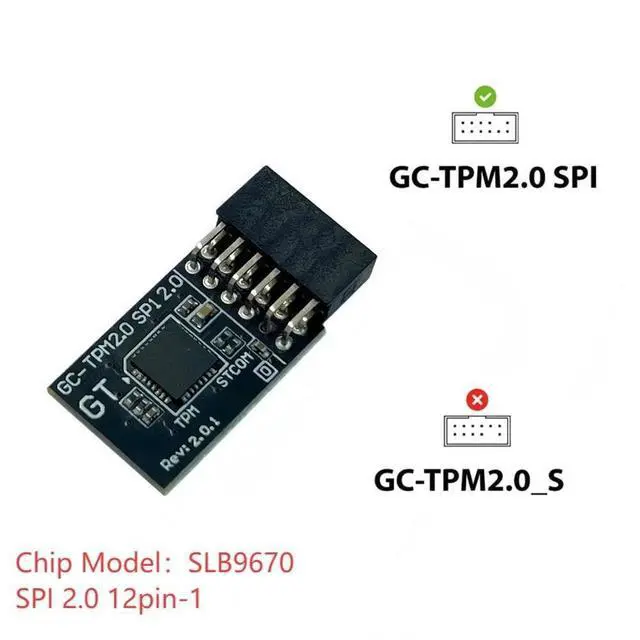
    IFIXAI TPM 2.0 Module SPI 12PIN Module SLB9670 Windows 11 Upgrade Replacement for Gigabyte Z890 PRO ICE Compute Securely Bus Header Key

    • TPM 2.0(12pin-1) ,for Gigabyte B760 DS3H GEN5 B760 DS3H WIFI6E GEN5 B760 GAMING X DDR4 GEN5 B760 GAMING X GEN5 B760 GAMING X WIFI6E GEN5 B760M ELITE B760M ELITE AX B760M ELITE AX DDR4 B760M ELITE AX-P B760M ELITE DDR4 B760M ELITE DDR4 GEN5 B760M ELITE GEN5 B760M ELITE WIFI6E GEN5 B760M ELITE WIFI6E-P GEN5 B760M ELITE X AX Compute Securely Bus Header Key
    • Chipset:SLB9670,for Gigabyte B760M D B760M D DDR4 B760M D2HX LITE SI B760M D3H B760M D3H DDR4 B760M DS3H GEN5 B760M DS3H WIFI6E GEN5 B760M G AX B760M GAMING B760M GAMING AC B760M GAMING WIFI B760M GAMING WIFI PLUS B760M GAMING WIFI6 PLUS GEN5 B760M GAMING WIFI6E GEN5 B760M GAMING X DDR4 GEN5 B760M GAMING X GEN5 B760M GAMING X WIFI6E DDR4 GEN5 B760M GAMING X WIFI6E GEN5 B760M H DDR4 B760M K DDR4 B760M K V2 DDR4 B760M YT PIONEER WIFI B760M YT PIONEER WIFI PLUS
    • for Gigabyte Z890 AERO G Z890 AI TOP Z890 ELITE WIFI7 Z890 ELITE WIFI7 ICE Z890 MASTER Z890 MASTER AI TOP Z890 PRO ICE Z890 EAGLE WIFI7 Z890 GAMING X WIFI
    +
    +
    Overview
    Specs
    Reviews
    avatar

    Any questions? Our AI beta will help you find out quickly.

    Compatible models: for Gigabyte MotherboardB650 Gaming X AXB650E AORUS STEALTH ICEB650E AORUS ELITE X AX ICEB650M D3HX SIB650M S2HB650M HB650E AORUS PRO X USB4B650M GAMING PLUS WIFIB650M GAMING WIF
    Ifor Gigabyte Motherboard Z690 UD AXZ690 UD AX DDR4Z690 UD AX DDR4 V2Z690 UD DDR4 V2Z690 GAMING X DDR4 V2Z690 GAMING X DDR4Z690 AORUS MASTERZ690 AORUS ELITE AX DDR4 V2Z690 AORUS ELITEZ690 AORUS ELITE AXZ690 AERO G DDR4Z690 AERO GZ690M AORUS ELITE AX DDR4Z690M AORUS ELITE DDR4How to select and install a security module: 1. Confirm whether the host has TPM 2.0 or if TPM 2.0 is enabled. 2.
    Click Run,
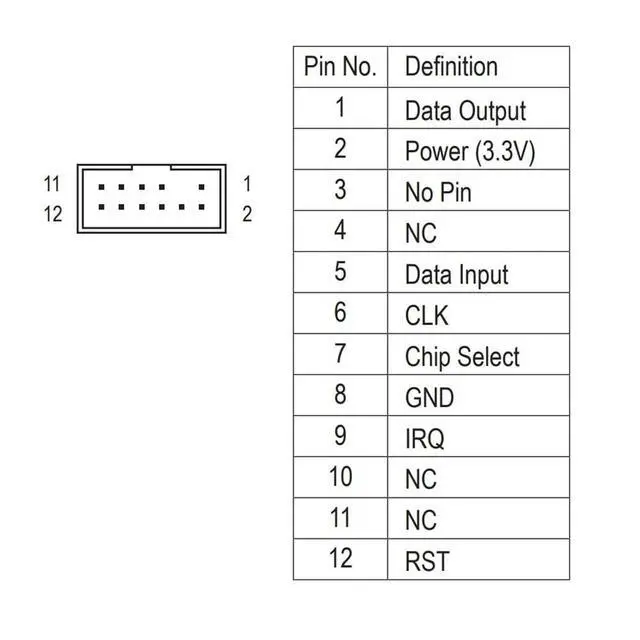
    enter: tpm. msc (Win+R keys), and check if the TPM version is ready. 3. If version 2.0 is displayed but not ready, you need to configure settings in the BIOS; consult the motherboard manufacturer's customer service. 4. Open the host and inspect the TPM pins on the motherboard. 5. When installing the module, ensure the chip-side faces inward, align with the pins, and insert fully to prevent loosening. (See image for direction)
    Product PerformanceCompatible with: GC-TPM 2.0
    SPI 2.0C hipset: SLB9670PIN
    DEFINE: 43-pin

    Warranty & Returns

    Warranty, Returns, And Additional Information

    Warranty

    • Please contact the Seller directly for warranty information. Warranty information may also be found on the Manufacturer's website.
    • CONTACT

    Return Policies

    Manufacturer Contact Info

    LOADING...