Your Browsing History
- Free 30-day Returns
$351.99
Meet Your Seller
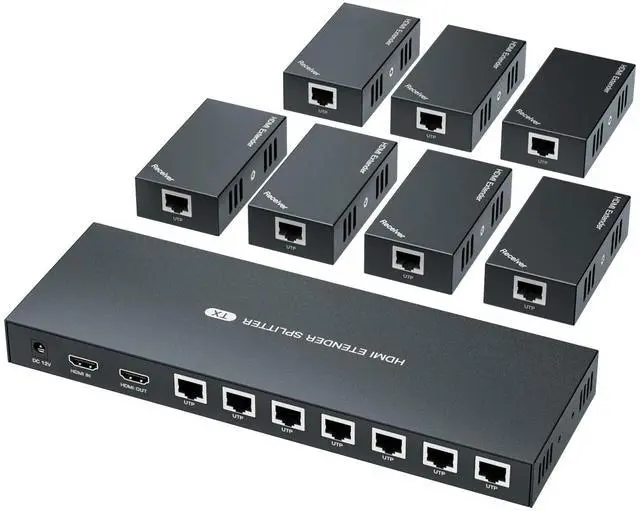
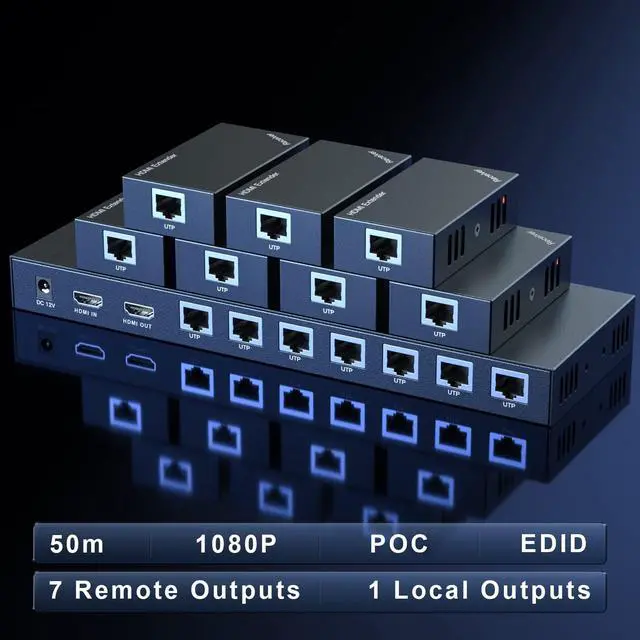
HDMI Extender Splitter 1x7 1080P@60Hz Over Cat 5E/6/7 Ethernet Cable 50m (164ft) Support HDMI loopout EDID Copy POC Function (1 in 7 Out), Monitor
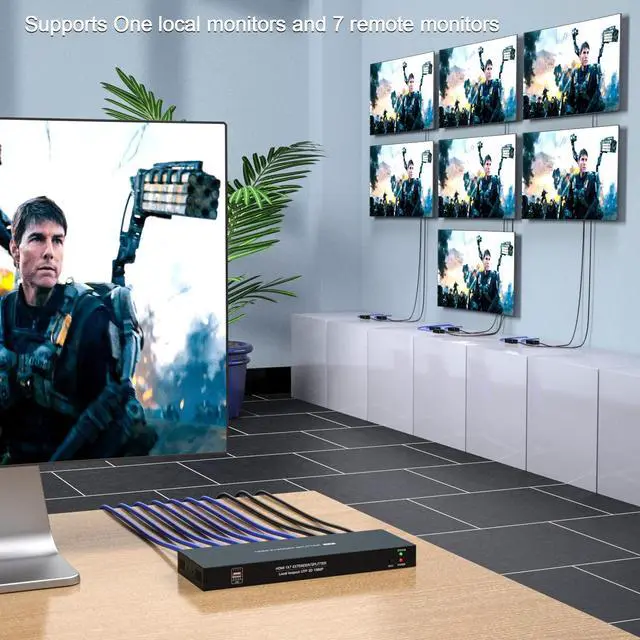
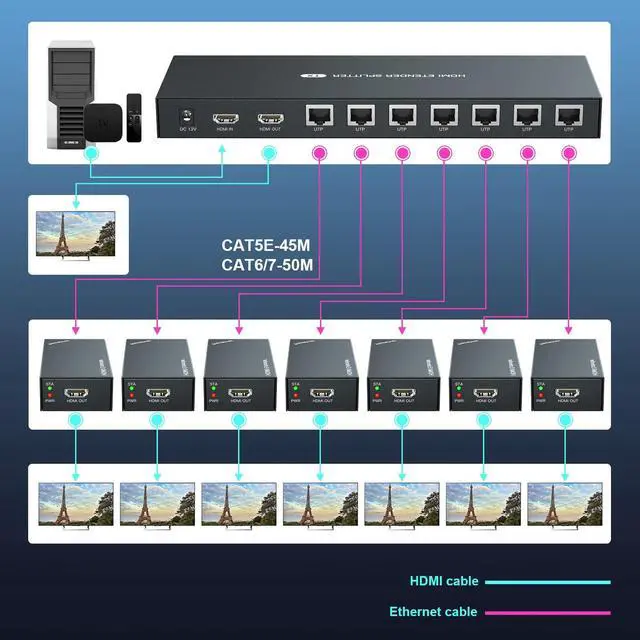
- One Transmitter + 7 Receivers Split audio and video into 7 channels of the same signal for long distance transmission. In addition, with HDMI local output on the transmitter side, can connect the monitor locally.
- Full HD 1080P Up to 1920x1080P@60Hz, high-definition picture, clearer and more eye-catching. Also compatible with 3D signals and other 1080i/720p resolutions.
- HDMI Over Ethernet Up to 50m/164ft by Cat6/7, 45m/147ft by Cat5e, 40m/131ft by Cat5. High-quality cables are essential for stable signals and long-distance transmission.
- Simpler Connection Power over cable, only one power adapter is needed to get the device running completely. No more plugs needed.
- Application Mainly used in engineering, security, exhibitions, home audio&video, etc.
+
+
Overview
Specs
Reviews
Any questions? Our AI beta will help you find out quickly.
Try me now
HDMI EXTENDER/SPLITTER
Change the mode of audio&video signals for longer distance transmission, HDMI IN --- CAT X --- HDMI OUT. 7-channel simultaneous transmission.
Others Power supply--- Input: 110~220V;
Output: 12V Power dissipation---MAX 12W
Temperature---Operating: -5 ~ +70
Humidity---Operating: 5% ~ 90%
Dimension---TX: 257*87*25mm /
RX: 81*45*234. Packing list HDMI transmitter --- 1 pcs HDMI receiver --- 7 pcs Power adapter --- 1 pcs User manual --- 1 pcsAbout EDID
When the EDID cannot automatically identify the monitor parameters, the image may not be displayed, please perform the following steps. (1) Connect the monitor to the HDMI IN on transmitter. (2) Connect the power supply to transmitter. (3) Press and hold the EDID button for 3-5 seconds. The green light on transmitter side stops flashing, indicating EDID copy is complete. Last but not least, if have any product issue, please feel free to contact us and we will provide you with solutions.
Change the mode of audio&video signals for longer distance transmission, HDMI IN --- CAT X --- HDMI OUT. 7-channel simultaneous transmission.
Specifications
: 1. Video Standards --- HDMI 1.3 Maximum pixel clock---165MHz Maximum data rate--- 6.75G bps Resolution ---1920X1080@60Hz, 3D Connector --- HDMI-A2. Ethernet Interface --- RJ45 Transmission distance --- CAT6---50m/164ft; CAT5E---40m/130ft; CAT5-30m/100ft. When the Ethernet cable is between 1~10 feet, it may have no image, please try another longer cable. 3.Others Power supply--- Input: 110~220V;
Output: 12V Power dissipation---MAX 12W
Temperature---Operating: -5 ~ +70
Humidity---Operating: 5% ~ 90%
Dimension---TX: 257*87*25mm /
RX: 81*45*234. Packing list HDMI transmitter --- 1 pcs HDMI receiver --- 7 pcs Power adapter --- 1 pcs User manual --- 1 pcsAbout EDID
When the EDID cannot automatically identify the monitor parameters, the image may not be displayed, please perform the following steps. (1) Connect the monitor to the HDMI IN on transmitter. (2) Connect the power supply to transmitter. (3) Press and hold the EDID button for 3-5 seconds. The green light on transmitter side stops flashing, indicating EDID copy is complete. Last but not least, if have any product issue, please feel free to contact us and we will provide you with solutions.
Warranty & Returns
Warranty, Returns, And Additional Information
Warranty
- Please contact the Seller directly for warranty information. Warranty information may also be found on the Manufacturer's website.
- CONTACT
Return Policies
- Return for refund within: 30 days
- Return for replacement within: 30 days
- This item is covered by CloudBeast Return Policy
Manufacturer Contact Info
- For a directory of all our manufacturers, please click below.
- Manufacturers Directory
LOADING...