Your Browsing History
Meet Your Seller
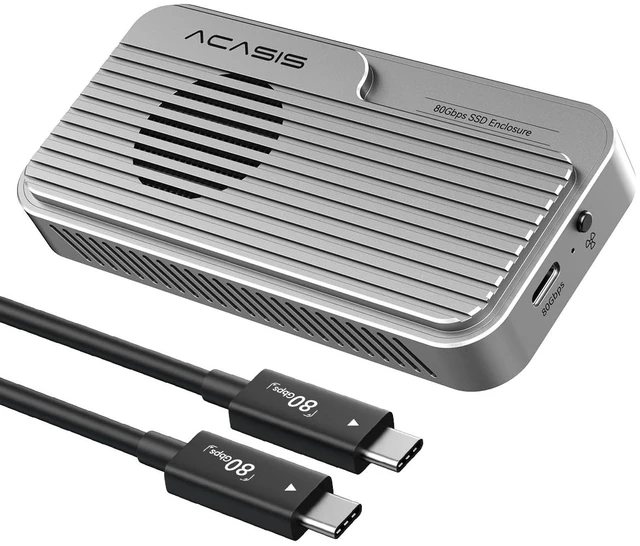
ACASIS 80Gbps M.2 NVMe SSD Enclosure, Thunderbolt 5 & USB4 V2.0 Compatible
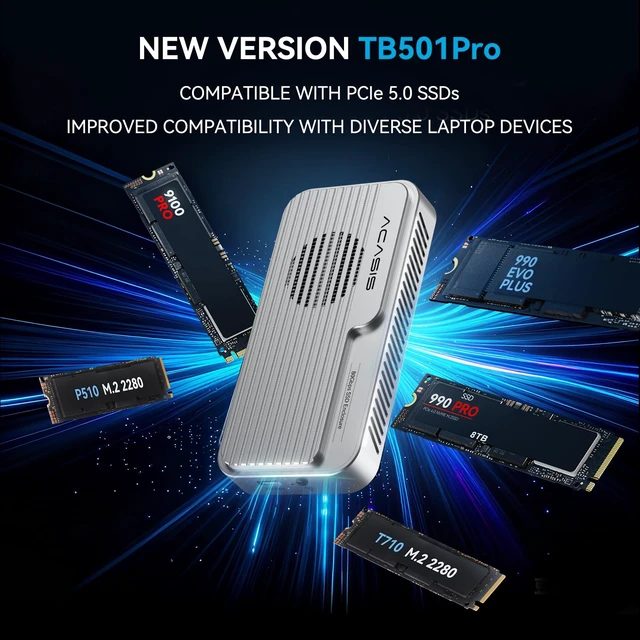
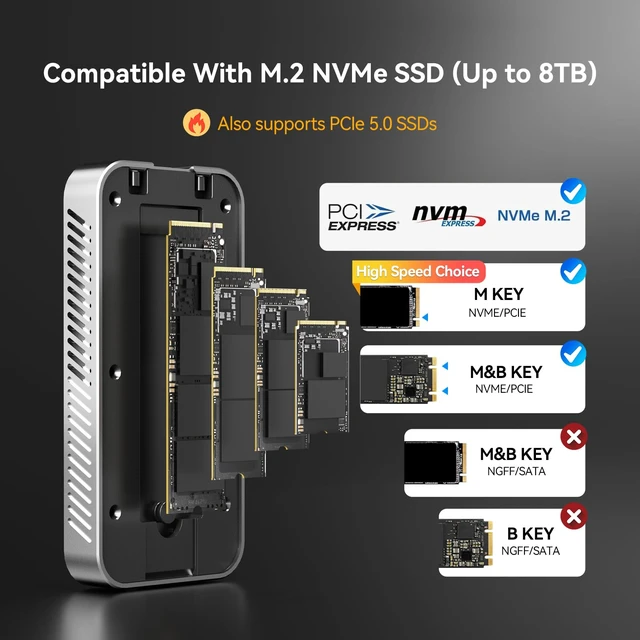
- ACASIS Upgraded 80Gbps SSD EnclosurePowered by the advanced JHL9480 chip, this enclosure supports PCIe 5.0 SSDs and most laptops, delivering fast, stable, and future-proof performance.
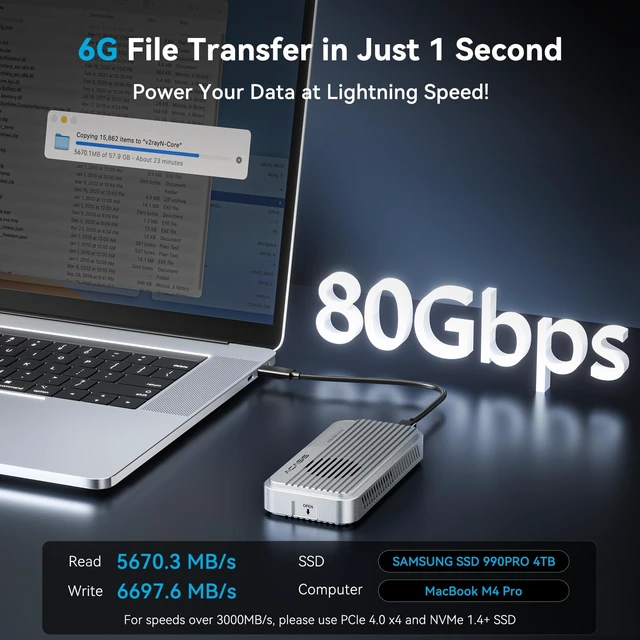
- Blazing-Fast SpeedsEnjoy read and write speeds up to 6000 MB/s. Perfect for content creators, gamers, and professionals handling large files or data-heavy tasks. To exceed 3000 MB/s, use a PCIe 4.0 x4 NVMe 1.4 or higher SSD.
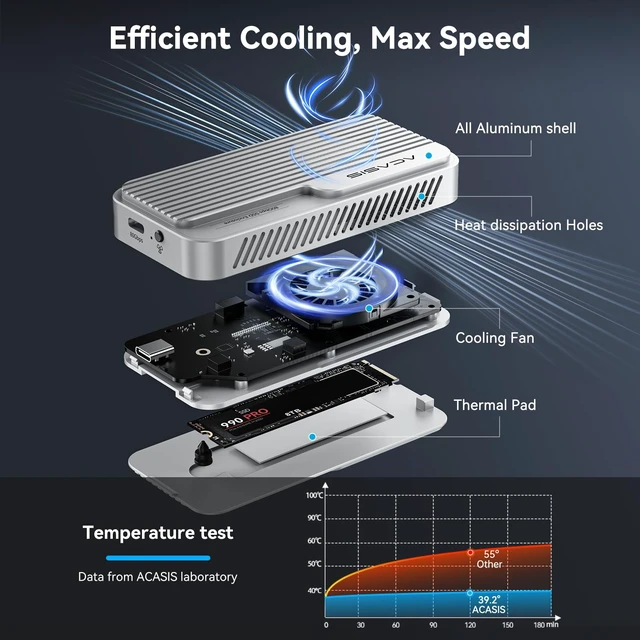
- Smart Cooling FanThe built-in fan auto-starts at 55C and stops at 40C to keep your SSD stable and extend its life. Manual mode is easy: press and hold the switch for 1 second to force it on; system resumes auto mode when turned off.
- Heat Management for EnclosureDuring large file transfers, the enclosure may heat up, which is normal. For stable performance, manually activate the fan, place the enclosure in a ventilated area, and avoid long continuous transfers of large files.
- Plug & Play, No Drivers Needed, Tool-less DesignJust connect and gosimple setup lets you focus on
+
+
Overview
Specs
Reviews
Any questions? Our AI mode will help you find out quickly.
Try me now
ACASIS Upgraded 80Gbps SSD EnclosurePowered by the advanced JHL9480 chip, this enclosure supports PCIe 5.0 SSDs and most laptops, delivering fast, stable, and future-proof performance. ^^ Blazing-Fast SpeedsEnjoy read and write speeds up to 6000 MB/s. Perfect for content creators, gamers, and professionals handling large files or data-heavy tasks. To exceed 3000 MB/s, use a PCIe 4.0 x4 NVMe 1.4 or higher SSD. ^^ Smart Cooling FanThe built-in fan auto-starts at 55C and stops at 40C to keep your SSD stable and extend its life.
Manual mode is easy: press and hold the switch for 1 second to force it on; system resumes auto mode when turned off. ^^ Heat Management for EnclosureDuring large file transfers, the enclosure may heat up, which is normal. For stable performance, manually activate the fan, place the enclosure in a ventilated area, and avoid long continuous transfers of large files. ^^ Plug & Play, No Drivers Needed, Tool-less DesignJust connect and gosimple setup lets you focus on your work without delays. ^^ Packaging List80Gbps M. 2 NVMe SSD Enclosure x 1, 80Gbps Cable ( 19.68 in) x 1, Silicone Stoppers x 2, SSD Size Adapter x1, Thermal Pads x 2, User Manual x1. ^^ Wide CompatibilityWorks with USB4 V 2.0 / 80Gbps at full speed, and backward compatible with 40Gbps, USB4 V 1.0, and USB 3.2 / 3.1 / 3.0.
Please note: Not compatible with Thunderbolt 3 (TB3) devices.

Manual mode is easy: press and hold the switch for 1 second to force it on; system resumes auto mode when turned off. ^^ Heat Management for EnclosureDuring large file transfers, the enclosure may heat up, which is normal. For stable performance, manually activate the fan, place the enclosure in a ventilated area, and avoid long continuous transfers of large files. ^^ Plug & Play, No Drivers Needed, Tool-less DesignJust connect and gosimple setup lets you focus on your work without delays. ^^ Packaging List80Gbps M. 2 NVMe SSD Enclosure x 1, 80Gbps Cable ( 19.68 in) x 1, Silicone Stoppers x 2, SSD Size Adapter x1, Thermal Pads x 2, User Manual x1. ^^ Wide CompatibilityWorks with USB4 V 2.0 / 80Gbps at full speed, and backward compatible with 40Gbps, USB4 V 1.0, and USB 3.2 / 3.1 / 3.0.
Please note: Not compatible with Thunderbolt 3 (TB3) devices.
Warranty & Returns
Warranty, Returns, And Additional Information
Warranty
- Please contact the Seller directly for warranty information. Warranty information may also be found on the Manufacturer's website.
- CONTACT
Return Policies
- Return for refund within: 30 days
- Return for replacement within: 30 days
- This item is covered by Hanbo Supply Store Return Policy
Manufacturer Contact Info
- For a directory of all our manufacturers, please click below.
- Manufacturers Directory
LOADING...