

Your Browsing History
- Free 30-day Returns
$44.99

Meet Your Seller

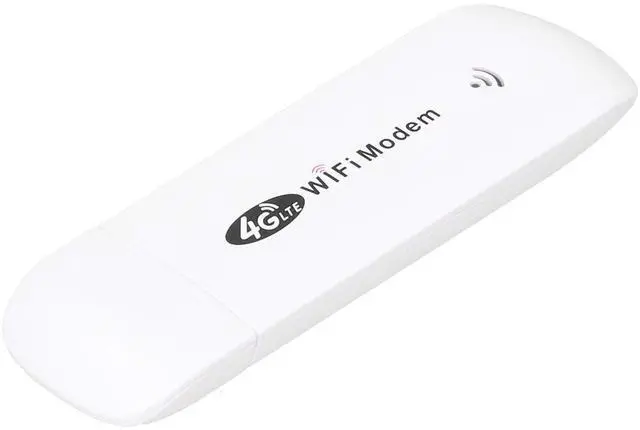





Modem Dongle, 4G LTE Modem, Modem Dongle with SIM Card Slot, TDD FDD Car Mini Router with LED Status Indicator, Up to 10 Associated Users 4G LTE Modem
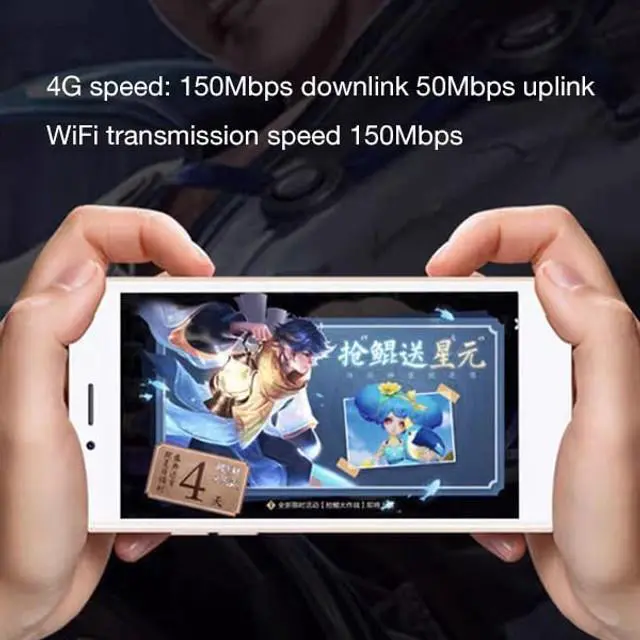
- Easy to UseEquipped with USB interface, plug and play, very convenient for you to use, as long as there is power, you can easily get online. Simply connect directly to the laptop's USB port to transfer data. Supported operating systems for / Vista / 7/8/10 / OS X / Android / Linux. Peak Rate: LTE FDD: DLUL 150M / 50 Mbps (category 4)
- High-speed WThe product come with a SIM card slot. Support up to 150mbps (4G LTE CAT4 only), you can enjoy a powerful web experience for surfing, chatting or playing online games. The superior range. Built-in 4G / 3G + antenna for optimal coverage and reliability, as well as increased strength, so you can enjoy a connection anytime, anywhere
- Modem DongleWith this 4G dongle, you only need to insert a SIM card to use and share network hotspots, no need to connect to broadband. With LED status indicator, you can observe the status, more convenient to use. Simply plug the adapter into your computer's USB port to connect wirelessly to the network or creat
+
+
Overview
Specs
Reviews

Any questions? Our AI mode will help you find out quickly.
Try me now
Specification: Item
Type: Modem DongleHow to
Use: 1. Prepare a SIM card, open the back cover of the dongle and insert the SIM card, close the back cover and insert the computer or other USB power supply port, search the network
SSID: 4G **** (
SSID: 4GUFI_**** )Click connect, Enter the
Default Password: 1234567890 and click OK. 2. For 7Open Control PanelNetwork and InternetNetwork and Sharing CenterConnect to the network, and select the point with the same SSID of this device to connect in the list. Enter the correct password, click OK and wait for a while, when it shows connected next to, it means the connection is successful. 3. For Android phoneTap Settings, tap the Wi-Fi switch to turn on Wi-Fi. In the list, select the that is consistent with the device SSDI, enter the correct password and click connect.
Frequency: 4G /
LTE-FDD: B1 / B3 / B5 (850/1800/2100MHz)4G /
LTE-TDD: B38 / B39 / B40 / B41 (1900/2300/2500/2600MHz)3G /
WCDMA: B1
(2100MHz) 2G /: NonePeak
Rate: LTE
FDD: DLUL 150M / 50 Mbps (category 4)
Internet: 2.4G, 802.11 b/g/nDisplay
Mode: LED status indicatorPower
Port: USB 2.0SIM
Card: Micro SIM
Port
Input Voltage: 5V / 1AOperating
Systems Supported by: For / Vista / 7/8/10 / OS X / Android /
LinuxAssociated Users: Up
to 10Language: Chinese and English sharedAPN
Settings: SupportNetwork
Settings: SupportDevice
Settings: SupportRouting
Setting: SupportFirewall
setting: SupportPackage
List: 1 x Modem Dongle1 x
User ManualNote: This product does not include SIM card
Type: Modem DongleHow to
Use: 1. Prepare a SIM card, open the back cover of the dongle and insert the SIM card, close the back cover and insert the computer or other USB power supply port, search the network
SSID: 4G **** (
SSID: 4GUFI_**** )Click connect, Enter the
Default Password: 1234567890 and click OK. 2. For 7Open Control PanelNetwork and InternetNetwork and Sharing CenterConnect to the network, and select the point with the same SSID of this device to connect in the list. Enter the correct password, click OK and wait for a while, when it shows connected next to, it means the connection is successful. 3. For Android phoneTap Settings, tap the Wi-Fi switch to turn on Wi-Fi. In the list, select the that is consistent with the device SSDI, enter the correct password and click connect.
Frequency: 4G /
LTE-FDD: B1 / B3 / B5 (850/1800/2100MHz)4G /
LTE-TDD: B38 / B39 / B40 / B41 (1900/2300/2500/2600MHz)3G /
WCDMA: B1
(2100MHz) 2G /: NonePeak
Rate: LTE
FDD: DLUL 150M / 50 Mbps (category 4)
Internet: 2.4G, 802.11 b/g/nDisplay
Mode: LED status indicatorPower
Port: USB 2.0SIM
Card: Micro SIM
Port
Input Voltage: 5V / 1AOperating
Systems Supported by: For / Vista / 7/8/10 / OS X / Android /
LinuxAssociated Users: Up
to 10Language: Chinese and English sharedAPN
Settings: SupportNetwork
Settings: SupportDevice
Settings: SupportRouting
Setting: SupportFirewall
setting: SupportPackage
List: 1 x Modem Dongle1 x
User ManualNote: This product does not include SIM card
Warranty & Returns
Warranty, Returns, And Additional Information
Warranty
- Please contact the Seller directly for warranty information. Warranty information may also be found on the Manufacturer's website.
- CONTACT
Return Policies
- Return for refund within: 30 days
- Return for replacement within: non-replaceable
- This item is covered by Aptly Tech Return Policy
Manufacturer Contact Info
- For a directory of all our manufacturers, please click below.
- Manufacturers Directory
LOADING...