Your Browsing History
Meet Your Seller
Jaesien Universal Wireless Bluetooth Media Controller for Car Stereo,Multi-Function Remote Control Button Compatible with Car DVD/Radio/Navigation Systems
- Compatibility: Providing a handy control for your car radio, Android navigation system.Ditch the cable clutter and drive with total peace of mind. Quick to set up, stay connected,smooth to control. Please confirm whether your Car Stereo supports the wireless learning function of buttons before making the purchase.Not support CANbus
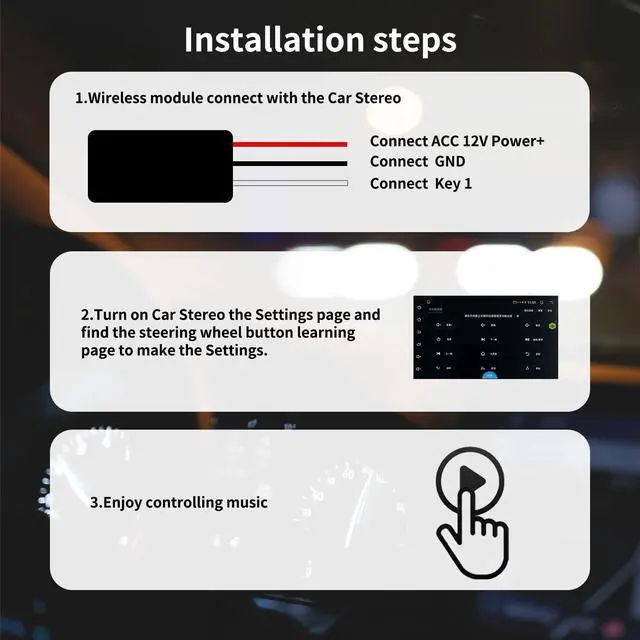
- Simply Installation: 1. Connect the red wire to the ACC 12V+, black wire to the GND, and the white wire "KEY1" connect to the car stereo control wire "KEY1/SWC1/AD1". 2. Turn the Settings page, find the steering wheel button-learning and make Settings at the corresponding icon.
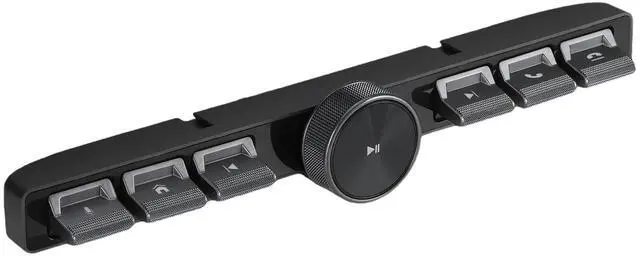
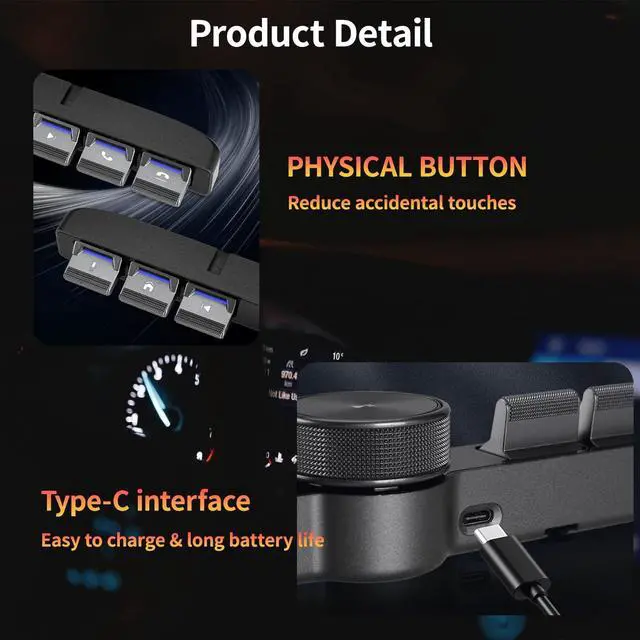
- Multi-functional Control: 6 buttons and 1 rotary volume knob, for calls,Pause/play,adjust volume, switch songs, activate voice assistant. Physical keys reduces accidental touches caused by touch screens.
- Convenience at hand: The central control button remote is suitable for navigation screens of different sizes. Enjoy effortless command over your car stereo, Android navigatio
+
+
Overview
Specs
Reviews
Any questions? Our AI beta will help you find out quickly.
Try me now
Compatibility: Providing a handy control for your car radio, Android navigation system. Ditch the cable clutter and drive with total peace of mind. Quick to set up, stay connected, smooth to control. Please confirm whether your Car Stereo supports the wireless learning function of buttons before making the purchase. Not support CANbus ^^
Simply Installation:
1. Connect the red wire to the ACC 12V+, black wire to the GND, and the white wire "KEY1" connect to the car stereo control wire "KEY1/SWC1/AD1".
2. Turn the Settings page, find the steering wheel button-learning and make Settings at the corresponding icon.
^^ Multi-functional Control: 6 buttons and 1 rotary volume knob, for calls, Pause/play, adjust volume, switch songs, activate voice assistant. Physical keys reduces accidental touches caused by touch screens.
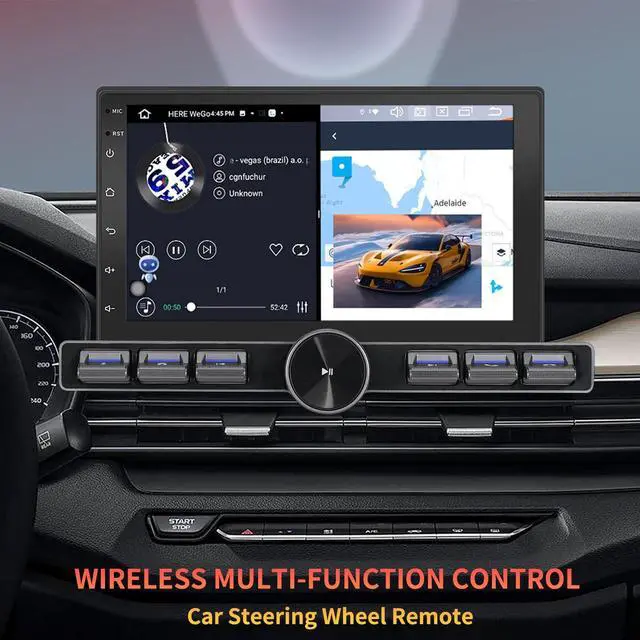
^^ Convenience at hand: The central control button remote is suitable for navigation screens of different sizes. Enjoy effortless command over your car stereo, Android navigation system, stay fully focused on the road.
^^ Long-Lasting Power: Rechargeable battery design, Type-C charging Port, DC 5V input, short charge time for durable work.
^^ Flexible Placement: Equipped with 1 long and 1 short base, It can be installed at any position you like in the car, making the operation more convenient and safer.

Simply Installation:
1. Connect the red wire to the ACC 12V+, black wire to the GND, and the white wire "KEY1" connect to the car stereo control wire "KEY1/SWC1/AD1".
2. Turn the Settings page, find the steering wheel button-learning and make Settings at the corresponding icon.
^^ Multi-functional Control: 6 buttons and 1 rotary volume knob, for calls, Pause/play, adjust volume, switch songs, activate voice assistant. Physical keys reduces accidental touches caused by touch screens.
^^ Convenience at hand: The central control button remote is suitable for navigation screens of different sizes. Enjoy effortless command over your car stereo, Android navigation system, stay fully focused on the road.
^^ Long-Lasting Power: Rechargeable battery design, Type-C charging Port, DC 5V input, short charge time for durable work.
^^ Flexible Placement: Equipped with 1 long and 1 short base, It can be installed at any position you like in the car, making the operation more convenient and safer.
Warranty & Returns
Warranty, Returns, And Additional Information
Warranty
- Please contact the Seller directly for warranty information. Warranty information may also be found on the Manufacturer's website.
- CONTACT
Return Policies
- Return for refund within: 30 days
- Return for replacement within: 30 days
- This item is covered by UsaLogic Return Policy
Manufacturer Contact Info
- For a directory of all our manufacturers, please click below.
- Manufacturers Directory
LOADING...