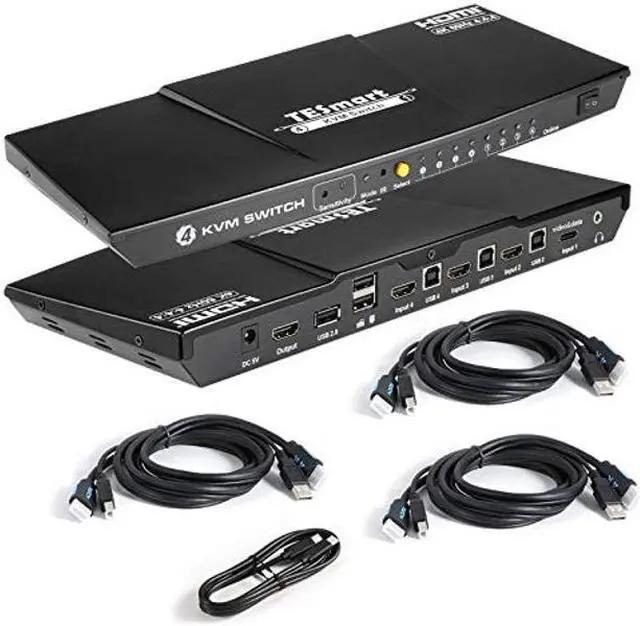
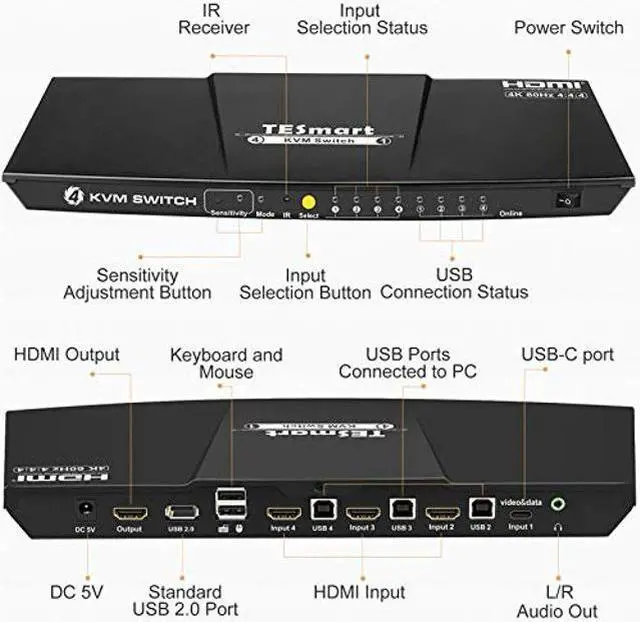
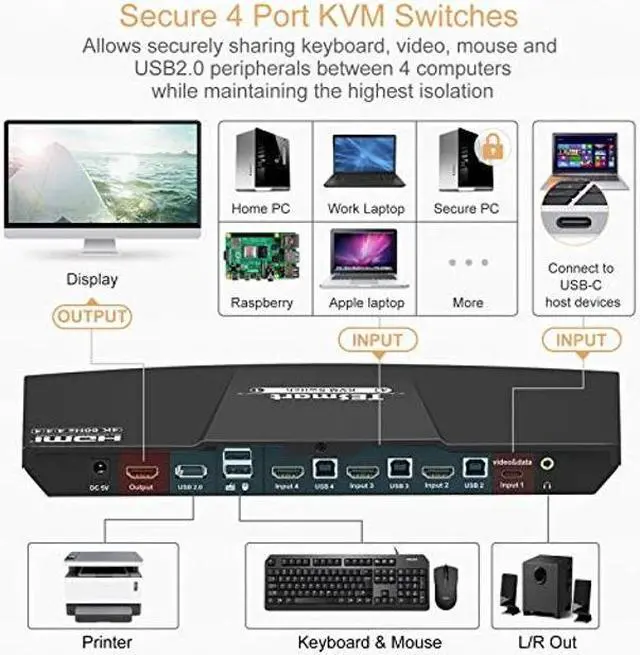
TESmart 4-Port HDMI KVM Switch with USB-C Input allows you to share one set of "keyboard, video, and mouse" with up to 4 PC's or video devices (Xbox, PS4, Firestick, etc). The KVM does not require software and works with Windows, MacOS, Unix/Linux, Raspberri Pi, etc. Supports 4K@60hz, making this device a perfect fit for work-from-home professionals and high-end video gaming. Key Features3 HDMI inputs + 1 type C input, allows you to plug and play your laptop with type C on KVM. Keyboard and mouse
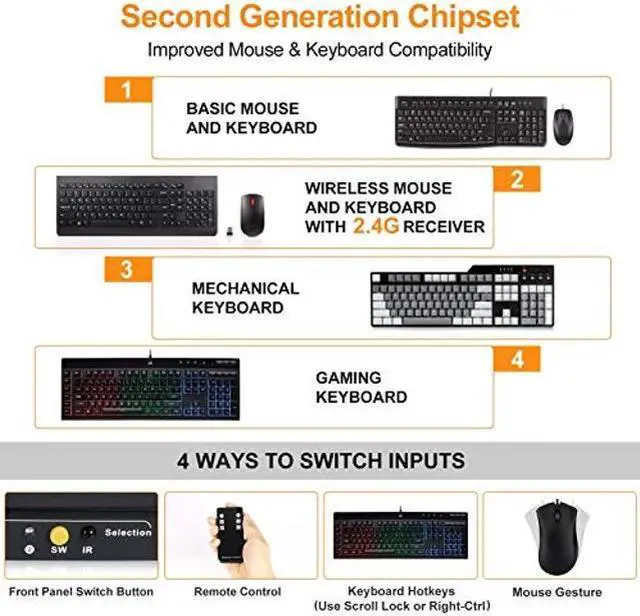
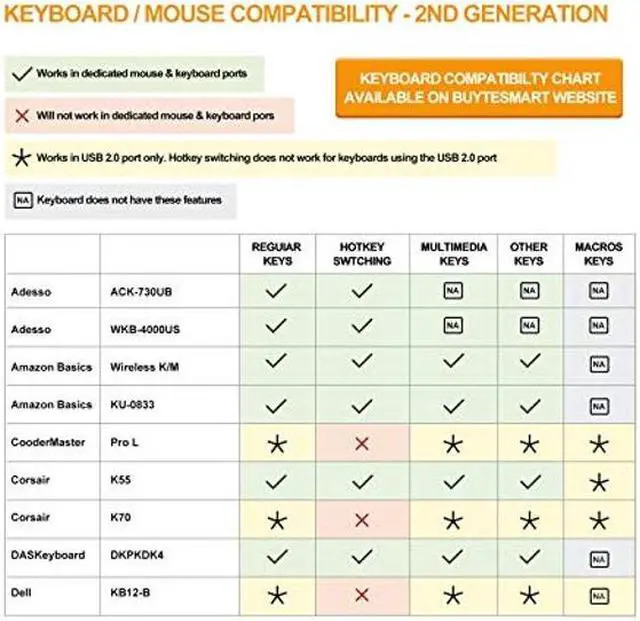
Seamless switching: Available to use K & M without any delay after switching input sources. Hotkey triggers assignable to either Scroll Lock or Right-CTRL. USB sharing works with printers, jump drives, USB headsets and webcams for teleconferencing. Auto-scanning with adjustable time interval from 1 to 250s. 1-year technical support and warranty from manufacturer "TESmart". More information can be obtained by contacting TESmart via Amazon. FAQAudio is transmitted via HDMI connection. HDMI monitor required for audio. Use powered USB hub to expand the USB 2.0 port if multiple connections are needed. Use USB extender to reduce distance to receiver if wireless mouse/keyboard is "jumpy". Please install CR2025 battery before use (battery not included). Mouse / Keyboard CompatibilityDedicated mouse & keyboard ports have emulation programming. Second gen chipsets have "Pass-through Mode" to send special characters such as multimedia keys (play, pause, volume up/down), which improves keyboard compatibility. Keyboard software such as Logitech Options, Corsair iCUE, etc conflicts with the emulation and limits the ability to use macro keys. We recommend using the KVM's USB 2.0 port as a workaround if needed. USB 2.0 port does not have emulation programming and KVM will not recognize hotkey commands.
Please use a powered USB hub to expand USB connectivity.