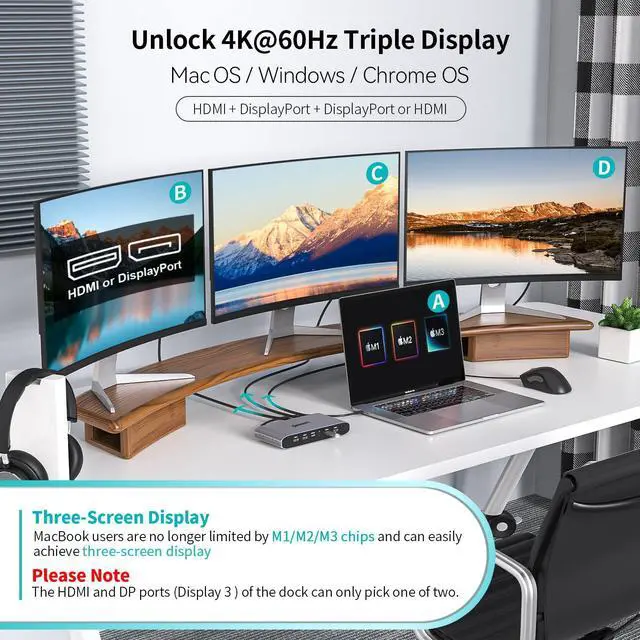
[(Solve Limitation of MacBook M1/M2/M3/M4)] :Minisopuru laptop docking stations by installing the DisplayLink driver, making your MacBook not limited by the M1/M2/M3/M4 chip and extending three displays with different content. The DisplayLink docking station is compatible with Windows, Chrome OS, Ubuntu, and Android.Note: Linux/Unix is not supported.Note: Must install the DisplayLink driver on your device to ensure proper media display functionality.
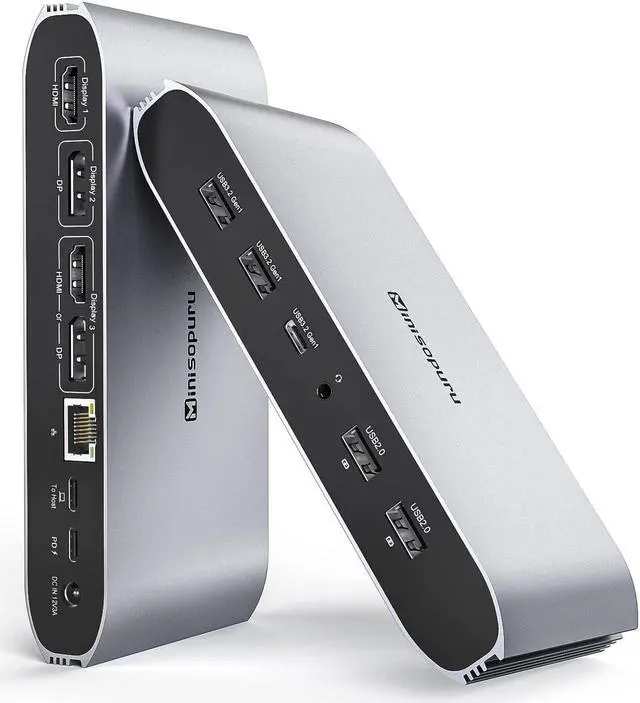
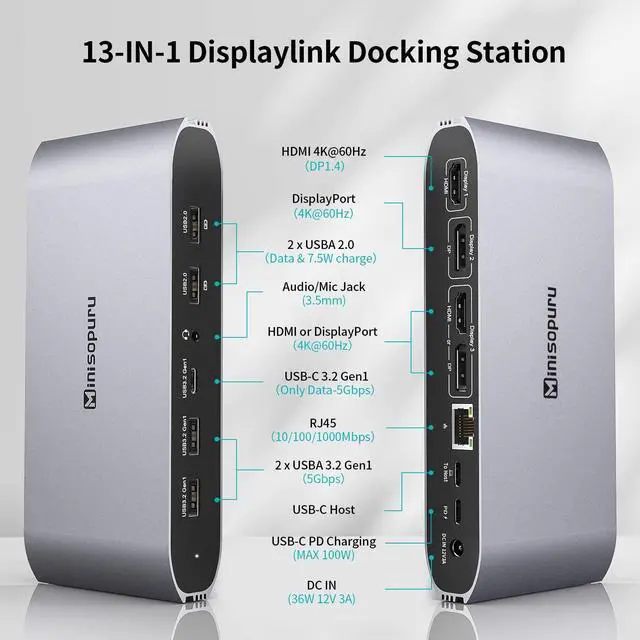
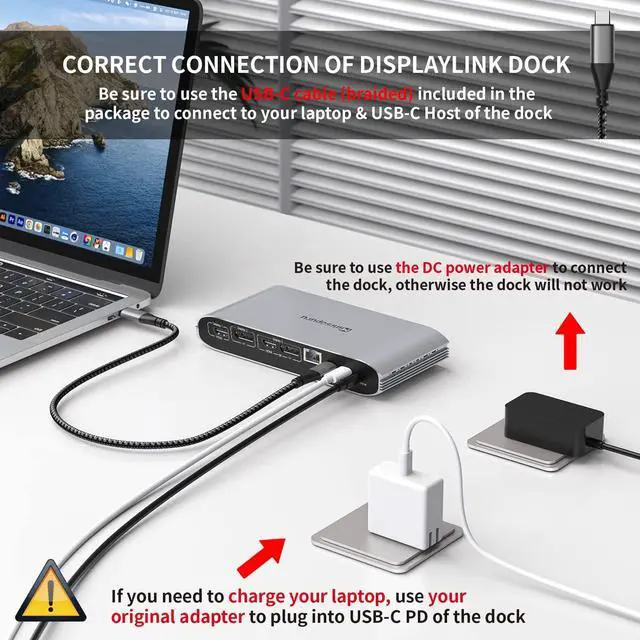
[(What Ports Can be Extended)] :The Minisopuru displaylink dock with 36W power adapter expand 12 ports for daily use:2*4K HDMI+ 2*4K displayport+2* 5Gbps USBA 3.2 Gen1 port(only data)+ 5Gbps USB C 3.2 Gen1 port(only data)+ 100W USB-C PD(Max)+ 2*USBA 2.0 ports(data & charge)+ Gigabit Ethernet+ 3.5 mm audio/Mic jack.Note: The Minisopuru docking station must connect the 36W DC power adapter, otherwise it will not work.
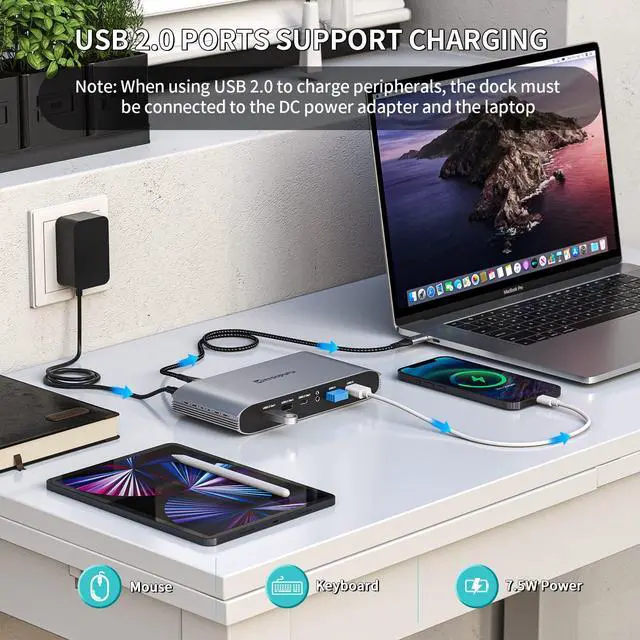
[(Super Speed Data Transfer & Fast Charging)] : The two USB A 2.0 ports of the laptop docking station not only can
+
+
Overview
Specs
Reviews
Any questions? Our AI beta will help you find out quickly.
Try me now
Minisopuru Displaylink Triple Display Docking Station for MacBook M1/M2/M3/M4/Windows, DisplayLink Docking Station with 2 HDMI & 2 DisplayPort, 100W Charge, USB-C Data, Ethernet, Audio, 4 USBA Ports
Learn more about the Detailed Specifications
Additional Information
First Listed on Newegg
February 05, 2026
There are no reviews yet.
Do you own this product?
Warranty & Returns
Warranty, Returns, And Additional Information
Warranty
Please contact the Seller directly for warranty information. Warranty information may also be found on the Manufacturer's website.