

Your Browsing History

Meet Your Seller

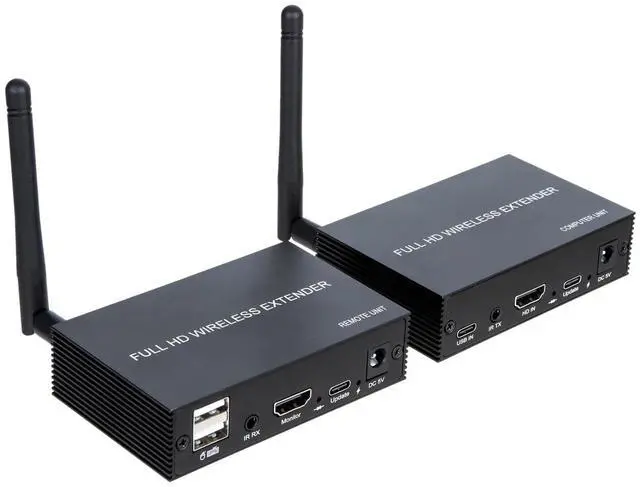


HDMI Wireless KVM Extender 200M,1080P 60Hz HDMI Video Audio Transmitter Receiver Kit for USB DVD STB DTV HDTV Keyboard Mouse Supports Infrared Feedback
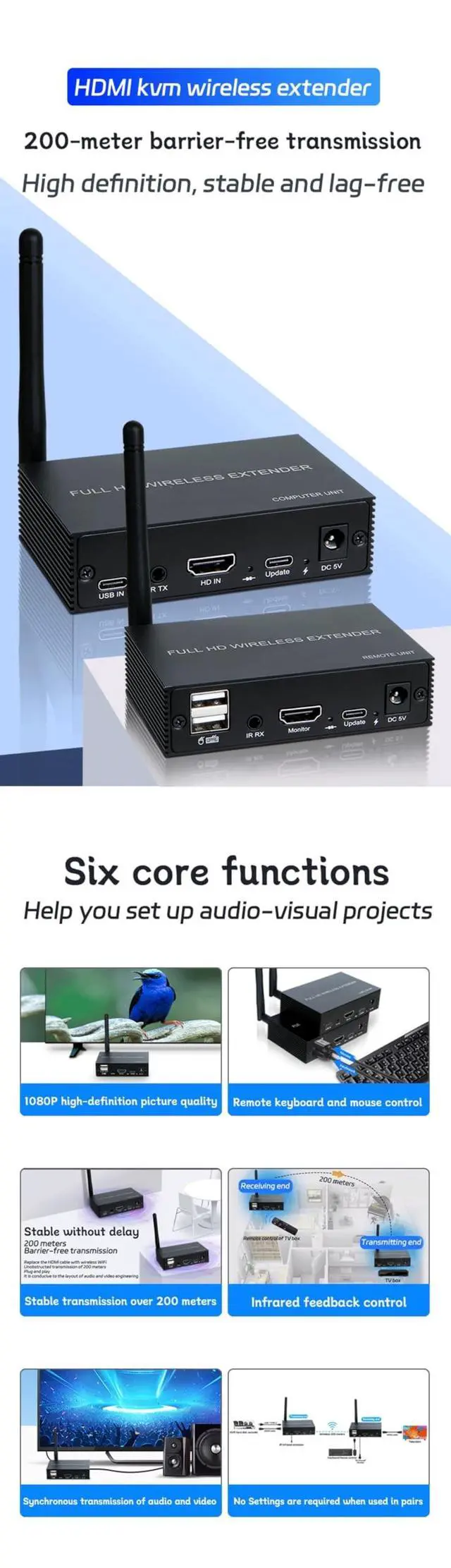
- A:1. Long-distance wireless transmission, breaking through wiring limitations: Utilising WiFi to achieve 200-metre wireless transmission, this solution breaks free from the constraints of HDMI cable length limitations. No professional wiring is required, eliminating the hassle of conduit installation and cable burial. It is particularly suitable for complex spatial environments or scenarios requiring long-distance deployment (such as home theatres, conference rooms, data centres, etc.).
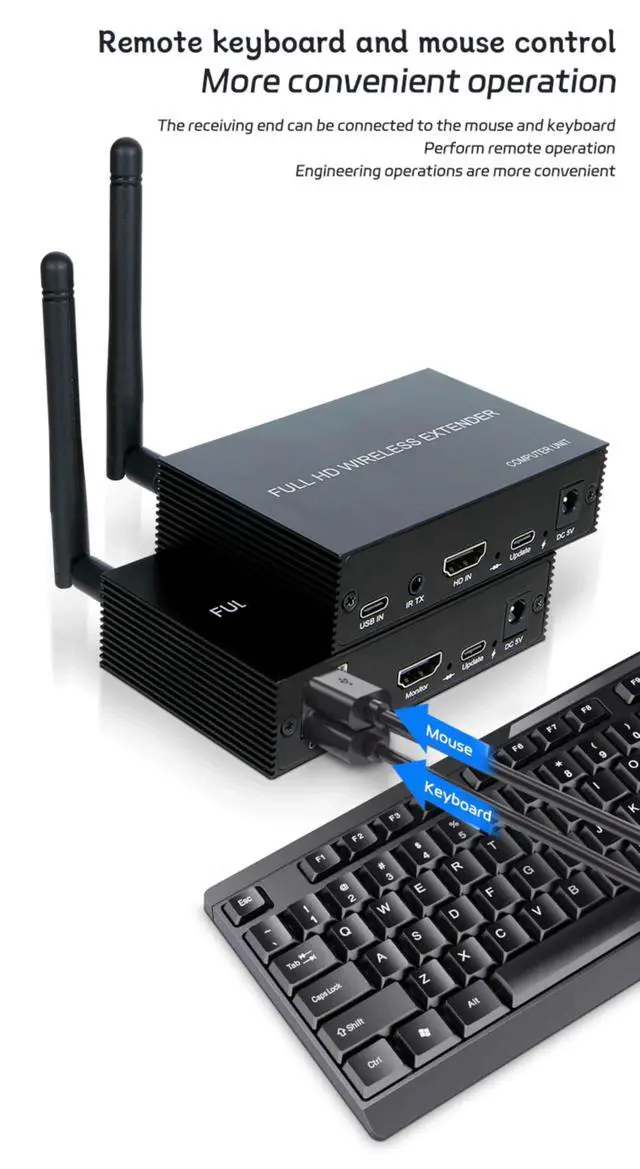
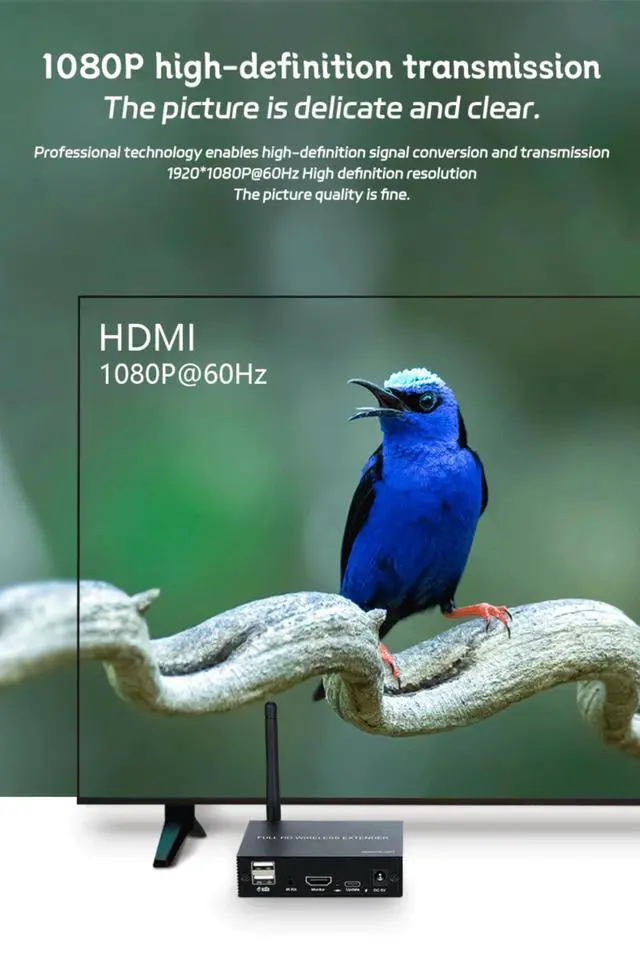
- B:2. High-definition quality and high-speed transmission for a smooth experience: Supports 19201080P@60Hz resolution for clear and smooth images; signal transmission rate up to 2.25Gbps, enabling simultaneous transmission of HDMI video and USB keyboard/mouse signals, ensuring no delay in audio/video and control signals.
- C:3. Compatible with multiple interfaces and audio formats for high flexibility: Features a standard HDMI interface and can support DVI interfaces with an adapter, compatible with
+
+
Overview
Specs
Reviews

Any questions? Our AI mode will help you find out quickly.
Try me now
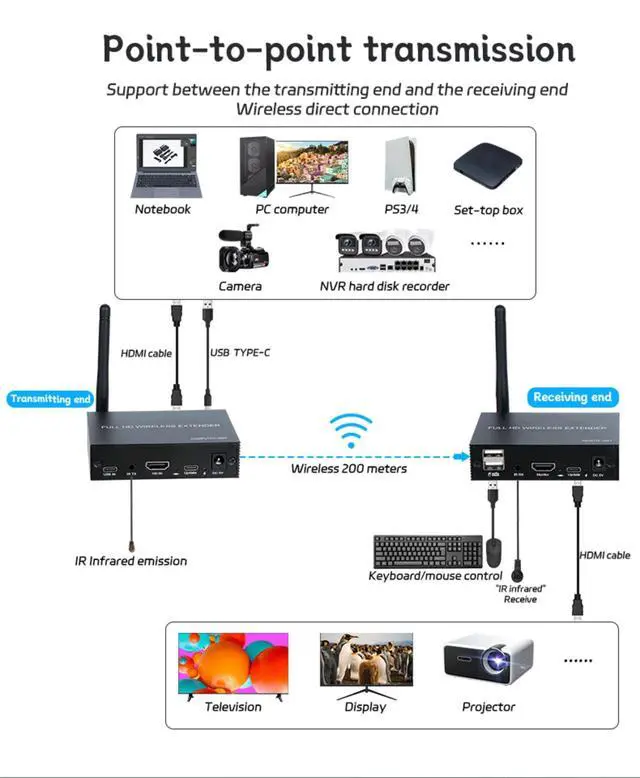
1. IntroductionThis extender uses WiFi to extend high-definition TV signals and USB keyboard and mouse signals up to 200 metres, with a resolution of up to 19201080P@60Hz. It not only breaks the distance limitations of HDMI cables but also eliminates the hassle of wiring, making it more convenient. This HDMI extender uses an HDMI (High-Definition Multimedia Interface) connector. If an HDMI-to-DVI adapter is used, it also supports DVI (Digital Visual Interface) connectors, providing greater flexibility and more options for home theatre systems. It offers multiple solutions for home users, such as high-definition TV sales and demonstrations, set-top boxes, DVD players, projectors, and other devices, as well as applications in space and security fields, data control centres, information dissemination centres, meeting rooms, schools, and corporate training environments.
2. Operating Steps1) First, connect the display device directly to the signal source player via an HDMI cable to check for signal output and normal display; 2) Connect the HDMI cable and USB Type-C cable to the sender's HD IN, USB IN, and host; 3) Connect the receiver's HDMI cable to the display device and the sender to the signal host; 4) Connect the mouse and keyboard to the USB ports on the receiver; 5) Power on the sender and receiver; 6) When using the wireless extender for the first time, pairing
is required: press the pairing button Pair on the receiver for over 5 seconds, then press the pairing button Pair on the sender for over 3 seconds. The extender will automatically enter pairing mode until pairing is complete. 6. Packaging Contents1) Transmitter x12) Receiver x13) DC 5V power adapter x2, 4) USB Type-C data cable x1, 5) IR infrared receiver cable x1, 6) IR infrared transmitter cable x 1.7 ) User manual x1
2. Operating Steps1) First, connect the display device directly to the signal source player via an HDMI cable to check for signal output and normal display; 2) Connect the HDMI cable and USB Type-C cable to the sender's HD IN, USB IN, and host; 3) Connect the receiver's HDMI cable to the display device and the sender to the signal host; 4) Connect the mouse and keyboard to the USB ports on the receiver; 5) Power on the sender and receiver; 6) When using the wireless extender for the first time, pairing
is required: press the pairing button Pair on the receiver for over 5 seconds, then press the pairing button Pair on the sender for over 3 seconds. The extender will automatically enter pairing mode until pairing is complete. 6. Packaging Contents1) Transmitter x12) Receiver x13) DC 5V power adapter x2, 4) USB Type-C data cable x1, 5) IR infrared receiver cable x1, 6) IR infrared transmitter cable x 1.7 ) User manual x1
Warranty & Returns
Warranty, Returns, And Additional Information
Warranty
- Please contact the Seller directly for warranty information. Warranty information may also be found on the Manufacturer's website.
- CONTACT
Return Policies
- Return for refund within: 30 days
- Return for replacement within: 30 days
- This item is covered by LANMEll Return Policy
Manufacturer Contact Info
- For a directory of all our manufacturers, please click below.
- Manufacturers Directory
LOADING...