kvm Switch 2 Monitors 2 Computers display port 4k 144hz
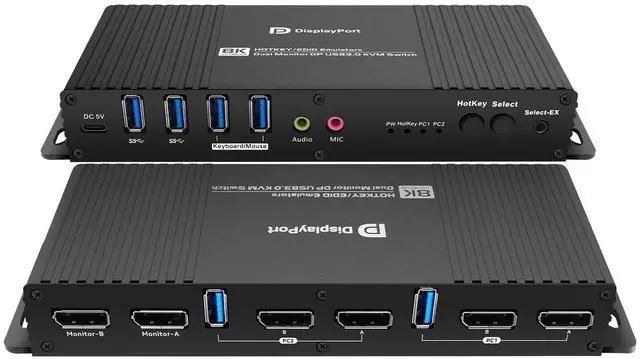
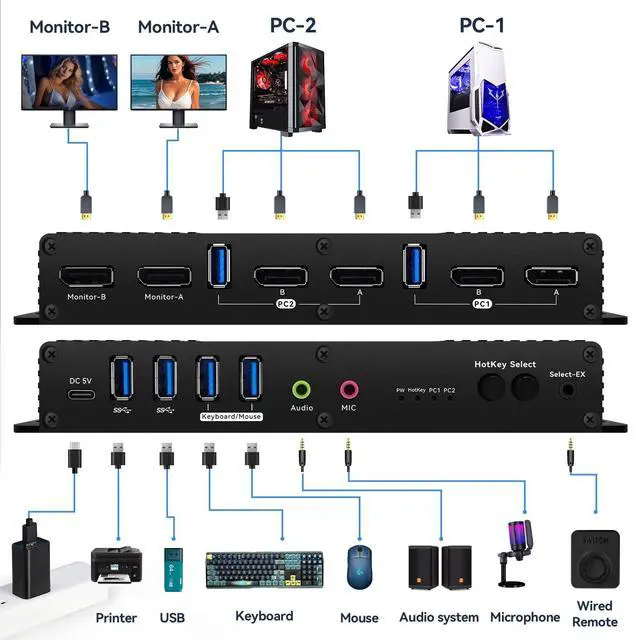
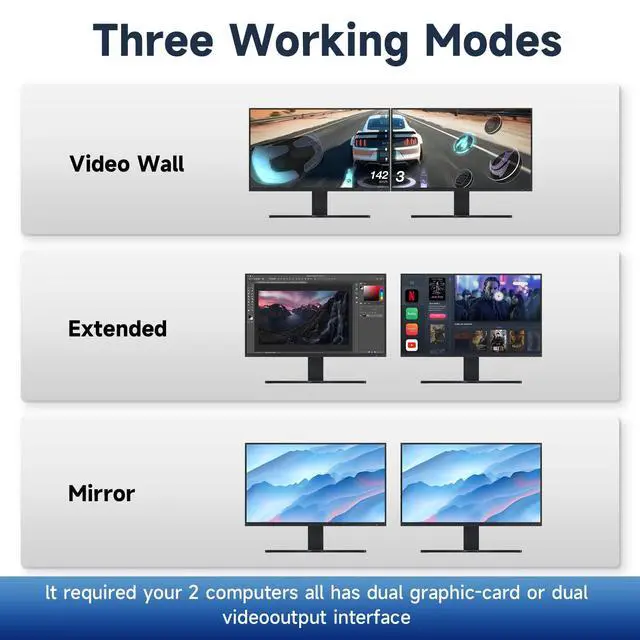
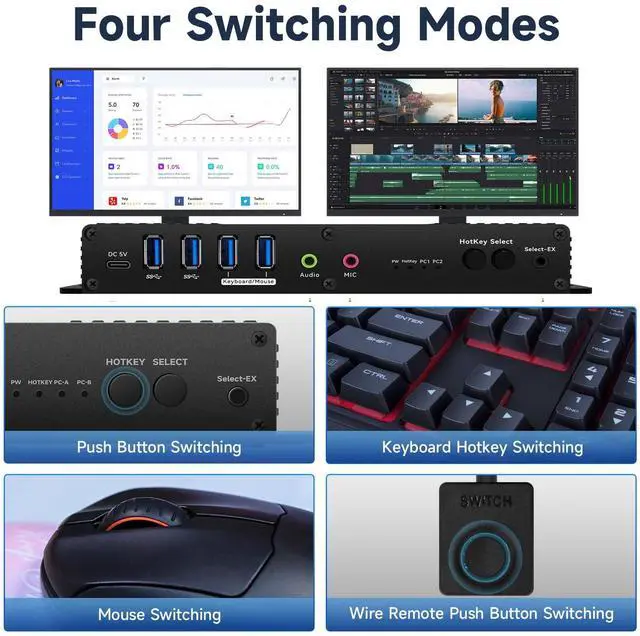
SWITCH Mode: the Dual Monitor kvm Switch displayport edid 4k 144hz Supports Four switching methods to meet with different needs, including keyboard hotkeys, mouse hotkeys, push button, wired remote; switching only takes several seconds after first set-up; ^^ kvm Switch with displayport 4k 144hz compatable: This displayport kvm switch dual monitor 2 computer 144hz helps you to Hook up 2 computers to share one set of keyboard, mouse with hotkey, and there are three modes, videowall, dual extended or mirrored monitors, with 1 extra high speed USB 3.0 hub port for sharing USB peripheral; Perfect for IT specialist, gaming (with high Frame), and other multi tasks, ^^ kvm Switch displayport 2 Monitors 2 Computers edid 4k 144hz
Detailed Resolusion: The DP 1.4 KVM switch 2 computers 2 monitors displayport 144hz supports max. resolution of 4k 144hz dual computer dual monitor, 4K@144Hz, 2560x1440@144Hz 165Hz and 5120*1440@120Hz 1440P 60Hz 75Hz 100Hz 120Hz 144Hz. Final resolution is also subject to graphic cards, monitors, cables and adapters and there work together; ^^ displayport kvm edid Switch 2 Monitors 2 Computers 4k 144hz
COMPATABILITY: the Kvm switch 2 monitors 2 computers Display port 4k 240hz supports most major operation systems like Windows, Linux, Mac and more; also support switch between devices without keyboard and mouse like DVR and NVR; Support webcam, speaker / headphone and microphone; ^^ kvm Switch 2 Monitors 2
Computers dp edid 4k 144hz: the displayport kvm switch edid support hotkey switching, you can use hotkey to switch between 2 computers, Right Control two times and number 1 and EnterRight Ctrl+Right ctrl+1+Enteryou will switch to PC-A, and Right Ctrl+Right ctrl+2+Enter you will switch to PC-B. You can use Keyboard Hotkey Right Ctrl+Right ctrl+B+Enter to turn off or turn on the Beep for the dual monitor kvm switch.
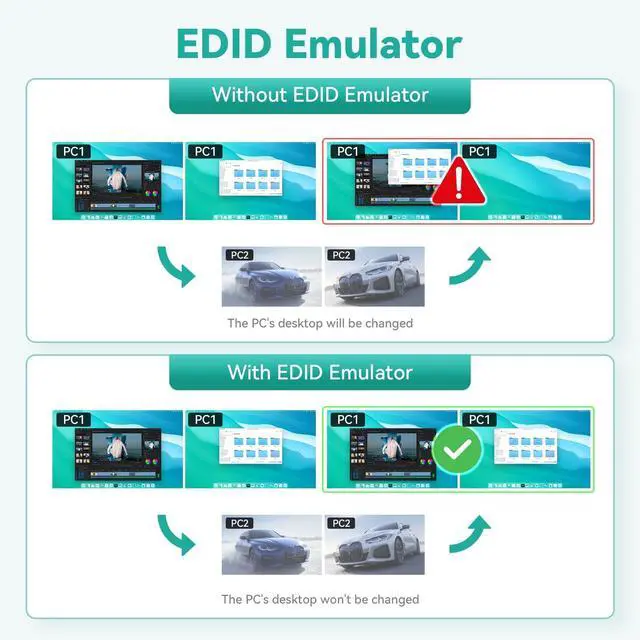
^^ Attention: the powered HDMI to DP adapters are support; This dp KVM switch edid Dual monitor 2 computer cannot support EDID emulation, the dp kvm switch 2 pc two monitors can support adapters, adapters cables and docking station. ^^ EDID kvm Switch 2 Monitors 2 Computers displayport 4k 144hzThe displayport kvm can only support USB C TO DP Cable of the. You can use USB C TO DP by the Daositek and the displayport kvm to support usb c, Thunderbolt Type c Mac kvm Switch 2 Monitors 2 Computers Type c 1440P 120Hz 144Hz mac kvm Switch ^^ kvm Switches 2 Monitors 2
Computers displayport edid 4k 144hz: when you computer is hdmi output, and you want one Displayport kvm switch, you can use hdmi TO dp adapter cable +kvm switch dp +dp 1.4 to monitor, them the hdmi output will be OK. ^^ kvm EDID Switch 2 Monitors 2
Computers displayport 4k 144hz: when you computer is thunderbolt output, and you want one thunderbolt kvm switch, you can use type c TO dp cable +kvm switch displayport+dp 1.4 cable to monitor, them the thunderbolt input will be OK. ^^ Dual monitor kvm Switch displayport 2 Monitors 2
Computers edid 4k 144hz: when you computer is type c output, and you want one type-c kvm switch, you can use type c TO dp cable +kvm switch displayport + dp cable to monitor, them the type c output will be OK.