

Your Browsing History

- Free 30-day Returns
$118.99


Meet Your Seller

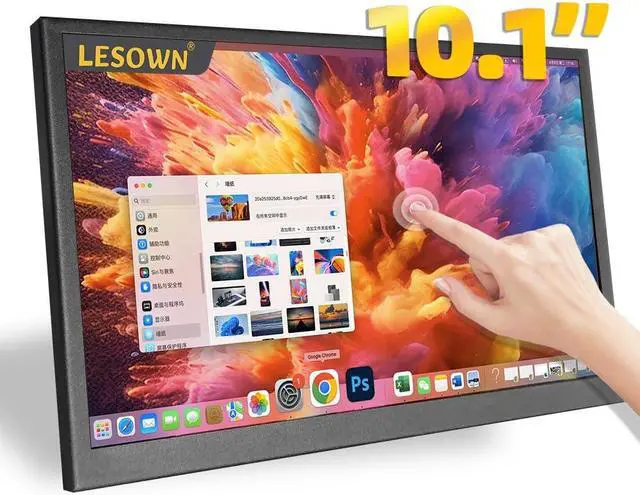


LESOWN 10 inch Monitor Touchscreen Small HDMI Portable Display 1024x600 IPS Computer 10.1 inch Secondary Screen Mini Monitors for Windows Mac Laptop PC
- * Wide viewing angle IPS panel with excellent color. 1024x600 HD resolution, delicate picture quality, bring you the best experience.
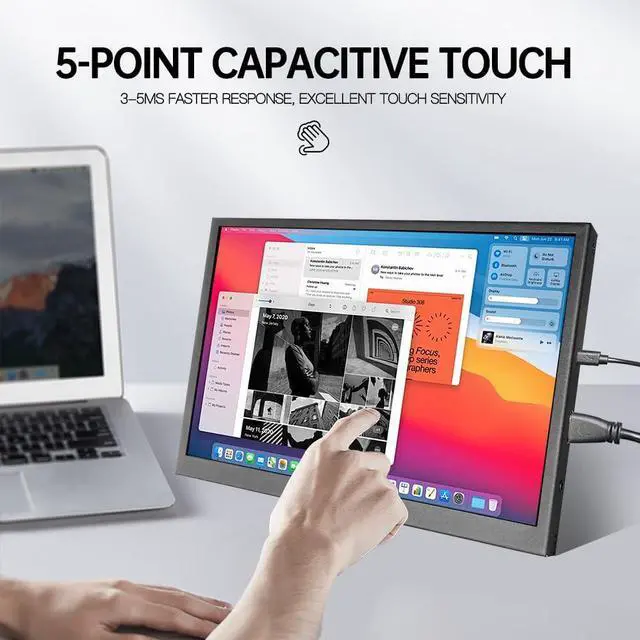
- * Responsive touch function, maximum support capacitive 5-point touch. Excellent touch sensitivity make you to slide, scroll, select, zoom in, zoom out and move the cursor in just about 3-5ms faster response time.
- * Metal appearance, light-weight and thin, The Outline Dimension is: 241×145×14.6/16.6(mm), and the Display Area is: 222.72(W)×125.28(H)mm. Comes ready to use with accessory cables.
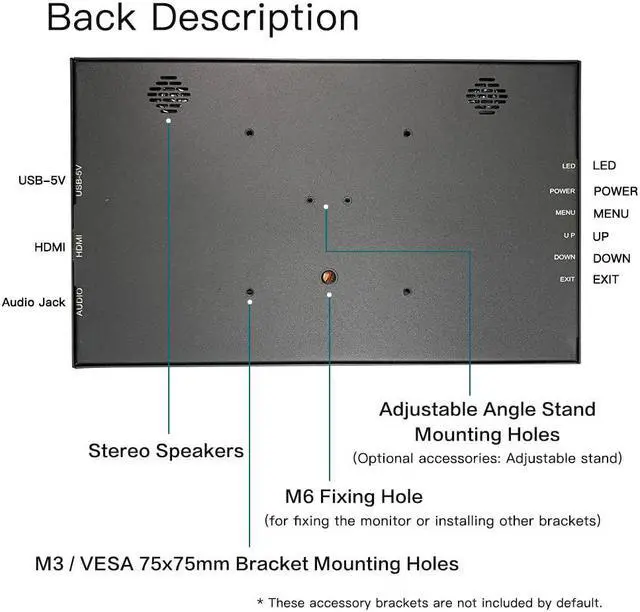
- * Built-in dual speakers and audio jack, you don't need an external speaker when working on a Pi project.
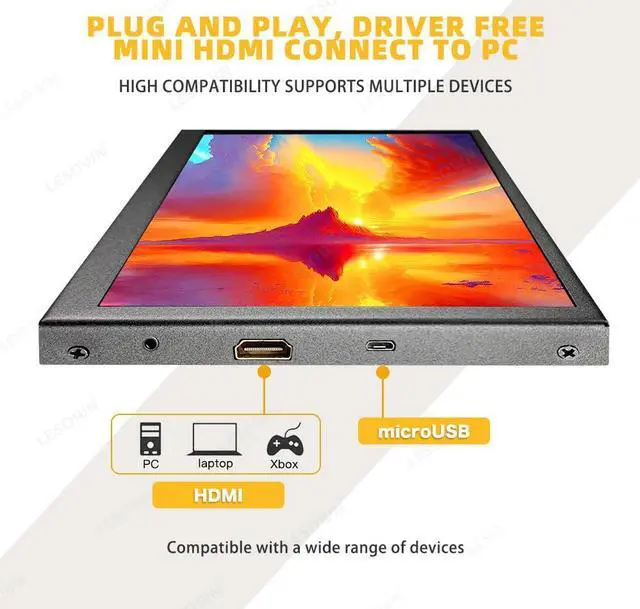
- * Plug and play & widely compatible, Its not only a for Raspberry Pi 4/3/2/Zero/ B B+ A, Banana Pi. also compatible with like Ubuntu, Retro Pi, Jetson, Debian, Kali, Windows 7/8/10, PC, Mac, Laptop, TV; Compatible with Switch/XBOX/PS4. Windows & mac OS system plug andplay, no program or software support is required.
+
+
Overview
Specs
Reviews

Any questions? Our AI mode will help you find out quickly.
Try me now
Specifications
:Screen Size 10.1 inch
Screen TypeLCD
Panel TypeIPS, Normally Black
Resolution1024×600
Viewing Angle170°Full View Angle
Outline Dimension241×145× 16.6 (mm)
Display Area 222.72 (W) × 125.28 (H) mm
Color Gamut50% NTSC
Display Colors 16.7M (8-bit)
Refresh Rate60Hz
Response Time25 (Typ. )(Tr+Tf)ms
Screen Ratio 16:9
Contrast Ratio 800:1 Surface Luminance300cd/m2
HDR FunctionNot Support
Touch FunctionYes
Touchscreen TypeCapacitive
Touch Points5 Point Touch
Power SupplymicroUSB Por
t Input Voltage5V/2A DC
Interface1×HDMI, 1×microUSB, 1×Audio Out
OSD KeyboardAvailable for OSD control
Built-in SpeakerYes
Case MaterialAluminum
Whats included?
1 x 10.1 inch Portable Monitor
1 x HDMI Cable
1 x USB Cable
Connect to PC
The display supports Windows 7/8/10/11, mac OS. 1. Connecting the USB-5V to USB port of PC by micro USB cable.
2. Connecting the interface of display to HDMI port of PC by standard HDMI cable.
Connect to Raspberry Pi
1. Insert the TF card to Raspberry Pi.
2. Connecting USB-5V of the monitor to a USB port of Raspberry Pi.
3. Connecting HDMI of the monitor to HDMI port of Raspberry Pi.
4. Power on Raspberry Pi and the LCD will display.
Raspberry Pi doesn't support hot-plug and auto-recognized the resolution, you need to configure the resolution manually. There are specific operation methods in the user manual.
About touch function:
<1>. The "USB-5V" interface of the monitor must be directly connected to the host computer, please do not use an external power supply. ( * The power supply needs to be more than 5V/2A, otherwise the screen may flicker due to insufficient power supply.
<2>. After completing the above operations, please restart the host (Raspberry pi / PC).
<3>. We recommend using the original cables.
Warranty & Returns
Warranty, Returns, And Additional Information
Warranty
- Please contact the Seller directly for warranty information. Warranty information may also be found on the Manufacturer's website.
- CONTACT
Return Policies
- Return for refund within: 30 days
- Return for replacement within: 30 days
- This item is covered by Detail Driven Return Policy
Manufacturer Contact Info
- For a directory of all our manufacturers, please click below.
- Manufacturers Directory
LOADING...