• $54.99
  • Free 30-day Returns
  • Price alert
    Sold by kaipuda

    Shipped by kaipuda

    Shop it at NeweggBusiness.

    Meet Your Seller

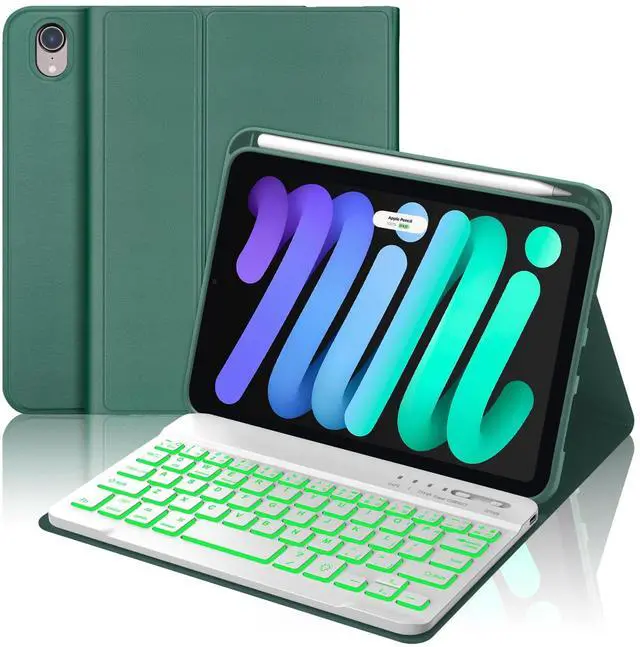
    WINCHKING Backlit Keyboard Case for iPad mini (A17 Pro) 7th Generation/Mini 6th Gen 8.3 Inch,7-Color Backlit,Detachable Wiress Keyboard Folio Case with Pencil Holder for iPad mini 7/6,Dark Green

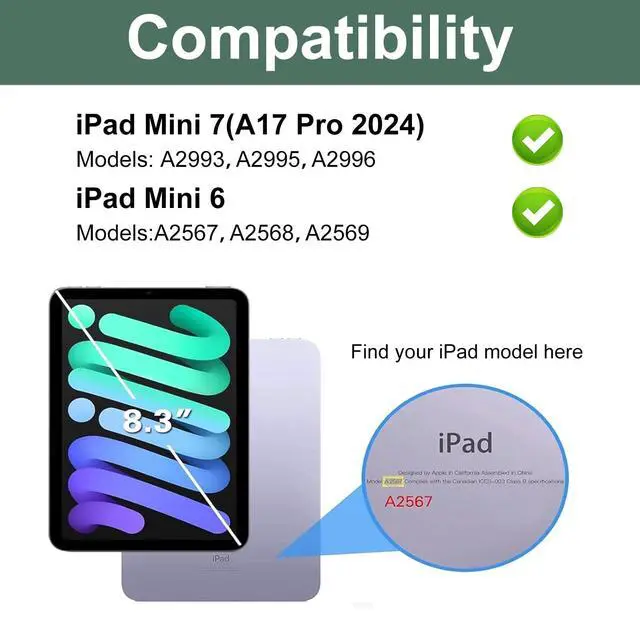
    • Compatibility:This iPad mini case with keyboard is compatible with New iPad Mini 7th generation 2024 A17 Pro 8.3 inch(Model: A2993, A2995, A2996),iPad Mini 6 2021 8.3 inch(Model: A2567 A2568 A2569),not for any other iPad model.Please check the model number starting with "A" on the back of your tablet before purchasing.
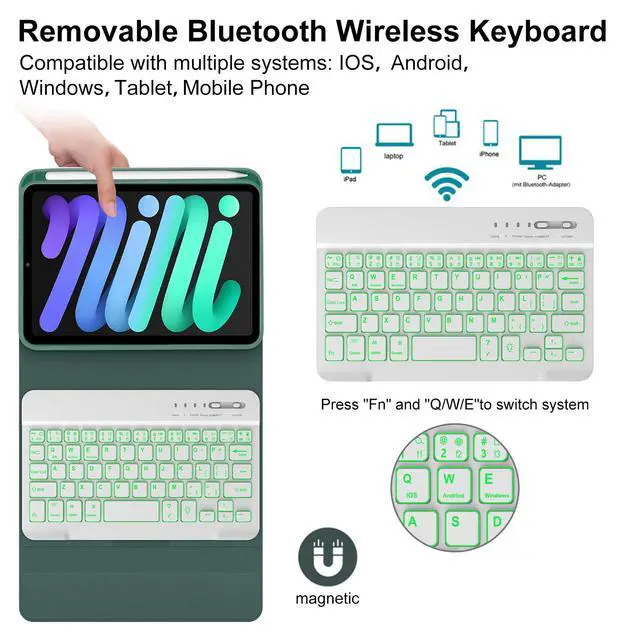
    • 7-color Backlit and Detachable Keyboard:There are 7 colors backlight available and brightness adjustable ,allowing you to match your preferences for an excellent typing experience,even in low light or at night.With bluetooth,the keyboard is wirelessly detachable to use within a distance 10 meters, that you place the keyboard wherever you feel comfortable.
    • Compact and Portable Design:Designed for on-the-go use,this wireless keyboard with iPad mini 7 case is lightweight and ultra-slim.The keyboard case provides portability without compromising on protection,making it the perfect companion for your tablet whether you're traveling, working, or relaxing.
    • Au
    +
    +
    Overview
    Specs
    Reviews
    avatar

    Any questions? Our AI beta will help you find out quickly.

    Backlit Keyboard with Protective Case for iPad Mini 7th/6th Gen 8.3 Inch
    (Models: A2993, A2995, A2996 A2567, A2568, A2569)
    Package included:
    1 x iPad case for ipad mini 7th/6th gen 8.3 inch (iPad and apple pencil not included)
    1 x Wireless Keyboard
    1 x Type-C fast charging cable
    1 x User Manual
    Features
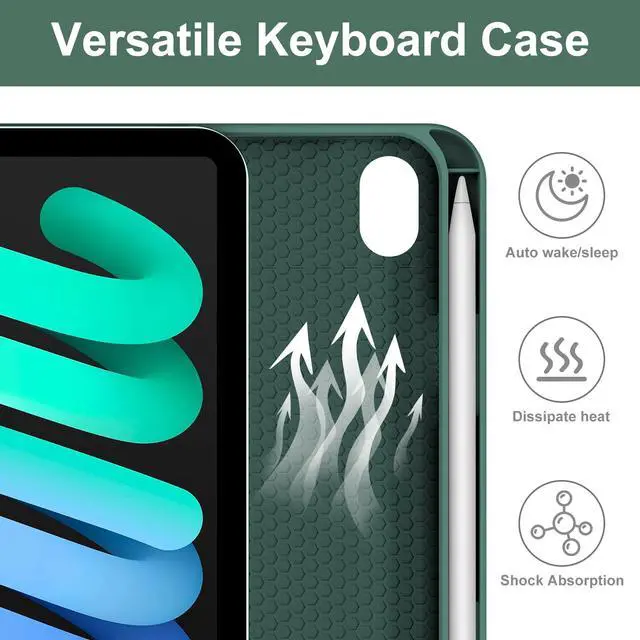
    The iPad Mini (A17 Pro) 7th//6th Generation case with keyboard includes a pencil slot to keep your Apple Pencil secure and accessible
    Designed honeycomb interior of the ipad case can help to dissipate heat for improved performance
    Just press "Fn" and "Q/W/E"to switch 3 system: Android, Windows, IOS
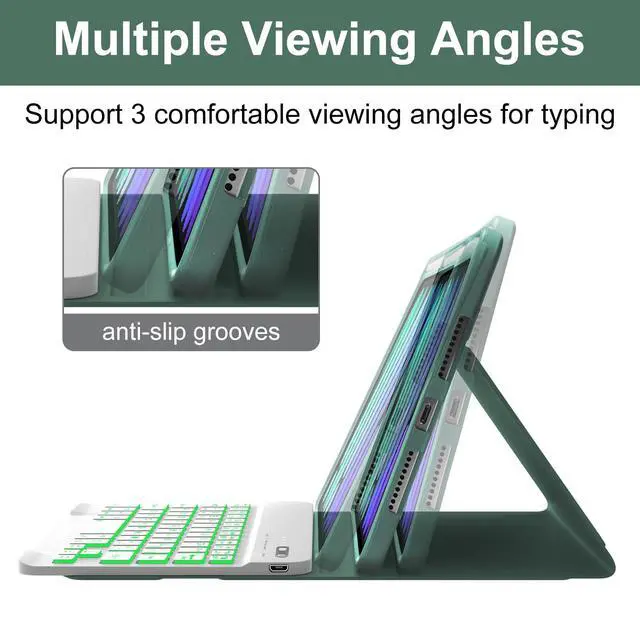
    The case with detachable keyboard offers multiple viewing angles, making it perfect for typing, reading, watching videos or video calls.
    How to Link the Keyboard
    Step1: Push the button to the "ON" position, the POWER light is on
    Step2: Press the "CONNECT" button, the BT light is on
    Step3: Search and click to connect "Bluetooth 3.0 keyboard" on your iPad.
    Backight Control Method
    Press "" to turn on/off the backit
    Press "Fn +/" to adjust the brightness
    Press "Fn +" to change the backit color

    Warranty & Returns

    Warranty, Returns, And Additional Information

    Warranty

    • Please contact the Seller directly for warranty information. Warranty information may also be found on the Manufacturer's website.
    • CONTACT

    Return Policies

    • Return for refund within: 30 days
    • Return for replacement within: 30 days
    • This item is covered by kaipuda Return Policy

    Manufacturer Contact Info

    LOADING...