Your Browsing History
- Free 30-day Returns
$35.99
Meet Your Seller
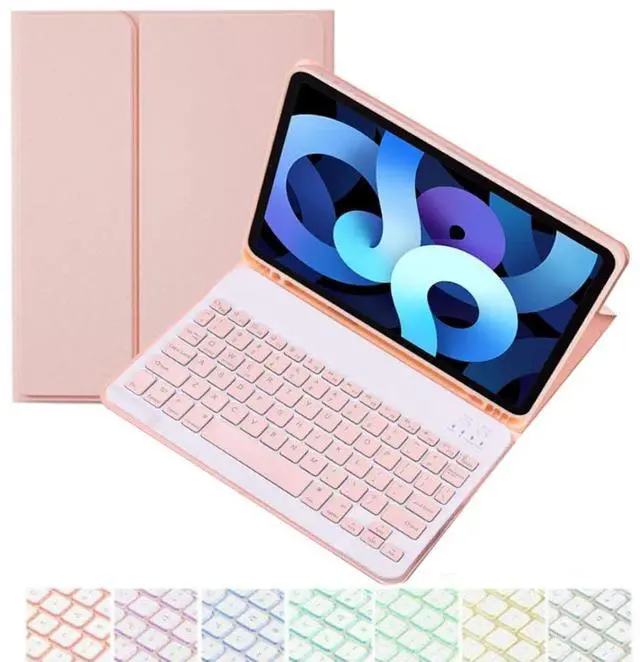
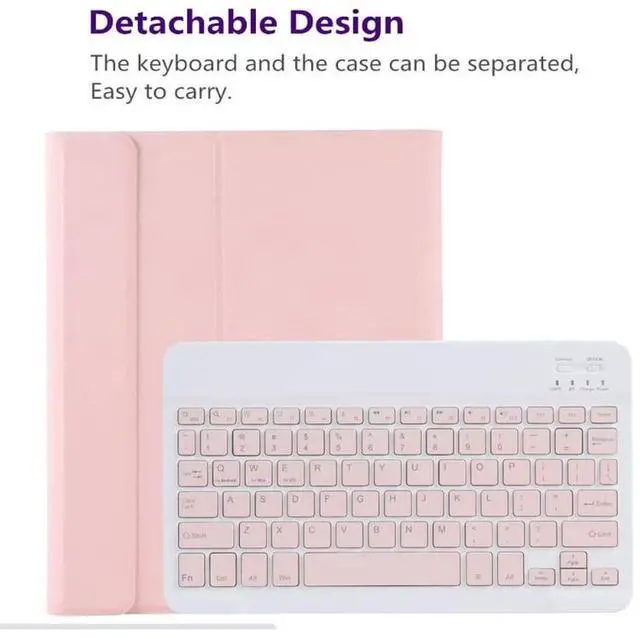
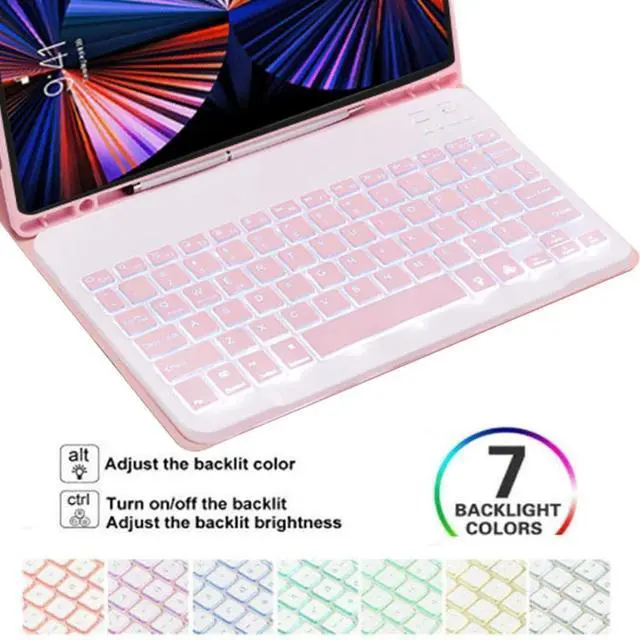
CHAINORA Keyboard Case for iPad Air 11 inch (M2 2024& M3 2025)/Air 5th/ 4th Generation, Slim Folio Cover Detachable Bluetooth Keyboard with Pencil Holder (Pink)
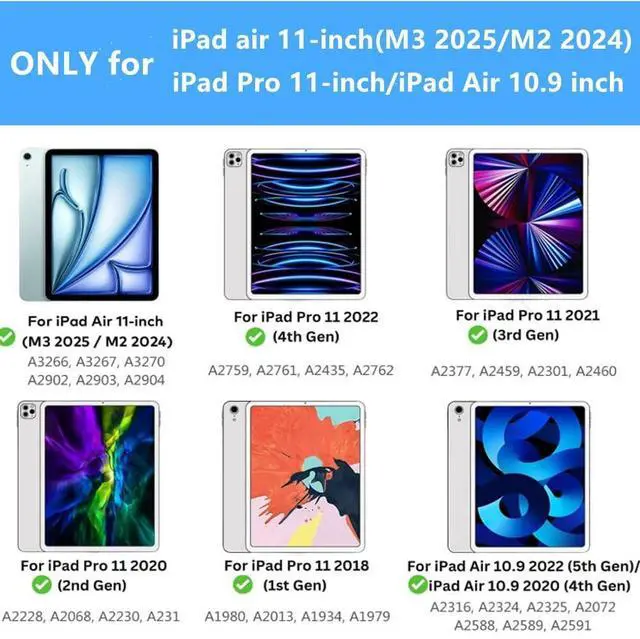
- Compatibility: perfectly compatible with Apple iPad Air 11 inch (M2 2024& M3 2025), iPad Air 5th/4th Gen 10.9 inch, iPad Pro 11 inch 4th/3rd/2nd/1st Generation. Model Number: A3266 A3267 A3270 A2902 A2903 A2904 A2588 A2589 A2591 A2324 A2325 A2072 A2316 A2759 A2435 A2761 A2762 A2377 A2459 A2301 A2460 A2228 A2068 A2230 A2231 A1980 A2013 A1934 A1979.
- BACKLIT KEYBOARD: 7 Colors back light options, 3 level Brightness. You can change the backlights on the keys to different colors. Typing in the dark or dim light is so much easier.
- RECHARGEABLE BATTERY:500mAh lithium battery combined with Type-C fast charging technology. It takes only 2-3 hours to fully charge, it can work for over 200 hours with a standby time of more than 90 days, ensuring that your busy work or entertainment will not be interrupted by lack of power.
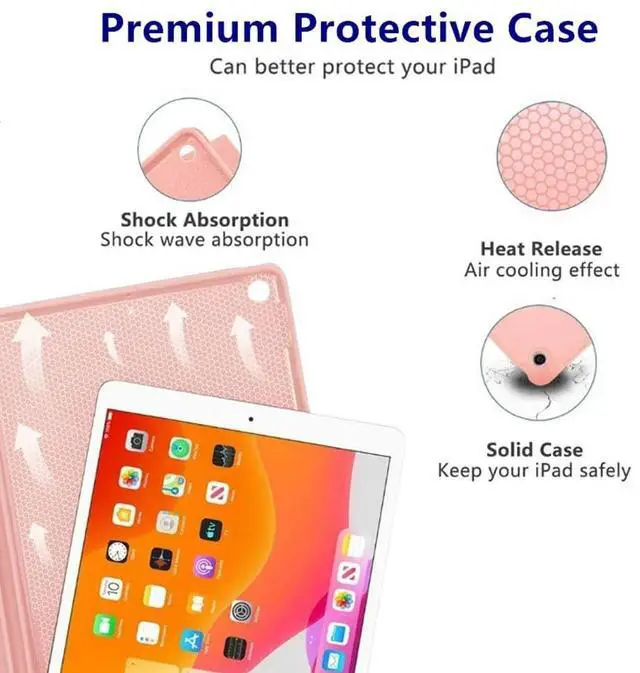
- All-Round Protection:Premium Vegan Leather, Full Protection for Your iPad.PU Leather exterior offers a soft, smooth feel. Full-edge coverage, protects your tablet from
+
+
Overview
Specs
Reviews
Any questions? Our AI beta will help you find out quickly.
Try me now
Material: ABS (the keyboard) +PU Leather (the case)
Working distance: 10mCharging
time: 2-3
hoursStandby time: 100
daysWorking time: 100
hoursCharging current:
200mAChip: Broadcom chip
Bluetooth version 5.0S upport system: IOS / Android, /Windows
systemNet weight: 0.65 kgPackage Includes1 x Keyboard Case1 x Micro USB Charging Cable1 x English Instructional ManualHow to get the keyboard sync with iPad: 1. Please go to the iPad accessibility setting to turn on the assistive touch function first, then you can use the touchpad. Press FN + Space to turn off the touchpad function. 2. Fully charge the keyboard, push the botton to ON power3. Press the key"FN+C", the bluetooth light flashes. 4. Go to your iPad settings, click on bluetooth and look for the keyboard. 5. Click on the keyboard and it will connect.

Working distance: 10mCharging
time: 2-3
hoursStandby time: 100
daysWorking time: 100
hoursCharging current:
200mAChip: Broadcom chip
Bluetooth version 5.0S upport system: IOS / Android, /Windows
systemNet weight: 0.65 kgPackage Includes1 x Keyboard Case1 x Micro USB Charging Cable1 x English Instructional ManualHow to get the keyboard sync with iPad: 1. Please go to the iPad accessibility setting to turn on the assistive touch function first, then you can use the touchpad. Press FN + Space to turn off the touchpad function. 2. Fully charge the keyboard, push the botton to ON power3. Press the key"FN+C", the bluetooth light flashes. 4. Go to your iPad settings, click on bluetooth and look for the keyboard. 5. Click on the keyboard and it will connect.
Warranty & Returns
Warranty, Returns, And Additional Information
Warranty
- Please contact the Seller directly for warranty information. Warranty information may also be found on the Manufacturer's website.
- CONTACT
Return Policies
- Return for refund within: 30 days
- Return for replacement within: 30 days
- This item is covered by mafengkeji Return Policy
Manufacturer Contact Info
- For a directory of all our manufacturers, please click below.
- Manufacturers Directory
LOADING...