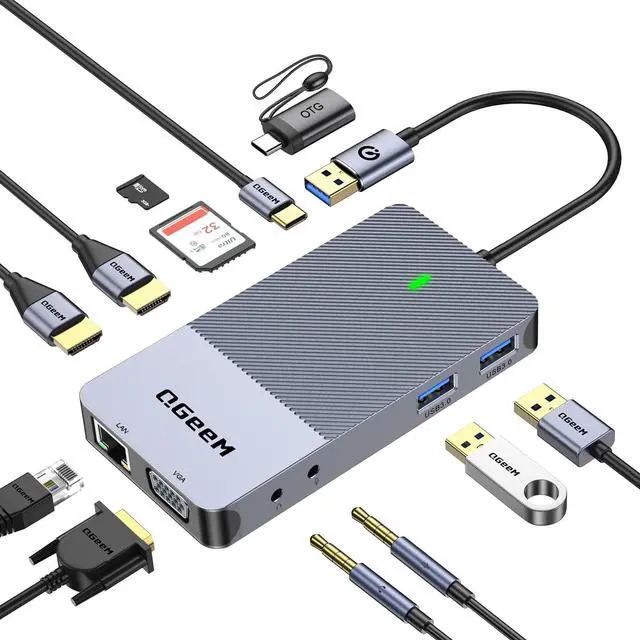
[Multi-functional &
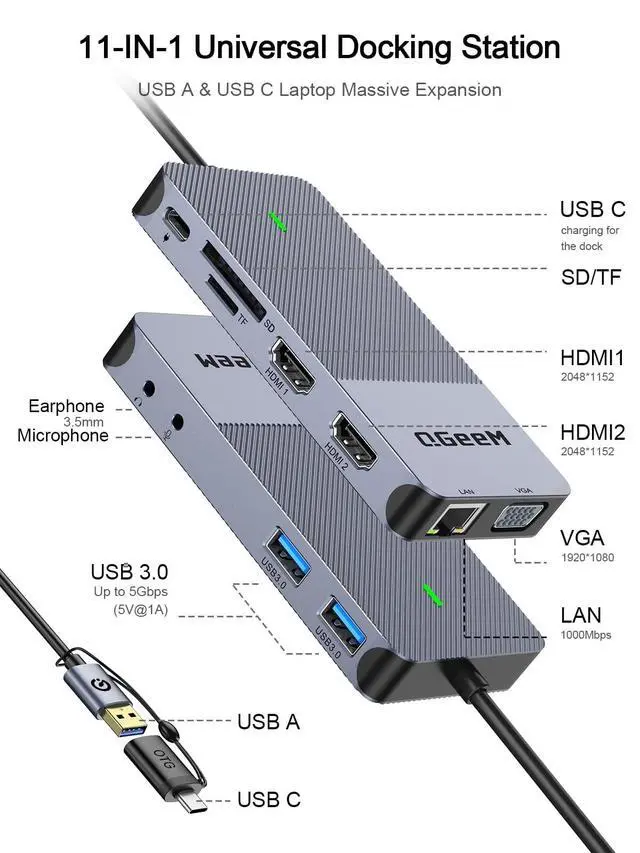
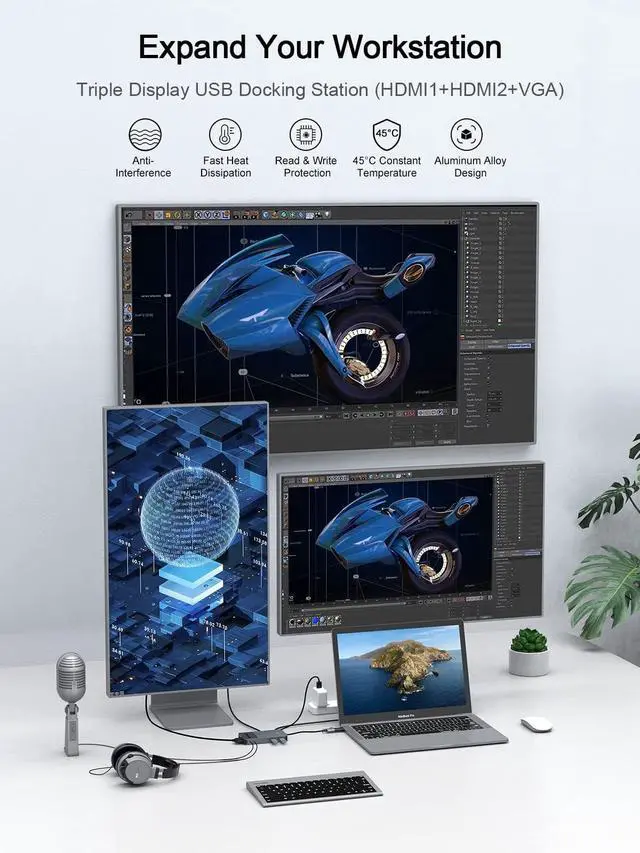
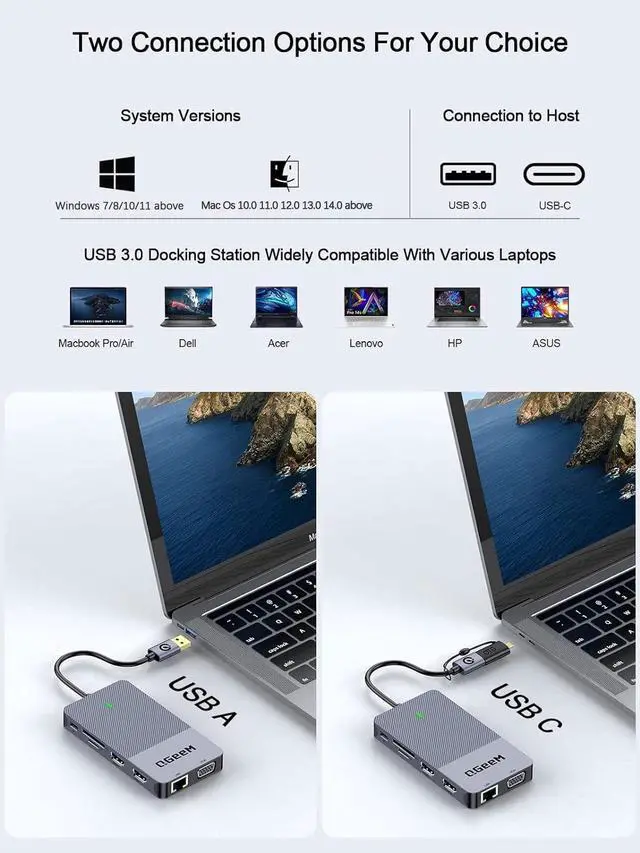
Security & Portable]: The Triple display usb 3.0 docking station equipped with USB-C OTG converter, perfectly combined the simplicity, the highest performance and the most reliable connectivity of usb-c hub and usb docking station, efficient expand desktop space, suitable for all the laptop with USB-A or USB-C port; Premium aluminum shell makes it durable and anti-overheat, safer in use; lightweight and sleek in design. A reliable universal docking station makes it unstoppable for education, home office, entertainment and business trip, with no lag, and no interference ^^ [Hdmi
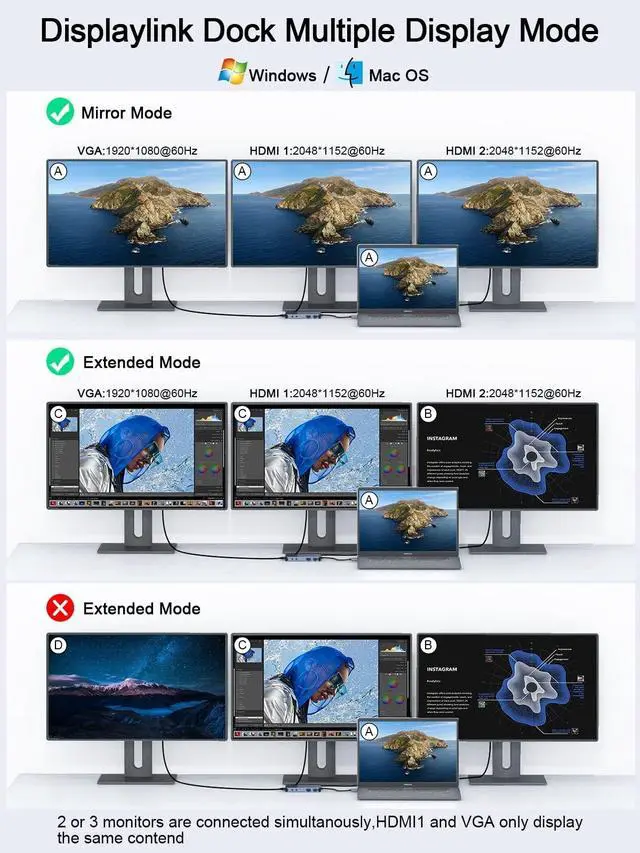
Splitter Extender]: Support docking station dual monitor or triple display, extends or mirror your laptops screen with the HDMI or VGA port and directly stream full HD 2k video to 3 monitors, projectors or HDTV. The displaylink docking station built in 3.5 mm headphone and microphone jacks, brings the vivid 3D effect video and clear audio sync (Note: please download the latest displaylink driver to your laptop before using.
Note2: The audio only valid for HDMI2 ) ^^ [1000M Ethernet Connection & Fast Data Transfer]: This laptop docking station can stable access to the Internet with 10/100/1000M RJ45 port, the signal will not be interrupted, ensure you a stable network connection. Ultra-fast data transfer with a rate of 5GBPS for 2 USB 3.0 ports, ensuring quick syncing and file sharing. And built in SD/TF card slots for superior data-storing versatility (Note: please supply power for the usb dock by usb-c port when connect with high-power external device, but this dock don't support charge for the laptop) ^^ [Comprehensive in
Compatibility]: An ideal docking station for MacBook Pro M1, ChromeBook, Dell XPS 13/15, Lenovo Yoga, ASUS ZenBook, Huawei Matebook, Works on Mac OS X 10.6 or higher; Windows XP, 7 or higher; Chrome OS ^^ [What
You Get]: QGeeM USB Docking Station, USB A to C cable, USB-C converter adapter, User
Manual (Note: If you have any issues, please do not hesitate to contact us for a pleasant solution, we provide 18-month warranty, and 24h friendly customer service, Thanks for your trust) ^^
Note: 1. Before use, ensure the latest version of the DisplayLink driver is downloaded and installed on your device under the latest operating system. Verify the program is running when using the docking station.
2. When using this docking station, connect an external power source to the USB-C port to ensure sufficient power supply for your device, thereby enhancing operational stability.