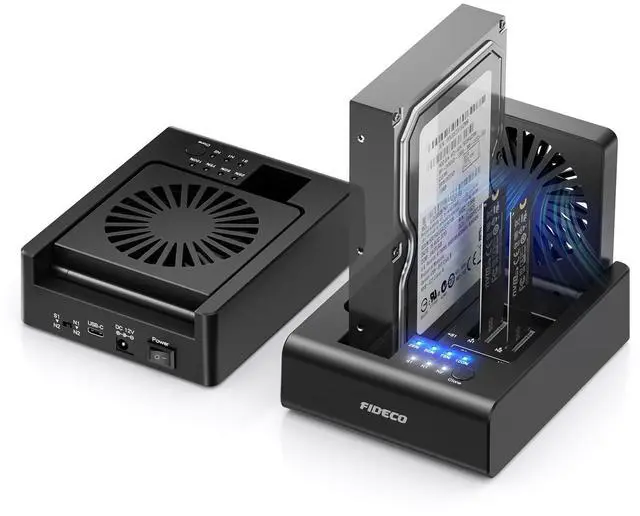
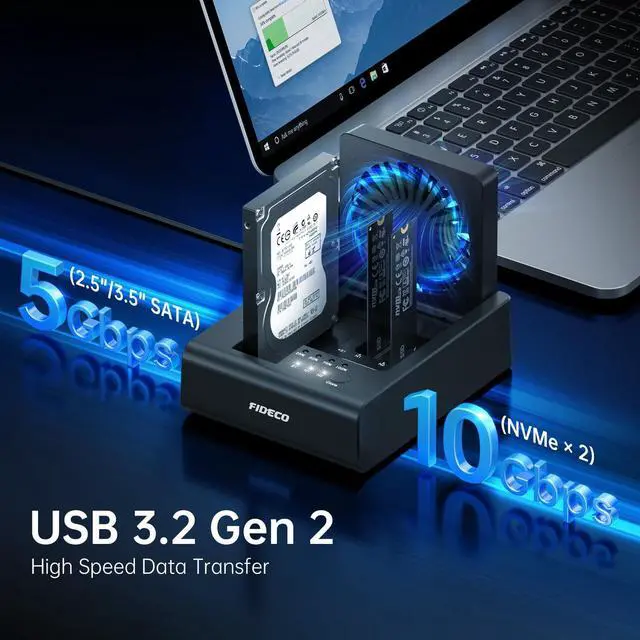
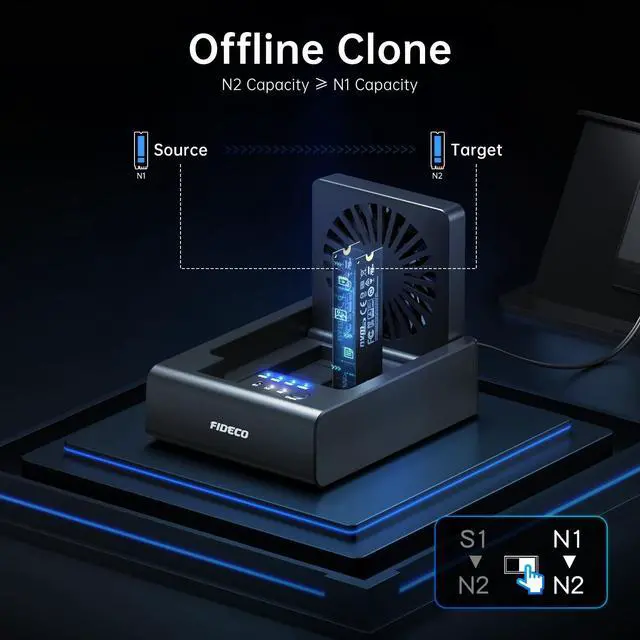
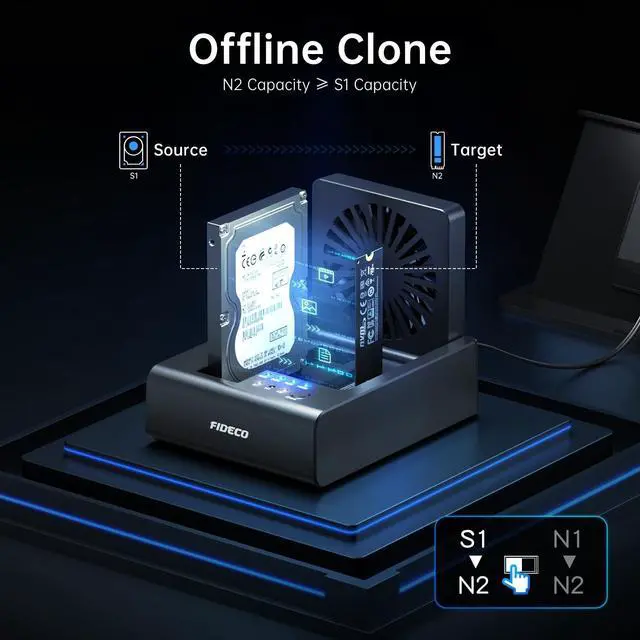
One Dock for AllFIDECO 3-bay hard drive docking station can support M. 2 PCIe NVMe SSD with M-Key or M+B Key and 2.5 / 3.5 inch SATA HDD/SSD. The hard drive reader allows you to connect and access 2 NVMe SSDs and one 2.5" / 3.5" SATA HDD simultaneously, meeting your needs for different storage setups. ^^ Flexible Offline CloneFIDECO NVMe cloner dock can support offline clone between multiple types of hard drives. Just push the clone conversion switch to choose the way of clone: NVMe NVMe, or 2.5" / 3.5" SATA NVMe. Generally, for offline clone from NVMe (1TB) to NVMe (1TB), it takes about 20 minutes. Greatly save your time and effort! ^^ Warm Note for Offline CloneStart the offline clone with just a single touch for 3-5 seconds. No software is needed! Before offline clone, do ensure the target hard drive capacity is equal to or larger than the source hard drive capacity by checking both disks in Windows "Disk Management". If 4 blue lights are flashing, it means the clone failed. ^^ High-Speed Data TransferFIDECO NVMe SSD reader features USB 3.2 Gen 2 standard for maximum 10Gbps super fast transfer speed. Transfer large files within minute with no lag. For 2.5 / 3.5 inch SATA hard drive, the maximum data transfer speed can reach 5Gbps to meet your daily needs. ^^ Ultimate Heat DissipationFIDECO NVMe duplicator is equipped with a foldable cooling fan, offering you the much cooler operating environment to help protect your hard drives from overheating, ideal for professionals managing large amount of data or game players. ^^ Wide CompatibilityDesigned to work flawlessly with Windows, Mac OS, and Linux.
Just plug and play with no driver needed. We offer one USB C to USB C cable with an attached USB A adapter, allowing you to access your files seamlessly with USB-C or USB-A laptops, desktops, game consoles, etc. ^^ Warm NoteFor new HDD or SSD, it needs to be initialized and then it can be recognized by computer. We can offer firmware update and technical support. Any other question, contact us at [support@fideco. cn].





 here!
here!