

Your Browsing History

Meet Your Seller

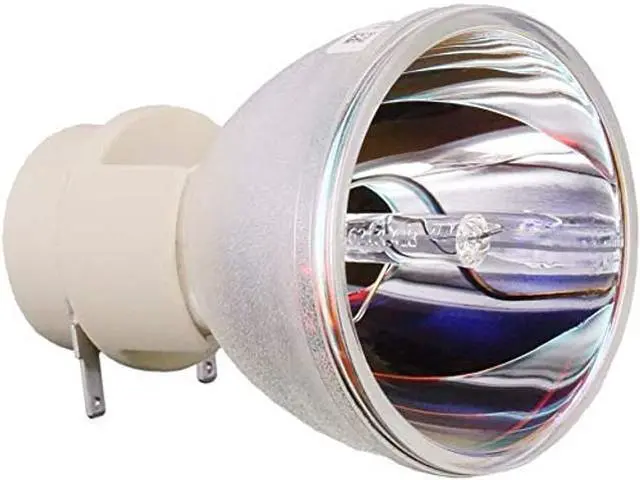
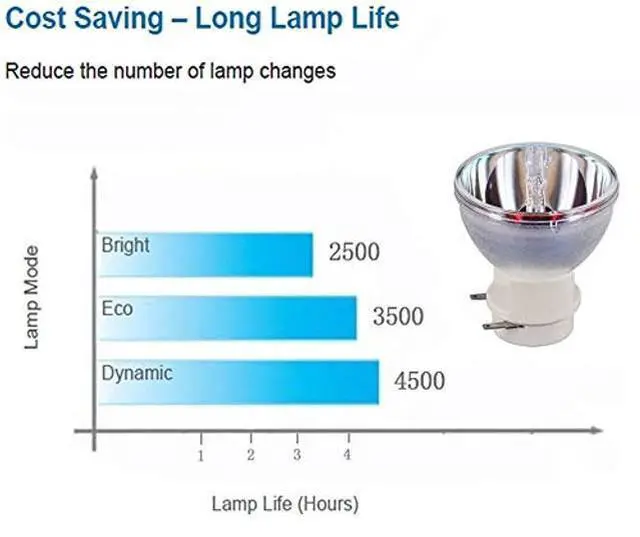
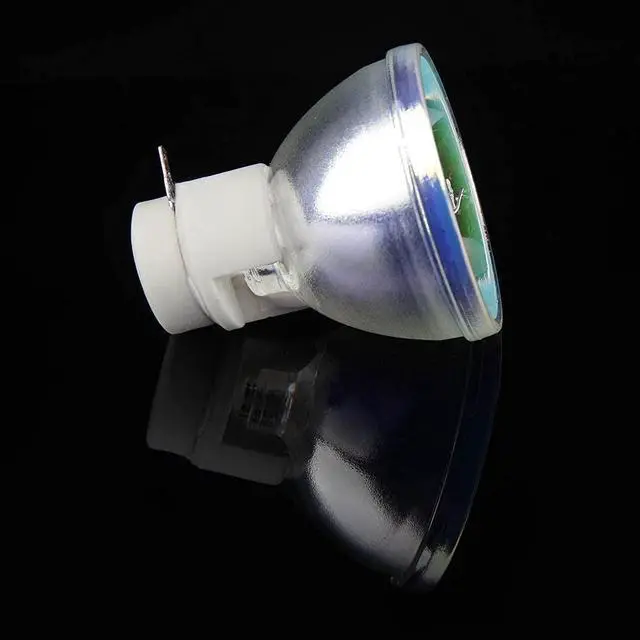
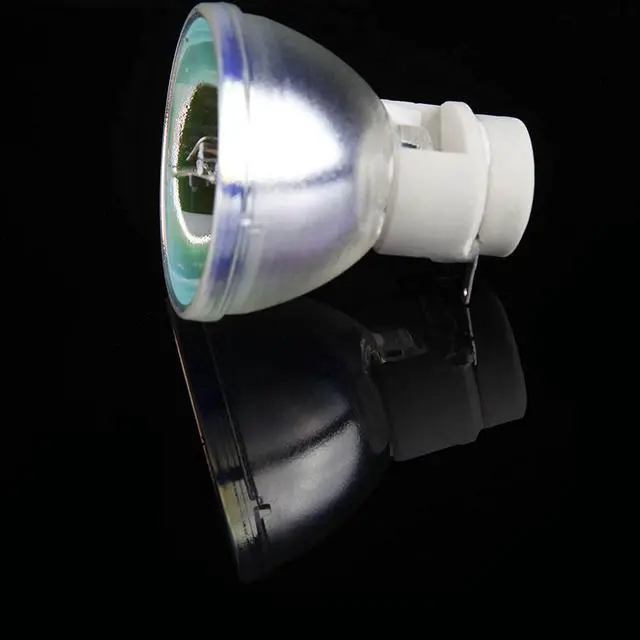
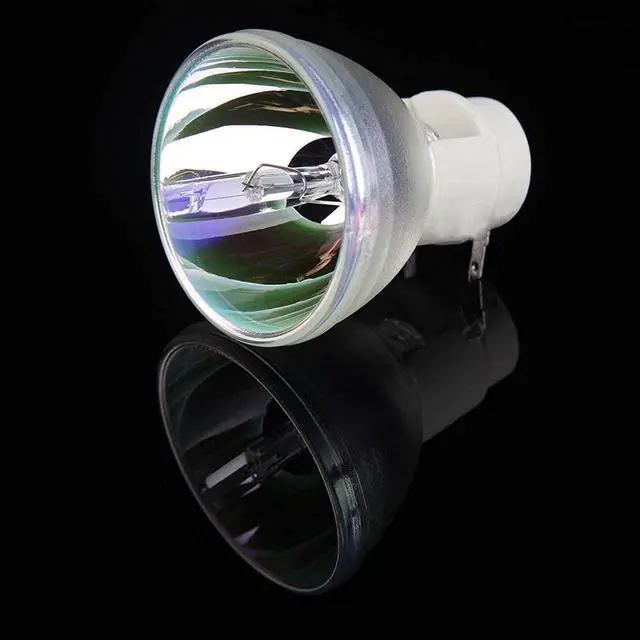


SunnyPro BL-FP190E/SP.8VH01GC01 Projector Bare Bulb/Lamp Compatible for OPTOMA EH200ST GT1080 S316 X316 W316 DX346 BR323 BR326 DH1009 HD141X
- Compatible with OPTOMA EH200ST GT1080 S316 X316 W316 DX346 BR323 BR326 DH1009 HD141X
- Compatibility: VIP 180/210 0.8 E20.8is compatible for most housings which the house matched with your accurate projector models.This bare bulb is an universal product for the projectors.
- All lamps are produced by our own factory
- All Lamps Will Be Test Before Delivery, All Messages Will Be Respond Within 24hours, Excellent Return Service And Friendly Customer Service
- Safety: Higher temperature resistance with optimized buner design.Light weight and compact reflector lamps with ECG.Uniform light output throughout the entire lifetime.
+
+
Overview
Specs
Reviews

Any questions? Our AI mode will help you find out quickly.
Try me now
Model Number: SP. 8VH01GC01-CB P-VIP 230/ 0.8
E 20.8A pplication: Commercial, Engineering, Indoor, Professional, SailingWattage:
230WType: Bare Lamp with housingAverage
Life (hrs): 2500Be
used in projectors: for OPTOMA EH200ST GT1080 S316 X316 W316 DX346 BR323 BR326 DH1009 HD141X9 steps to replace the projector lamp1. Gather the necessary tools, screwdriver. 2. Turn off TV or Projector. 3. Remove Lamp Compartment Door. 4. Remove Lamp Assembly. Carefully pull out the lamp assembly and disconnect any power cords that may still be connected to the lamp assembly. Put it aside and don't get it confused with your new lamp! 5. Clean Lamp Compartment. Dust gets everywhere and while you have the projector open, use a soft cloth or micro-fiber cleaning cloth to remove any loose dust from the lamp compartment. 6. Insert New Lamp Assembly. Carefully reconnect any power cables to the new lamp if present and slide the new lamp into the compartment in the same orientation that the original lamp came out. 7. Replace Lamp Compartment Door. Set the lamp compartment door back into place and securely screw in the door without screwing it in too tightly. 8. Reset the lamp timer. Instructions on how to do this should be covered by the instruction manual.
9. You're Done! Enjoy your projector or TV again and make sure you have a backup lamp handy in case the lights go out unexpectedly.
E 20.8A pplication: Commercial, Engineering, Indoor, Professional, SailingWattage:
230WType: Bare Lamp with housingAverage
Life (hrs): 2500Be
used in projectors: for OPTOMA EH200ST GT1080 S316 X316 W316 DX346 BR323 BR326 DH1009 HD141X9 steps to replace the projector lamp1. Gather the necessary tools, screwdriver. 2. Turn off TV or Projector. 3. Remove Lamp Compartment Door. 4. Remove Lamp Assembly. Carefully pull out the lamp assembly and disconnect any power cords that may still be connected to the lamp assembly. Put it aside and don't get it confused with your new lamp! 5. Clean Lamp Compartment. Dust gets everywhere and while you have the projector open, use a soft cloth or micro-fiber cleaning cloth to remove any loose dust from the lamp compartment. 6. Insert New Lamp Assembly. Carefully reconnect any power cables to the new lamp if present and slide the new lamp into the compartment in the same orientation that the original lamp came out. 7. Replace Lamp Compartment Door. Set the lamp compartment door back into place and securely screw in the door without screwing it in too tightly. 8. Reset the lamp timer. Instructions on how to do this should be covered by the instruction manual.
9. You're Done! Enjoy your projector or TV again and make sure you have a backup lamp handy in case the lights go out unexpectedly.
Warranty & Returns
Warranty, Returns, And Additional Information
Warranty
- Please contact the Seller directly for warranty information. Warranty information may also be found on the Manufacturer's website.
- CONTACT
Return Policies
- Return for refund within: 30 days
- Return for replacement within: 30 days
- This item is covered by Qiangsheng kuajing (Hong Kong) Co., Limi Return Policy
Manufacturer Contact Info
- For a directory of all our manufacturers, please click below.
- Manufacturers Directory
LOADING...