• $57.99
  • Free 30-day Returns
  • Sold by AetherWide

    Shipped by AetherWide

    Price alert
    Shop it at NeweggBusiness.

    Meet Your Seller

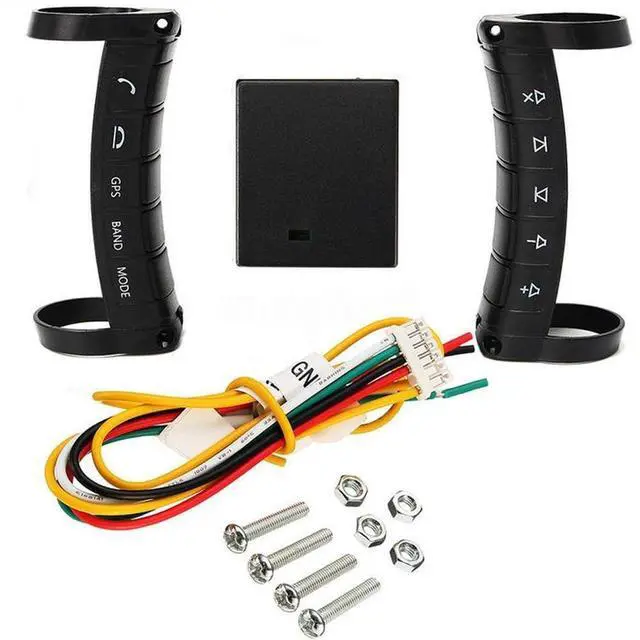
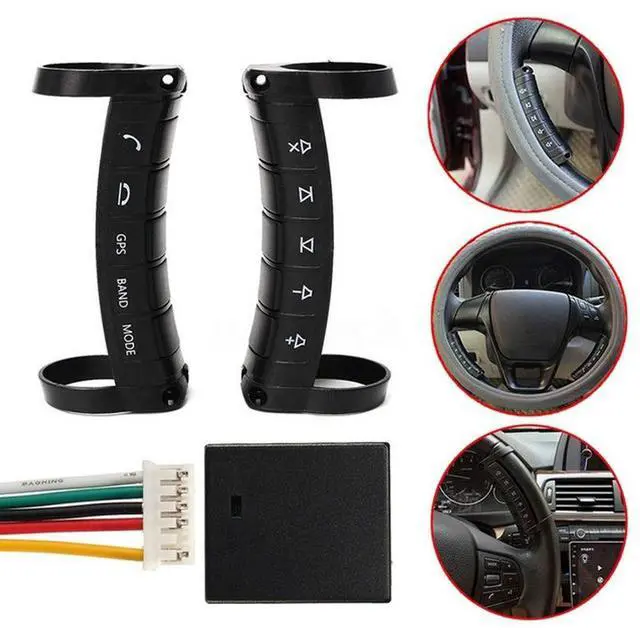
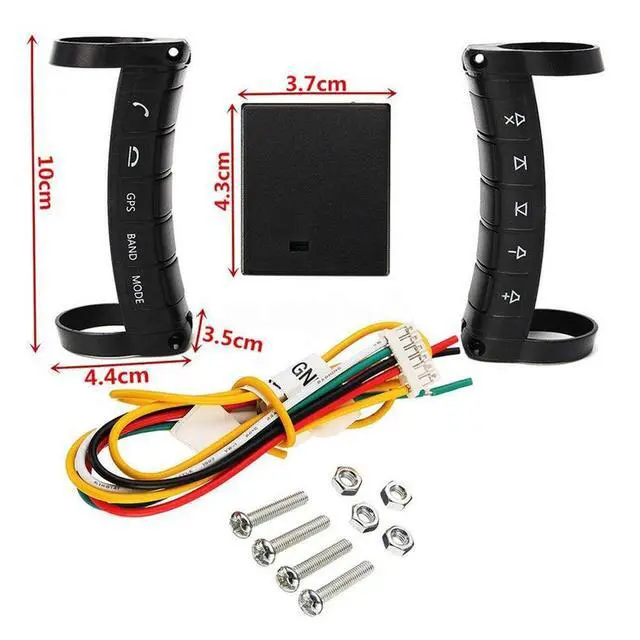
    PolarLander Universal Remote Control Car Steering Wheel Button Remote Control Car Navigation DVD / 2 Din Android/Window Bluetooth Wireless

    • It is powered by built in batteries with ultra low power consumption. The batteries can be used for about one year to two years.
    • It is applicable to most of the DVD navigation with direction control function on the market.
    • It can support 5 buttons and 10 buttons two choices to meet the common operation needs of the car.
    • Its super touch design, small space occupation and side button will not cause the wrong operation by steering the wheel.
    • Integrated arc design is perfectly compatible with a variety of car steering wheels, without bad effect to the steering wheel cover.
    +
    +
    Overview
    Specs
    Reviews
    avatar

    Any questions? Our AI beta will help you find out quickly.

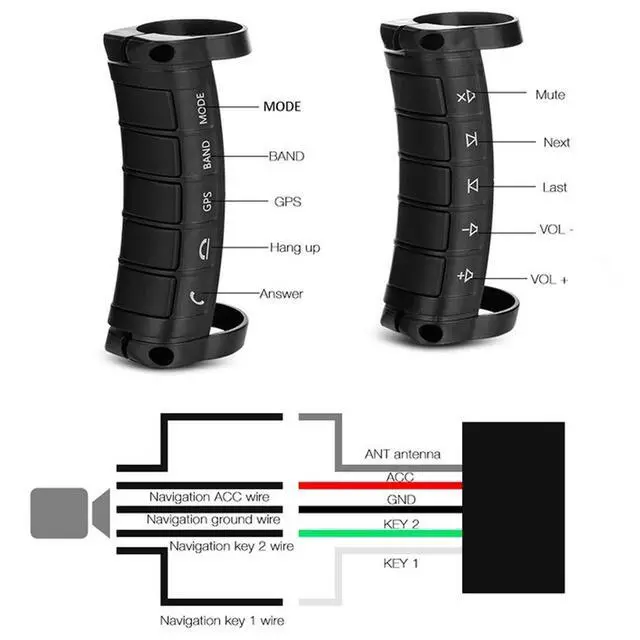
    Features: 1, the latest design modeling, 2, beautiful appearance, 3, Universal product, suitable for all car Andrews DVD player and suitable for all 2 din car DVD player4, wireless remote control player, you can answer the phone, you can add or subtit, it can switch navigation / music / DVR / radio, etc. 5, all key functions can be customized to set its function, 6, a total of 10 keys can be customized to set the function, 7, easy to install it, enhance driving safety, 8, if your car DVD player has steering wheel control function, OK, this product is suitable for your car DVD player use, I promise!
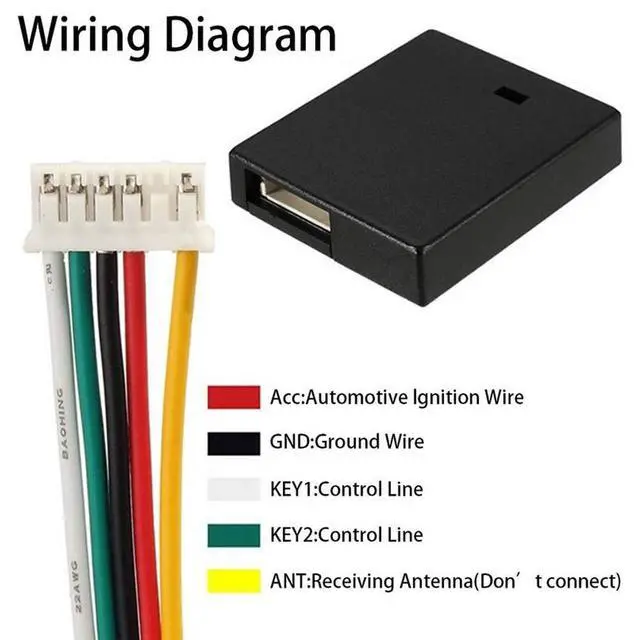
    Installation Notes: 1. Removal DVD navigation2, the correct connection cable, DVD navigation steering control line (KEY 1 and KEY2) 3, the
    receiver cable connection methods: White 1 KEY steering wheel control lineGreen 2 KEY steering wheel control lineRed ACC cable car keys? +12V?? Short black negative ground connectionYellow signal receiving antenna (no connected) 4, into the DVD navigation system, steering wheel control interface5, hold the button, then click on the screen function key learning settings,

    Warranty & Returns

    Warranty, Returns, And Additional Information

    Warranty

    • Please contact the Seller directly for warranty information. Warranty information may also be found on the Manufacturer's website.
    • CONTACT

    Return Policies

    • Return for refund within: 30 days
    • Return for replacement within: 30 days
    • This item is covered by AetherWide Return Policy

    Manufacturer Contact Info

    LOADING...