

Your Browsing History
- Free 30-day Returns
$58.99

Meet Your Seller

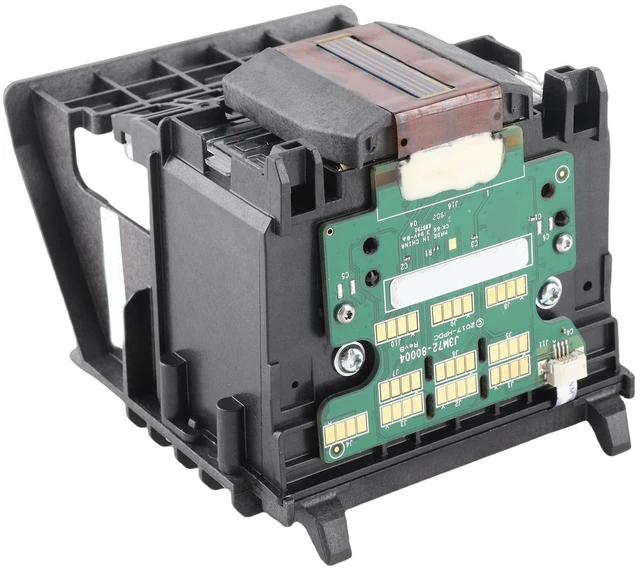
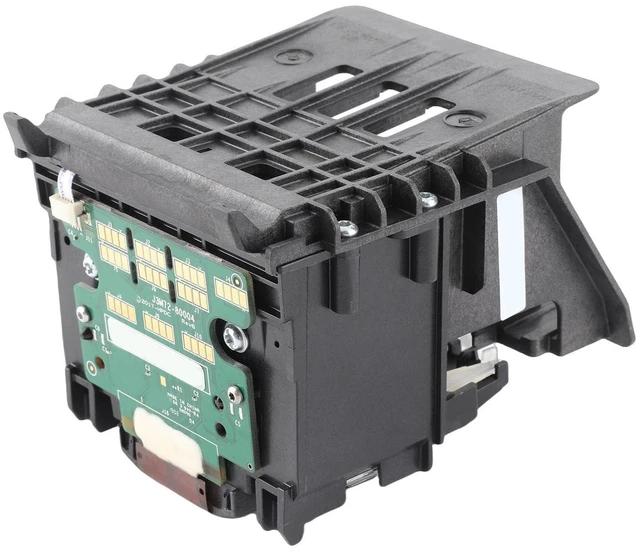
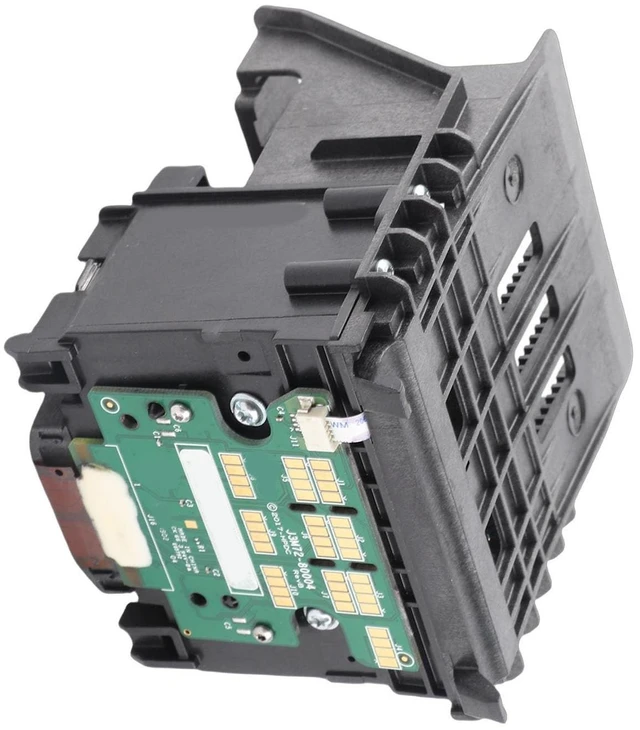
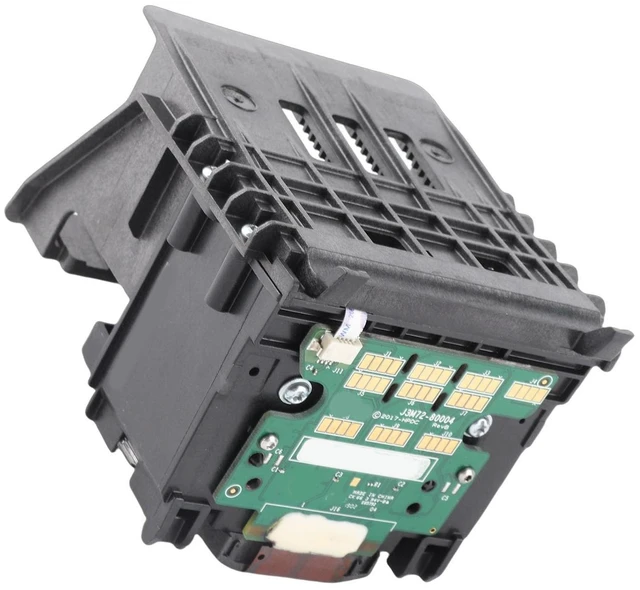


ERYUE Print Head Replacement 952, 953, 954 955 Printhead for OfficeJet Pro 7740 7730 7720 8210 8710 8730 8740 8216 8720 8725, Premium ABS Housing, Upgrade Chip, with Bright Colors for
- [Simple Installation] This printhead kit contains only one printhead, making installation quick and easy - simply push the printhead in place.
- [Upgrade Chip Technology] Upgrade 952 print head chip allows for faster identification of ink cartridges, producing clear and bright colors for your prints.
- [Wide Compatibility] Compatible with a range of officejet pro printers including 7740, 7730, 7720, 8210, 8710, 8730, 8740, 8216, 8720, and 8725.
- [ Abs Material] Premium 952 printhead housing is made of abs which is more abrasion , ensuring long-lasting performance.
- [Safety Reminder] Be cautious when installing the nozzle and always remember to cut off the power before maintenance to ensure safety.
+
+
Overview
Specs
Reviews

Any questions? Our AI mode will help you find out quickly.
Try me now
Product description[Simple Installation] This printhead kit contains only one printhead, making installation quick and easy - simply push the printhead in place. [Upgrade Chip Technology] Upgrade 952 print head chip allows for faster identification of ink cartridges, producing clear and bright colors for your prints. [Wide Compatibility] Compatible with a range of rk>>> officejet pro printers including 7740, 7730, 7720, 8210, 8710, 8730, 8740, 8216, 8720, and 8725. [ Abs Material] Premium 952 printhead housing is made of abs which is more abrasion, ensuring long-lasting performance.
[Safety Reminder] Be cautious when installing the nozzle and always remember to cut off the power before maintenance to ensure safety.
Spec: Item
Type: Print
HeadProduct Material: ABS
Applicable: For rk>>> OfficeJet Pro 7740 7730 7720 8210 8710 8730 8740 8216 8720 8725Package
List: 1 x
Print HeadHow To Use:
Instructions: Customers are required to factory reset and reinstall the driver: 1. Press and hold the "for and for "X" keys on the keyboard at the same time to find the Control Panel. 2. Then select View Devices and Printers. 3. Select "Advanced Printer Settings" to search for connected and available printers. 4. Then click "The printer I want is not in the list". 5. Manually add local printers. 6. Select "Use existing port". 7. Select the "Manufacturer" and "Printer Model" of the printer. 8. Select "Replace current driver". 9. Enter the "Printer Name". 10. Choose whether to share the printer. 11. Click "Print Test Page" to test whether it is normal, and click "Finish".
Note: Solution
for incompatibility: Reset the printer, follow the steps below to reset the printing device. Turn on the printer (if not already turned on). Wait for the printer to come to a complete standstill before continuing. After turning on theManufacturer Contact Information1
[Safety Reminder] Be cautious when installing the nozzle and always remember to cut off the power before maintenance to ensure safety.
Spec: Item
Type: Print
HeadProduct Material: ABS
Applicable: For rk>>> OfficeJet Pro 7740 7730 7720 8210 8710 8730 8740 8216 8720 8725Package
List: 1 x
Print HeadHow To Use:
Instructions: Customers are required to factory reset and reinstall the driver: 1. Press and hold the "for and for "X" keys on the keyboard at the same time to find the Control Panel. 2. Then select View Devices and Printers. 3. Select "Advanced Printer Settings" to search for connected and available printers. 4. Then click "The printer I want is not in the list". 5. Manually add local printers. 6. Select "Use existing port". 7. Select the "Manufacturer" and "Printer Model" of the printer. 8. Select "Replace current driver". 9. Enter the "Printer Name". 10. Choose whether to share the printer. 11. Click "Print Test Page" to test whether it is normal, and click "Finish".
Note: Solution
for incompatibility: Reset the printer, follow the steps below to reset the printing device. Turn on the printer (if not already turned on). Wait for the printer to come to a complete standstill before continuing. After turning on theManufacturer Contact Information1
Warranty & Returns
Warranty, Returns, And Additional Information
Warranty
- Please contact the Seller directly for warranty information. Warranty information may also be found on the Manufacturer's website.
- CONTACT
Return Policies
- Return for refund within: 30 days
- Return for replacement within: non-replaceable
- This item is covered by SIMPLIZED Return Policy
Manufacturer Contact Info
- For a directory of all our manufacturers, please click below.
- Manufacturers Directory
LOADING...