

Your Browsing History
- Free 30-day Returns
$80.99

Meet Your Seller



USB C Docking Station Dual Monitor,USB C to HDMI Adapter,Type C Hub Multiport Adapter with Displayport,100WPD USB3.0,SD/TF,Ethernet,3.5mm Audio,Laptop Docking Station for Dell/Hp/XPS/Surface.etc
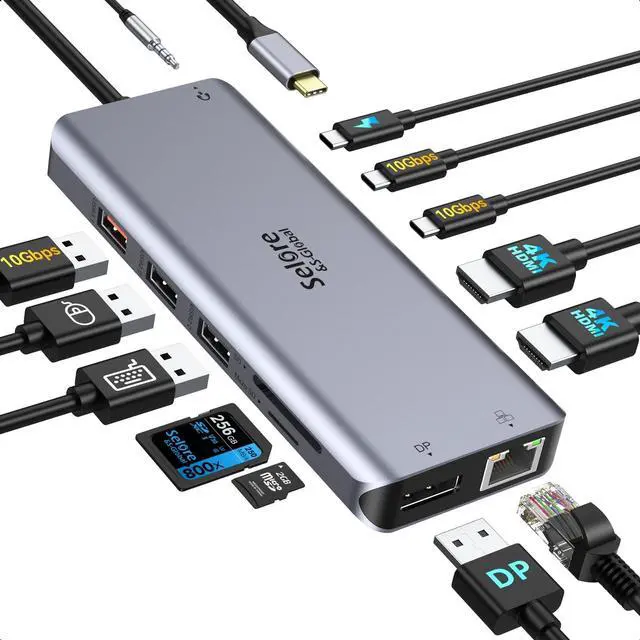
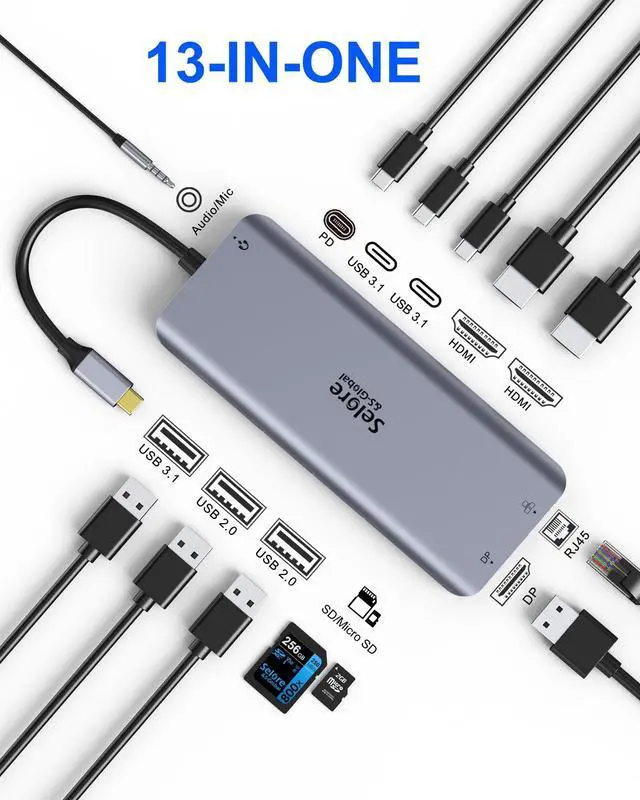
- 13 IN 1 USB-C Laptop Docking Station: This docking station for 3 monitors offers dual HDMI and DP. HDMI 1 supports up to 4K@60Hz/3840x2160, HDMI 2 supports up to 4K@30Hz/3840x2160; DP port supports up to 4K@60Hz /3840x2160. Also includes 2 x USB-C (Up to 10Gbps), 1 x USB 3.1-A (Up to 10Gbps), 2 x USB 2.0 (with BC1.2 charging), 100W PD3.0 charging input, Gigabit Ethernet up to 1000Mbps, SD/TF card reader, and a 3.5mm Audio Jack. Note: Video output depends on your source device's capability. For optimal performance, please use an HDMI 2.0 or DP 1.4 cable
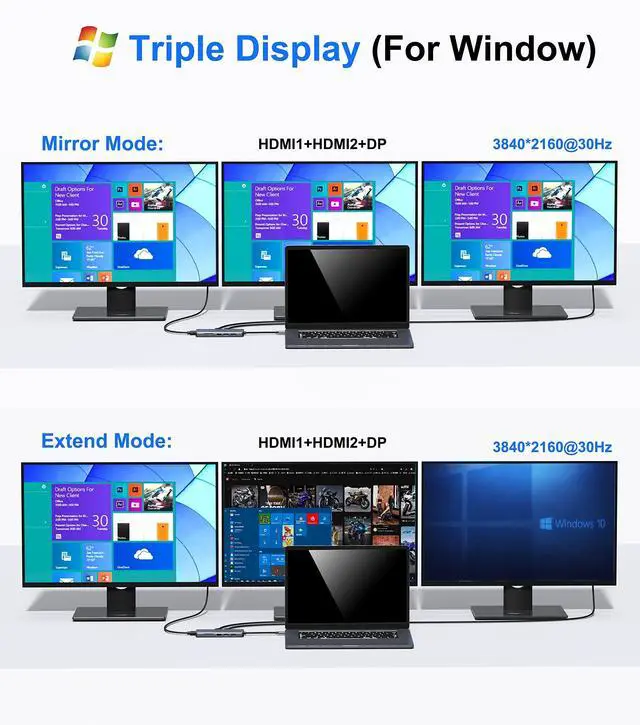
- USB C Docking Station Triple Monitors: This laptop docking station allows you to extend to 3 monitors, providing expansive screen real estate to work on different projects across different displays. Please Note Before Purchase: The triple monitor function requires your laptop's built-in USB-C port to support DP Alt Mode or Thunderbolt 3/4. If you are unsure, please feel free to contact us; we are happy to help you check if this dockin
+
+
Overview
Specs
Reviews

Any questions? Our AI mode will help you find out quickly.
Try me now
13 IN 1
USB-C Laptop Docking Station: This docking station for 3 monitors offers dual HDMI and DP. HDMI 1 supports up to 4K@60Hz/3840x2160, HDMI 2 supports up to 4K@30Hz/3840x2160; DP port supports up to 4K@60Hz /3840x2160. Also includes 2 x USB-C (Up to 10Gbps), 1 x USB 3.1 -A (Up to 10Gbps), 2 x USB 2.0 (with BC 1.2 charging), 100W PD 3.0 charging input, Gigabit Ethernet up to 1000Mbps, SD/TF card reader, and a 3.5 mm Audio Jack.
Note: Video output depends on your source device's capability. For optimal performance, please use an HDMI 2.0 or DP 1.4 cable ^^ USB C Docking Station Triple Monitors: This laptop docking station allows you to extend to 3 monitors, providing expansive screen real estate to work on different projects across different displays.
Please Note Before Purchase: The triple monitor function requires your laptop's built-in USB-C port to support DP Alt Mode or Thunderbolt 3/4. If you are unsure, please feel free to contact us; we are happy to help you check if this docking station is compatible with your device ^^ USB C Hub
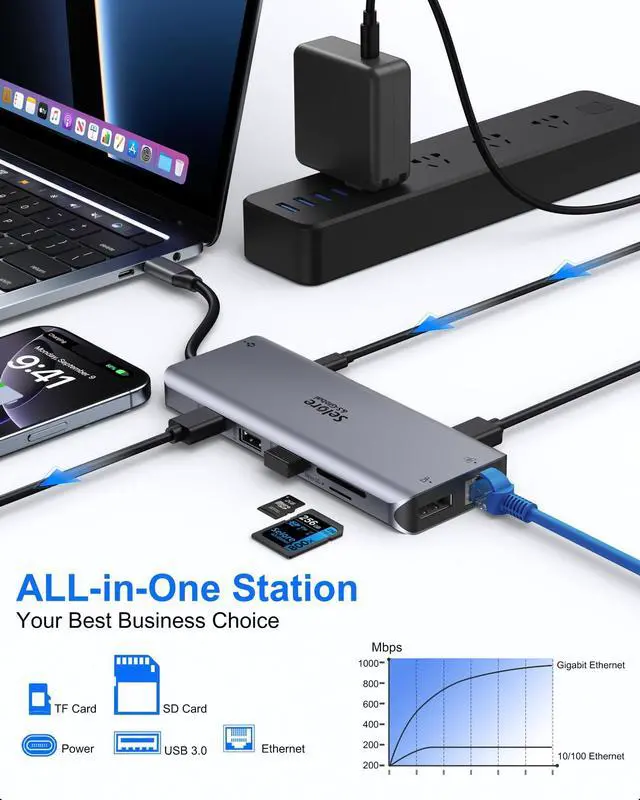
HDMI Multiport Adapter: This docking station features 2x USB-C and 1x USB 3.1 -A ports (up to 10Gbps) for connecting smartphones, tablets, and hard drives for effortless high-speed data transfer. It also provides 2x USB 2.0 ports (speed up to 480Mbps) for connecting a keyboard or mouse without any lag. The SD/TF Card reader (supports simultaneous read/write, speed ~10-40MB/s) allows USB-C/Type-C/Thunderbolt 3 devices to quickly access files from memory cards ^^ 100W PD Charging & 1000M
Ethernet: Provides a stable wired Gigabit Ethernet connection, making your work more efficient with speeds up to 1000Mbps. Plug and play, no need to install any driver or software. The 3.5 mm Audio Port supports both microphone input and audio-out. The 100W PD 3.0 carging port powers your USB-C laptops, so you don't need to worry about losing power when the docking station is fully loaded. The additional USB-C data ports support speeds up to 10Gbps for connecting more USB-C devices ^^ Docking Station for
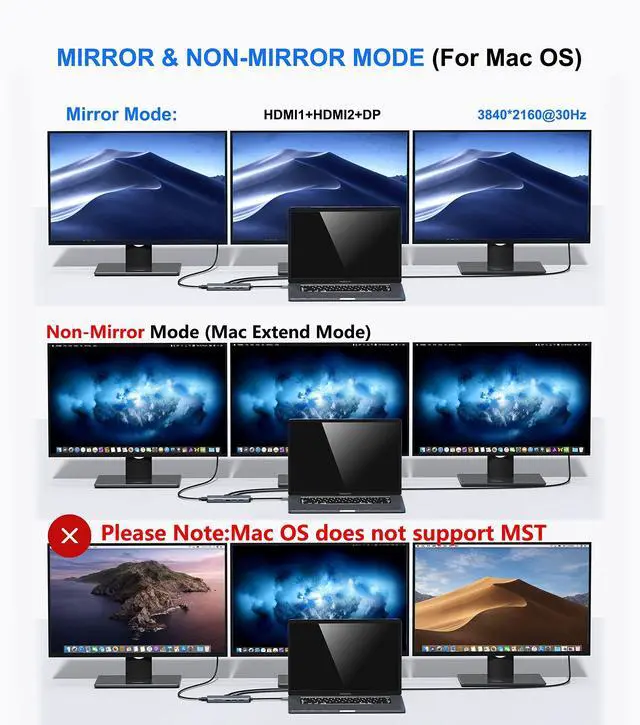
Windows & Mac Laptop: This HDMI Docking Station supports devices with Thunderbolt 3/4 or DP Alt Mode over USB-C. Compatible with Dell XPS13/15, Dell Latitude series, MacBook Pro (Intel & M1), MacBook Air (Intel & M1), iPad Pro, Lenovo Yoga/ThinkPad series, HP EliteBook, Microsoft Surface, and many more. Please ensure your Laptop has a USB-C port that supports DP Alt Mode or Thunderbolt 3/4 to enable multiple displays before purchase. You may need to change the "default audio output device" in your system settings for sound
USB-C Laptop Docking Station: This docking station for 3 monitors offers dual HDMI and DP. HDMI 1 supports up to 4K@60Hz/3840x2160, HDMI 2 supports up to 4K@30Hz/3840x2160; DP port supports up to 4K@60Hz /3840x2160. Also includes 2 x USB-C (Up to 10Gbps), 1 x USB 3.1 -A (Up to 10Gbps), 2 x USB 2.0 (with BC 1.2 charging), 100W PD 3.0 charging input, Gigabit Ethernet up to 1000Mbps, SD/TF card reader, and a 3.5 mm Audio Jack.
Note: Video output depends on your source device's capability. For optimal performance, please use an HDMI 2.0 or DP 1.4 cable ^^ USB C Docking Station Triple Monitors: This laptop docking station allows you to extend to 3 monitors, providing expansive screen real estate to work on different projects across different displays.
Please Note Before Purchase: The triple monitor function requires your laptop's built-in USB-C port to support DP Alt Mode or Thunderbolt 3/4. If you are unsure, please feel free to contact us; we are happy to help you check if this docking station is compatible with your device ^^ USB C Hub
HDMI Multiport Adapter: This docking station features 2x USB-C and 1x USB 3.1 -A ports (up to 10Gbps) for connecting smartphones, tablets, and hard drives for effortless high-speed data transfer. It also provides 2x USB 2.0 ports (speed up to 480Mbps) for connecting a keyboard or mouse without any lag. The SD/TF Card reader (supports simultaneous read/write, speed ~10-40MB/s) allows USB-C/Type-C/Thunderbolt 3 devices to quickly access files from memory cards ^^ 100W PD Charging & 1000M
Ethernet: Provides a stable wired Gigabit Ethernet connection, making your work more efficient with speeds up to 1000Mbps. Plug and play, no need to install any driver or software. The 3.5 mm Audio Port supports both microphone input and audio-out. The 100W PD 3.0 carging port powers your USB-C laptops, so you don't need to worry about losing power when the docking station is fully loaded. The additional USB-C data ports support speeds up to 10Gbps for connecting more USB-C devices ^^ Docking Station for
Windows & Mac Laptop: This HDMI Docking Station supports devices with Thunderbolt 3/4 or DP Alt Mode over USB-C. Compatible with Dell XPS13/15, Dell Latitude series, MacBook Pro (Intel & M1), MacBook Air (Intel & M1), iPad Pro, Lenovo Yoga/ThinkPad series, HP EliteBook, Microsoft Surface, and many more. Please ensure your Laptop has a USB-C port that supports DP Alt Mode or Thunderbolt 3/4 to enable multiple displays before purchase. You may need to change the "default audio output device" in your system settings for sound
Warranty & Returns
Warranty, Returns, And Additional Information
Warranty
- Please contact the Seller directly for warranty information. Warranty information may also be found on the Manufacturer's website.
- CONTACT
Return Policies
- Return for refund within: 30 days
- Return for replacement within: non-replaceable
- This item is covered by FoundationSurge Return Policy
Manufacturer Contact Info
- For a directory of all our manufacturers, please click below.
- Manufacturers Directory
LOADING...