Your Browsing History
- Free 30-day Returns
$53.99
Meet Your Seller
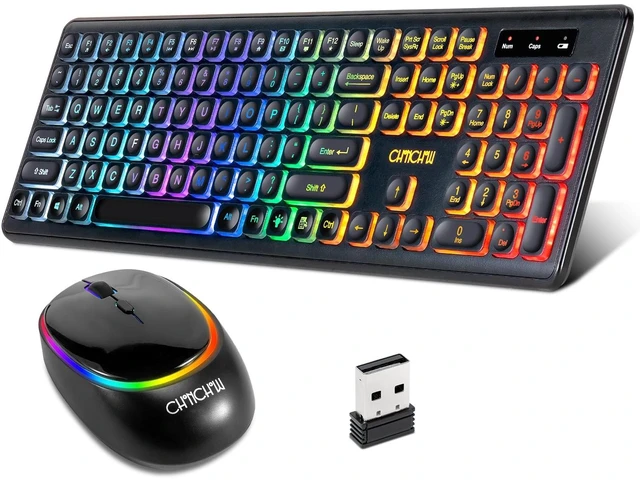
Wireless Rechargeable Keyboard and Mouse CHONCHOW W300
- Standare US keys wireless led keyboard mouse set---104 US layout(QWERTY),have numeric pad and 3 indicator(numb lock/caps lock/power).Friendly to almost people,no matter works or games.
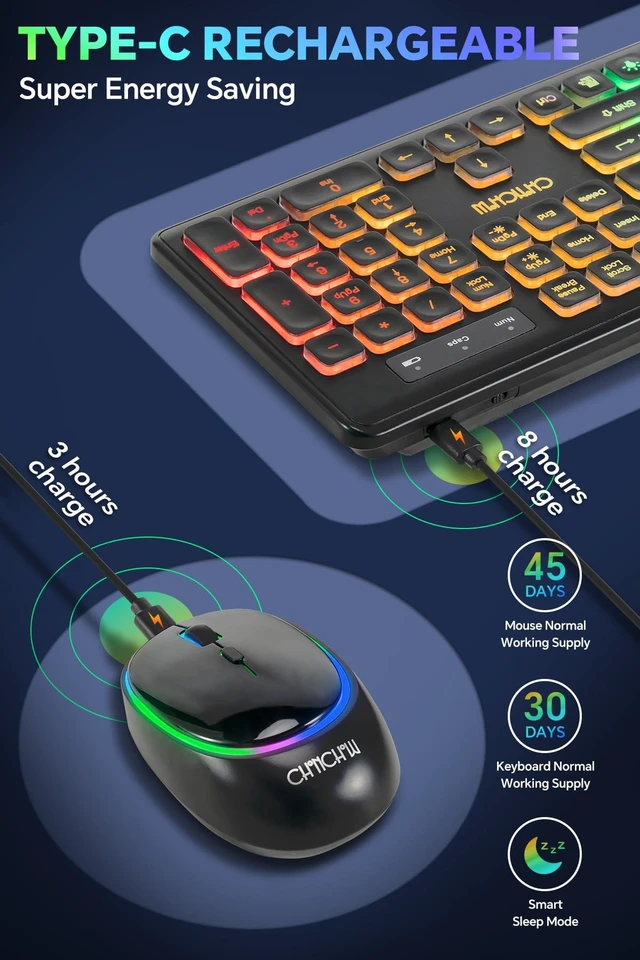
- Long Standby Battery Supply---The led backlit wireless keyboard can carry the 30days working need while the mouse cupport the 45 days working use (in labour lab) It is the normal using life and not the only standby time.
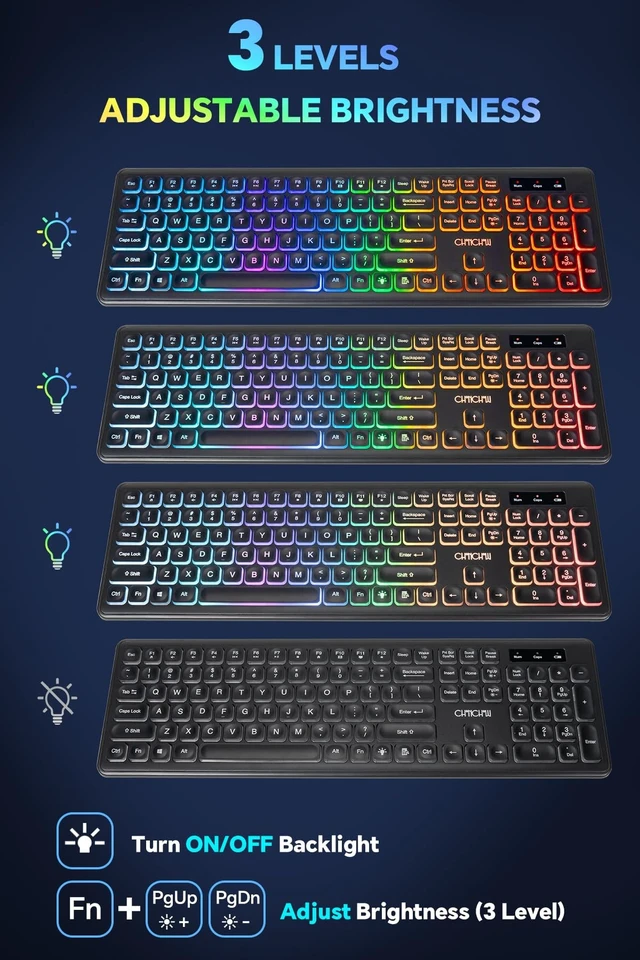
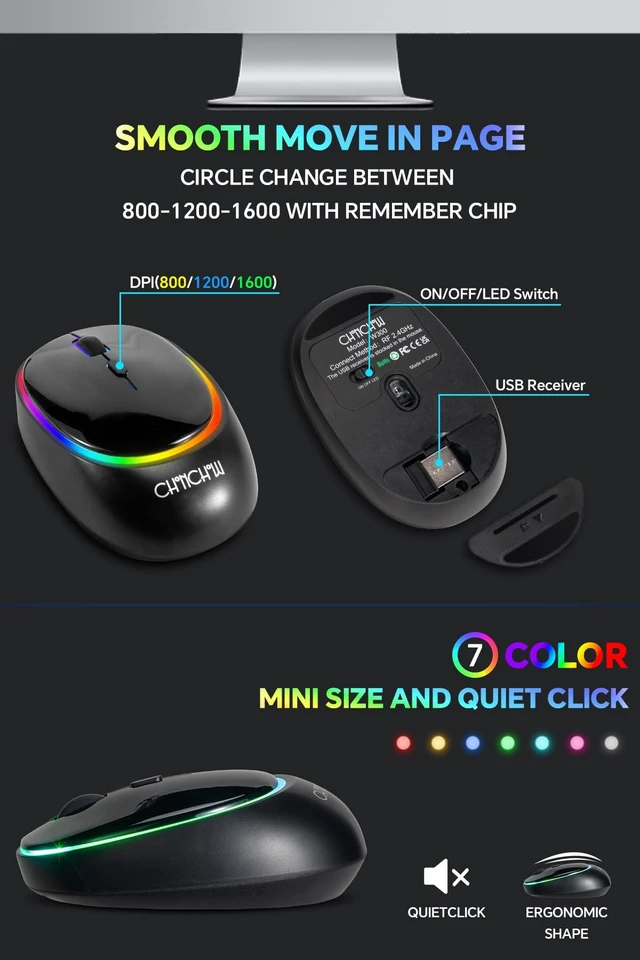
- RGB LED Backlight Cordless Keyboard Mouse ---Multi-color backlit is under the keypad, illuminating the characters clearly and funny the working. The mouse is circle lighting up and change color randomly,not very eye-catching and don't ask you to be distracted.
- Intentional silent treatment on mouse and keyboard ---This maybe not the 100% silent device,but we have special treatment to reduce the noise(the space bar still have a little voice,others include the mouse work well). It is not the normal membrane led keyboard,is close to the apple scissor switch keypad and
+
+
Overview
Specs
Reviews
Any questions? Our AI mode will help you find out quickly.
Try me now
Specification: Wireless
keyboard size: 17.3 * 5.1 * 1.3 inWireless mouse size: 4.7 * 2.7 * 1.2 inClick life: 10 millions timesMouse
DPI:
800/1200/1600Color:
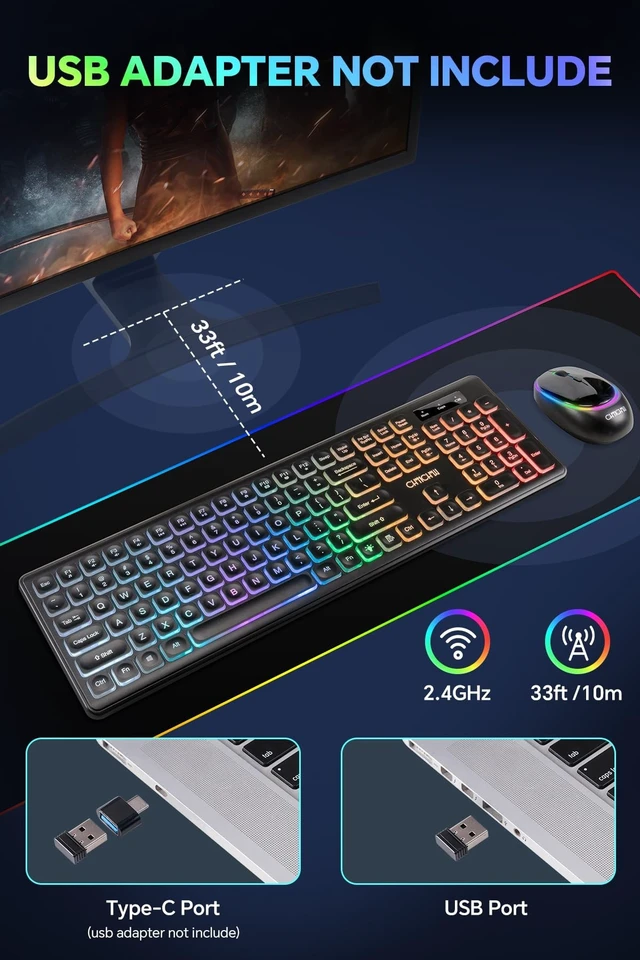
blackHighlights: Compact and light enough to carry while leisure office travel and homeJust one small receiver connects both the keyboard and mouse and enjoy an instantWhisper-quiet click the keys requires less forces to pressPlug and play, no additional software neededThe volcanic -vent switches design reduce the fatigue with prolonged usingCombo package for gift, Sent it as presentsCompatible with
Win XP/7/8/10/Vista Mac Laptop DesktopStarted: Step
1: Take out the nano receiver, insert batteries for both keyboard and mouseStep 2: Plug the nano receiver into your Win XP/7/8/10/Vista Mac Laptop DesktopStep 3: It will connect to your computer automaticallyHow to solve the keyboard and mouse with no response?
Step 1: power off all other electricity devices, be sure that both the keyboard and mouse in " electricity" statusStep 2: Plug into the receiver and press the "ESC +Q"simultaneously for three seconds, then the keyboard will restoreStep 3: Plug out the receiver and replug, wait for a moment and press the left and right clicks simultaneously then the mouse will restore. Do not release the clicks for several seconds until the mouse enter normal workNOTICE: If all above actions failed, please try more several times or contact us at any times

keyboard size: 17.3 * 5.1 * 1.3 inWireless mouse size: 4.7 * 2.7 * 1.2 inClick life: 10 millions timesMouse
DPI:
800/1200/1600Color:
blackHighlights: Compact and light enough to carry while leisure office travel and homeJust one small receiver connects both the keyboard and mouse and enjoy an instantWhisper-quiet click the keys requires less forces to pressPlug and play, no additional software neededThe volcanic -vent switches design reduce the fatigue with prolonged usingCombo package for gift, Sent it as presentsCompatible with
Win XP/7/8/10/Vista Mac Laptop DesktopStarted: Step
1: Take out the nano receiver, insert batteries for both keyboard and mouseStep 2: Plug the nano receiver into your Win XP/7/8/10/Vista Mac Laptop DesktopStep 3: It will connect to your computer automaticallyHow to solve the keyboard and mouse with no response?
Step 1: power off all other electricity devices, be sure that both the keyboard and mouse in " electricity" statusStep 2: Plug into the receiver and press the "ESC +Q"simultaneously for three seconds, then the keyboard will restoreStep 3: Plug out the receiver and replug, wait for a moment and press the left and right clicks simultaneously then the mouse will restore. Do not release the clicks for several seconds until the mouse enter normal workNOTICE: If all above actions failed, please try more several times or contact us at any times
Warranty & Returns
Warranty, Returns, And Additional Information
Warranty
- Please contact the Seller directly for warranty information. Warranty information may also be found on the Manufacturer's website.
- CONTACT
Return Policies
- Return for refund within: 30 days
- Return for replacement within: 30 days
- This item is covered by DuronTechnologies Return Policy
Manufacturer Contact Info
- For a directory of all our manufacturers, please click below.
- Manufacturers Directory
LOADING...