• $50.99
  • Free 30-day Returns
  • Price alert
    Shop it at NeweggBusiness.

    Meet Your Seller

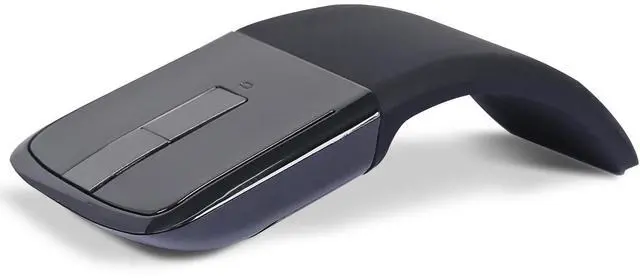
    Bluetooth Arc Mouse Foldable Slim and Portable Mini Wireless Computer Travel Mouse Folding Optical Touch Mice for Microsoft Laptop Tablet - Black

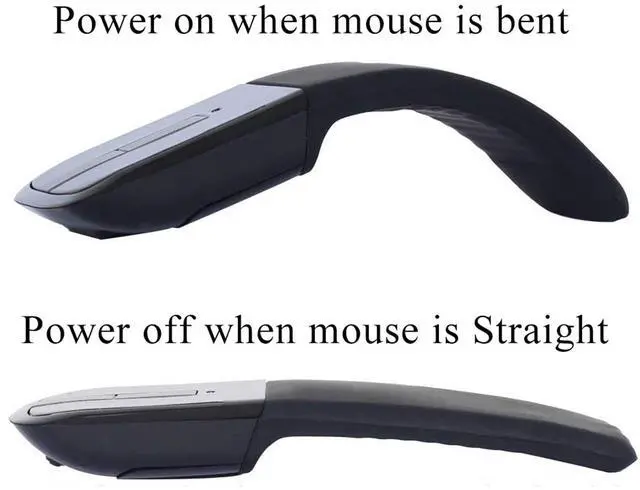
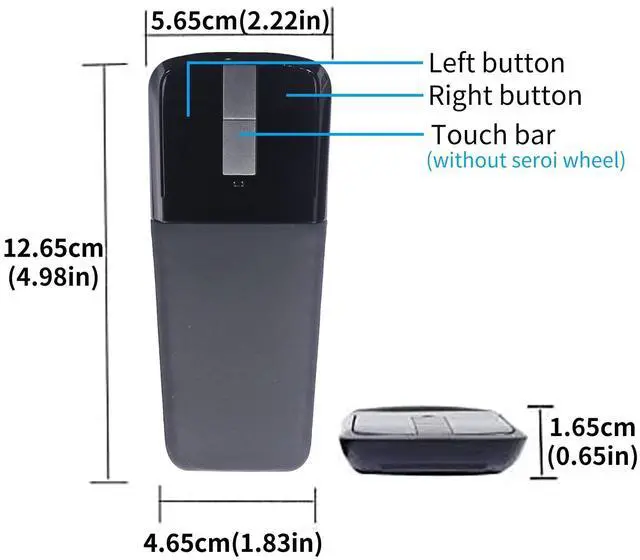
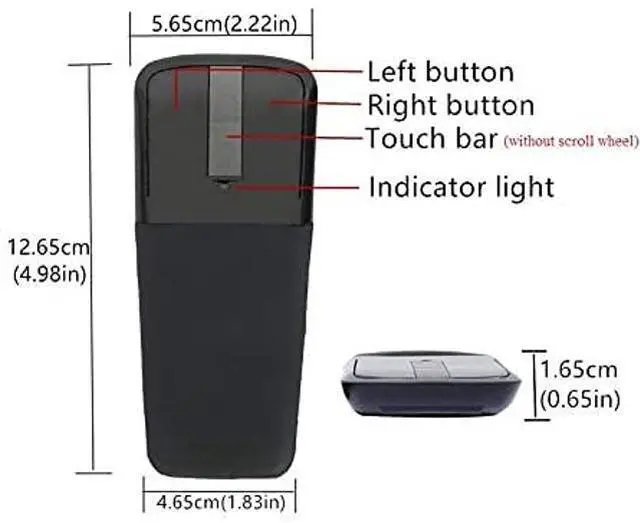
    • Cool Power Switch-- Snap the Arc Mouse into its curved position to power up. Snap again to flatten and power down. Touch bar replaces the wheel of a normal mouse.(Tip: This mouse is not a Microsoft Surface Arc mouse)
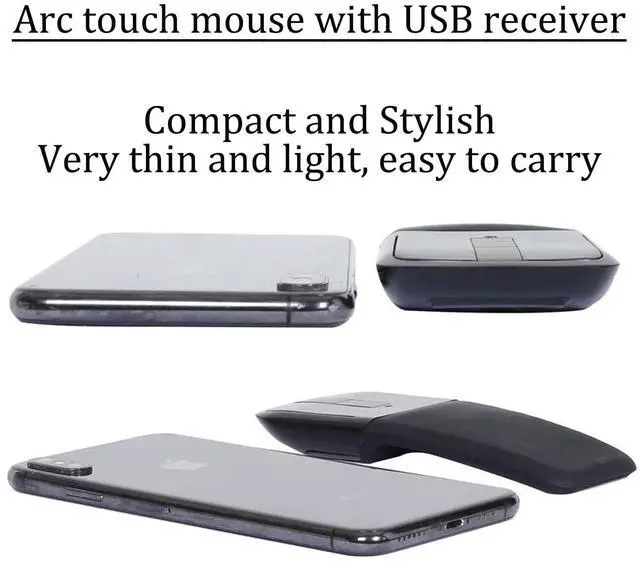
    • Ultra-Slim and Portable-- The arc mini bluetooth mouse, lightweight and easy to carry, goes anywhere without the weight or bulk of traditional mice. Whats more, you can snap it flat and easily slip it in your back pocket or bag for travel
    • Bluetooth Wireless Connection Without USB Dongle-- Bluetooth wireless connection saves USB port for computer.(Bluetooth pairing: Press the left and right buttons simultaneously for 6 seconds, then the blue light flashes to enter pairing mode)
    • Wide Compatibility Wireless Mouse-- This Bluetooth Mouse for Laptop,PC/Tablet/Mac/ipad/iphone;It is Compatible With Android/Chromebook/Windows/Vista/Linux/Notebook/Mac OS and Other Devices; Suitable for Home, Office, Travel and More
    • Professional Customer Service-- The
    +
    +
    Overview
    Specs
    Reviews
    avatar

    Any questions? Our AI beta will help you find out quickly.

    Product Description

    Note:
    1. This is a bluetooth mouse without USB Dongle Receiver.
    2. The mouse must be bent to the right position, otherwise it can not turn on.

    3. If you are prompted to enter a pin code when you turn on the Arc Bluetooth mouse, it may be because of a conflict between two similar Bluetooth mice. At this time, you only need to re-pair the Bluetooth mouse (press and hold the left and right buttons of the mouse for 6 seconds to enter the pairing mode).

    4. It is recommended to use a new battery for power supply, if the voltage is too low, the touch bar scrolls abnormally or does not work. *A mouse with a touch bar consumes more power than a normal mouse.
    * How to use it?

    1. Insert the battery into the mouse.

    2. Bent the mouse, when you hear a sound, it means the mouse is bent into correct position.

    3. Press the left and right buttons simultaneously for 6 seconds, blue light flickering from the gap of the right button.

    4. Open your computer Setting - Device - add bluetooth mouse

    5. The computer will search our mouse. After it find out our mouse, click to connection, then the mouse can work.
    Product parameters:
    - Connection Type: Bluetooth 4.0
    - Wireless distance: 10m
    - Product Size: 133*55*12mm
    - Weight: 45±5g
    - Resolution: 1200dpi
    - Operating cycles: 1, 000, 000 cycles
    - Battery: 2*AAA dry battery (Not included)
    - Material: ABS Plastic and silicon
    - System requirement: Windows 8/10/11, iOS, MAC OS, Android

    Warranty & Returns

    Warranty, Returns, And Additional Information

    Warranty

    • Please contact the Seller directly for warranty information. Warranty information may also be found on the Manufacturer's website.
    • CONTACT

    Return Policies

    • Return for refund within: 30 days
    • Return for replacement within: 30 days
    • This item is covered by kaipuda Return Policy

    Manufacturer Contact Info

    LOADING...