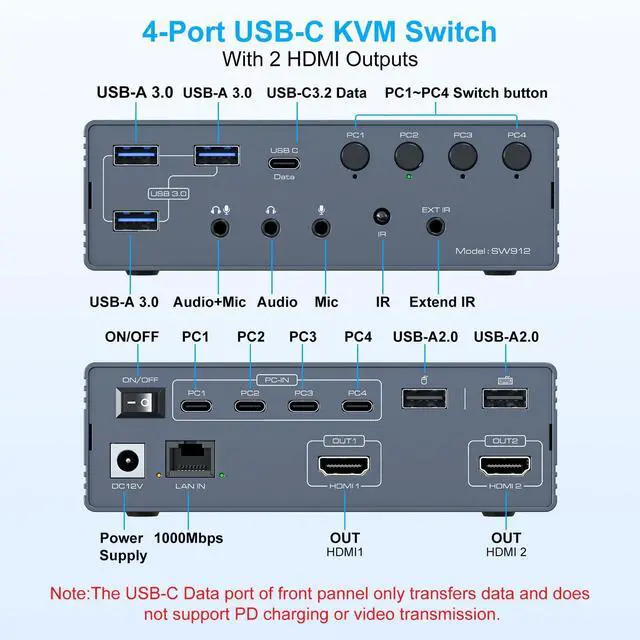
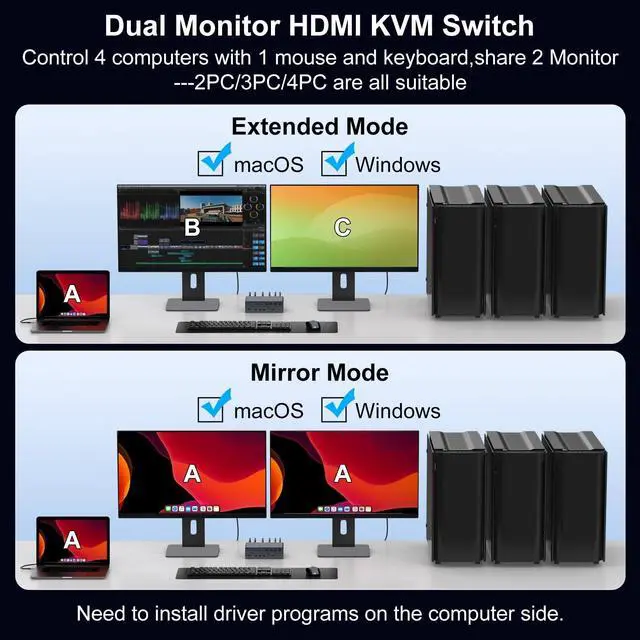
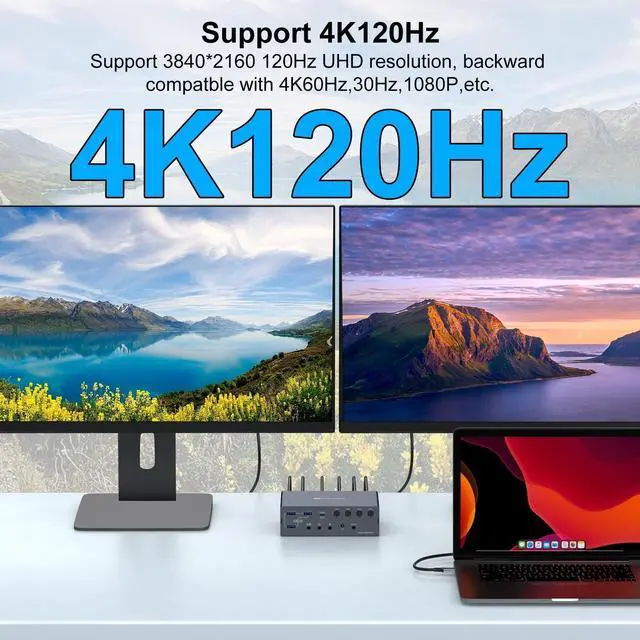
Kvm Switch 2 Monitors 4 ComputersThis USB A/C docking station supports seamlessly connect 4 computers (USB 3.0 /Thunderbolt) to 2 HDMI displays, supporting mirror or extended mode. Share 1 keyboard/mouse, 3 USB 3.0 ports, 1 USB-C 3.2 port, Gigabit Ethernet, and 3.5 mm audio jack to enhance workflow efficiency and save desk space ^^ Mirroring and Extended Display for MACThe Special designed KVM switch for Mac supports dual screen extended mode and mirroring mode, enable dual screen extended mode under macOS. (compatible with MacBook Air/Pro, and Mac Mini models featuring M1/M2/M3/M4 chips) Also Supporting macOS, Windows, Chrome OS, Linux, and Android (with corresponding drivers available for download) ^^ Plug & Play + Dual 4K@120Hz DisplayThis KVM switch docking station supports dual monitor with 2 dedicated HDMI outputs, which can support up to 4K@120Hz simultaneous.
To utilise 4K@120Hz, ensure both your HDMI cable & monitor & PC support 4K@120Hz ^^ Important Notice1.
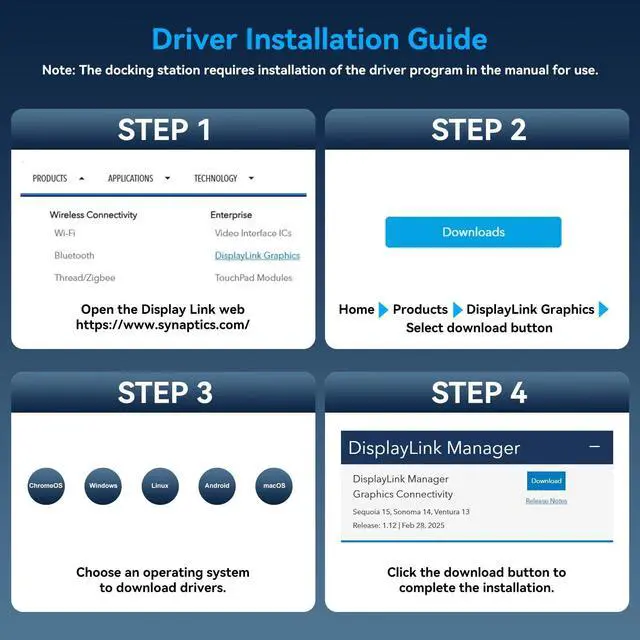
Driver Required: Install the "Displaylink driver" (refer to the manual) for proper functionality; 2.
USB 3.0 +: Require a USB 3.0 or higher port for connection; 3.
No PD FAST Charging: This device does not support laptop power delivery. 4.
System Requirements:
Recommended: CPU Intel i7 or above, and 16GB RAM to ensure optimal performance ^^ USB C KVM Docking Station Supports 2 Switching Modes 1. Remote Switching Use the remote control to switch computers. Connecting via a wired infrared cable, aim the remote at the infrared receiver to switch devices remotely. 2. Button Switching Press the PC1 - PC4 buttons on the docking station for instant, direct switching