

Your Browsing History
- Free 30-day Returns
$59.99

Meet Your Seller

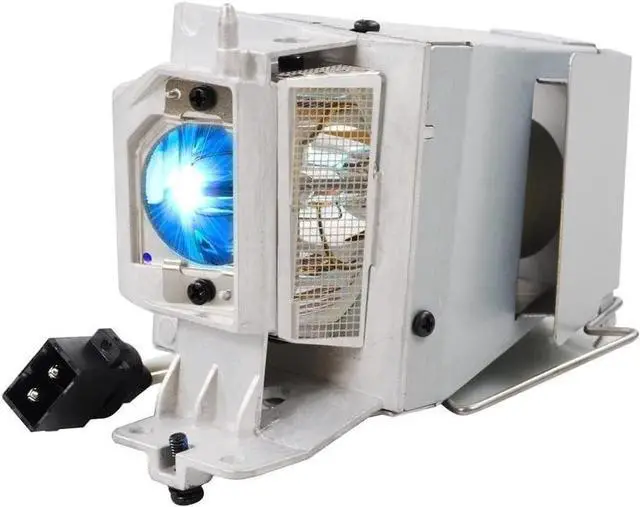
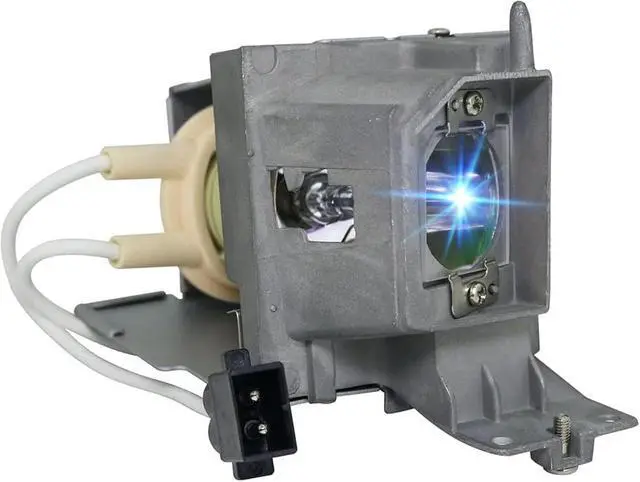
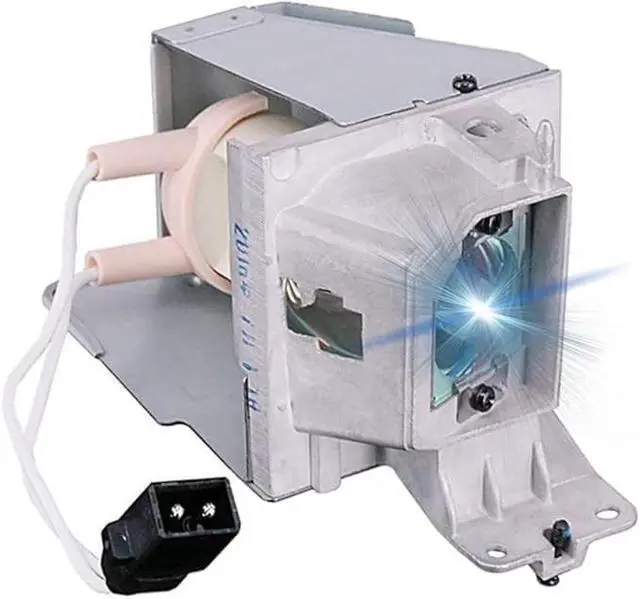


CHNPOFNT MC.JH111.001/SP.8VH01GC01/BL-FP190E Replacement Projector Lamp Bulb with Housing for HD141X DH1009 EH200St GT1080 HD26 S316 X316 W316 DX346 BR323 BR326 for ACER H5380BD P1283 P1383W
- 1.NEW Projector Lamp for MC.JH111.001/SP.8VH01GC01/BL-FP190E /725-BBCV /D4J03 /NP36LP /MC.JH111.001/ SP.8VH01GC01/ BL-FP190E/ MC.JN811.001
- 2.Replacement Lamps works for HD141X DH1009 EH200St GT1080 HD26 S316 X316 W316 DX346 BR323 BR326 for ACER H5380BD P1283 P1383W NP-V302W NP-V302X V302W V302X for OPTOMA DW333 S312 for ACER X113 H5380BD P1283 P1383W X113H X113PH X1383WH X113 H6517ABD X115H X125H X115 X115H X125H X135WH H6517ABD D602 D602D D612D D622D E145F EV-S62 EV-S62H EV-X62H EV-W62H HE-801K V31S V32S V32X V32W AS304 AS314 AX314 AW314 D600+ D600D+ D610D+ D620D+ X114PH X124PH X134PWH for InFocus IN224 IN226 IN226ST IN228 IN220 IN222 for RICOH PJ S2240 PJ WX2240 PJ X2240
- 3.180 days warranty period is provided, any problem will be solved perfectly, and all emails will be replied within 12 hours.
- 4.Transport to your home by the safest and fastest express.
+
+
Overview
Specs
Reviews

Any questions? Our AI mode will help you find out quickly.
Try me now
CHNPOFNT MC. JH 111.001 /SP. 8VH01GC01/BL-FP190E Replacement Projector Lamp Compatible with HD141X DH1009 EH200St GT1080 HD26 S316 X316 W316 DX346 BR323 BR326 for ACER H5380BD P1283 P1383W ProjectorsLamp ReplacementProjector
Lamp Part Number: MC. JH 111.001 /SP. 8VH01GC01/BL-FP190ESuitable for projectors for HD141X DH1009 EH200St GT1080 HD26 S316 X316 W316 DX346 BR323 BR326 for ACER H5380BD P1283 P1383W NP-V302W NP-V302X V302W V302X for OPTOMA DW333 S312 for ACER X113 H5380BD P1283 P1383W X113H X113PH X1383WH X113 H6517ABD X115H X125H X115 X115H X125H X135WH H6517ABD D602 D602D D612D D622D E145F EV-S62 EV-S62H EV-X62H EV-W62H HE-801K V31S V32S V32X V32W AS304 AS314 AX314 AW314 D600+ D600D+ D610D+ D620D+ X114PH X124PH X134PWH for InFocus IN224 IN226 IN226ST IN228 IN220 IN222 for RICOH PJ S2240 PJ WX2240 PJ X2240 ProjectorsType: Compatible Bulb
Lamp with HousingCondition:
NewWarranty: 180
days warrantyPackage: Durable, waterproof, and
shockproof solid boxApply to: For Home/School/Business PresentationSteps to
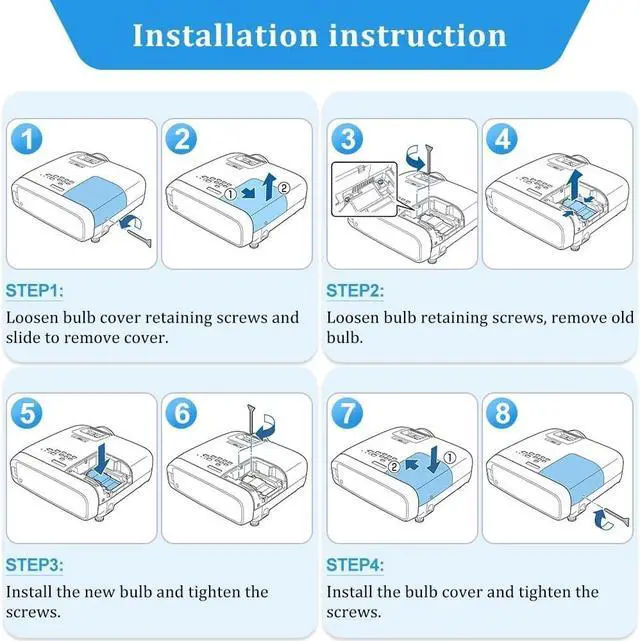
Install Your Projector Lamps: To install a projector lamp with the housing, just follow the easy steps below: 1. Make sure the projector is unplugged and sitting on a flat surface2. Loosen the screw holding the projector lamp module cover in place and remove the panel3. Unplug the old projector lamp and remove it from the projector4. Plug the new projector lamp securely into place5. Attach the panel back onto the projector and tighten the screw
Lamp Part Number: MC. JH 111.001 /SP. 8VH01GC01/BL-FP190ESuitable for projectors for HD141X DH1009 EH200St GT1080 HD26 S316 X316 W316 DX346 BR323 BR326 for ACER H5380BD P1283 P1383W NP-V302W NP-V302X V302W V302X for OPTOMA DW333 S312 for ACER X113 H5380BD P1283 P1383W X113H X113PH X1383WH X113 H6517ABD X115H X125H X115 X115H X125H X135WH H6517ABD D602 D602D D612D D622D E145F EV-S62 EV-S62H EV-X62H EV-W62H HE-801K V31S V32S V32X V32W AS304 AS314 AX314 AW314 D600+ D600D+ D610D+ D620D+ X114PH X124PH X134PWH for InFocus IN224 IN226 IN226ST IN228 IN220 IN222 for RICOH PJ S2240 PJ WX2240 PJ X2240 ProjectorsType: Compatible Bulb
Lamp with HousingCondition:
NewWarranty: 180
days warrantyPackage: Durable, waterproof, and
shockproof solid boxApply to: For Home/School/Business PresentationSteps to
Install Your Projector Lamps: To install a projector lamp with the housing, just follow the easy steps below: 1. Make sure the projector is unplugged and sitting on a flat surface2. Loosen the screw holding the projector lamp module cover in place and remove the panel3. Unplug the old projector lamp and remove it from the projector4. Plug the new projector lamp securely into place5. Attach the panel back onto the projector and tighten the screw
Warranty & Returns
Warranty, Returns, And Additional Information
Warranty
- Please contact the Seller directly for warranty information. Warranty information may also be found on the Manufacturer's website.
- CONTACT
Return Policies
- Return for refund within: 30 days
- Return for replacement within: 30 days
- This item is covered by Riveira Store Return Policy
Manufacturer Contact Info
- For a directory of all our manufacturers, please click below.
- Manufacturers Directory
LOADING...