Your Browsing History
- Free 30-day Returns
$68.99
Meet Your Seller
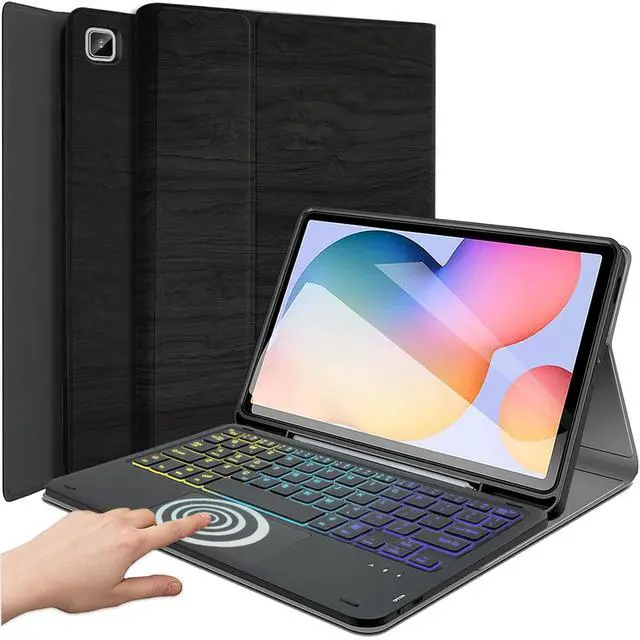
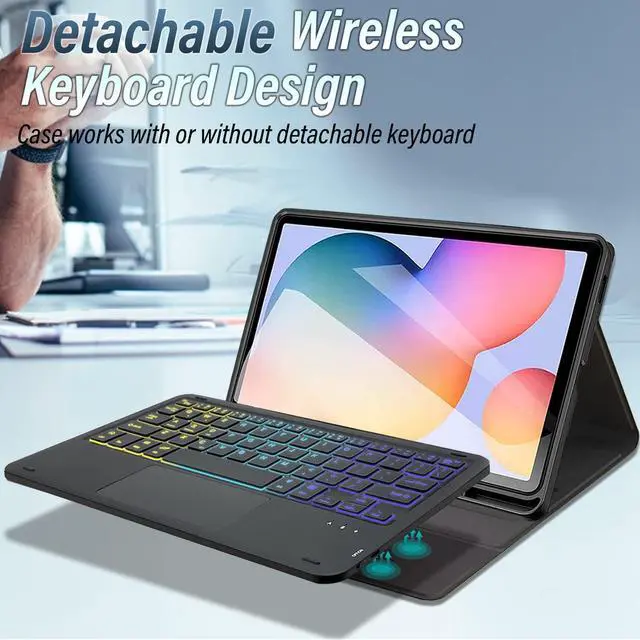
Backlit Touchpad Keyboard Case for Samsung Galaxy Tab S6 Lite 10.4 Inch 2024/2022/2020 -SM-P620/P625/P613/P619/P610/P615, DKAHOEE 3-Zone Backlit Wireless Detachable Keyboard with Slim Stand Cover Case
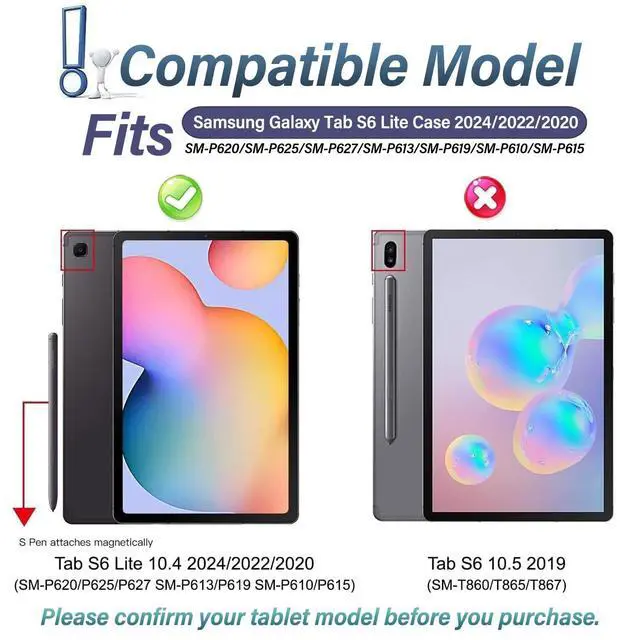
- Compatibility ModelWireless Keyboard Case Specially designed for Samsung Galaxy Tab S6 Lite 2024 (Model: SM-P620/P625), Galaxy Tab S6 Lite 2022 (Model: SM-P613/P619), and Galaxy Tab S6 Lite 2020 (SM-P610/P615/P617) ONLY. Not compatible with any other devices. Please kindly check the model number before purchase
- 3-Zone 7 Color BacklitBacklit Detachable Keyboard makes your keyboard gorgeous and special, typing fun and easy in the dark/night. Built-in long life Lithium-ion battery and high quality waterproof keyboard conductive film, Adjustable backlight allows you to personalize your setup, match specific working conditions and showcase your favorite colors. Make it easier to find your keys in the dark.
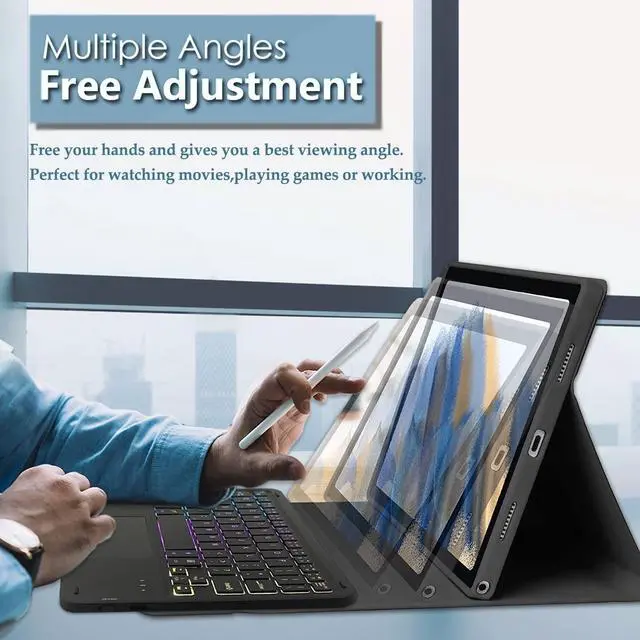
- Precise Cutouts & Multi AnglesPrecise cutouts allow full access to all features and offer the perfect protection, convenience for daily use. Free to adjust the best viewing position by remove keyboard and adjust the screen. Perfect for watching, reading, working or playing games.
+
+
Overview
Specs
Reviews
Any questions? Our AI beta will help you find out quickly.
Try me now
DKAHOEE 2024 Introduces this stunningly attractive and unique case7 Colors Backlights Touchpad Keyboard for Samsung Galaxy Tab S6 Lite 10.4 inch 2024/2022/2020(TABLET
MODEL: SM-P620/SM-P625/SM-P627/SM-P613/SM-P619/SM-P610/SM-P615) (Please check your tablet model carefully)
Product Feature: 1.
Material: PU+plastic keyboard 2.7 - Color Backlit3. PC hard case4. Detachable design of keyboard and leather case5. Adopt X scissor foot key structure design6. Ultra-thin Bluetooth keyboard7. Bluetooth 3.0 connectionHow to turn on bluetooth keyboardPlease connect the Bluetooth keyboard according to the tutorial prompt. 1. Open the case, and insert the tablet into the case. 2. Dial ON/OFF button on right direction for opening keyboard, press FN+C into wireless matching condition. (The Bluetooth light blinks slowly) 3. Open bluetooth on device, search
keyboard name: [Keyboard] for matching device to keyboard4. Click the "Keyboard" to connect, finish.
Package Included: 1 x Tab S6 Lite Case(Tablet, Pencil NOT included)1 x Wireless Keyboard1 x Charging Cable1 x
User ManualKind Tips: The keyboard will automatically sleep if you do not use it within 10 minute. Then press any key and wait 2-3 seconds, the device will automatic return the last time you read.

MODEL: SM-P620/SM-P625/SM-P627/SM-P613/SM-P619/SM-P610/SM-P615) (Please check your tablet model carefully)
Product Feature: 1.
Material: PU+plastic keyboard 2.7 - Color Backlit3. PC hard case4. Detachable design of keyboard and leather case5. Adopt X scissor foot key structure design6. Ultra-thin Bluetooth keyboard7. Bluetooth 3.0 connectionHow to turn on bluetooth keyboardPlease connect the Bluetooth keyboard according to the tutorial prompt. 1. Open the case, and insert the tablet into the case. 2. Dial ON/OFF button on right direction for opening keyboard, press FN+C into wireless matching condition. (The Bluetooth light blinks slowly) 3. Open bluetooth on device, search
keyboard name: [Keyboard] for matching device to keyboard4. Click the "Keyboard" to connect, finish.
Package Included: 1 x Tab S6 Lite Case(Tablet, Pencil NOT included)1 x Wireless Keyboard1 x Charging Cable1 x
User ManualKind Tips: The keyboard will automatically sleep if you do not use it within 10 minute. Then press any key and wait 2-3 seconds, the device will automatic return the last time you read.
Warranty & Returns
Warranty, Returns, And Additional Information
Warranty
- Please contact the Seller directly for warranty information. Warranty information may also be found on the Manufacturer's website.
- CONTACT
Return Policies
- Return for refund within: 30 days
- Return for replacement within: 30 days
- This item is covered by Detail Driven Return Policy
Manufacturer Contact Info
- For a directory of all our manufacturers, please click below.
- Manufacturers Directory
LOADING...