• $92.99
  • Free 30-day Returns
  • Price alert
    Shop it at NeweggBusiness.

    Meet Your Seller

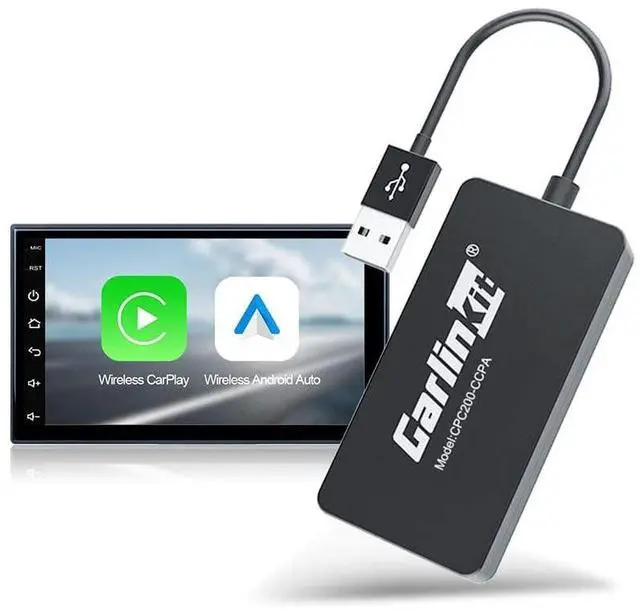
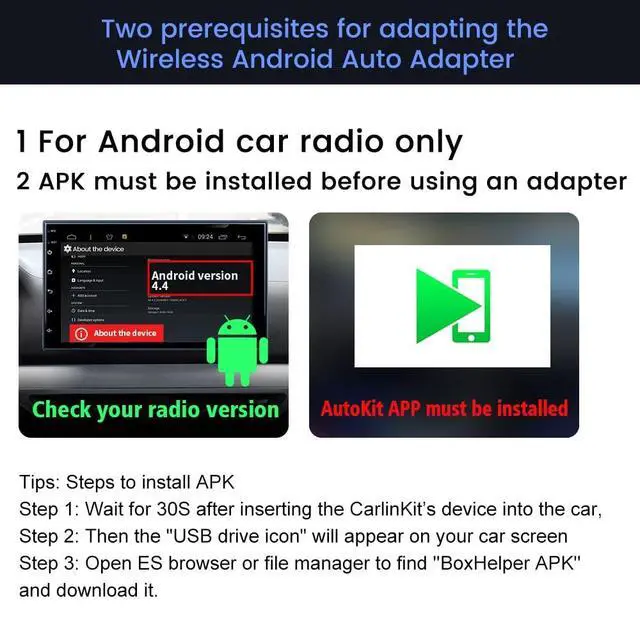
    Carlinkit Wireless CarPlay USB Adapter Only Compatible with Android car radios. only for Android Version 4.4.2 or Above. APK Must be Successfully Installed Before use. Model:CPC200-CCPA

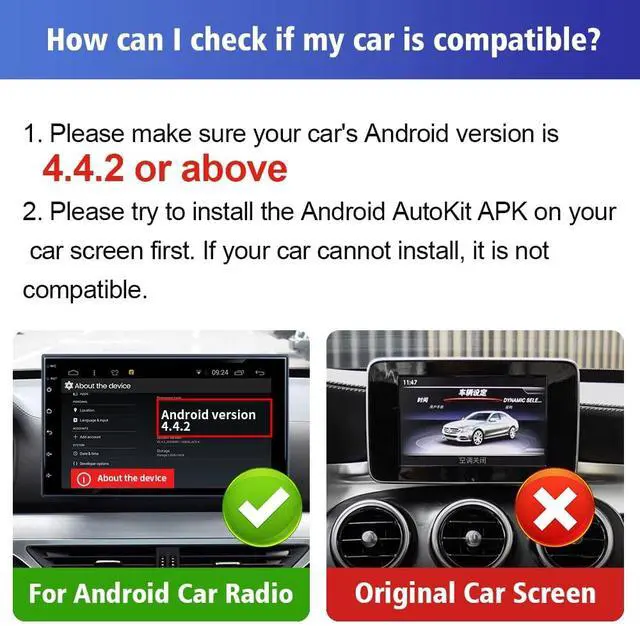
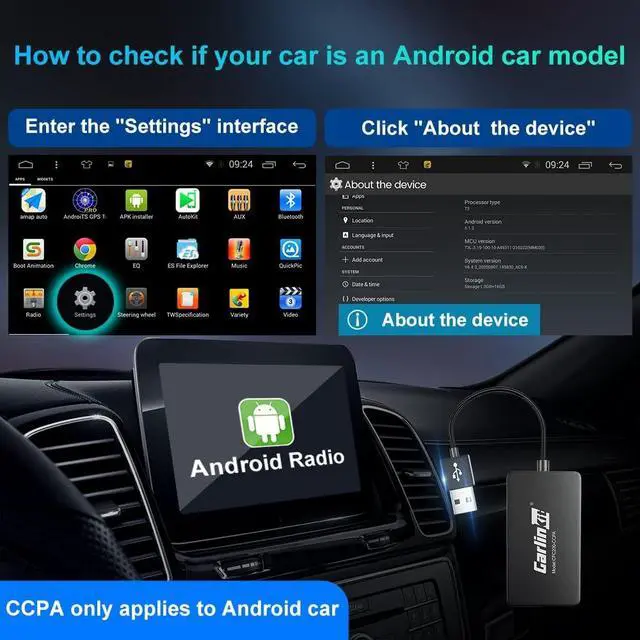
    • Compatibility RequirementsOnly for Android car radio, only for Android version 4.4.2 or above, the APK must be successfully installed before using USB.
    • Notice Tips: This dongle is not available for cars that cannot install APK, not suitable for versions below Android 4.4.2, not suitable for cars that are not Android car radio.
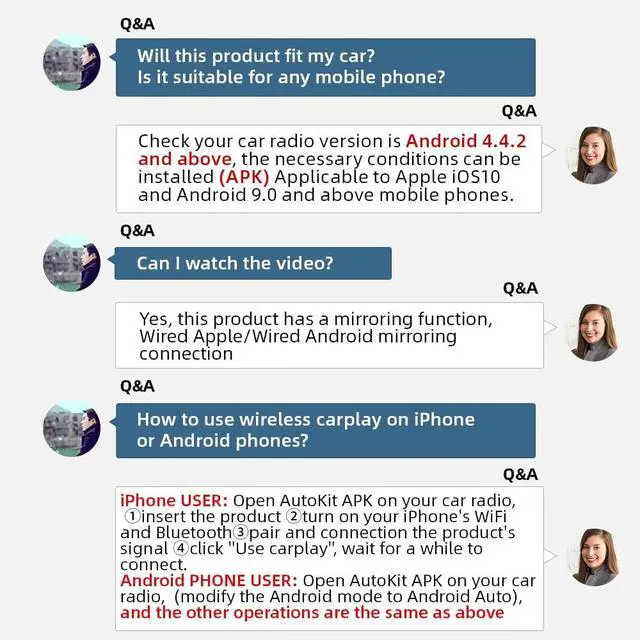
    • Upgraded Wireless CarPlay AdapterThe Wireless CarPlay Adapter is compatible with Carplay/Android auto. Check your car radio version is Android 4.4.2 and above, Download the Autokit app to connect it, and the car radio will have the functions of a mobile phone.
    • 1,APK installation method: APK needs to be installed before use 1. After inserting the product, it can be installed directly: Installation steps: After inserting the device into the car, wait for about 30s, the 'U disk icon' will appear at the top of the screen, open the ES browser or file manager to find '' BoxHelper APK '' and download it.
    • 2,APK installation method: If the "U disk icon" does n
    +
    +
    Overview
    Specs
    Reviews
    avatar

    Any questions? Our AI beta will help you find out quickly.

    Compatibility RequirementsOnly for Android car radio, only for Android version 4.4. 2 or above, the APK must be successfully installed before using USB.
    ^^ Notice Tips: This dongle is not available for cars that cannot install APK, not suitable for versions below Android 4.4. 2, not suitable for cars that are not Android car radio. ^^ Upgraded Wireless CarPlay AdapterThe Wireless CarPlay Adapter is compatible with Carplay/Android auto. Check your car radio version is Android 4.4. 2 and above, Download the Autokit app to connect it, and the car radio will have the functions of a mobile phone. ^^ 1, APK
    installation method: APK needs to be installed before use
    1. After inserting the product, it
    can be installed directly: Installation
    steps: After inserting the device into the car, wait for about 30s, the 'U disk icon' will appear at the top of the screen, open the ES browser or file manager to find '' BoxHelper APK '' and download it. ^^ 2, APK
    installation method: If the "U disk icon" does not appear after inserting the product please refer to the following steps
    1. The mobile phone WIFI is connected to the box signal, the WIFI name is prefixed with "Auto", the
    WiFi password: '' 12345678 ''
    2. Input in the browser of the mobile phone: " 192.168. 43.1"
    3. Follow the prompts to enter information----restore to factory settings----wait for a few seconds, and the "U disk icon" will appear ^^
    Compatible Devices: for android radio cart, for iPhone with iOS 10 or above, for Android 11 Above models Phone, the phone needs to have Android Auto service installed ^^
    APK:
    h-t-t-p: // 121.40.
    123.198: 8080/autokit/autokit. apk

    Warranty & Returns

    Warranty, Returns, And Additional Information

    Warranty

    • Please contact the Seller directly for warranty information. Warranty information may also be found on the Manufacturer's website.
    • CONTACT

    Return Policies

    • Return for refund within: 30 days
    • Return for replacement within: 30 days
    • This item is covered by mafengkeji Return Policy

    Manufacturer Contact Info

    LOADING...